
1. הקדמה
The isinwheel S4 Electric Scooter is designed for children aged 6-14, offering a fun and safe riding experience. Powered by a 200W motor, it features three adjustable speed modes (5/8/12 mph), an LED display, colorful lights, and dual braking for enhanced safety. This manual provides essential information for assembly, operation, maintenance, and troubleshooting to ensure optimal performance and user safety.

Figure 1: isinwheel S4 Electric Scooter (Blue model) and its compact folded form.
2. סעטאַפּ
2.1 ונבאָקסינג און אַסעמבלי
Carefully remove all components from the packaging. The scooter comes partially assembled. Follow the steps below to complete the assembly:
- Connect the handlebar assembly to the main stem. Ensure the electrical connectors are securely fastened.
- Insert the provided bolts into the designated holes on the stem and tighten them one by one using the included Allen wrench.
- Ensure all connections are firm and secure before first use.
Video 2.1: Detailed instructions for the initial setup and assembly of the S4 Electric Scooter.
2.2 פאָלדינג און אַנפאָולדינג
The isinwheel S4 features an instant fold mechanism for easy portability and storage. To fold the scooter, locate the folding latch near the base of the handlebar stem. Press the release button and fold the handlebar down until it clicks into place. To unfold, reverse the process, ensuring the latch is securely engaged before riding.

Figure 2.1: The instant fold feature allows for quick and easy storage or transport.

Figure 2.2: The scooter's lightweight and foldable design makes it highly portable.
3. אַפּערייטינג ינסטרוקטיאָנס
3.1 אײַנשטעלן/אויסשטעלן און אַרויסווײַזן
To power on the scooter, press and hold the power button on the handlebar for 2 seconds. The LED display will illuminate, showing current speed mode, battery level, and speed. To turn off, press and hold the power button again for 2 seconds.

Figure 3.1: The kid-friendly LED display provides real-time riding information.
Video 3.1: Demonstration of powering on the scooter and navigating the display.
3.2 ספּיד מאָדעס
The S4 Electric Scooter offers three speed modes: ECO (5 mph), D (8 mph), and S (12 mph). Double-press the power button to cycle through these modes. This allows riders to choose a speed appropriate for their skill level and environment.
3.3 ברעיקינג סיסטעם
The scooter is equipped with a dual braking system for reliable stopping power: an electronic brake on the handlebar and a foot brake on the rear fender. Use both brakes for optimal stopping distance and control.

Figure 3.2: Illustration of the dual safety braking system for quick and secure stops.
3.4 בלועטוט קאָנעקטיוויטי
Connect your smartphone via Bluetooth to the scooter to play music through its integrated speakers. This feature enhances the riding experience with personalized audio.

Figure 3.3: Smart control allows Bluetooth music playback directly from the scooter.

Figure 3.4: Enjoy your favorite tunes while riding with the integrated Bluetooth feature.
4. וישאַלט
4.1 טשאַרדזשינג די באַטאַרייע
To charge the scooter, connect the charger to the charging port located on the scooter's deck. Plug the charger into a standard electrical outlet. The indicator light on the charger will change to indicate charging status (e.g., red for charging, green for fully charged). A full charge provides over 60 minutes of continuous fun.
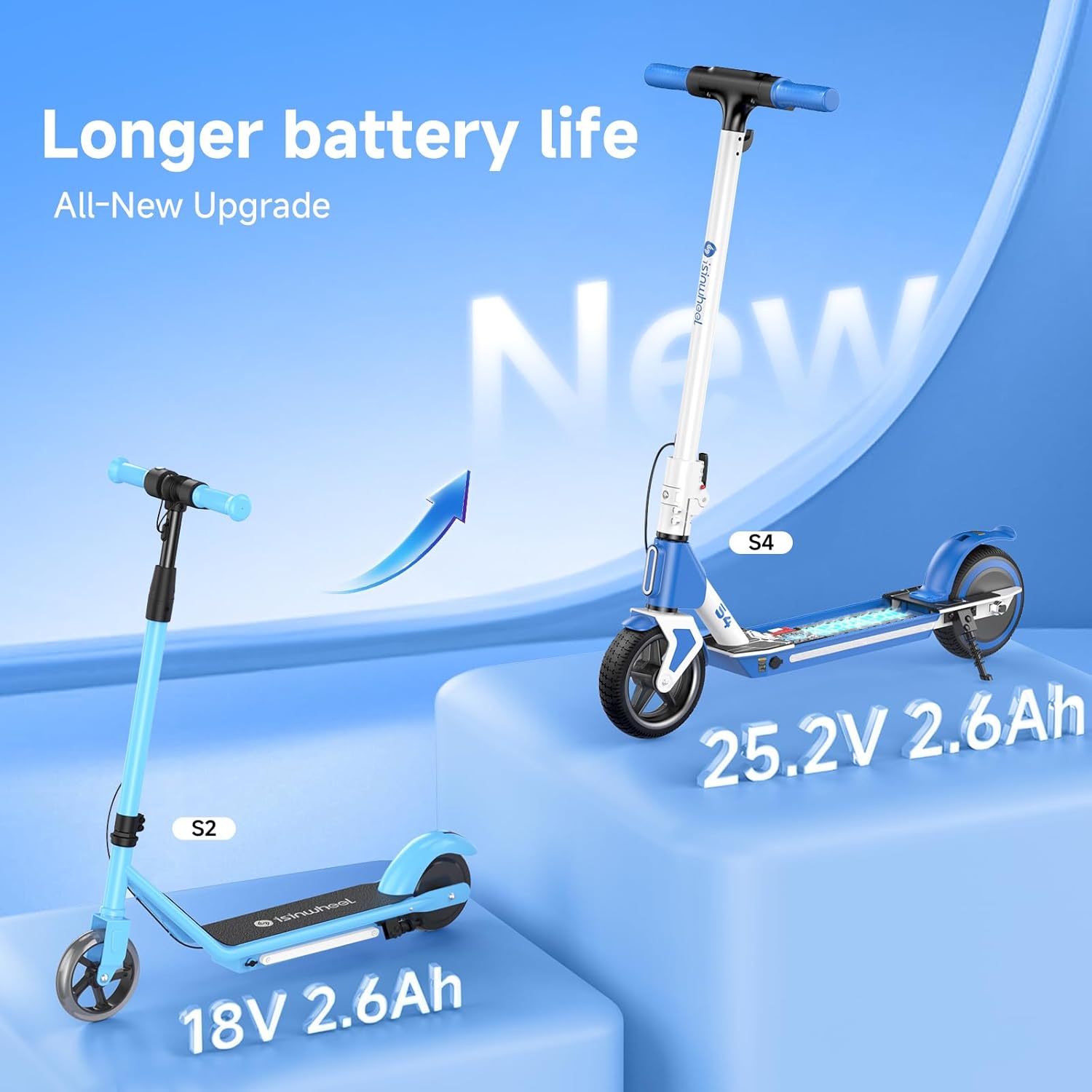
Figure 4.1: The S4 features an upgraded 25.2V 2.6Ah lithium-ion battery for extended playtime.
Video 4.1: Instructions on how to properly charge the isinwheel S4 Electric Scooter.
4.2 אַלגעמיינע קער
- האַלט דעם סקוטער ריין דורך אים אָפּווישן מיט אַד.amp שטאָף. ויסמייַדן ניצן האַרב קעמיקאַלז.
- האַלט דעם סקוטער אין אַ טרוקענעם אָרט אַוועק פון דירעקטער זון און עקסטרעמע טעמפּעראַטורן.
- Regularly check all screws and bolts to ensure they are tight.
- קאָנטראָלירט די רעדער פֿאַר אָפּנוץ און טרער.
5. זיכערקייַט גיידליינז
Safety is paramount when operating the isinwheel S4 Electric Scooter. Always adhere to the following guidelines:
- טראָגט שטענדיק אַ העלם און פּאַסיקע זיכערהייטס-עקוויפּמענט (קני פּעדס, עלנבויגן פּעדס) ווען איר רײַט.
- Ensure the rider is within the recommended age range (6-14 years) and weight limit (154 lbs).
- Ride in safe, open areas away from traffic and pedestrians.
- פֿאַרמײַדט צו פֿאָרן אויף נאַסע, אומגלײַכע אָדער גליטשיקע ייבערפֿלאַכן.
- Do not perform stunts or aggressive maneuvers.
- דערוואַקסענע השגחה איז רעקאָמענדירט, ספּעציעל פֿאַר ייִנגערע רייטער.
- מאַכט זיך באַקאַנט מיט די לאָקאַלע רעגולאַציעס וועגן דעם באַניץ פון עלעקטרישע סקוטער.

Figure 5.1: Children enjoying their isinwheel S4 scooters, emphasizing the importance of helmets.
6. טראָובלעשאָאָטינג
If you encounter any issues with your isinwheel S4 Electric Scooter, please refer to the common troubleshooting tips below:
| פּראָבלעם | מעגלעך סיבה | לייזונג |
|---|---|---|
| סקוטער גייט נישט אן. | Low battery; loose connections. | Charge the battery fully. Check all cable connections. |
| Scooter not moving. | Not enough initial push; wrong speed mode. | Give a strong initial push to activate the motor. Ensure it's not in ECO mode if higher speed is desired. |
| לייץ נישט ארבעטן. | Lights turned off; electrical issue. | Press the power button once to toggle lights. If issue persists, contact support. |
| בלועטוט קאנעקט נישט. | Bluetooth off on device; scooter not in pairing mode. | Ensure Bluetooth is enabled on your device. Restart both scooter and device. |
7. ספּעסאַפאַקיישאַנז
| שטריך | דעטאַל |
|---|---|
| סאָרט | איזין-וועיל |
| מאָדעל נאָמען | S4 |
| מאָטאָר מאַכט | 200 וו |
| באַטערי | 25.2V/2.6Ah Lithium-ion |
| גיכקייַט מאָדעס | 5/8/12 mph (ECO/D/S) |
| מאַקס דיסטאַנסע ראַנגע | אַרויף צו 8 מייל |
| וואָג לימיט | 154 פונט |
| פּראָדוקט דימענשאַנז (LxWxH) | 31.5"ל x 14.9"בר x 37.91"ה |
| ראָד גרייס | 6.5 אינטשעס |
| טאָרמאָז סטייל | Rear Braking (Electronic + Foot Brake) |
| ספּעציעלע פֿעיִקייטן | Digital Display, Lights, Foldable, Rechargeable, Bluetooth |
| UL Certification | UL2272 (as per product description) |
8. וואָראַנטי און שטיצן
8.1 וואָראַנטי אינפֿאָרמאַציע
The isinwheel S4 Electric Scooter comes with a 180-DAY warranty from the date of purchase. This warranty covers manufacturing defects and material flaws under normal use. Please retain your proof of purchase for warranty claims.
8.2 קונה שטיצן
For any questions, technical assistance, or warranty claims, please contact isinwheel customer support through their official website or the retailer where the product was purchased. Please have your model number and purchase date ready when contacting support.