
הקדמה
This manual provides detailed instructions for the NOUUI Open Ear Headphones, model NU-HS012 F01. These headphones feature an open-ear design for comfort and situational awareness, an AI noise-canceling microphone, Bluetooth 5.3 connectivity with multipoint pairing, and intuitive controls. Please read this manual thoroughly before using the product to ensure proper operation and maintenance.
וואָס איז אין די קעסטל
באַשטעטיקן אַז אַלע זאכן זענען פאַראַן אין פּעקל:
- NOUUI Bluetooth Headset
- טיפּ C טשאַרדזשינג קאַבלע
- טשאַרדזשינג באַזע
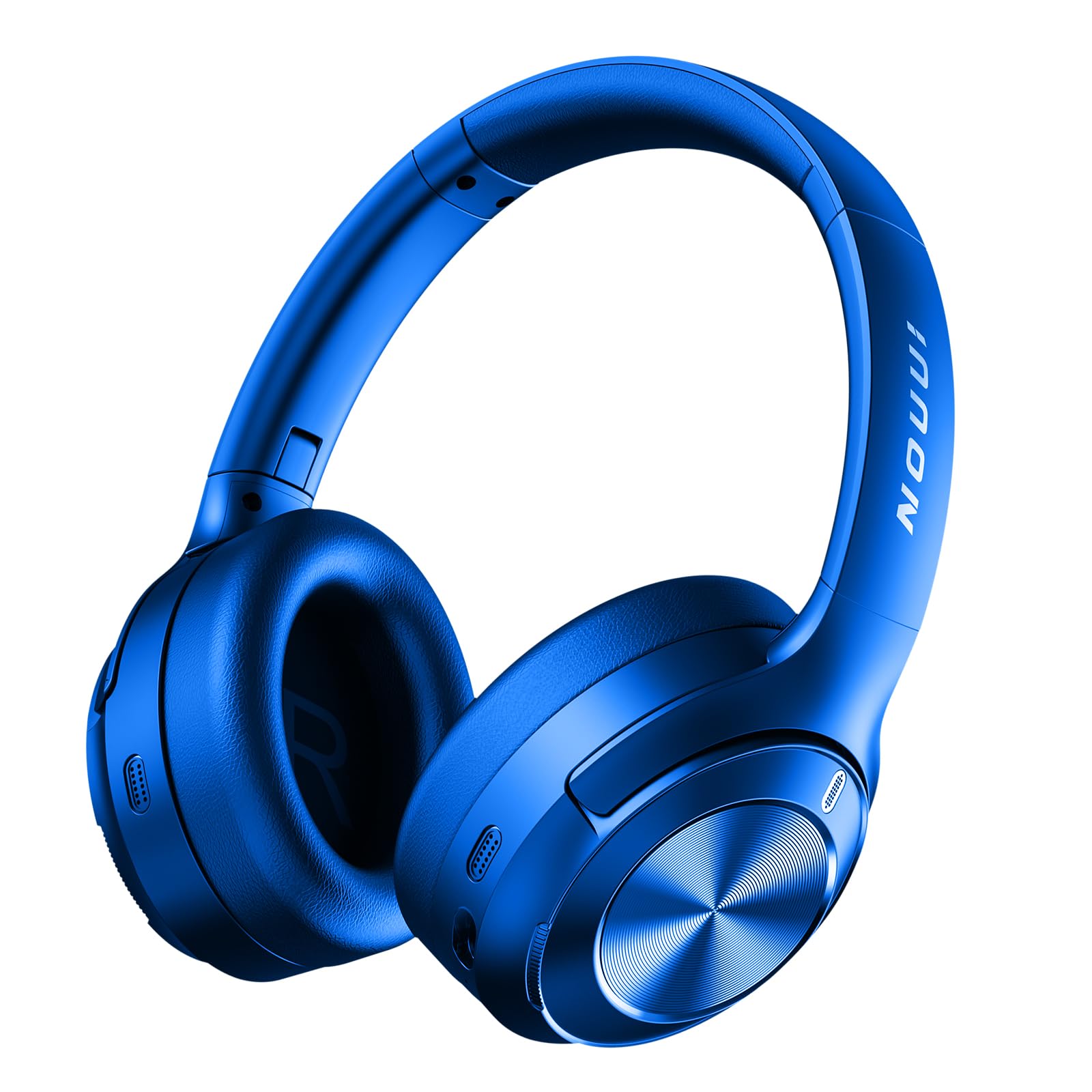
Image: The NOUUI Open Ear Headphones, a Type C charging cable, and a charging base are displayed together on a flat surface.
פּראָדוקט איבערview
The NOUUI Open Ear Headphones are designed for comfort and functionality. They feature a lightweight build (29 grams) with skin-friendly silicone ear pads and an ergonomic design that fits securely behind the ear without covering the ear canal. The headset includes a 270° rotatable microphone for optimal voice pickup and an integrated mute button.
די הויפּט קאַמפּאָונאַנץ אַרייַננעמען:
- עפענען אויער פּלאַן: ערמעגליכט אַמביאַנט געזונט וויסיקייַט.
- אַדזשאַסטאַבאַל מיקראָפאָן: 270° rotation for precise positioning.
- מולטי-פונקציע קנעפּל: For call and music control.
- שטיל קנעפּל: For microphone control.
- טשאַרדזשינג פּאָרט: Type C for convenient charging.
סעטאַפּ
1. טשאַרדזשינג די העאַדסעט
- Connect the Type C charging cable to the charging base.
- Connect the other end of the charging cable to a compatible USB power source (e.g., wall adapter, computer USB port).
- Place the NOUUI Bluetooth Headset onto the charging base, ensuring the charging contacts align.
- The indicator light on the headset or charging base will show the charging status. A full charge typically takes approximately 2 hours.
באַמערקונג: גאָר טשאַרדזשינג די כעדסעט איידער ערשטער נוצן.
2. בלועטאָאָטה פּערינג
- מאַכט אויף: Press and hold the Power button on the headset until the indicator light flashes, indicating it is in pairing mode.
- אַקטאַווייט בלועטאָאָטה: On your device (smartphone, tablet, computer), go to the Bluetooth settings and ensure Bluetooth is enabled.
- זוכן פֿאַר מכשירים: Your device will scan for available Bluetooth devices. Select "NOUUI NU-HS012 F01" (or similar name) from the list.
- פאַרבינדן: Once selected, the headset will connect to your device. The indicator light will change to a steady blue or turn off, indicating a successful connection.
מולטיפּאָינט פּאָרינג: The headset supports connecting to two devices simultaneously. After pairing with the first device, disable Bluetooth on the first device, then pair with the second device. Re-enable Bluetooth on the first device, and the headset should connect to both. You can then switch between devices as needed.
אַפּערייטינג ינסטראַקשאַנז
יקערדיק קאָנטראָלס
- מאַכט אויף / אַוועק: דריקן און האַלטן די מאַכט קנעפּל.
- שפּיל / פּויזע מוזיק: דרוק אַ מאָל אויף די מולטי-פונקציאָנירן.
- ענטפֿערן / סוף רופן: דריק איין מאל דעם מולטי-פונקציע קנעפל בעת אן אנקומענדיקן רוף אדער אן אקטיוון רוף.
- אָפּוואַרפן רופן: דריק און האלט דעם מולטי-פונקציע קנעפל פאר בערך 2 סעקונדעס בעת אן אנקומענדיקן רוף.
- Microphone Mute / Unmute: Press the dedicated Mute button on the microphone arm.
- באַנד קאָנטראָל: Use the volume buttons on your connected device.
מיקראָפאָן באַניץ
The 270° rotatable microphone can be adjusted to position it optimally closer to your mouth for clearer voice pickup. The AI noise-canceling technology helps reduce background noise during calls, ensuring your voice is heard clearly by the other party.
וישאַלט
- רייניקונג: ניצט אַ ווייכע, טרוקענע, לינט-פֿרייע שטאָף צו רייניקן דעם כעדסעט. ניצט נישט קיין שרײַבנדיקע רייניגער, אַלקאָהאָל, אדער כעמישע סאָלווענטן.
- סטאָרידזש: When not in use, store the headset in a cool, dry place, away from direct sunlight and extreme temperatures. You can hang it around your neck for easy portability.
- וואַסער קעגנשטעל: The headset is sweatproof, making it suitable for workouts. However, avoid submerging it in water or exposing it to heavy rain.
- באַטערי זאָרגן: כדי צו פארלענגערן די לעבן פון די באַטעריע, זאָלט איר נישט אָפט אויסלאָדן די באַטעריע. לאָדט די כעדסעט רעגולער אויף, אפילו אויב איר ניצט עס נישט פאר לענגערע צייטן.
טראָובלעשאָאָטינג
| פּראָבלעם | מעגלעך לייזונג |
|---|---|
| כעדסעט גייט נישט אן. | Ensure the headset is fully charged. Connect it to the charging base and a power source. |
| קען נישט פאַרבינדן זיך מיט אַ דעווייס. |
|
| קיין קלאַנג אָדער נידעריקע וואָלומען. |
|
| מיקראָפאָן טוט נישט אַרבעטן. |
|
| די פֿאַרבינדונג פֿאַלט אָפֿט אַראָפּ. |
|
ספּעסאַפאַקיישאַנז
| שטריך | דעטאַל |
|---|---|
| סאָרט | NOUUI |
| מאָדעל נאָמען | NU-HS012 F01 |
| קאַנעקטיוויטי טעכנאָלאָגיע | ווירעלעס (בלוטוט 5.3) |
| פאָרם פאַקטאָר | On Ear / Open-Ear |
| מיקראָפאָן | AI Noise-canceling, 270° Rotatable |
| וואָג | 29 גראַם (אומגעפער) |
| מולטיפּאָינט פּערינג | Supported (connects to two devices simultaneously) |
| טראַנסמיסיע ראַנגע | ביז 49 פֿיס (אומגעפער 15 מעטער) |
| קאָליר | געל |
וואָראַנטי און שטיצן
For warranty information and technical support, please refer to the warranty card included with your product or visit the official NOUUI website. You may also contact NOUUI customer service directly for assistance with product issues or inquiries.
ביטע באַהאַלטן אייער קויפן-באַווייַז פֿאַר יעדע וואָראַנטי-פאָדערונג.