
1. פּראָדוקט איבערview
This manual provides detailed instructions for the Nitecore MH25 PRO and MH10 V2 rechargeable flashlights. The MH25 PRO features a NiteLab UHi 40 LED with a maximum output of 3,300 lumens, designed for long-range illumination. The MH10 V2 utilizes a CREE XP-L2 V6 LED, offering a maximum output of 1,200 lumens, suitable for everyday carry and general use. Both flashlights are durable, rechargeable, and designed for various outdoor and daily applications.
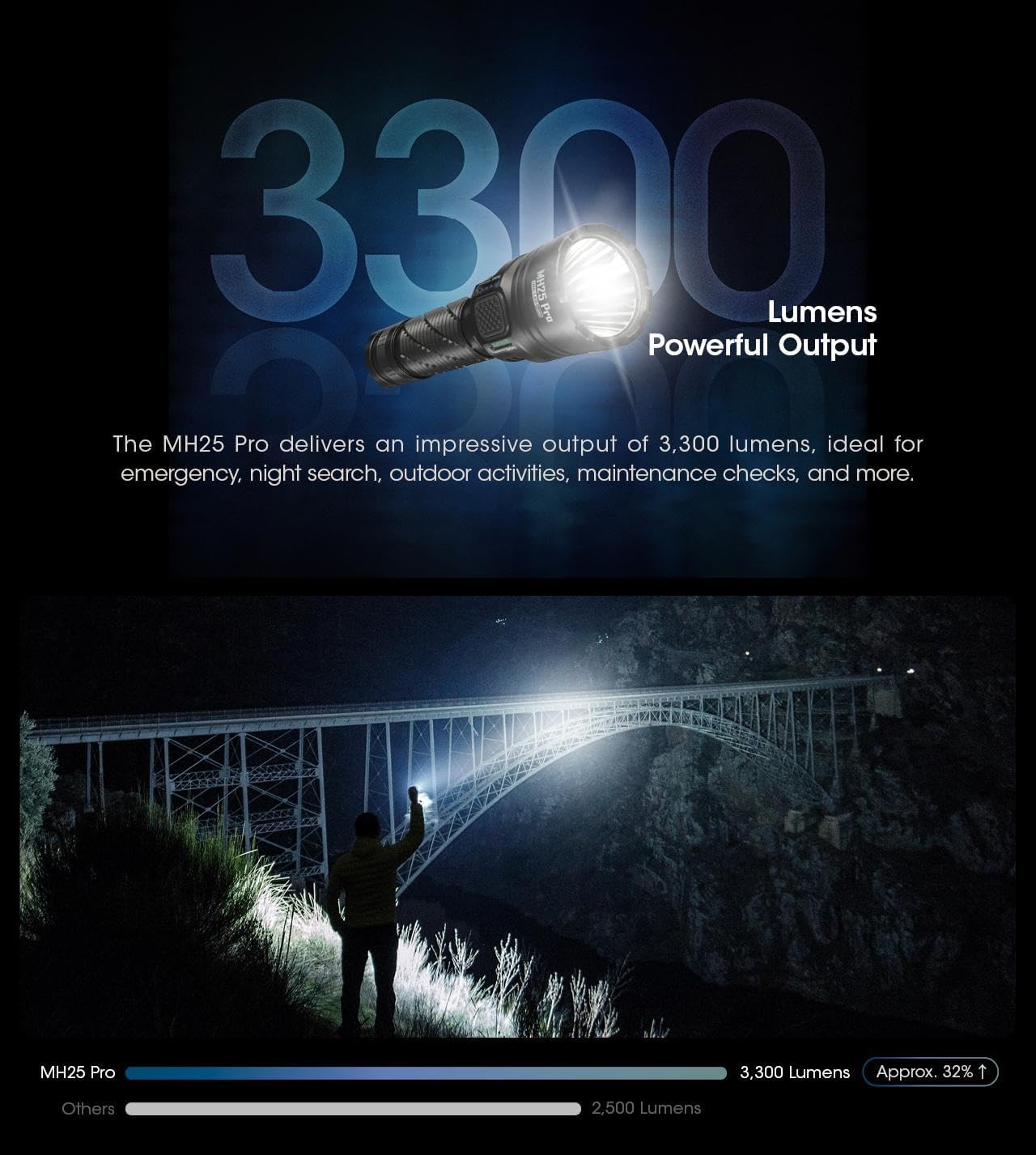
Image: The Nitecore MH25 PRO and MH10 V2 flashlights shown together, highlighting their compact design.
2. פּעקל אינהאַלט
באַשטעטיקן אַז אַלע זאכן זענען פאַראַן אין דיין פּעקל:
- Nitecore MH25 PRO Flashlight
- Nitecore MH10 V2 Flashlight
- NITECORE NL2153HP Li-ion Battery (for MH25 PRO)
- Li-ion Battery (for MH10 V2)
- וסב-C טשאַרדזשינג קאַבלע
- לאַניאַרד
- ספּער אָ-רינגס
- קליפ
- האָלסטער
3. סעטאַפּ
3.1 באַטאַרייע ייַנמאָנטירונג
Before first use, ensure the batteries are correctly installed. Unscrew the tail cap of each flashlight and insert the included Li-ion battery with the positive (+) terminal facing towards the head of the flashlight. Screw the tail cap back on tightly to ensure proper contact and water resistance.
3.2 ערשט טשאַרדזשינג
Both flashlights are equipped with a USB-C charging port. Connect the provided USB-C cable to the flashlight's charging port and to a USB power source (e.g., wall adapter, computer, power bank). The charging indicator will provide feedback on the charging status. A full charge is recommended before initial use to maximize battery life.

Image: Close-up of the Nitecore MH10 V2's USB-C charging port, showing its location and design for direct charging.
4. אָפּעראַציע
4.1 אַלגעמיינע קאָנטראָלן
Both MH25 PRO and MH10 V2 feature a tail switch for momentary and constant illumination, and a side mode button for brightness level and special mode selection.
4.2 MH25 PRO Operating Modes
The MH25 PRO offers two user modes: טעגלעך מאָדע און טאַקטיש מאָדע. It has 5 brightness levels (Ultralow, Low, Mid, High, Turbo) and 3 special modes (Strobe, Beacon, SOS).
- מאַכט אויף / אַוועק: Fully press the tail switch to turn the flashlight on or off.
- ברייטנאַס אַדזשאַסטמאַנט: With the light on, press the side mode button to cycle through brightness levels.
- ספּעציעלע מאָדעס: Double-press the mode button to activate Strobe. Press again to cycle through Beacon and SOS.
- מאָדע באַשטימען: Refer to the detailed instructions in the included manual for switching between Daily and Tactical modes.
4.3 MH10 V2 Operating Modes
The MH10 V2 also features multiple brightness levels and special modes.
- מאַכט אויף / אַוועק: Fully press the tail switch to turn the flashlight on or off.
- ברייטנאַס אַדזשאַסטמאַנט: With the light on, press the side mode button to cycle through brightness levels (Ultralow, Low, Mid, High).
- ספּעציעלע מאָדעס: Double-press the mode button to activate Strobe. Press again to cycle through Beacon and SOS.

Image: Diagram illustrating the Daily Mode and Tactical Mode interfaces with their respective brightness and special modes.
4.4 Power and Level Indicators
Both flashlights feature power indicators near the mode button to display remaining battery power and current brightness level. Consult the specific product manual for detailed indicator patterns.
4.5 Sensor Protection Function (MH25 PRO)
The MH25 PRO includes a built-in optical sensor. If an obstruction is detected at close range, the flashlight's brightness will automatically decrease to prevent overheating and potential damage.

Image: The Nitecore MH25 PRO flashlight held in hand, showcasing its anti-slip knurling and overall design for a secure grip.

Image: The Nitecore MH25 PRO flashlight emitting a powerful beam, illustrating its 3300 lumens output and long throw capability.
Image: The Nitecore MH10 V2 flashlight held in a gloved hand, demonstrating its compact size and lightweight design.
5. ספּעסאַפאַקיישאַנז
5.1 Nitecore MH25 PRO Specifications
| שטריך | דעטאַל |
|---|---|
| מאַקס רעזולטאַט | 3,300 לומענס |
| מאַקסימום שטראַל דיסטאַנס | 705 מעטער |
| Max Beam Intensity | 124,300 קאָמפּאַקטדיסק |
| מאַקס רונטימע | 650 hours (Ultralow) |
| געפירט | NiteLab UHi 40 LED |
| באַטערי | 1 x NL2153HP (5,300mAh) Li-ion |
| ספּעציעלע מאָדעס | STROBE, BEACON, SOS |
| פּראַל קעגנשטעל | 1 מעטער |
| וואָטערפּרוף רייטינג | IP68 (2 מעטער סאַבמערסיבאַל) |
Image: Technical data table for the Nitecore MH25 PRO, detailing lumens, runtime, beam distance, and intensity for various modes.
5.2 Nitecore MH10 V2 Specifications
| שטריך | דעטאַל |
|---|---|
| מאַקס רעזולטאַט | 1,200 לומענס |
| מאַקסימום שטראַל דיסטאַנס | 202 מעטער |
| Max Beam Intensity | 10,200 קאָמפּאַקטדיסק |
| מאַקס רונטימע | 1500 hours (Ultralow) |
| געפירט | CREE XP-L2 V6 LED |
| קאָמפּאַטיבלע באַטעריז | 1 x 21700, 1 x 18650, 2 x CR123/RCR123 |
| ספּעציעלע מאָדעס | STROBE, BEACON, SOS |
| פּראַל קעגנשטעל | 1 מעטער |
| וואָטערפּרוף רייטינג | IP68 (2 מעטער סאַבמערסיבאַל) |
Image: Technical data table for the Nitecore MH10 V2, detailing lumens, runtime, beam distance, and intensity for various modes.
5.3 אַלגעמיינע ספּעסאַפאַקיישאַנז
- מאַטעריאַל: אַעראָ מיינונג אַלומינום צומיש
- ענדיקן: HA III military grade hard-anodized
- טשאַרדזשינג: וסב-C קריקאָנלאָדלעך
- אָפּטיש לענסעס: Double-sided scratch resistant coating
6. וישאַלט
6.1 רייניקונג
רעגולער רייניגן דעם קערפער פון דער פלאַשלייט מיט אַ ווייכן, דamp cloth. For the lens, use a lens cleaning cloth to avoid scratches. Do not use abrasive cleaners or solvents.
6.2 באַטערי קער
To maintain optimal battery performance, charge the batteries regularly. If the flashlight will not be used for an extended period, remove the batteries to prevent leakage and store them in a cool, dry place. Avoid over-discharging or over-charging the batteries.
6.3 וואַסער קעגנשטעל
Both flashlights are rated IP68, meaning they are dustproof and submersible to 2 meters. Ensure all caps and covers (especially the USB-C port cover) are securely closed before exposing the flashlight to water or dusty environments.
7. טראָובלעשאָאָטינג
- פלאַשליגהט נישט קער אויף:
- Check if the battery is inserted correctly with the positive (+) terminal facing the head.
- זייט זיכער אז דער עק דעקל איז פעסט אנגעשרויפט.
- Charge the battery to ensure it has sufficient power.
- טונקל אָדער פלינק ליכט:
- די באַטעריע קען זיין שוואַך; לאָד עס איבער.
- רייניקט די באַטעריע קאָנטאַקטן און פלאַשלייט פֿעדעם.
- Flashlight gets hot quickly:
- The MH25 PRO has an Advanced Temperature Regulation (ATR) module and sensor protection to prevent overheating. If it becomes excessively hot, it may be operating in a high mode for an extended period or in a high ambient temperature. Reduce the brightness level.
- טשאַרדזשינג ישוז:
- זיכער מאַכן אַז דער USB-C קאַבל איז ריכטיק פארבונדן צו ביידע די פלאַשלייט און די מאַכט מקור.
- פּרוּווט אַ אַנדערש וסב-C קאַבלע אָדער מאַכט אַדאַפּטער.
8. וואָראַנטי און שטיצן
For warranty information, please refer to the warranty card included with your product or visit the official Nitecore website. For technical support or service inquiries, please contact Nitecore customer service directly through their official channels.