
1. הקדמה
This manual provides essential information for the safe and effective use of your Sportstech sProRun foldable treadmill. Please read all instructions carefully before assembly, operation, or maintenance. Retain this manual for future reference.
2. זיכערקייַט אינסטרוקציעס
- מאַכן זיכער אַז די טרעדמיל איז געשטעלט אויף אַ פלאַך, סטאַביל ייבערפלאַך.
- האַלטן קינדער און פּעץ אַוועק פון די טרעדמיל בעשאַס אָפּעראַציע.
- שטענדיק באַפעסטיקט דעם זיכערהייט שליסל קליפּ צו אייערע קליידער איידער איר הייבט אן דעם טרעדמיל.
- ניצט נישט דעם טרעדמיל אויב עס איז געשעדיגט אדער פונקציאנירט נישט גוט.
- באַראַט זיך מיט אַ דאָקטער איידער איר הייבט אָן קיין נייע געניטונג פּראָגראַם.
- Maximum user weight capacity: 120 kg.
3. סעטאַפּ און אַסעמבלי
The Sportstech sProRun treadmill is designed for easy setup and compact storage. Follow these steps to prepare your treadmill for use:
3.1 אויסלייגן דעם טרעדמיל
Carefully unfold the treadmill from its compact storage position. The hydraulic folding system assists in lowering the running deck. Ensure the deck is fully lowered and locked into place before use.
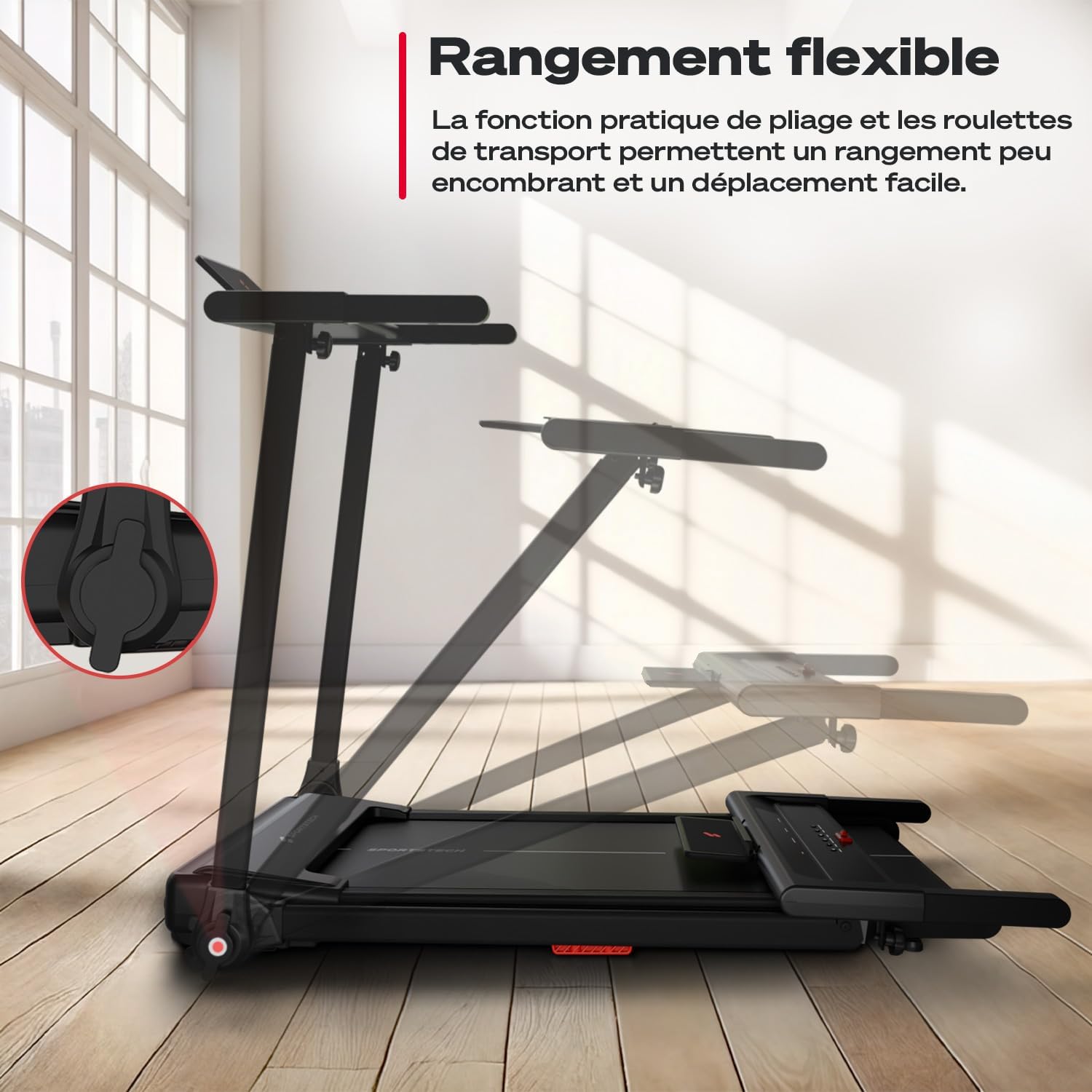
Image: The treadmill's flexible storage feature, showing the folding mechanism and transport wheels for easy movement and compact storage.

Image: Visual guide demonstrating the quick and easy unfolding, transport, and storage of the Sportstech sProRun treadmill.
3.2 Adjusting Manual Incline
The sProRun offers a manual incline of up to 9% to increase workout intensity. Locate the incline adjustment points at the rear of the treadmill deck and manually set your desired incline level before starting your workout.
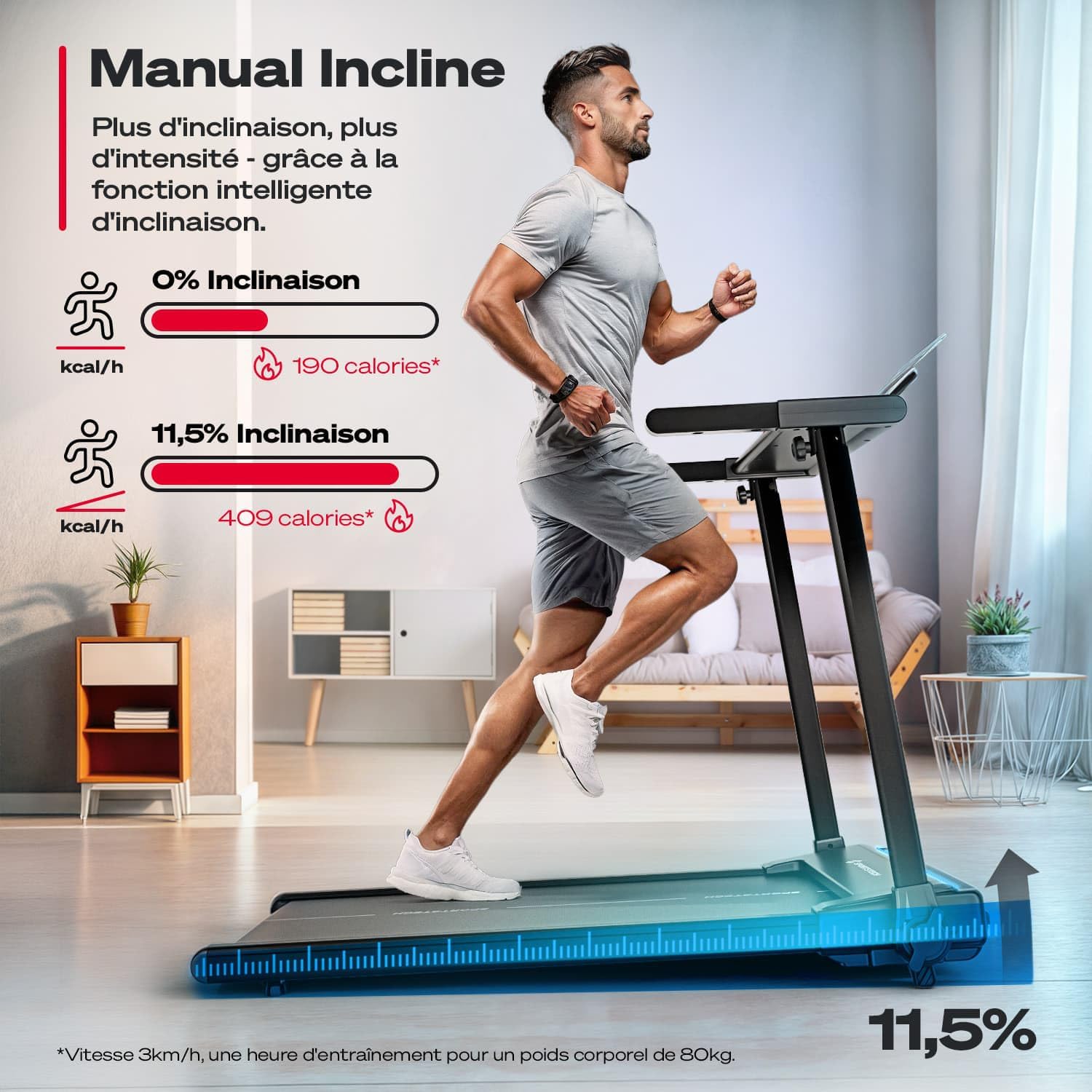
Image: A user running on the treadmill, illustrating the manual incline feature and its effect on calorie burn compared to a flat surface.

בילד: נאָענט-אַרויף view of the manual incline adjustment mechanism on the Sportstech sProRun treadmill, highlighting the 9% incline capability.
4. אַפּערייטינג ינסטרוקטיאָנס
Familiarize yourself with the control console and its functions for an optimal workout experience.
4.1 Control Console Overview
The treadmill features an LCD display that shows key metrics such as speed, time, distance, and calories burned. The console also includes quick-speed buttons and program selection.

Image: The intuitive LCD control display of the Sportstech sProRun, showing buttons for easy operation and settings adjustment, with a tablet holder above.

Image: The treadmill's smart control panel with tablet support, displaying various metrics like time, speed, heart rate, calories, distance, and programs.
4.2 אָנהייבן אַ וואָרקאַוט
- Ensure the safety key is properly attached to your clothing and inserted into the console.
- דרוק די אָנהייב קנעפּל. די טרעדמיל וועט אָנהייבן מיט אַ נידעריקער גיכקייט.
- אַדזשאַסטירן די גיכקייט ניצנדיק די +/- buttons or the quick-speed buttons (e.g., 3, 6, 9 km/h). The maximum speed is 12 km/h.
- צו האַלטן, דריקן די האַלטן קנעפּל אָדער ציען דעם זיכערהייט שליסל.
4.3 App Connectivity (Sportstech Live)
The sProRun treadmill is compatible with the Sportstech Live app, offering video tutorials and workout programs. Connect your device via Bluetooth for an interactive training experience.
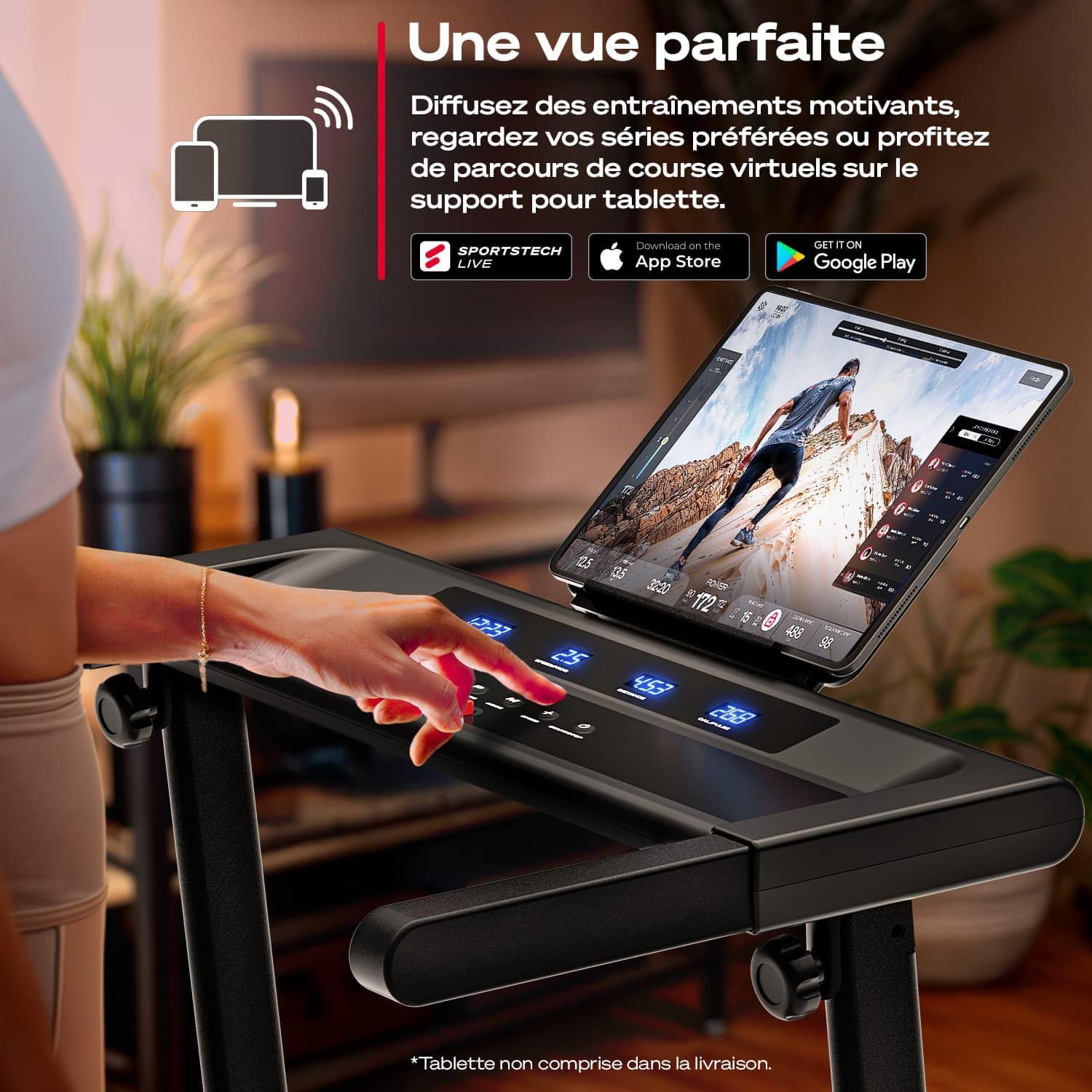
Image: A user interacting with the Sportstech Live app on a tablet mounted on the treadmill, accessing motivational workouts and virtual running routes.

בילד: איבערview of the Sportstech Live app integration, showing how it connects with wearables and smartphones for personalized training and tracking.
4.4 LED Pulse Training
The treadmill features dynamic LED lighting that changes color based on your running speed or pulse, providing visual feedback on your workout intensity.

Image: Close-up of the treadmill's LED lights, illustrating how they indicate pulse zones or speed with 7 different colors.

Image: The LED lights on the treadmill deck changing color from blue to magenta, indicating speed from 1 km/h up to 6 km/h.
5. וישאַלט
רעגולערע אויפהאלטונג גאראנטירט די לאנגעוויטי און אפטימאלע פערפארמאנס פון אייער טרעדמיל.
- רייניקונג: ווישט אָפּ די קאַנסאָול און די אויסערלעכע ייבערפלאַכן מיט אַדamp טוך נאך יעדן באַניץ. פֿאַרמייַדן שרײַבנדיקע רייניגער.
- גאַרטל לובריקיישאַן: Refer to the detailed instructions in the full product manual for proper lubrication of the running belt. This is crucial for smooth operation and to prevent wear.
- גאַרטל שפּאַנונג און אַליינמאַנט: Periodically check the running belt for proper tension and alignment. Adjust as needed according to the full manual's guidelines.
6. טראָובלעשאָאָטינג
If you encounter issues with your Sportstech sProRun treadmill, refer to the following common solutions:
- טרעדמיל הייבט זיך נישט אן: Ensure the power cord is securely plugged in and the safety key is correctly inserted into the console. Check the main power switch.
- פליסנדיק גאַרטל סליפּינג: This may indicate improper belt tension or insufficient lubrication. Adjust the belt tension as per the manual or apply lubricant.
- ומגעוויינטלעך נויזיז: Check for loose parts or foreign objects under the running belt. If the noise persists, contact customer support.
- דיספּליי אַרבעט נישט: Ensure all connections are secure. If the issue continues, power cycle the treadmill.
For more complex issues, please contact Sportstech customer support.
7. ספּעסאַפאַקיישאַנז
| שטריך | דעטאַל |
|---|---|
| סאָרט | Sportstech |
| מאָדעל נומער | sProRun |
| קאָליר | שוואַרץ |
| פּראָדוקט דימענשאַנז (L x W x H) | 122 X 63.5 X 105 סענטימעטער |
| פאָולדיד דימענשאַנז (L x W x H) | 128 X 63.5 X 12.8 סענטימעטער |
| פּונקט וואָג | 40 קג |
| מאַקסימום באַניצער וואָג | 120 קג |
| מאַקסימום גיכקייַט | 12 קילאמעטער/ה |
| שיפּוע | Manual, up to 9% |
| ווייַז טיפּ | LCD (Speed, Distance, Calorie, Time) |
| מאָטאָר מאַכט | 1 כאָרספּאַוער |
| קאַנעקטיוויטי | Bluetooth, Sportstech Live App compatible |
| מאַטעריאַל | מעטאַל ראַם |
| ספּעציעלע פֿעיִקייטן | Foldable design, LED pulse training, cushioning system |
| אַרייַנגערעכנט קאַמפּאָונאַנץ | טרעדמיל |

Image: The Sportstech sProRun treadmill in use, highlighting its compact dimensions (122 cm length, 63.5 cm width) and German design.
8. וואָראַנטי און שטיצן
Your Sportstech sProRun treadmill comes with a 30-day return policy and legal warranties. For any questions, technical assistance, or warranty claims, please contact Sportstech's specialized customer support team.
Contact information can typically be found on the official Sportstech webזייטל אדער דורך אייער קויפן פּלאַטפאָרמע.