
הקדמה
This manual provides essential information for the assembly, operation, maintenance, and troubleshooting of your Deli Gaming Table E91511. Please read these instructions carefully before assembly and use to ensure proper function and longevity of your product.
זיכערקייַט וואָרנינגז
- שטענדיק צוזאַמענשטעלן דעם טיש לויט די צוגעשטעלטע אינסטרוקציעס.
- Ensure the desk is properly anchored to the floor to prevent tipping, especially when using heavy setups.
- Be cautious when moving the desk, as it may require two people due to its size and weight.
- איבערלאסט נישט דעם טיש איבער זיין באשטימטן וואג קאפאציטעט.
- האַלטן קליין טיילן אַוועק פון קינדער בעשאַס פֿאַרזאַמלונג.
פּעקל אינהאַלט
Before beginning assembly, verify that all components are present and undamaged. Refer to the included assembly instructions for a detailed list of parts and hardware. Typically, the package includes:
- Desktop surface (Metal and Composite)
- Desk legs (K-type carbon steel frame)
- Crossbars and support beams
- פֿאַרזאַמלונג האַרדווער (שרויף, באָלץ, וואַשערס)
- Assembly tools (if included, otherwise standard tools like a screwdriver may be required)
- אינסטרוקציע מאַנואַל
סעטאַפּ און אַסעמבלי
The Deli Gaming Table E91511 is designed for quick assembly with minimal tools. Follow the step-by-step instructions provided in the separate assembly guide included with your product. Ensure you have adequate space for assembly and consider having a second person assist with lifting and positioning larger components.
אַלגעמיינע פֿאַרזאַמלונג טריט:
- אויספּאַקן אַלע קאָמפּאָנענטן און לייגן זיי אויס אויף אַ ריינער, ווייכער ייבערפלאַך צו פאַרמייַדן קראַצן.
- Attach the K-shaped table legs to the main support frame using the provided hardware. Ensure all connections are secure.
- Carefully place the desktop surface onto the assembled leg frame. Align the pre-drilled holes.
- Secure the desktop to the frame using the remaining hardware. Do not overtighten.
- Verify all screws and bolts are tightened and the desk is stable before placing any equipment on it.

Image: Close-up of the K-shaped table legs, demonstrating the stable structure.
אַפּערייטינג ינסטראַקשאַנז
The Deli Gaming Table E91511 offers a spacious and stable surface for various uses, including gaming, streaming, home office work, and student workstations.
- Wider Gaming Surface: The 120 cm width accommodates dual monitors or extra peripherals, providing ampאַ פּלאַץ פֿאַר דיין סעטאַפּ.
- ערגאָנאָמיק פּלאַן: The desk is designed for comfortable use, allowing for extended periods of activity without discomfort.
- קאַבלע פאַרוואַלטונג: Utilize the integrated 3D cable management box (if applicable) to keep your cables organized and your workspace tidy.
- מאַסע-שייַכעס קאַפּאַציטעט: The desk is engineered for heavy setups and consistent use. Ensure weight is distributed evenly.
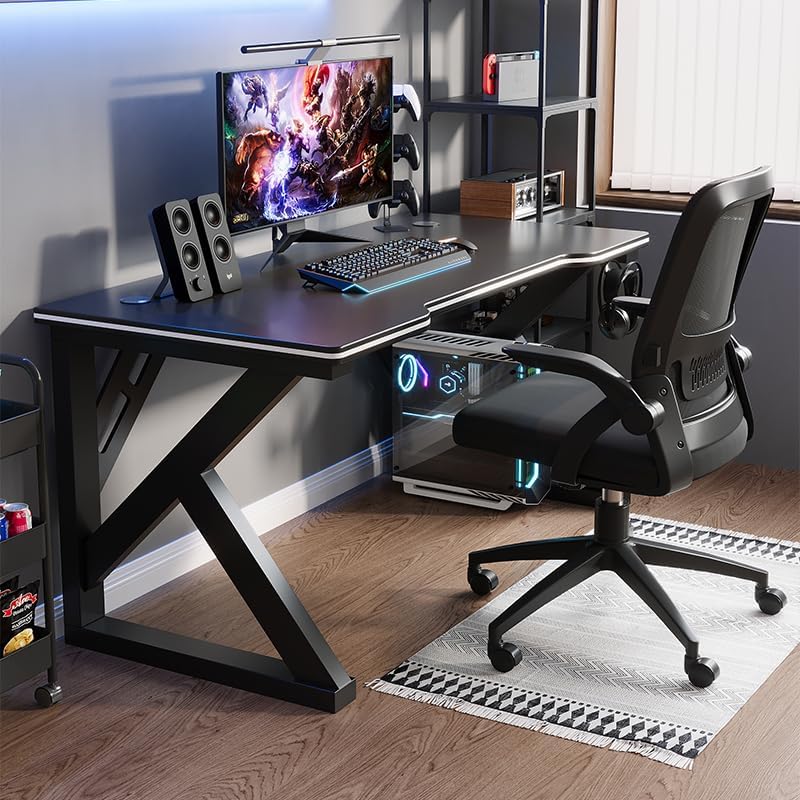
Image: A gaming setup on the Deli Gaming Table, illustrating its spacious surface.

בילד: פון אויבן אַראָפּ view of a user at the Deli Gaming Table, highlighting ergonomic design.
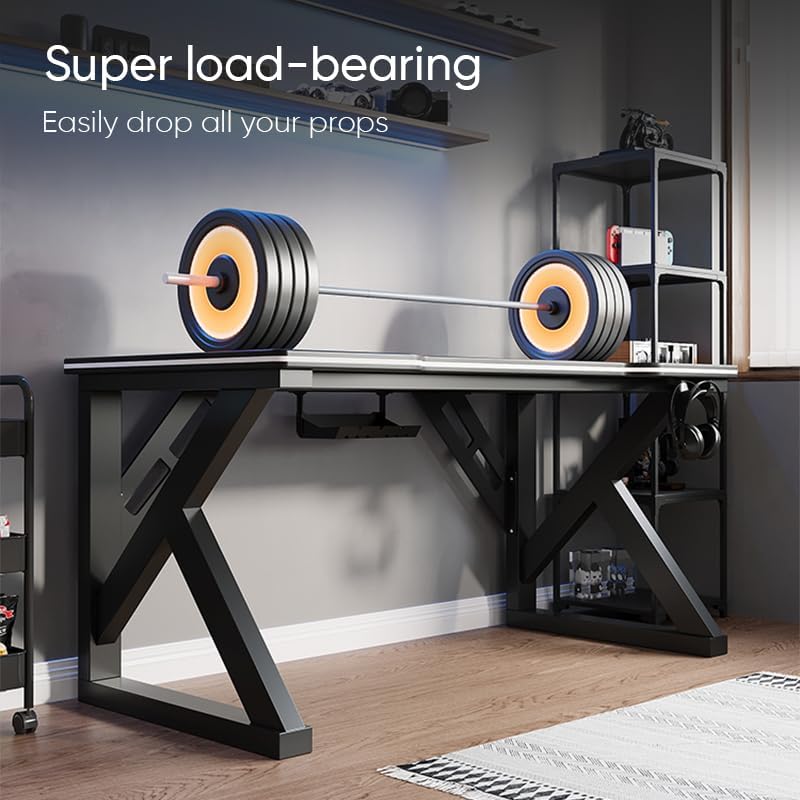
Image: The Deli Gaming Table demonstrating its load-bearing capability.
וישאַלט
Regular maintenance will help preserve the appearance and functionality of your Deli Gaming Table.
- רייניקונג: Wipe the desktop surface and legs with a soft, damp cloth. Avoid abrasive cleaners or harsh chemicals that could damage the painted finish or material.
- ספּילז: Clean up spills immediately to prevent staining or damage to the surface.
- ייַזנוואַרג טשעק: קאָנטראָלירט פּעריִאָדיש אַלע שרויפן און באָלטן צו זיכער מאַכן אַז זיי בלייבן פעסט. פֿעסטשטעלט ווידער אויב נייטיק צו האַלטן די פעסטקייט.
- פאַרהיטונג פון זשאַווער: While the desk is made of metal, prolonged exposure to moisture can lead to rust. Keep the desk in a dry environment and wipe away any moisture promptly.
טראָובלעשאָאָטינג
טיש איז נישט סטאַביל אָדער וואָקלדיק:
- זיכער מאַכן אַז אַלע פֿאַרזאַמלונג שרויפן און באָלץ זענען גאָר צוגעצויגן.
- Check that the desk is on a level surface. Adjust floor glides if present.
- Verify that all parts are correctly assembled according to the instruction manual.
Parts are missing or damaged:
- Review the package contents list in your assembly manual.
- Contact customer support with your model number and a description of the missing or damaged part.
שוועריקייט מיט פֿאַרזאַמלונג:
- לייענט נאכאמאל די פארזאמלונג אינסטרוקציעס קערפול, און באאכט די דיאגראמען.
- זייט זיכער אַז איר ניצט די ריכטיקע ייַזנוואַרג פֿאַר יעדן שריט.
- If issues persist, consider seeking assistance from another person.
ספּעסאַפאַקיישאַנז

Image: Dimensions of the Deli Gaming Table.
| שטריך | דעטאַל |
|---|---|
| מאָדעל נומער | E91511 |
| דימענשאַנז (ב x ד x ה) | 120 סענטימעטער X 60 סענטימעטער X 75 סענטימעטער |
| קאָליר | שוואַרץ |
| מאַטעריאַל טיפּ | Metal and Composite (E1 grade material) |
| ראַם מאַטעריאַל | K-type Carbon Steel Frame |
| ענדיקן טיפּ | פּאַינטעד |
| פּונקט וואָג | 13000 גראַמז |
| אַסעמבלי פארלאנגט | יא |
| רעקאָממענדעד ניצט | Gaming, Streaming, Home Office, Student Workstation |
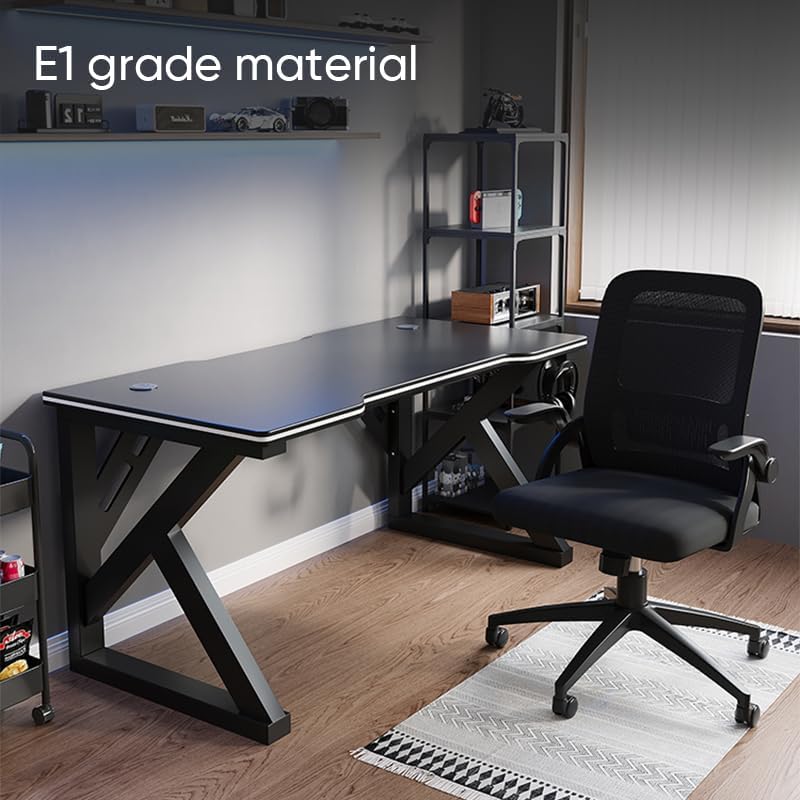
Image: The Deli Gaming Table highlighting E1 grade material.
וואָראַנטי אינפֿאָרמאַציע
For specific warranty details regarding your Deli Gaming Table E91511, please refer to the warranty card included with your purchase or visit the official Deli website. Warranty terms typically cover manufacturing defects under normal use conditions.
קונה שטיצן
If you have any questions, require assistance with assembly, or need to report a missing/damaged part, please contact Deli customer support through the following channels:
- Webפּלאַץ: Visit the official Deli webזייטל פֿאַר שטיצע רעסורסן און קאָנטאַקט פאָרמען.
- בליצפּאָסט: זעט אייערע קויף דאקומענטן פאר קאסטומער סערוויס אימעיל אדרעסן.
- טעלעפֿאָן: Check the product packaging or official webוועבזייטל פֿאַר קונה סערוויס טעלעפאָן נומערן.
Please have your model number (E91511) and proof of purchase ready when contacting support.