
הקדמה
This manual provides essential information for the safe and efficient use of your Samsung QLED 4K Vision AI Smart TV, model QE50Q8FAAUXZT. Please read these instructions thoroughly before operating the device and retain them for future reference.
פּעקל אינהאַלט
באַשטעטיקן אַז אַלע קאָמפּאָנענטן זענען פאַראַן אין דער קעסטל:
- 1x Samsung Smart TV 50'' Serie Q8F, QLED 4K
- 1x מאַכט קאַבלע
- 1x Standard Remote Control
- 1x Solar-powered Remote Control
- 1x באַניצער מאַנואַל (דאָס דאָקומענט)
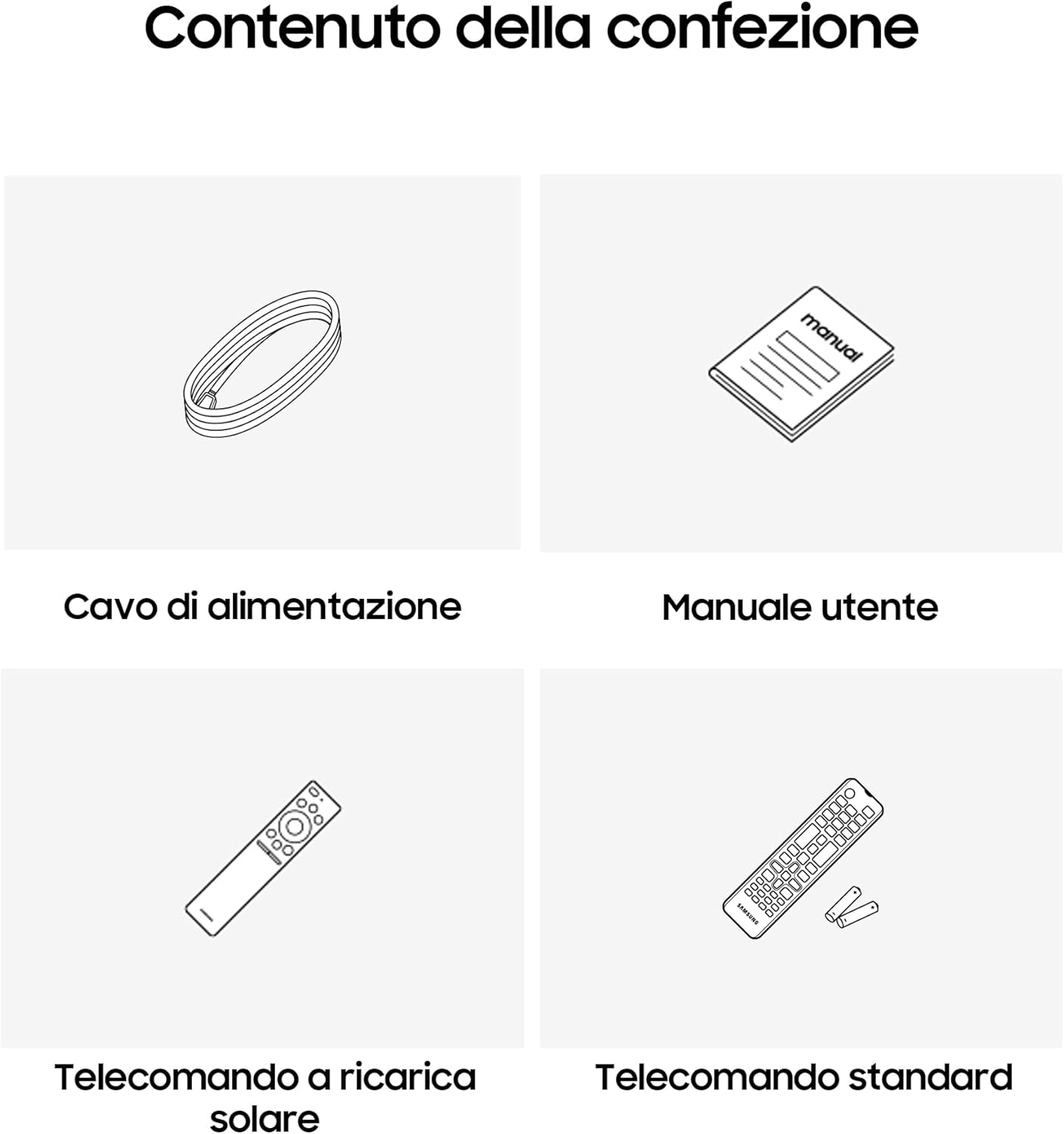
Image: Diagram showing the included items: power cable, user manual, solar-powered remote, and standard remote.
סעטאַפּ
אַנפּאַקינג און פּלייסמאַנט
נעמט פֿאָרזיכטיק אַרויס דעם טעלעוויזאָר פֿון זײַן פּאַקעט. שטעלט דעם טעלעוויזאָר אויף אַ שטאַרקער, גלאַטער ייבערפֿלאַך אָדער מאָנטירט אים אויף אַ וואַנט מיט אַ קאָמפּאַטיבלן VESA מאָונט (פֿאַרקויפֿט באַזונדער). זאָרגט פֿאַר גענוגיקע ווענטילאַציע אַרום דעם טעלעוויזאָר.
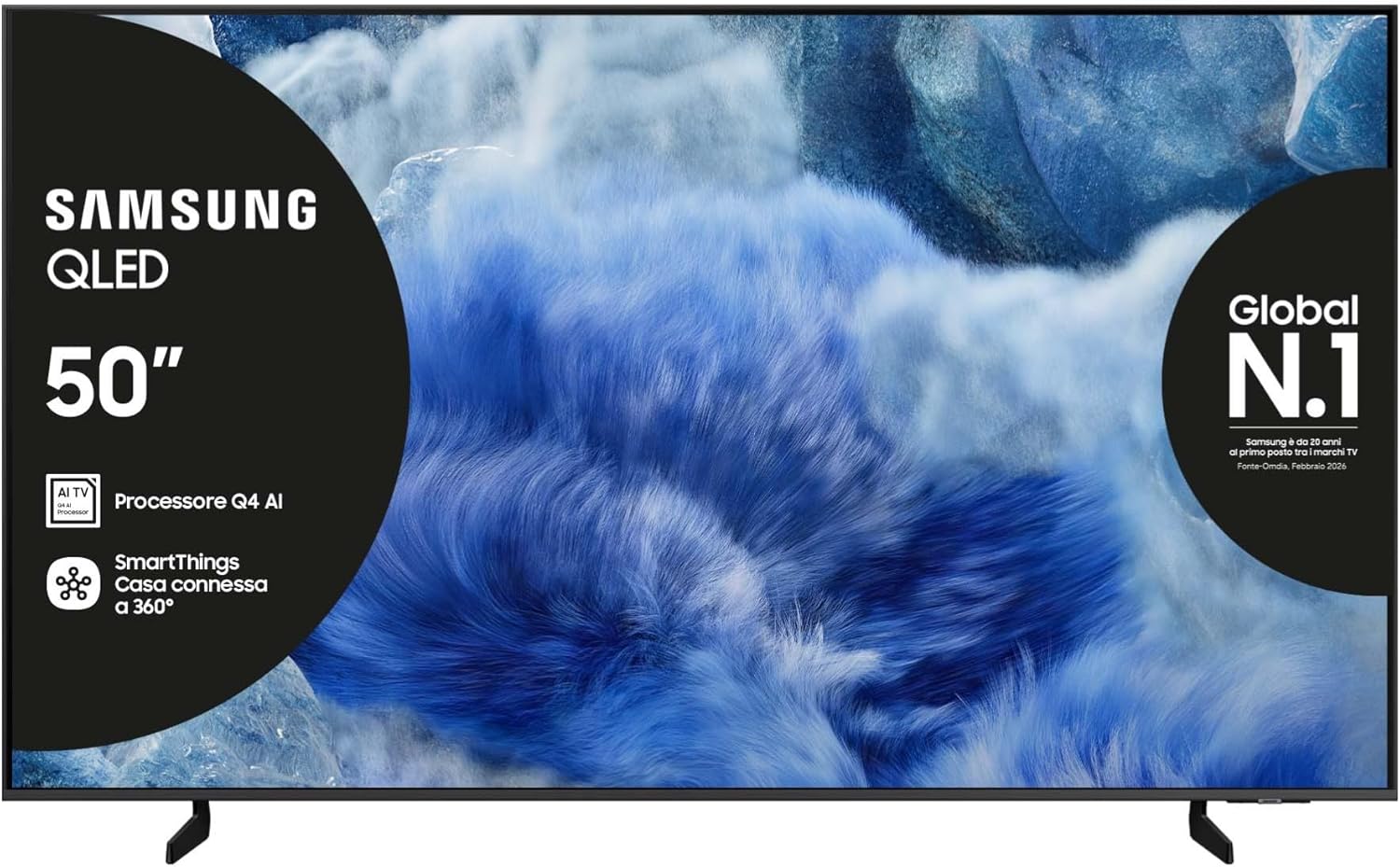
בילד: פראָנט view of the Samsung QLED TV with its stand.

בילד: זייט view of the Samsung QLED TV, showcasing its Air Slim Design.
קאַנעקטינג פּעריפעראַלס
פֿאַרבינדט אייערע עקסטערנע דעוויסעס (למשל, קאַבל קעסטל, בלו-רэй שפּילער, גיימינג קאַנסאָול) צו די פּאַסיקע פּאָרץ אויף דער הינטערשטער זײַט פֿון דער טעלעוויזיע.

Image: Rear panel connections of the TV, showing HDMI, USB, LAN, and antenna ports.
- הדמי: For high-definition audio and video devices. The TV features multiple HDMI ports, including HDMI 3 with eARC support.
- וסב: פֿאַר פֿאַרבינדן USB סטאָרידזש דעוויסעס.
- לאן: פֿאַר אַ דראָטיקער אינטערנעט פֿאַרבינדונג.
- אַנט אין: פֿאַר פֿאַרבינדן אַן אַנטענע אָדער קאַבל.
מאַכט קאַנעקשאַן
שטעקט אריין דעם שטראָם קאַבל אין דעם טעלעוויזאָרס שטראָם אַרייַנגאַנג און דערנאָך אין אַ וואַנט אַוטלעט.
ערשט סעטאַפּ וויזערד
ביים ערשטן אנצינדן, וועט דער טעלעוויזיע אייך פירן דורך דעם ערשטן סעטאַפּ פּראָצעס, אַרייַנגערעכנט שפּראַך אויסוואל, נעץ פֿאַרבינדונג און קאַנאַל סקאַנינג.
אַפּערייטינג די טעלעוויזיע
ווייַט קאָנטראָל פאַנגקשאַנז
Your TV comes with two remote controls. The solar-powered remote offers convenience and reduces battery waste. Familiarize yourself with the buttons for power, volume, channel, navigation, and smart features.

Image: The Samsung Vision AI Companion interface displayed on the TV screen, alongside a remote control, illustrating voice command capabilities.
Smart Hub and AI Features
Access the Smart Hub for applications, streaming services, and connected devices. The Q4 AI Processor enhances picture and sound quality through 4K Upscaling and AI Mode. Utilize Vision AI for personalized entertainment and real-time suggestions.

בילד: א דעטאַלירטע view of the Samsung Q4 AI Processor chip, emphasizing its role in 4K upscaling and optimizing visual and audio experience.

Image: Icons representing Samsung Knox Security, SmartThings, Samsung Vision AI, and Endless Free Content, highlighting key features of the TV's ecosystem.
בילד און סאָונד סעטטינגס
Adjust picture modes (e.g., Standard, Dynamic, Movie) and sound settings (e.g., Standard, Adaptive Sound, OTS Lite) to suit your preferences. OTS Lite provides 3D surround sound, and Q-Symphony synchronizes TV speakers with a compatible soundbar.

Image: A vibrant image on the QLED screen, illustrating the 100% Color Volume with Quantum Dot technology for optimal viewing.
גיימינג הוב
Access the Gaming Hub to play games from various platforms directly on your TV, enhanced by Motion Xcelerator for smooth visuals.
וישאַלט
רייניקונג די טעלעוויזיע
Gently wipe the screen and frame with a soft, dry, lint-free cloth. Do not use abrasive cleaners or solvents. For stubborn marks, lightly dampען דעם טוך מיט וואסער.
ווייכווארג דערהייַנטיקונגען
Ensure your TV's software is up to date for optimal performance and security. Updates can be performed via the TV's settings menu or automatically when connected to the internet.
טראָובלעשאָאָטינג
קיין מאַכט
- קאָנטראָלירט צי דער מאַכט קאַבל איז זיכער פארבונדן צו ביידע די טעלעוויזיע און די וואַנט אַוטלעט.
- איבערצייגט אז די וואנט-אויסשטעל ארבעט דורך אריינשטעקן אן אנדער אפאראט.
קיין בילד אָדער געזונט
- זיכער מאַכן אַז די ריכטיקע אַרייַנגאַנג מקור איז אויסגעקליבן.
- Check all cable connections (HDMI, antenna, etc.) for looseness.
- ריסטאַרט דעם טעלעוויזיע און אַלע פֿאַרבונדענע דעוויסעס.
ווייַט קאָנטראָל איז נישט ארבעטן
- For the solar-powered remote, ensure it has sufficient light exposure to charge.
- For the standard remote, replace the batteries if necessary.
- זיכער מאַכן אַז עס זענען נישטאָ קיין שטערונגען צווישן דעם ווײַטקאָנטראָל און דעם טעלעוויזיע.
נעץ קאַנעקשאַן ישוז
- ריסטאַרט דיין ראַוטער און מאָדעם.
- קאָנטראָלירט דאָס Wi-Fi פּאַראָל אויב איר פֿאַרבינדט זיך אָן אַ דראָט.
- If using a wired connection, ensure the LAN cable is properly connected.
ספּעסאַפאַקיישאַנז
| שטריך | באַשרייַבונג |
|---|---|
| פאַרשטעלן גרייס | 50 אינטשעס |
| ווייַז טעכנאָלאָגיע | QLED |
| האַכלאָטע | 4K (3840 X 2160) |
| דערפרישן קורס | 50 הז |
| פּראַסעסער | Q4 קינסטלעכע אינטעליגענץ פּראַסעסאָר |
| קאַנעקטיוויטי | בלועטוט, עטהערנעט, HDMI (מערערע, אריינגערעכנט eARC), USB, Wi-Fi |
| ספּעציעלע פֿעיִקייטן | Built-in Speaker, Multi-voice Assistant, Browser, Parental Controls, Flat Panel |
| אַספּעקט פאַרהעלטעניש | 16:9 |
| פּראָדוקט דימענשאַנז (WxDxH) | 111.8 ס״מ x 23.9 ס״מ x 70.2 ס״מ (מיט שטאַנד) |

Image: Energy label for the Samsung QE50Q8FAAU, indicating an energy class of E and power consumption details. More details can be found at eprel.ec.europa.eu/qr/2204814.

Image: Detailed product information sheet, including supplier name, model identification, energy efficiency classes, power consumption, display technology, screen dimensions, and other technical data.
וואָראַנטי און שטיצן
Your Samsung TV is covered by a manufacturer's warranty. Please refer to the warranty card included in your package for specific terms and conditions. For technical support, service, or warranty claims, please contact Samsung Customer Service.
קאָנטאַקט אינפֿאָרמאַציע:
- סאַפּלייער: סאַמסונג
- סאַפּלייער אַדרעס: Public Contact, Samsung PO Box 12987, Blackrock, Co Dublin Ireland
- Webפּלאַץ: www.samsung.com (general website, specific support link may vary by region)
- בליצפּאָסט: eprel@samsung.com (for EPREL related inquiries)
The product information sheet indicates a minimum availability of spare parts for 7 years and minimum support for product software for 7 years.