
1. הקדמה
This manual provides essential information for the safe and efficient operation of your Optoma GT4000UHD Ultra-Short Throw 4K UHD Home Cinema Laser Projector. Please read it thoroughly before using the product and retain it for future reference.
The Optoma GT4000UHD is designed to deliver high-quality 4K UHD visuals for various entertainment purposes, including console gaming, PC gaming, and streaming video content. Its ultra-short throw capability allows for large images from a minimal distance.
2. זיכערקייַט אינפֿאָרמאַציע
באַמערקט די פאלגענדע זיכערהייט מיטלען צו פאַרמייַדן שעדיקן צו די פּראָיעקטאָר און ענשור באַניצער זיכערהייט:
- בלאָקירט נישט די ווענטילאַציע עפענונגען. זאָרגט פֿאַר גענוג לופט־פֿלוס אַרום דעם פּראָיעקטאָר.
- קוק נישט גלייך אריין אין די פּראָיעקטאָר לינז ווען די לamp איז אָן. די העלע ליכט קען שאַטן די אויגן.
- Avoid placing the projector in direct sunlight, near heat sources, or in environments with high humidity or dust.
- ניצט נאָר דעם מאַכט אַדאַפּטער וואָס ווערט צוגעשטעלט מיטן פּראָיעקטאָר.
- טרענט אפ דעם עלעקטרישן שנור בעת בליץ-שטורעמס אדער ווען עס ווערט נישט גענוצט פאר לאנגע צייטן.
- Do not attempt to open or service the projector yourself. Refer all servicing to qualified personnel.
3. פּעקל אינהאַלט
באַשטעטיקן אַז אַלע זאכן זענען פאַראַן אין פּעקל:
- Optoma GT4000UHD Projector
- מאַכט שנור
- ווייַט קאָנטראָל
- באַניצער מאַנואַל (דעם דאָקומענט)
4. פּראָדוקט איבערview
4.1 Projector Front and Top View
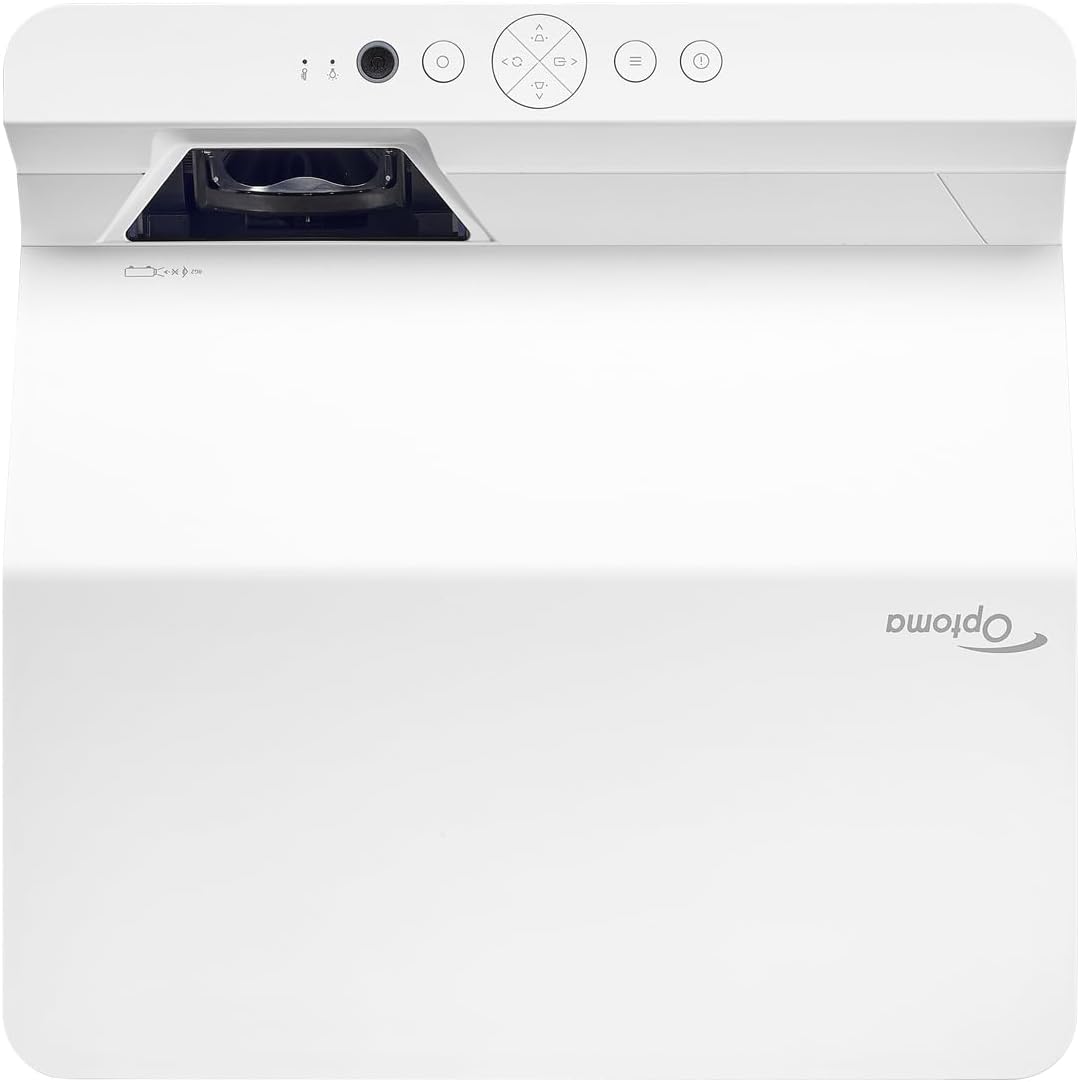
באַשרייַבונג: This image displays the top and front view of the Optoma GT4000UHD projector. The ultra-short throw lens is visible at the front, along with basic control buttons on the top panel. The Optoma logo is prominently displayed.
4.2 הינטערשטע פּאַנעל און קאָנעקטיוויטי
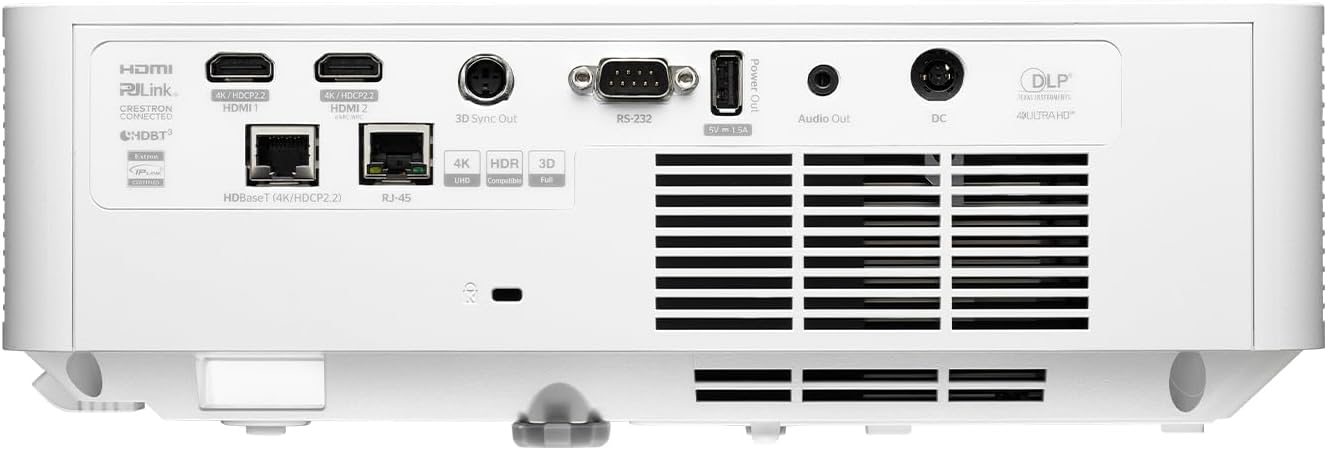
באַשרייַבונג: This image shows the rear panel of the Optoma GT4000UHD projector, highlighting its connectivity options. Ports include HDMI, HDBaseT, RJ-45, 3D Sync Out, RS232, Audio Out, and DC power input.
4.3 רימאָוט קאָנטראָל
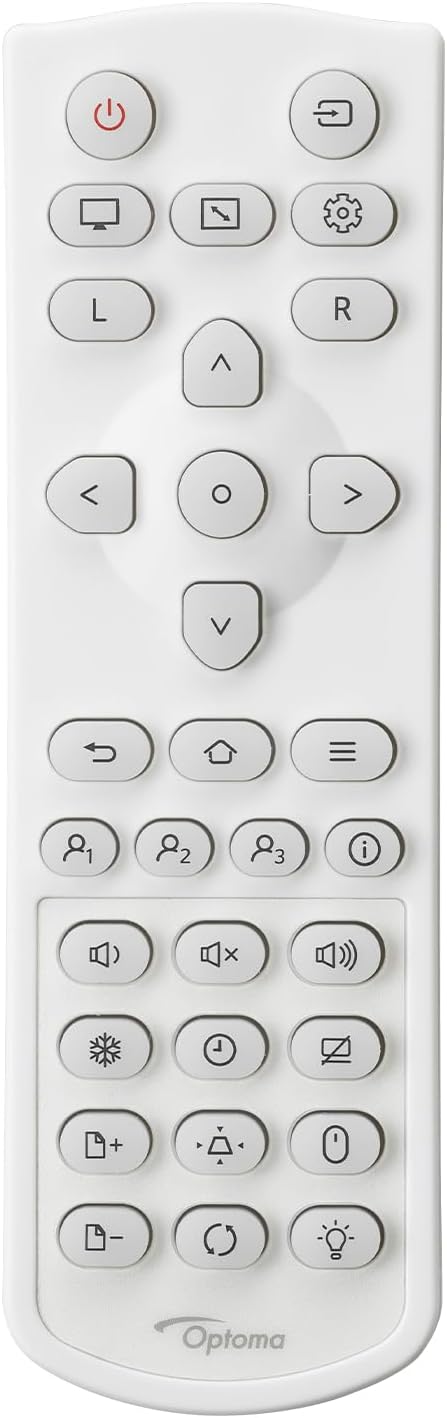
באַשרייַבונג: This image displays the remote control for the Optoma GT4000UHD projector. It features buttons for power, source selection, menu navigation, volume control, and other functions.
5. סעטאַפּ
5.1 פּראָיעקטאָר פּלאַצירונג
The GT4000UHD is an ultra-short throw projector, capable of producing large images from a very short distance. Place the projector on a stable, flat surface directly in front of your screen or wall.
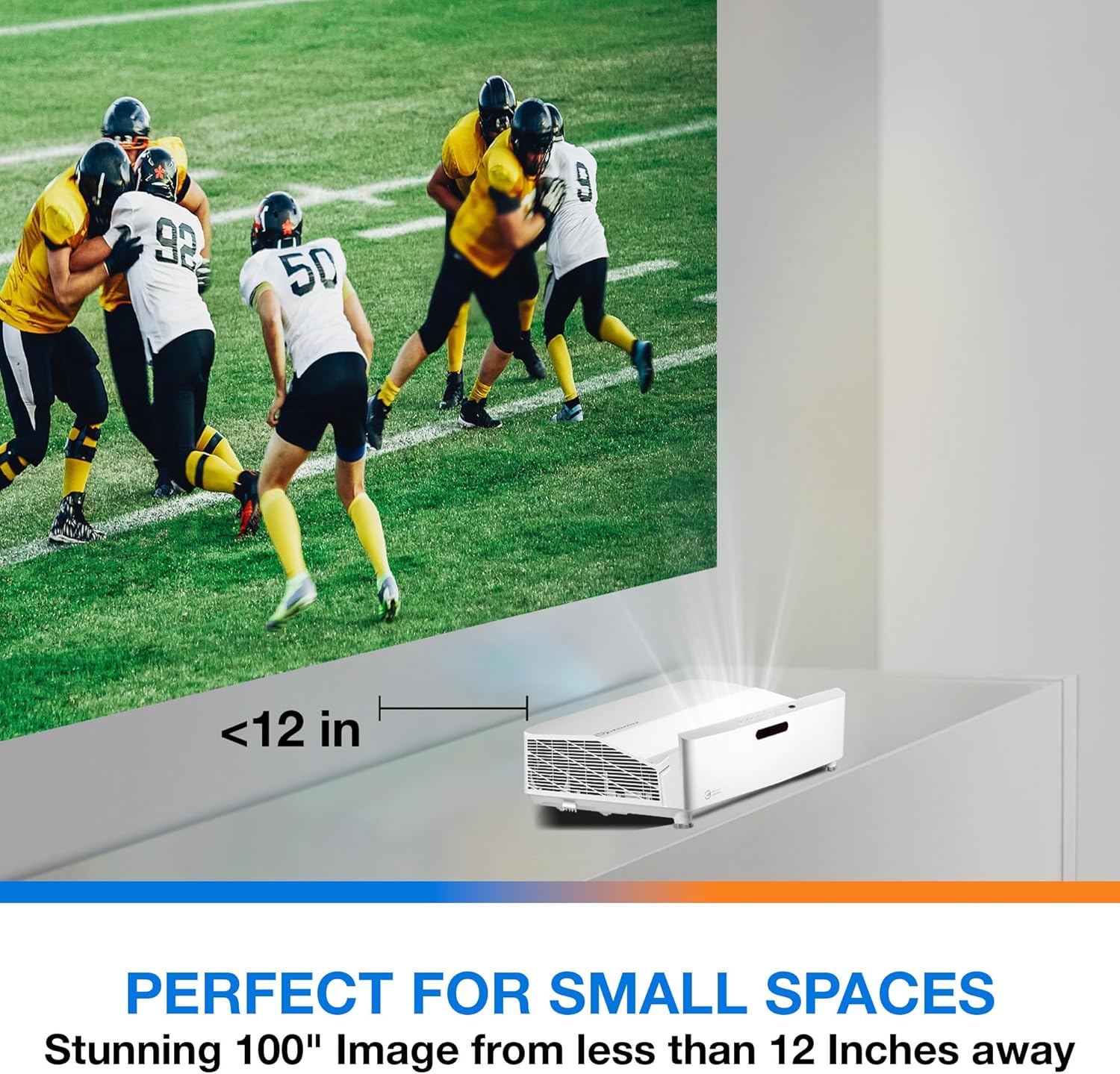
באַשרייַבונג: This image illustrates the ultra-short throw capability of the GT4000UHD, showing it projecting a 100-inch image from less than 12 inches away from the projection surface. This allows for flexible placement in small spaces.
- For a 100-inch image, position the projector approximately 10-12 inches (25-30 cm) from the projection surface.
- Ensure the projector is level to avoid image distortion. Use the adjustable feet if necessary.
5.2 קאַנעקטינג דעוויסעס
Connect your video sources (e.g., gaming console, Blu-ray player, streaming device) to the projector's HDMI ports. For network control or HDBaseT connectivity, use the respective ports on the rear panel.
- הדמי: Connect HDMI cables from your source devices to the HDMI 1 or HDMI 2 ports.
- אַודיאָ אָוט: For external audio systems, connect an audio cable from the Audio Out port to your sound system.
- מאַכט: Connect the power cord to the DC input on the projector and then to a power outlet.
5.3 מאַכט אויף / אַוועק
- מאַכט אויף: דריק דעם מאַכט קנעפּל אויף דעם פּראָיעקטאָר אָדער די ווײַט קאָנטראָל. די מאַכט אינדיקאַטאָר ליכט וועט זיך אָנצינדן.
- מאַכט אַוועק: דריק נאכאמאל דעם פאוער קנעפל. א באשטעטיגונג מעסעדזש קען דערשיינען; באשטעטיגט צו פארמאכן דעם פראיעקטאר.
6. אַפּערייטינג ינסטרוקטיאָנס
6.1 יקערדיק אָפּעראַציע
- מקור סעלעקציע: Use the 'Source' button on the remote control to cycle through available input sources (HDMI 1, HDMI 2, etc.).
- מעניו נאַוויגאַציע: Use the 'Menu' button to access settings. Use the arrow keys and 'OK' button to navigate and select options.
- באַנד קאָנטראָל: אַדזשאַסטירן די באַנד מיט די ספּעציעלע באַנד קנעפּלעך אויף דער ווײַטקאָנטראָל.
6.2 Image Adjustment (4-Corner Geometric Correction)
The GT4000UHD features 4-Corner Adjustment for precise image alignment, especially useful when the projector is not perfectly perpendicular to the screen.
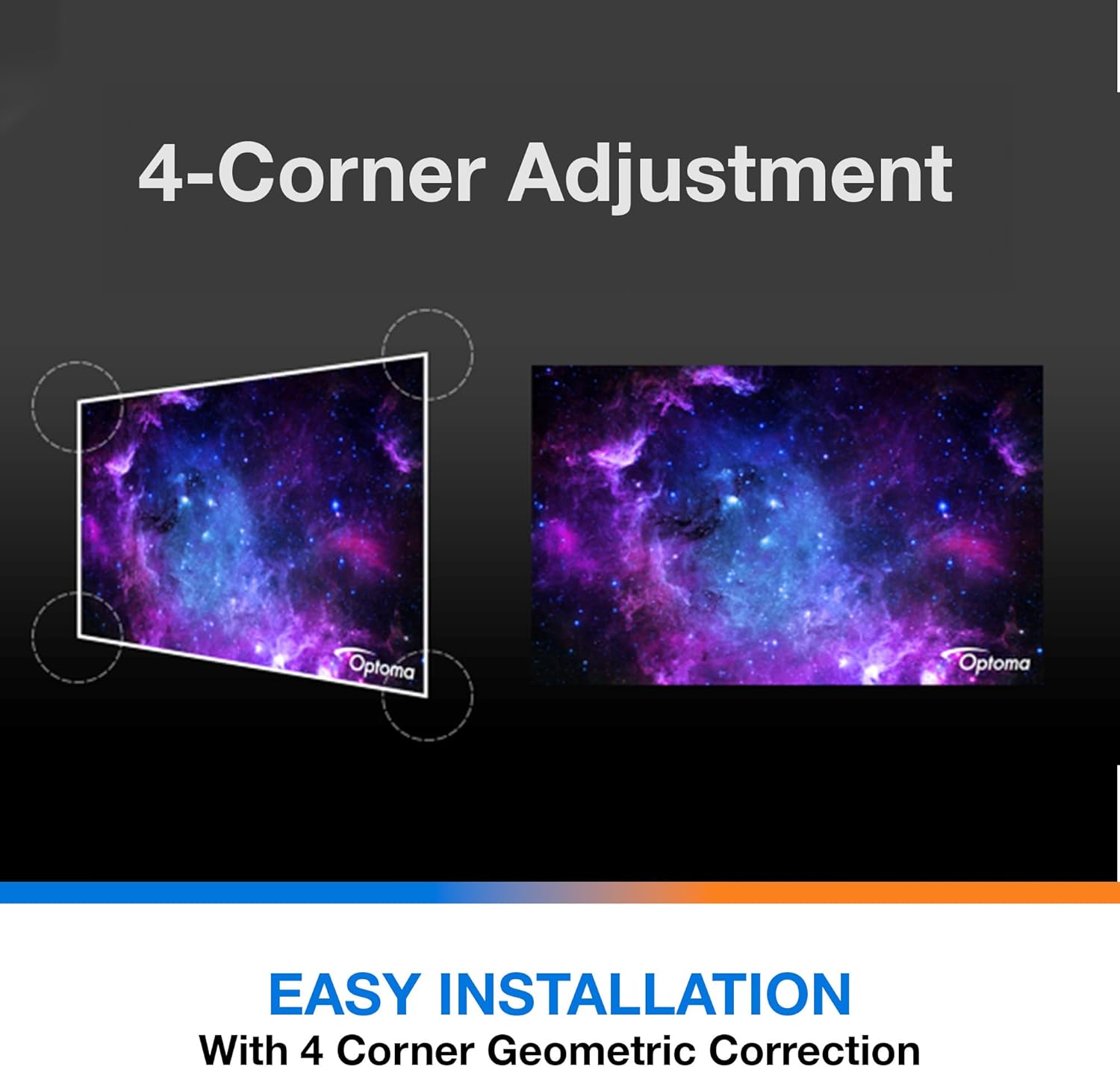
באַשרייַבונג: This diagram illustrates the function of 4-Corner Adjustment. It shows a trapezoidal, distorted image being geometrically corrected to form a perfect rectangular projection, ensuring easy installation and optimal viewing.
- Access the 'Image' or 'Geometric Correction' menu.
- Select '4-Corner Adjustment' and use the arrow keys to individually adjust each corner of the projected image until it forms a perfect rectangle.
6.3 Enhanced Gaming Mode
The projector includes an Enhanced Gaming Mode to minimize input lag, providing a more responsive gaming experience.
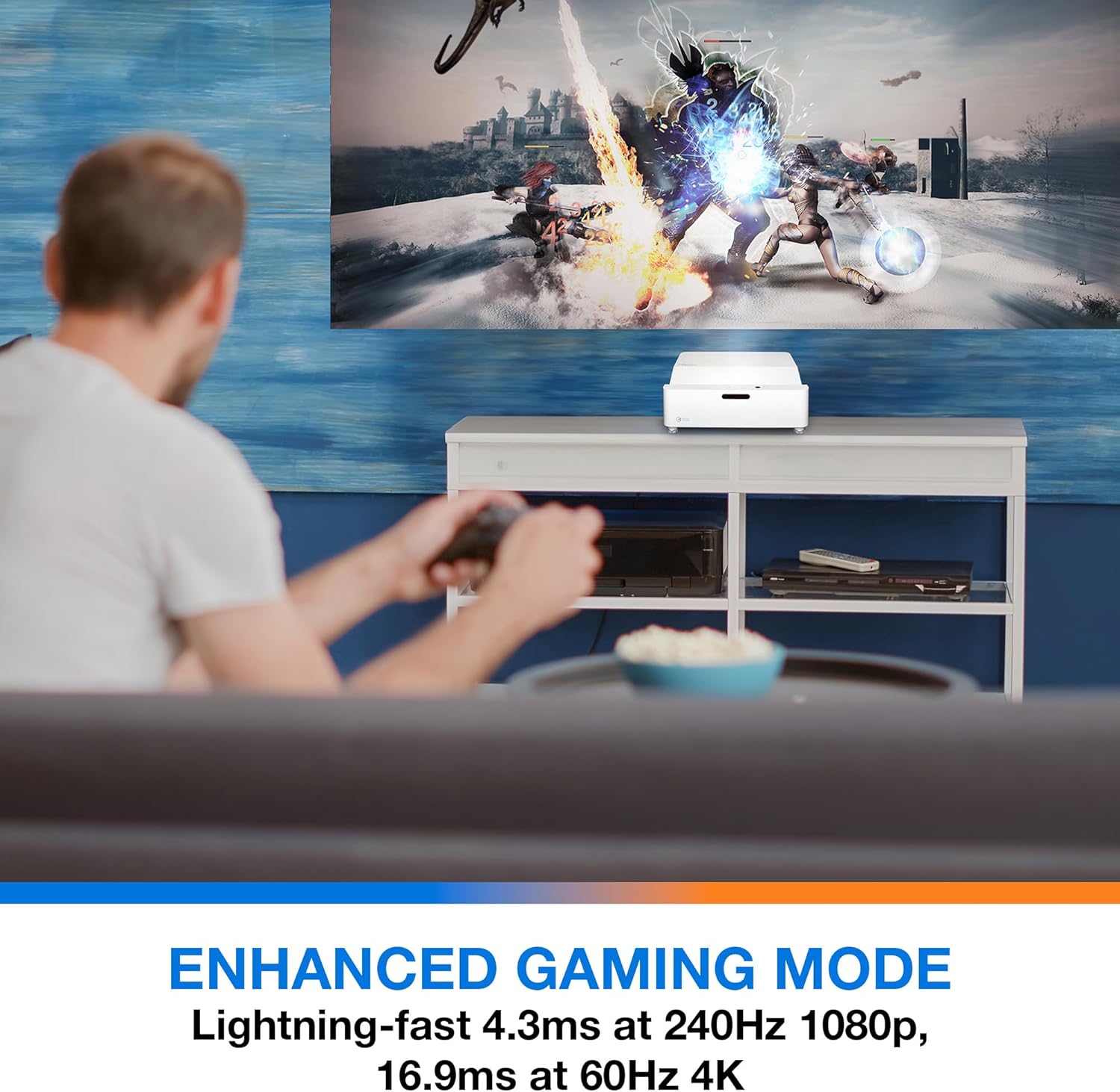
באַשרייַבונג: This image shows a user engaged in gaming with the Optoma GT4000UHD projector, highlighting the Enhanced Gaming Mode. This mode offers low input lag for a responsive gaming experience.
- To activate, navigate to the 'Display' or 'Picture Mode' settings in the menu and select 'Gaming Mode'.
- This mode optimizes the projector for fast-paced action, reducing input latency to as low as 4.3ms at 240Hz 1080p, or 16.9ms at 60Hz 4K.
6.4 Firmware Updates (FOTA Integration)
The projector supports Firmware Over-The-Air (FOTA) updates, allowing for convenient software enhancements.
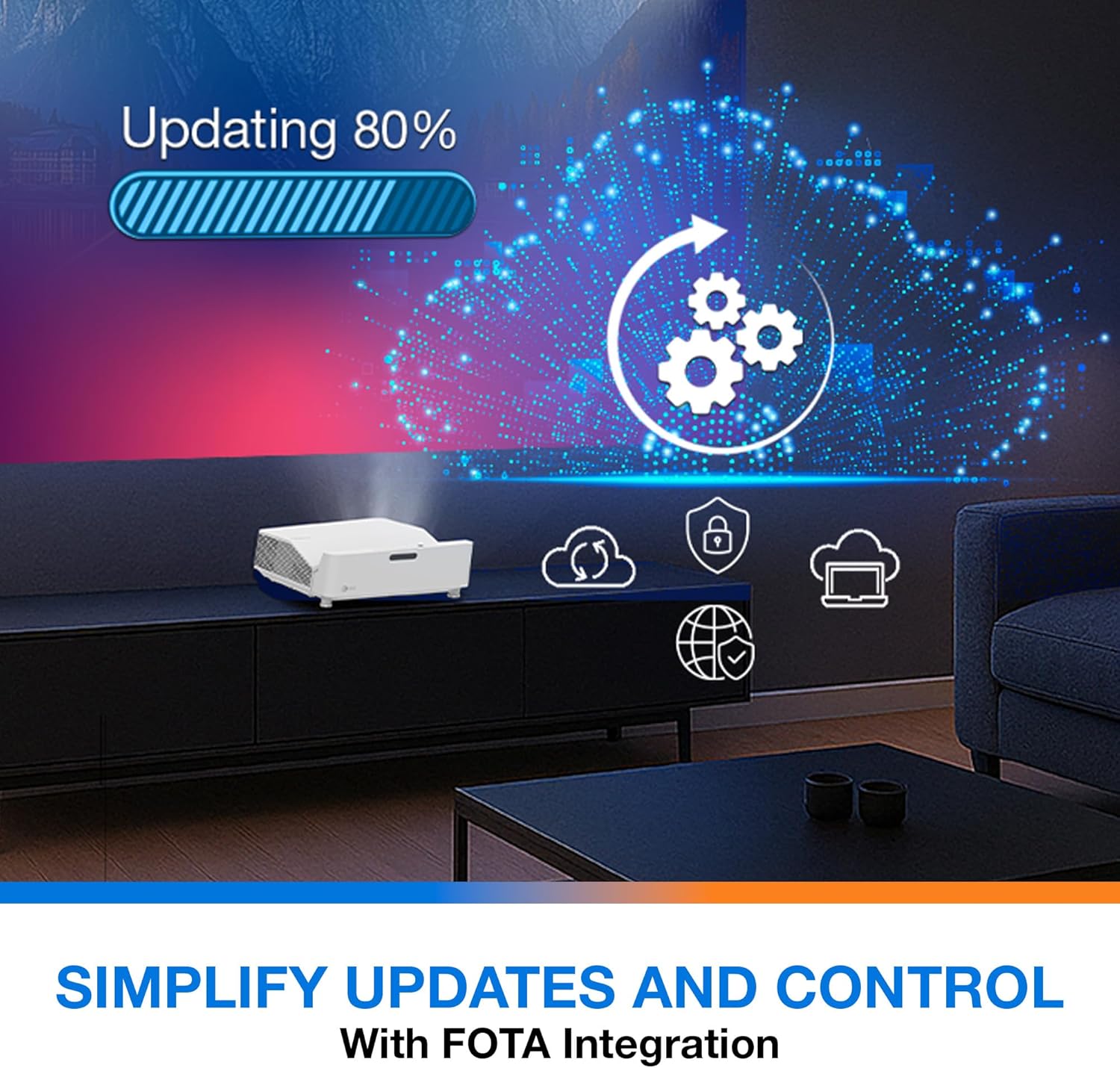
באַשרייַבונג: This image depicts the FOTA (Firmware Over-The-Air) integration feature, showing a progress bar for an update and cloud icons representing simplified updates and control for the projector.
- Ensure the projector is connected to the internet via its network port.
- Check for updates in the 'System' or 'About' menu. Follow on-screen prompts to download and install any available firmware updates.
7. וישאַלט
- לענס רייניקונג: ווישט אָפּ די לינז מיט אַ ווייכן, לינט-פֿרײַעם שטאָף ספּעציעל דיזיינד פֿאַר אָפּטישע פֿלאַכן. ניצט נישט קיין שרײַבנדיקע רייניגער.
- ווענטילאַטיאָן: Regularly check and clean the air vents to prevent dust buildup, which can affect performance and lifespan.
- סטאָרידזש: When not in use for extended periods, store the projector in a cool, dry place, protected from dust.
8. טראָובלעשאָאָטינג
אויב איר טרעפט פּראָבלעמען, באַציעט זיך צו די פאלגענדע געוויינטלעכע לייזונגען:
| פּראָבלעם | מעגלעך סיבה | לייזונג |
|---|---|---|
| קיין בילד געוויזן | Power cable loose, incorrect input source, source device off | Check power connections, select correct input source, ensure source device is on. |
| Image distorted/not rectangular | Projector not level, keystone/corner adjustment needed | Adjust projector position, use 4-Corner Adjustment feature. |
| קיין אַודיאָ | Volume too low, external audio system not connected/selected | Increase volume, check external audio connections and settings. |
| ווייַט קאָנטראָל נישט ארבעטן | באַטעריעס אויסגעשעפּט, פֿאַרשטאָפּונג צווישן ווײַטקאָנטראָל און פּראָיעקטאָר | Replace batteries, remove obstructions, ensure line of sight. |
If the problem persists, contact Optoma customer support.
9. ספּעסאַפאַקיישאַנז
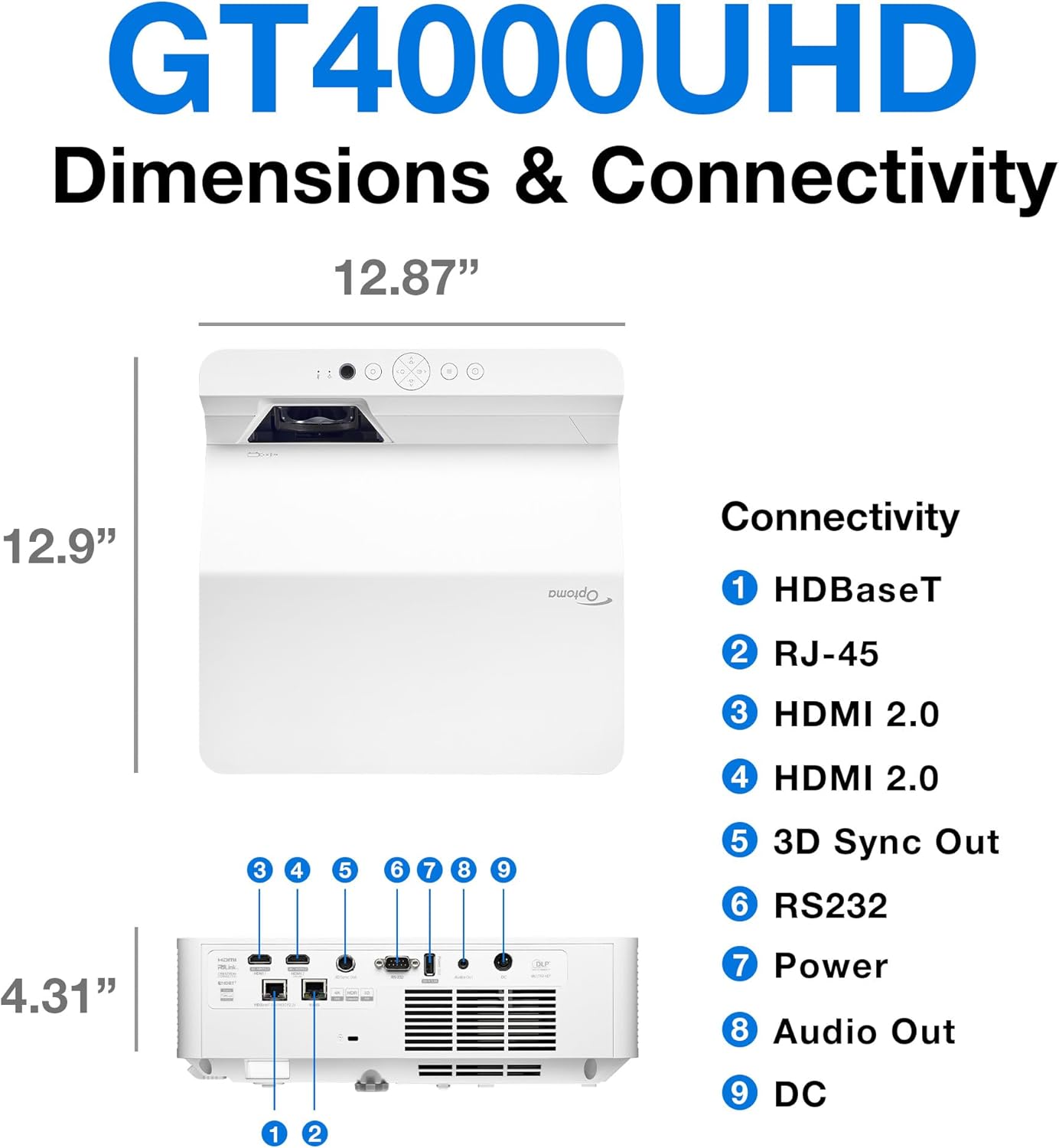
באַשרייַבונג: This image provides a detailed diagram of the Optoma GT4000UHD projector, including its dimensions (12.87" x 12.9" x 4.31") and a labeled overview of its connectivity ports such as HDBaseT, RJ-45, HDMI 2.0, 3D Sync Out, RS232, Power, Audio Out, and DC.
| שטריך | באַשרייַבונג |
|---|---|
| מאָדעל נאָמען | GT4000UHD |
| סאָרט | אָפּטאָמאַ |
| ווייַז האַכלאָטע | 3840 רענטגענ 2160 (4K UHD) |
| ברייטנאַס | 4,000 לומענס |
| קאַנעקטיוויטי טעכנאָלאָגיע | HDMI, RCA |
| ספּעציעלע שטריך | הינטער קורץ וואַרפן |
| רעקאָממענדעד ניצט | גיימינג, היים סינעמאַ |
| מאַקסימום בילד גרייס | 100 אינטשעס |
| מינימום וואַרפן דיסטאַנסע | 0.28 מעטער |
| מאַקסימום וואַרפן דיסטאַנסע | 0.56 מעטער |
| פּונקט וואָג | 9.8 פונט |
| מאַונטינג טיפּ | טאַבלעטאָפּ בארג |
10. וואָראַנטי און שטיצן
10.1 וואָראַנטי אינפֿאָרמאַציע
The Optoma GT4000UHD projector comes with a 1 Year Projector Parts and Labor Manufacturer’s Warrantyביטע באַהאַלטן אייער קויפן באַווייַז פֿאַר וואָראַנטי קליימז.
10.2 קונה שטיצן
For technical assistance, troubleshooting beyond this manual, or warranty inquiries, please visit the official Optoma support website or contact their customer service department. Contact information can typically be found on the Optoma webפּלאַץ אָדער אין די פּראָדוקט פּאַקקאַגינג.