
1. הקדמה
This manual provides essential instructions for the safe and efficient operation of your PECSU S2 MP3 Player. Please read this manual thoroughly before using the device and retain it for future reference.
פּעקל אינהאַלט
ביים עפענען דעם פעקל, זיכער מאכן אז אלע זאכן זענען דא:
- PECSU S2 MP3 Player
- 64 גיגאבייט זכּרון קאַרטל (פאַר-אַרייַנגעשטעלט)
- ווייערד עאַרבודז
- יו-עס-בי דאַטן קאַבל (טיפּ-C)
- באַניצער גייד (דעם דאָקומענט)

2. דיווייס איבערview
The PECSU S2 MP3 Player is a compact, multifunctional device designed for portable audio and more. It features a 1.77-inch screen and intuitive controls.

שליסל פֿעיִקייטן:
- בלועטאָאָטה 5.3: For wireless audio connectivity.
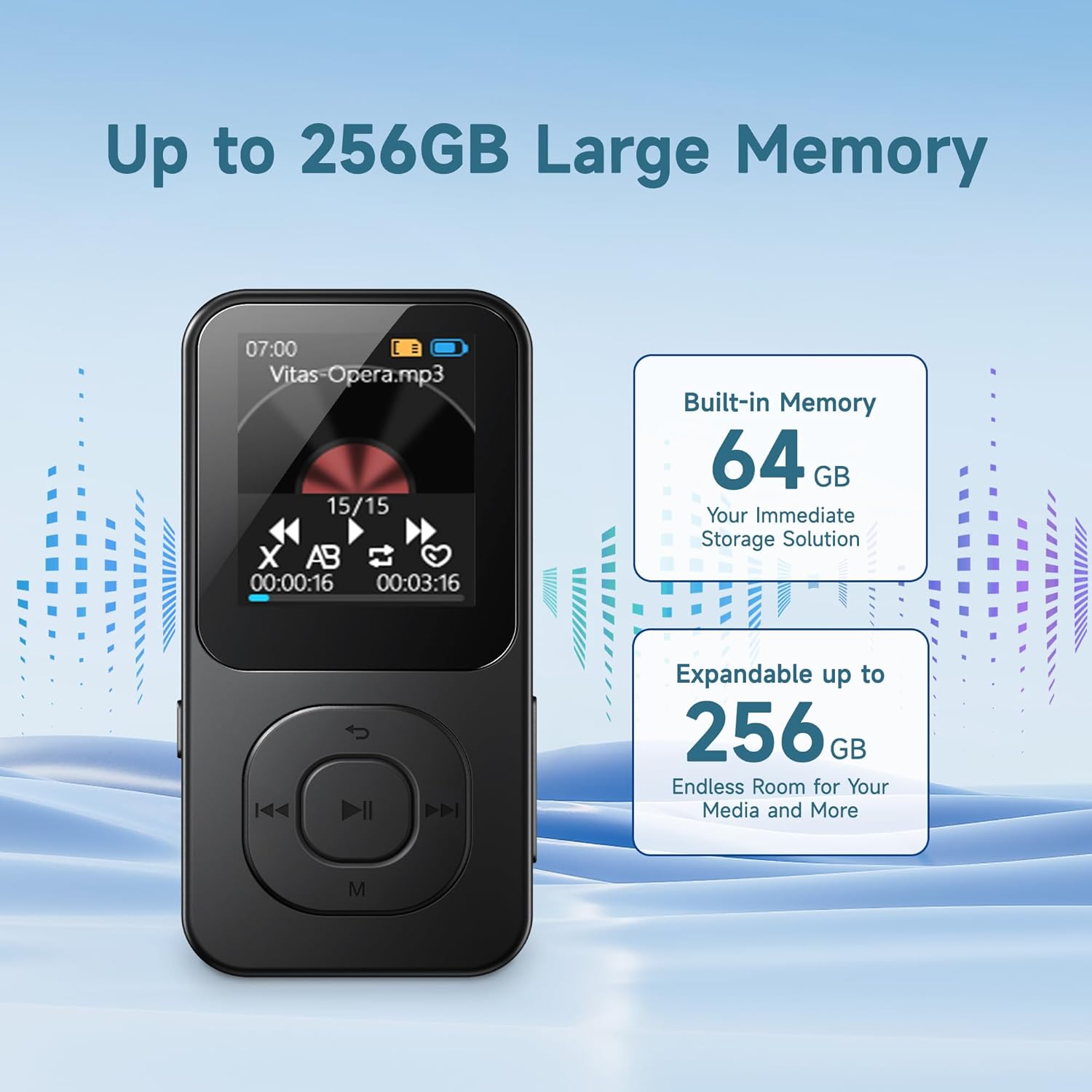
- 64 גיגאבייט אינערליכע סטאָרידזש: Pre-installed memory card, expandable up to 256GB.
- HiFi Lossless Sound: שטיצט פארשידענע אַודיאָ פֿאָרמאַטן.
- געבויט-אין רעדנער: צום הערן אָן כעדפאָונז.
- עפעם ראַדיאָ: Requires wired headphones as an antenna.
- קול רעקאָרדער: Noise-reduction capability.
- E- בוך לייענער: Supports .txt files.
- Timer Off Function: Customizable shutdown settings.
3. סעטאַפּ
3.1 טשאַרדזשינג די מיטל
- Connect the provided USB Type-C cable to the charging port on the player.
- פֿאַרבינדט דעם אַנדערן עק פֿונעם USB קאַבל צו אַ USB מאַכט אַדאַפּטער (נישט אַרייַנגערעכנט) אָדער אַ קאָמפּיוטער'ס USB פּאָרט.
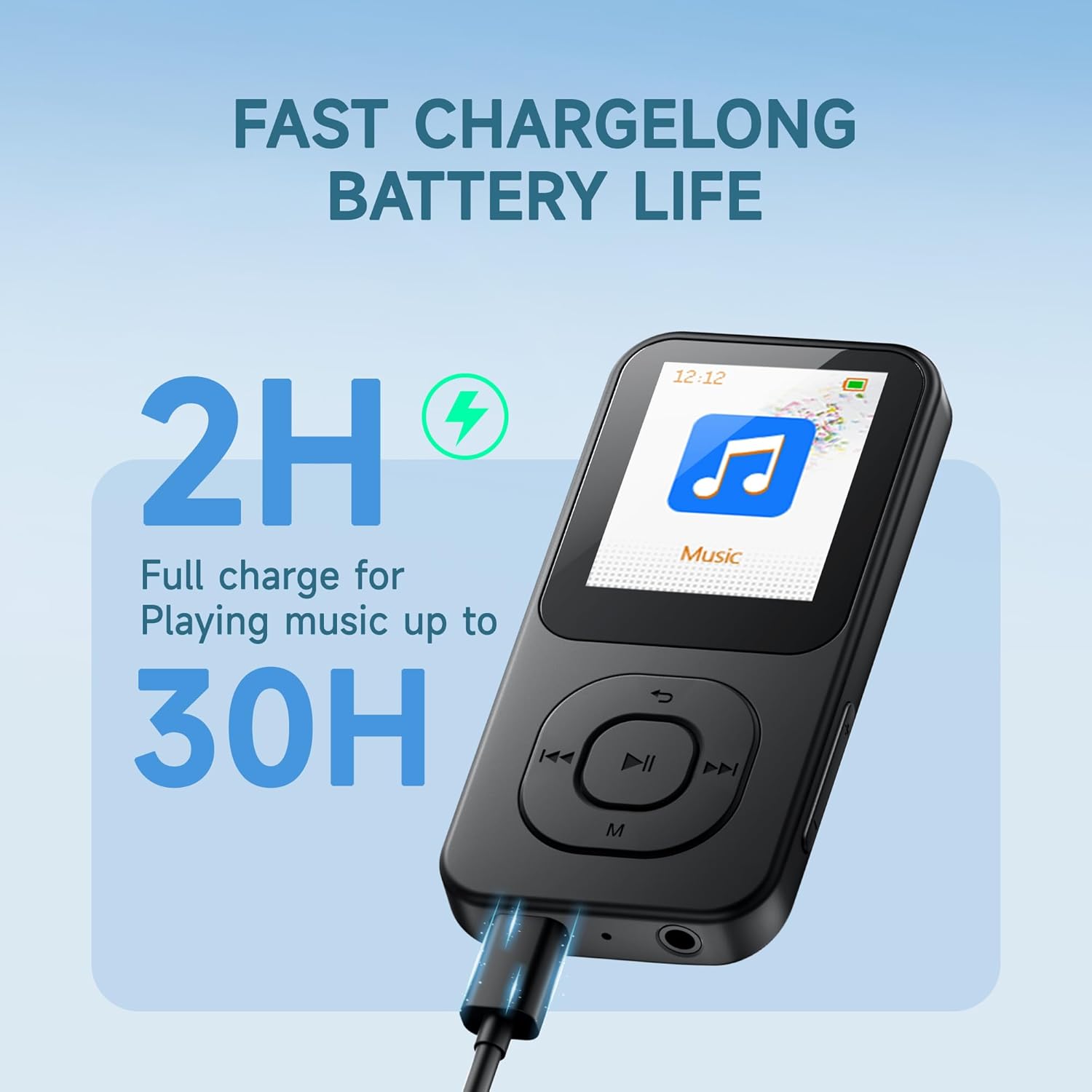
- The device will indicate charging status on the screen. A full charge typically takes approximately 2 hours.
A fully charged device provides up to 30 hours of music playback.
3.2 פּאַוערינג אויף / אַוועק
- צו מאַכט אויף: דריקן און האַלטן די ON/OFF button located on the side of the device until the screen illuminates.
- צו מאַכט אַוועק: דריקן און האַלטן די ON/OFF button until the power-off prompt appears, then confirm.
3.3 טראַנספערינג Files
The PECSU S2 comes with a 64GB memory card pre-inserted, which can be expanded up to 256GB using a compatible TF card. You can transfer files directly via the USB cable.
- Connect the MP3 player to your computer using the provided USB Type-C cable.
- דער שפּילער וועט דערשייַנען ווי אַ אַרויסנעמבאַר דיסק דרייוו אויף דיין קאָמפּיוטער.
- Drag and drop your desired music, e-books, videos, or photos into the appropriate folders on the player's memory card.
- אַרויסוואַרפן דאָס דעווייס זיכער פֿון אייער קאָמפּיוטער איידער איר אָפּטיילט דעם USB קאַבל.
Note: Some users may experience initial difficulties with direct file transfer. If issues arise, ensure the device is properly recognized by your computer. The new version of the player supports direct file transfer via USB cable without needing a separate card reader.
4. אַפּערייטינג ינסטרוקטיאָנס
4.1 יקערדיק נאַוויגאַציע
The player features physical buttons for navigation:
- שפּיל / פּויזע קנעפּל: Center button to start or pause playback.
- פריערדיגע/נעקסטע קנעפּלעך: Use to skip tracks or navigate menu options.
- 'M' קנעפּל: Typically accesses menu options or returns to the previous screen.
- באַנד +/- קנעפּלעך: אַדזשאַסטירן אַודיאָ אַוטפּוט לעוועל.
Note: Navigation may require familiarization. For list scrolling, the 'Previous' and 'Next' buttons might function as 'Up' and 'Down' respectively, rather than left/right as indicated by their icons.
4.2 מוזיק פּלייבאַק
The PECSU S2 supports various audio formats including MP3, FLAC, WAV, APE, OGG, AAC-LC, and M4A, delivering HiFi lossless sound quality.
- פֿון הויפּט מעניו, אויסקלײַבן 'מוזיק'.
- Browse your music library by artist, album, or folder.
- אויסקלייבן אַ ליד צו אָנהייבן ווידערשפּילן.
- Use the Play/Pause, Previous, and Next buttons to control playback.
קוסטאָמיזאַטיאָן אָפּציעס:
- EQ פּרעסעץ: Access equalizer settings (Pop, Rock, Jazz, Classical, Dance, Country, etc.) through the music playback menu.
- שפּיל מאָדעס: Choose between Loop ALL, Shuffle, or Loop single.
- וואַריאַבלע ספּיד פּלייבאַק: Adjust the playback speed of audio files.

4.3 בלועטוט קאָנעקטיוויטי
The device features Bluetooth 5.3 for stable and fast wireless connections to headphones or speakers.
- From the main menu, select 'Bluetooth'.
- Turn on Bluetooth. The player will search for nearby devices.
- זיכער מאַכן אַז אייערע בלועטוט כעדפאָונז אָדער רעדנער זענען אין פּערינג מאָדע.
- אויסקלייבן אייער דעווייס פון דער ליסטע צו פארבינדן.
Note: When wired headphones are plugged in, the device will automatically switch from Bluetooth output to wired output. Unplugging wired headphones will revert to Bluetooth if a paired device is connected.

4.4 עפעם ראַדיאָ
To use the FM Radio function, wired headphones must be connected as they serve as the antenna.
- Plug in the wired earbuds into the 3.5mm jack.
- פֿון הויפּט מעניו, אויסקלײַבן 'FM ראַדיאָ'.
- ניצט די נאַוויגאַציע קנעפּלעך צו סקענען פֿאַר סטאַנציעס אָדער מאַנועל טונען.
4.5 קול רעקאָרדער
The device includes a noise-reduction voice recorder.
- From the main menu, select 'Recorder'.
- Choose recording quality (Normal or High Quality). High quality recordings will result in larger file סיזעס.
- Press the Play/Pause button to start and stop recording.
- Recordings are saved to the device's memory.
4.6 E- בוך לייענער
The player supports reading .txt format e-books.
- Transfer .txt files to the device's memory.
- From the main menu, select 'E-book'.
- Select the desired .txt file צו עפענען.
Note: The 1.77-inch screen displays limited text per page. The device saves your reading progress.
4.7 Timer Off Function
This feature allows you to set the device to automatically shut down after a period of inactivity or at a specific time.
- Idle Shutdown: Configures the device to power off after a set period of no activity.
- טיימד שאַטדאַון: Sets a specific time for the device to power off.
5. וישאַלט
Proper care ensures the longevity and optimal performance of your PECSU S2 MP3 Player.
5.1 רייניקונג
- ניצט אַ ווייכן, טרוקענעם, לינט-פֿרייע שטאָף צו רייניקן דעם עקראַן און קערפּער פֿון דעם אַפּאַראַט.
- פֿאַרמײַדן די נוצן פֿון אַברייסיוו רייניגער, סאָלוואַנץ, אָדער אַעראָסאָל ספּרײַס.
- לאָזט נישט אַרײַן פֿײַכטקייט אין קיין עפענונגען.
5.2 באַטערי קער
- לאָדט דאָס אַפּאַראַט רעגולער אויף, אָבער לאָזט עס נישט גאָר אויסגעלאָדן פֿאַר לאַנגע פּעריאָדן.
- Do not expose the device to extreme temperatures (hot or cold), as this can degrade battery performance.
- אויב איר לייגט אפ דעם אפאראט פאר א לאנגע צייט, לאדט עס אויף ביז בערך 50% און לייגט עס אפ אין א קילן, טרוקענעם ארט.
5.3 סטאָרידזש
- Store the player in a dry environment, away from direct sunlight and excessive humidity.
- Protect the screen from scratches by using a protective case or screen protector.
6. טראָובלעשאָאָטינג
If you encounter issues with your PECSU S2 MP3 Player, refer to the following common solutions:
| פּראָבלעם | מעגלעך סיבה | לייזונג |
|---|---|---|
| די מיטל טוט נישט מאַכט אויף. | באַטערי איז דיפּליטיד. | Charge the device for at least 15 minutes before attempting to power on. |
| קענען ניט אַריבערפירן fileס צו די שפּילער. | Improper USB connection; computer not recognizing device. | Ensure the USB cable is securely connected. Try a different USB port or cable. Restart both the player and your computer. Ensure the device is not in another mode (e.g., charging only). |
| בלוטוט דעווייס נישט פארבינדן. | Bluetooth on player or external device is off; device not in pairing mode. | Ensure Bluetooth is enabled on both devices. Put the external device into pairing mode. Move devices closer together. |
| FM Radio has static or no signal. | Wired headphones not connected; poor signal area. | Connect wired headphones, as they act as the antenna. Move to an area with better reception. |
| Navigation buttons are confusing. | Unfamiliarity with interface design. | Familiarize yourself with the button functions. Note that 'Previous' and 'Next' buttons may control vertical scrolling in menus. |
| No ID3 tag information or album art displayed during music playback. | Device limitation. | The PECSU S2 player displays file names during playback and does not support ID3 tag or album art display. This is expected behavior. |
If the problem persists after trying these solutions, please contact PECSU customer support.
7. ספּעסאַפאַקיישאַנז
| שטריך | דעטאַל |
|---|---|
| מאָדעל נאָמען | S2 |
| דימענסיעס (L X W X H) | 3.53 X 1.71 X 0.35 אינטשעס |
| וואָג | 1.16 אונסעס (33 גראַמז) |
| פאַרשטעלן גרייס | 1.77 אינטשעס |
| אינערלעכער סטאָרידזש | 64 GB (via pre-inserted TF card) |
| יקספּאַנדאַבאַל סטאָרידזש | Up to 256 GB (via TF card) |
| בלועטאָאָטה ווערסיע | 5.3 |
| שטיצט אַודיאָ פֿאָרמאַטירונגען | MP3, FLAC, WAV, APE, OGG, AAC-LC, M4A |
| באַטערי טיפּ | 1 נישט-סטאַנדאַרט באַטאַרייע (אַרייַנגערעכנט) |
| טשאַרדזשינג צייט | בעערעך. 2 שעה |
| מוזיק פּלייַבאַקק צייט | אַרויף צו 30 שעה |
| קאַנעקטיוויטי | יו-עס-בי טיפ-סי, 3.5 מ״מ אודיאָ דזשעק |
| ספּעציעלע פֿעיִקייטן | Built-in Speaker, FM Radio, Voice Recorder, E-book Reader, Timer Off |
8. וואָראַנטי און שטיצן
PECSU is committed to providing quality products and customer satisfaction.
8.1 וואָראַנטי אינפֿאָרמאַציע
Your PECSU S2 MP3 Player is covered by a manufacturer's warranty. Please refer to the warranty card included in your package for specific terms and conditions. Retain your proof of purchase for warranty claims.
8.2 קונה שטיצן
For any issues, questions, or warranty concerns, the PECSU support team is available 24/7 to assist you. Please visit the official PECSU webזייטל אדער קאנטאקט זייער קאסטומער סערוויס גלייך פאר הילף.
PECSU Official Store: Visit PECSU Store on Amazon