
1. הקדמה
א דאנק פארן קויפןasing the Greadio CD-W16 Multifunction Portable CD Player. This device offers a comprehensive audio experience with multiple playback options including CD, cassette, FM radio, Bluetooth 5.1, USB, AUX, and TF/SD card. Designed for ease of use and portability, it features a rechargeable battery, remote control, and high-quality stereo sound. Please read this manual carefully to ensure proper operation and to fully enjoy all the features of your new audio system.
2. זיכערקייַט אינפֿאָרמאַציע
- שטעלט נישט אויס דעם אַפּאַראַט צו רעגן אָדער פייכטקייט כּדי צו פאַרמייַדן פייער אָדער עלעקטרישע קלאַפּן.
- נישט עפענען דעם סיasinז. לאָזט נאָר קוואַליפֿיצירטע פּערסאָנעל די סערוויסינג אַרבעט טאָן.
- ויסמיידן פּלייסינג די אַפּאַראַט לעבן היץ קוואלן אָדער אין דירעקט זונשייַן.
- Use only the specified power adapter and cables.
- האַלטן אויס פון דערגרייכן פון קינדער.
3. פּעקל אינהאַלט
- Greadio CD-W16 CD Radio Cassette Player x 1
- AUX קאַבלע רענטגענ 1
- טיפּ C קאַבלע רענטגענ 1
- ווייַט קאָנטראָל רענטגענ 1
- באַניצער מאַנואַל x 1
4. פּראָדוקט איבערview
The Greadio CD-W16 is a versatile audio system designed for various listening preferences. It combines classic and modern features in a compact, portable design.
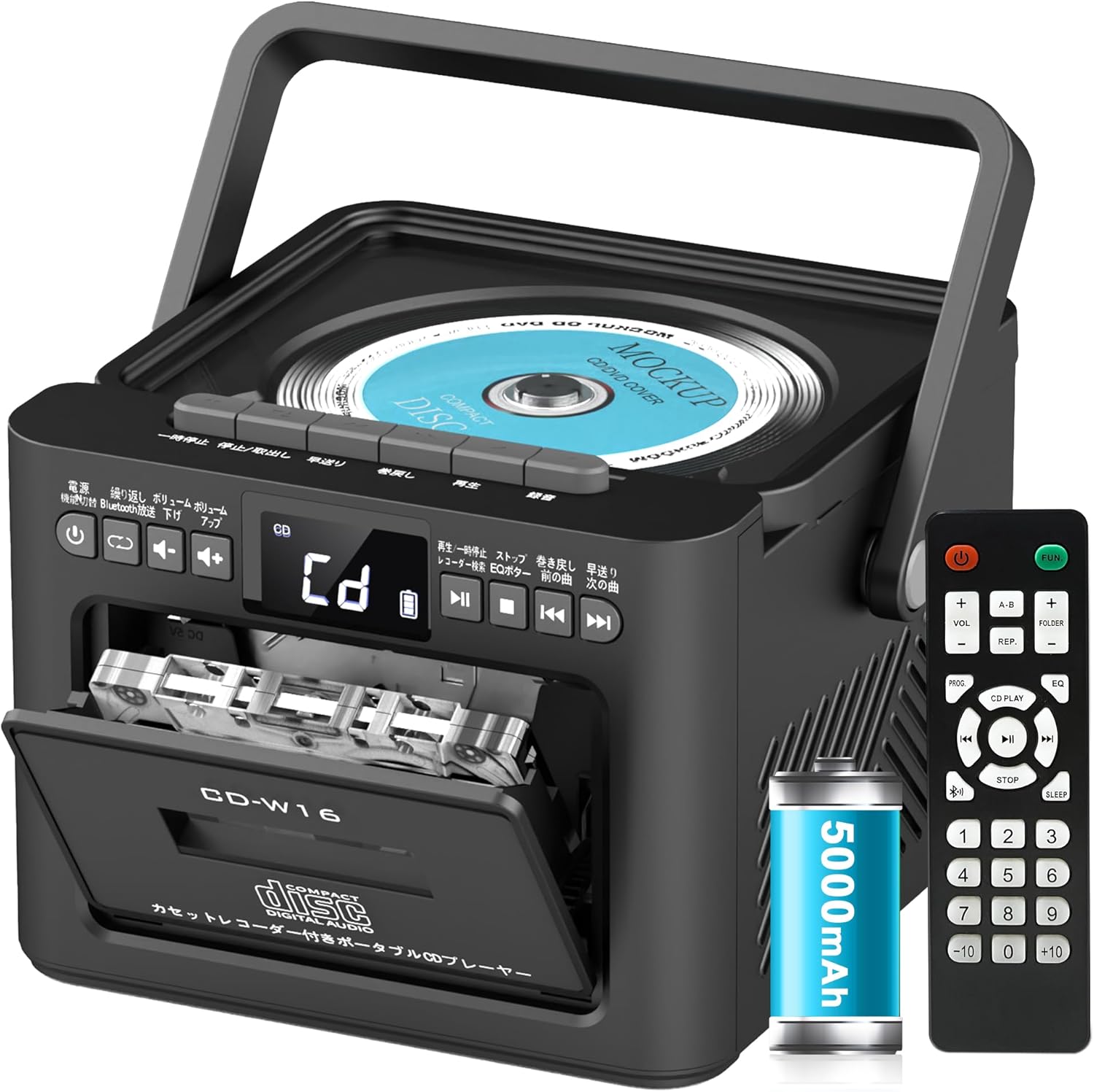
שליסל פֿעיִקייטן אַרייַננעמען:
- CD Player (CD, CD-R, CD-RW compatible)
- Cassette Player & Recorder
- FM ראַדיאָ (76-108MHz)
- Bluetooth 5.1 (Transmitter & Receiver)
- וסב פּלייַבאַקק
- AUX ינפּוט
- TF/SD Card Playback
- 5000 מאַה ריטשאַרדזשאַבאַל באַטאַרייע
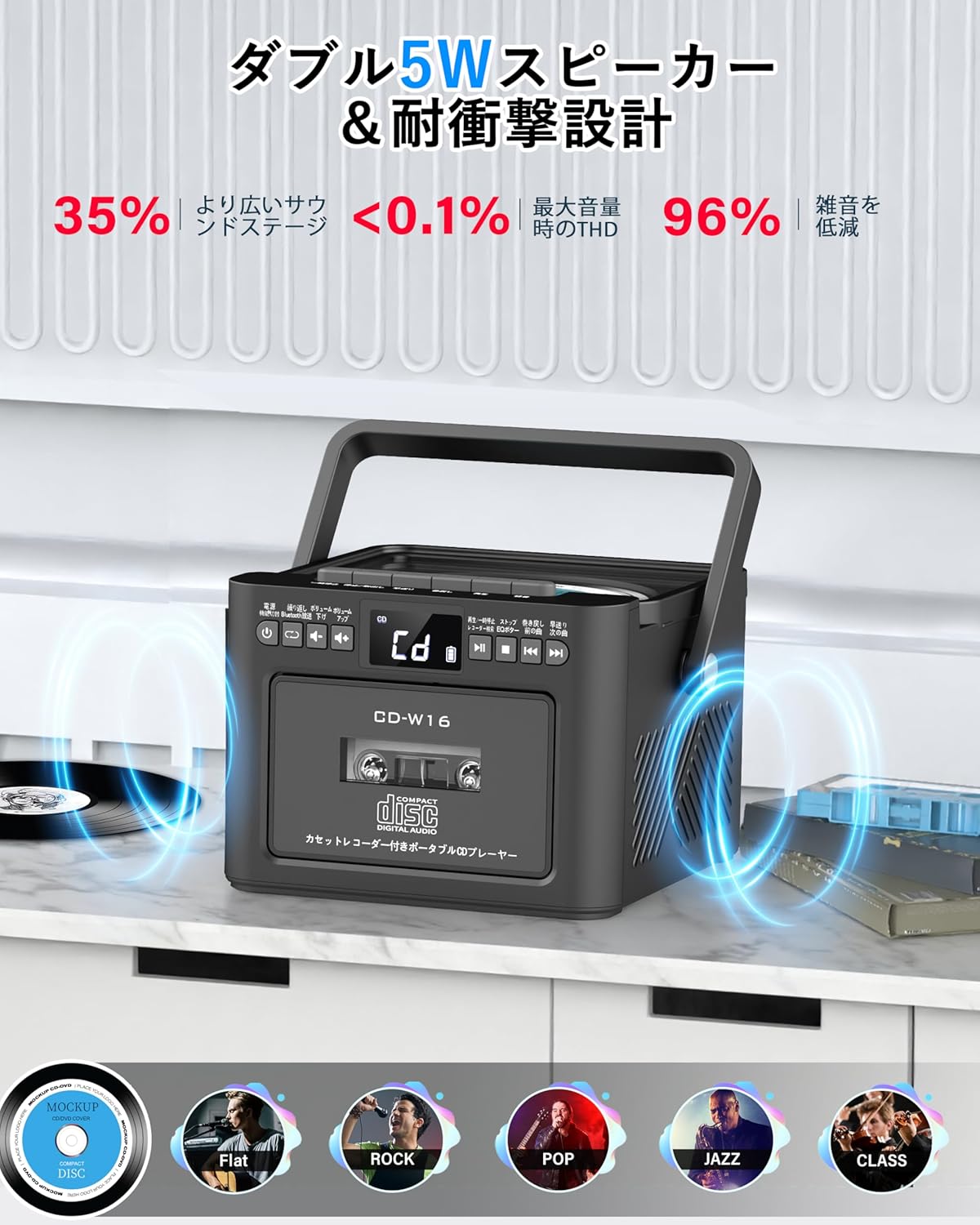
- צווייענדיק 5 וו סטערעאָ ספּיקערז
- ווייַט קאָנטראָל
- שלאָף טיימער
- 5 EQ געזונט מאָדעס

5. סעטאַפּ
5.1. טשאַרדזשינג די באַטערי
The Greadio CD-W16 is equipped with a built-in 5000mAh rechargeable battery. To charge the device:
- Connect the provided Type-C cable to the charging port on the unit.
- Connect the other end of the Type-C cable to a 5V/2A USB power adapter (not included).
- The charging indicator will illuminate. A full charge takes approximately 3 hours and provides up to 16 hours of playback.

5.2. מאַכט אויף / אויסגעלאשן
To power on or off the CD player:
- דריקן און האַלטן די מאַכט קנעפּל on the unit or the remote control for 2 seconds.
- אַלטערנאַטיוועלי, קורץ דריקן די מאַכט קנעפּל on the remote control to toggle the CD player on/off.
6. אַפּערייטינג ינסטרוקטיאָנס
6.1. General Controls (Remote Control)
The remote control provides convenient access to all functions. Refer to the video below for a demonstration of remote control operations.
- מאַכט אויף / אַוועק: קורץ דריקן די מאַכט קנעפּל.
- Function Mode Selection: קורץ דריקן די FUNC. קנעפּל to cycle through CD, Bluetooth, Radio, Cassette, AUX, USB, and TF/SD card modes.
- באַנד אַדזשאַסטמאַנט: קורץ דרוק VOL+ or וואָל- קנעפּלעך.
- שפּור נאַוויגאַציע: קורץ דרוק NEXT (>>|) for the next track or PREV (|<<) for the previous track.
- שנעל פאָרויס / צוריק: לאנג דריקן NEXT (>>|) for fast forward or PREV (|<<) for rewind.
- Direct Track Selection: In CD mode, input 0-9 on the remote to quickly skip to the desired track.
- עק מאָדע: קורץ דריקן די EQ קנעפּל to cycle through NORMAL, ROCK, POP, JAZZ, and CLASS sound modes.
- איבערחזרן מאָדע: קורץ דריקן די REP קנעפּל to cycle through repeat options (ONE, FOLDER, ALL, SHUFFLE, OFF).
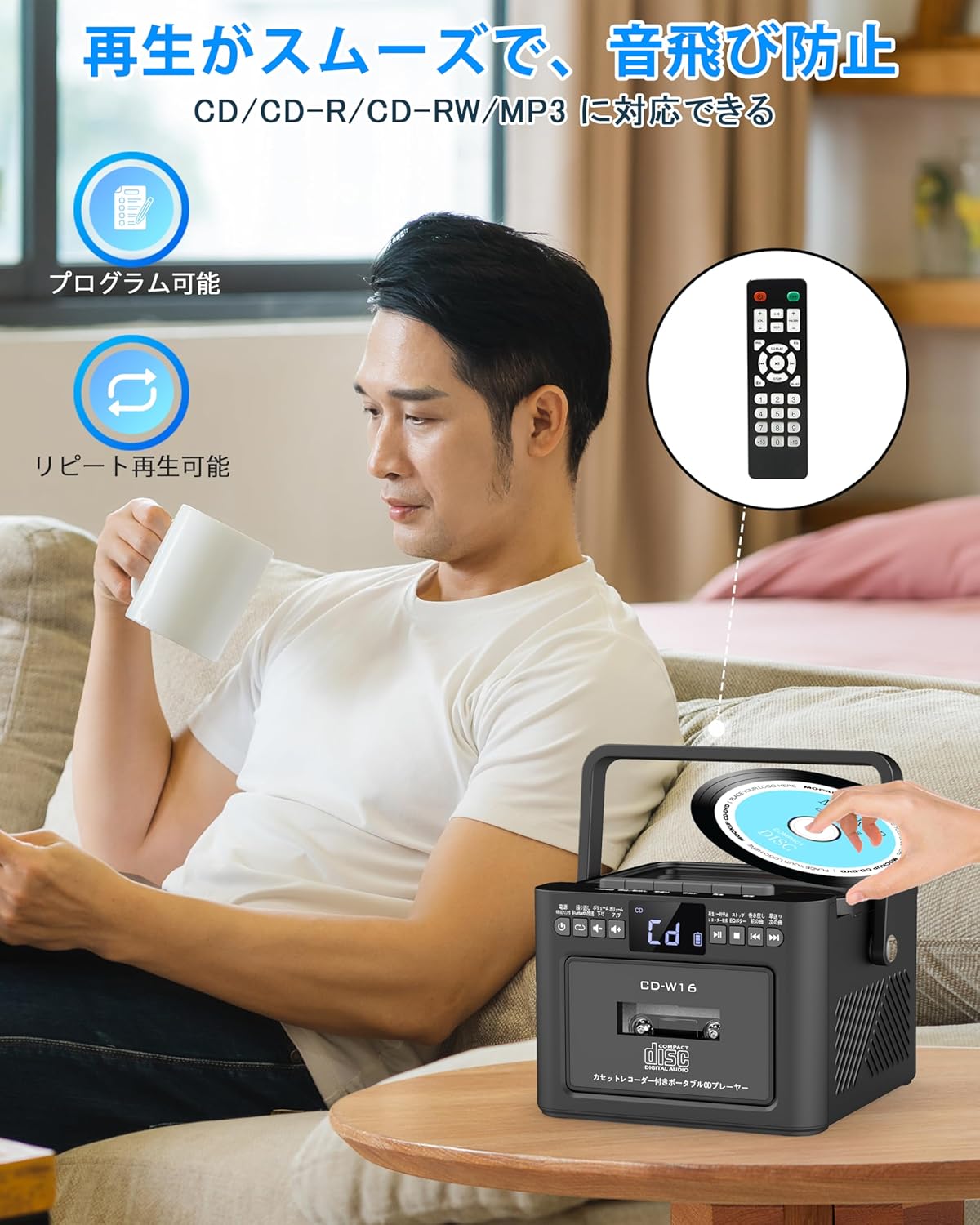
6.2. סי פּלייבאַק
- מאַכן זיכער אַז די אַפּאַראַט איז פּאַוערד אויף.
- קורץ דריקן די FUNC. קנעפּל to select CD mode. The display will show "CD".
- עפֿנט דעם דעקל פֿון דעם סי-די אָפּטייל דורך אים לײַכט אויפֿהייבן.
- Place a CD (CD, CD-R, CD-RW compatible) onto the spindle with the label side facing up.
- Close the CD compartment lid. The CD will begin playing automatically.
- ניצן די שפּילן/פּויזע (||) button for temporary stop/resume.
- ניצן NEXT (>>|) און PREV (|<<) קנעפּלעך פֿאַר טראַק נאַוויגאַציע.
6.3. Cassette Playback & Recording
- קורץ דריקן די FUNC. קנעפּל to select Tape mode. The display will show "TAPE".
- דרוק די STOP/EJ. button to open the cassette compartment.
- Insert a cassette tape into the compartment and close the lid.
- דרוק די שפּיל קנעפּל to start cassette playback.
- To fast forward or rewind, long press the FFWD or FREW קנעפּלעך ריספּעקטיוולי.
- To stop playback, short press the STOP/EJ. button.
Cassette Recording:
To record audio from other modes (CD, FM Radio, USB, AUX, TF/SD) onto a blank cassette:
- Insert a blank cassette into the cassette compartment.
- Select the desired source mode (e.g., CD, FM Radio).
- דריקן סיימאַלטייניאַסלי די שפּיל און REC (רעקאָרד) buttons. Recording will begin.
- דרוק די STOP/EJ. button צו האַלטן רעקאָרדינג.

6.4. עפעם ראַדיאָ אָפּעראַציע
- קורץ דריקן די FUNC. קנעפּל to select FM Radio mode. The display will show the FM frequency.
- פֿאַרלענגערט די טעלעסקאָפּישע אַנטענע פֿאַר אַ בעסערן אָפּנאַם.
Auto Scan & Preset Stations:
- לאנג דריקן די SCAN קנעפּל to automatically scan and save available FM stations. The unit can store up to 30 preset stations.
- קורץ דריקן די SCAN קנעפּל to recall preset stations (P01, P02, etc.).
מאַנואַל טונינג:
- קורץ דריקן די NEXT (>>|) or PREV (|<<) buttons to manually tune to the desired frequency.

6.5. בלועטאָאָטה אָפּעראַציע
The Greadio CD-W16 supports Bluetooth 5.1 for both transmitting and receiving audio.
בלועטאָאָטה טראַנסמיטער מאָדע:
To transmit audio from the CD player to a Bluetooth speaker or headphones:
- לאנג דריקן די בלועטאָאָטה קנעפּל on the unit or remote to activate Bluetooth transmission mode. The display will show "BT".
- Ensure your Bluetooth receiving device (speaker, headphones) is in pairing mode.
- The CD-W16 will automatically search for nearby Bluetooth devices. Once found, it will connect.

בלועטאָאָטה ופנעמער מאָדע:
To play audio from your smartphone or other Bluetooth device through the CD player's speakers:
- קורץ דריקן די FUNC. קנעפּל to select Bluetooth mode. The display will show "BLUE".
- On your smartphone or Bluetooth device, enable Bluetooth and search for available devices.
- Select "CD-W16" from the list to connect.
- Once connected, you can play music from your device, and the audio will output through the CD-W16 speakers.
6.6. USB & TF/SD Card Playback
The unit supports playback from USB drives and TF/SD cards (up to 32GB, not included).
- קורץ דריקן די FUNC. קנעפּל to select USB mode or TF/SD card mode. The display will show "USB" or "TF" respectively.
- Insert your USB drive into the USB port or your TF/SD card into the card slot.
- The unit will automatically detect and begin playing MP3 audio files.
- ניצן די NEXT (>>|) און PREV (|<<) קנעפּלעך פֿאַר טראַק נאַוויגאַציע.

6.7. AUX ינפּוט
To play audio from an external device via AUX cable:
- קורץ דריקן די FUNC. קנעפּל to select AUX mode. The display will show "LINE".
- Connect one end of the provided AUX cable to the AUX port on the CD-W16.
- Connect the other end to the audio output of your external device (e.g., smartphone, MP3 player).
- Play audio on your external device, and it will be output through the CD-W16 speakers.
6.8. שלאָפן טימער
The sleep timer allows you to set a duration after which the unit will automatically power off.
- קורץ דריקן די שלאָף קנעפּל on the remote control. The display will show the current sleep timer setting (e.g., 10, 20, 30 minutes).
- ניצן די NEXT (>>|) or PREV (|<<) buttons to adjust the sleep timer duration (10-120 minutes).
- קורץ דריקן די שלאָף קנעפּל ווידער צו באַשטעטיקן די באַשטעטיקן.

6.9. EQ Sound Modes
Customize your audio experience with five different EQ sound modes.
- קורץ דריקן די EQ קנעפּל on the unit or remote control to cycle through the available modes: NORMAL, ROCK, POP, JAZZ, and CLASS.
7. וישאַלט
7.1. רייניקונג
- ווישט אָפּ דעם אַפּאַראַט מיט אַ ווייכן, טרוקענעם שטאָף. ניצט נישט קיין שרײַבנדיקע רייניגער אָדער סאָלווענטן.
- פֿאַר די סי-די לענס, ניצט אַ ספּעציאַליזירטן סי-די לענס רייניגער.
- Keep the cassette head clean to ensure optimal playback and recording quality.
7.2. סטאָרידזש
- האַלט דעם אַפּאַראַט אין אַ קיל, טרוקן אָרט אַוועק פון דירעקט זונשייַן און עקסטרעמע טעמפּעראַטורן.
- Remove batteries from the remote control if not used for extended periods.
8. טראָובלעשאָאָטינג
| פּראָבלעם | מעגלעך סיבה | לייזונג |
|---|---|---|
| קיין מאַכט | Battery depleted or power cable not connected. | Charge the unit or ensure the power cable is securely connected. |
| סי-די שפּילט נישט | CD inserted incorrectly, dirty, scratched, or incompatible format. | Reinsert CD correctly, clean the CD, try a different CD. Ensure it's CD/CD-R/CD-RW. |
| קאַסעטע שפּילט נישט/רעקאָרדירט נישט | Cassette inserted incorrectly, tape damaged, or dirty head. | Reinsert cassette, try a different tape, clean the cassette head. |
| נעבעך עפעם ראַדיאָ אָפּטראָג | אַנטענע נישט אויסגעשטרעקט אָדער שוואַך סיגנאַל געגנט. | Fully extend the telescopic antenna. Try repositioning the unit. |
| בלועטאָאָטה איז נישט קאַנעקטינג | Device not in pairing mode, too far, or already connected to another device. | Ensure both devices are in pairing mode and within range. Disconnect from other devices. |
| USB/TF/SD card not recognized | Card/drive not inserted correctly, incompatible format, or damaged. | Reinsert, ensure files are MP3 format, try a different card/drive. |
9. ספּעסאַפאַקיישאַנז
- סאָרט: גראָדיאָ
- מאָדעל: CD-W16
- קאַנעקטיוויטי טעכנאָלאָגיע: AUX, בלועטוט, USB
- קאָליר: שוואַרץ
- רעדנער טיפּ: סטערעאָ
- מאַכט מקור: באַטאַרייע פּאַוערד
- קאַמפּאַטאַבאַל דעוויסעס: Smartphones, Tablets, PCs
- וואָסtage: 5 W (Dual 5W speakers)
- שטיצט אַודיאָ פֿאָרמאַטירונגען: CD/CD-R/CD-RW
- נומער פון ספּיקערז: 2
- אַודיאָ רעזולטאַט מאָדע: סטערעאָ
- באַטאַרייע קאַפּאַציטעט: 5000 מאַה
- טשאַרדזשינג צייט: בעערעך. 3 שעה
- שפּיל צייט: אַרויף צו 16 שעה
- עפעם Frequency Range: 76-108 מהז
10. וואָראַנטי & שטיצן
This product comes with a 1-year manufacturer's warranty. For any issues or support inquiries, please contact Greadio customer service.