
1. הקדמה
The RX-350 Infrared Thermal Imager is a high-performance device designed for precise temperature measurements using infrared technology. It is ideal for monitoring areas where identifying temperature variations is crucial. The RX-350 offers excellent thermal resolution, allowing detection of even small temperature differences on objects and surfaces.
This manual provides essential information for the safe and effective operation of your thermal imager. Please read it thoroughly before use and keep it for future reference.

2. זיכערקייַט אינפֿאָרמאַציע
Always observe the following safety precautions to prevent injury and avoid damage to the device:
- Do not point the camera directly at high-intensity light sources (e.g., sun, lasers) as this may damage the infrared sensor.
- פֿאַרמײַדן אויסצושטעלן דעם אַפּאַראַט צו עקסטרעמע טעמפּעראַטורן, פֿײַכטקייט אָדער קאָראָזיווע סביבות.
- פרובירט נישט צו צענעמען אדער מאדיפיצירן דעם אפאראט. לאָזט איבער אלע סערוויסעס צו קוואַליפֿיצירטע פּערסאָנעל.
- Use only the provided charger and battery type.
- האַלטן די מיטל אויס פון דערגרייכן פון קינדער.
3. פּראָדוקט איבערview
3.1. קאָמפּאָנענטן און קאָנטראָלן

Familiarize yourself with the following parts:
- ינפרערעד לענס: Captures thermal radiation.
- דיגיטאַלע קאַמעראַ לינז: Captures visible light images for fusion mode.
- LED ליכט: Provides illumination for visible light photography in dark environments.
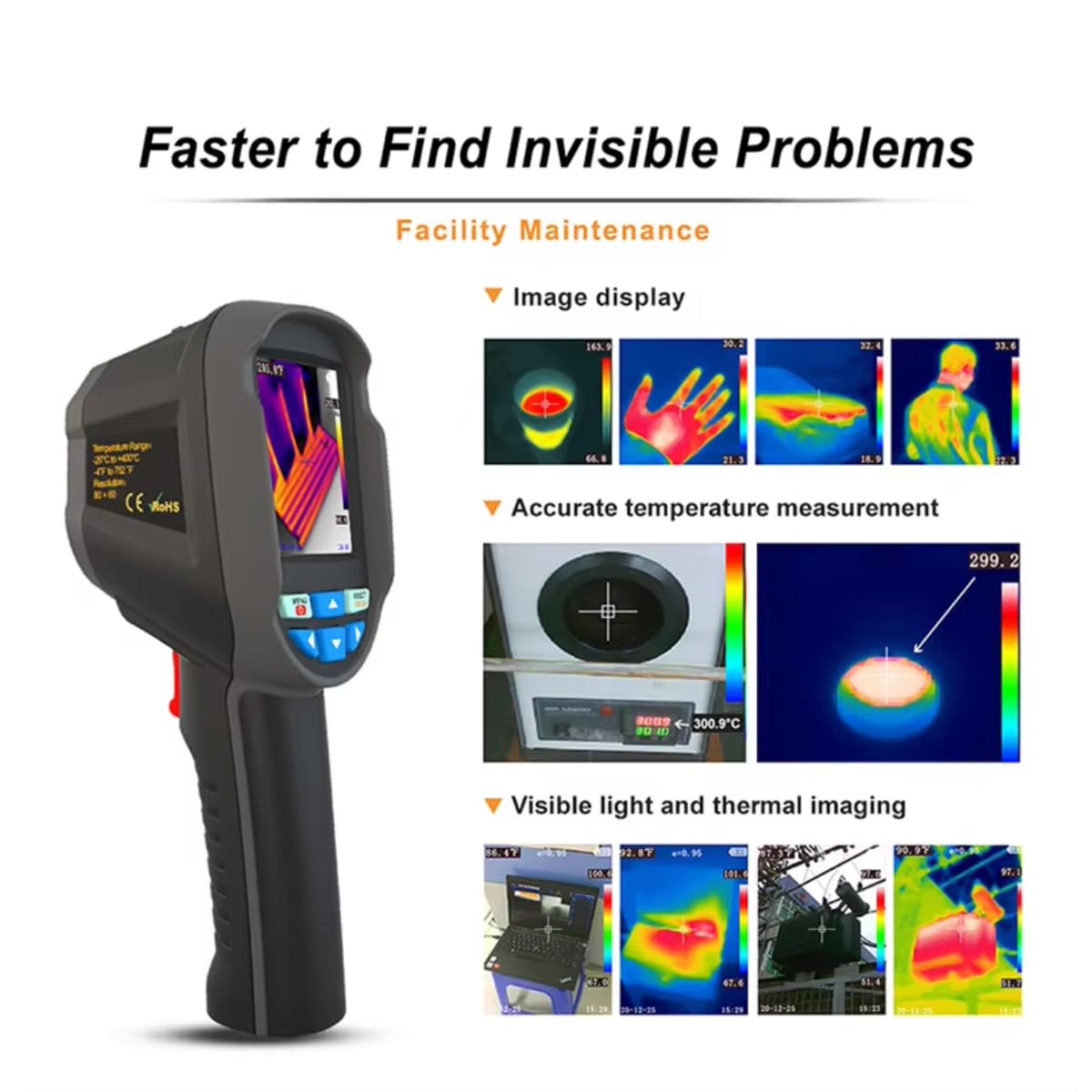
- Camera Screen: Displays thermal and visible images, menu, and data.
- מאַכט אויף/אויס קנעפּל: טורנס די מיטל אויף אָדער אַוועק.
- מעניו שליסל: Accesses the device's settings and options.
- Selection/Enter Key: באַשטעטיקט אויסוואַלן אין מעניו.
- Navigation Keys (Up, Down, Left, Right): נאַוויגירט דורך מעניו אָפּציעס.
- טריגער: Used to capture images or videos.
- מיקראָ וסב פּאָרט: For charging and data export to a computer.
- האַנטגעלענק רימען: For secure handling.
3.2. Screen Elements Explanation

The screen displays various information during operation:
- עמיסיוויטי: Current emissivity setting.
- באַטערי מדרגה: ינדיקייץ רוען באַטאַרייע אָפּצאָל.
- Highest Temperature Cursor: Marks the hottest point in the image.
- קאָליר קאָד: Represents the temperature scale.
- Central Point Temperature Cursor: Displays temperature at the center of the screen.
- צייט: איצטיקע צייט.
- טאָג: קראַנט דאַטע.
- Lowest Temperature Cursor: Marks the coldest point in the image.
- Central Temperature: Numerical value of the central point temperature.
3.3. קאָליר פּאַליטרע באַשרייַבונג
The device offers several color palettes to visualize temperature differences:
- רעגנבויגן: A common palette showing a full spectrum of colors for temperature variations.
- Iron Oxide Red: Highlights hotter areas in red/yellow tones.
- Rock Red: Similar to Iron Oxide Red, with slightly different color mapping.
- White Heat: Displays hotter areas as white and colder areas as black.
- Black Heat: Displays hotter areas as black and colder areas as white.
- Cold Color: Emphasizes colder temperatures.
The radiation coefficient (emissivity) can be adjusted to increase the measurement accuracy of objects with half-reflection surfaces. The highest and lowest temperature cursors guide users to areas with the highest and lowest temperatures in the thermal images. Selectable color palettes are provided to meet various imaging needs.
4. סעטאַפּ
4.1. ונבאָקסינג און ערשט דורכקוק
Upon receiving your RX-350 Thermal Imager, carefully unpack all components and inspect them for any signs of damage. The package should contain:
- 1x RX-350 Thermal Imager
- 1x פּראַטעקטיוו קאַסע
- 1x Charger (Power Adapter)
- 1x USB Cable (Micro USB)
- 1x באַניצער מאַנואַל (דאָס דאָקומענט)

4.2. טשאַרדזשינג די באַטערי
Before first use, fully charge the device's removable 18650 Lithium Battery. Connect the Micro USB cable to the camera's USB port and the other end to the charger. Plug the charger into a power outlet. The charging indicator on the screen will show the charging status. A full charge typically takes 2 to 3 hours.

4.3. פּאָווערינג אויף / אויסגעלאשן
- צו מאַכט אויף: Press and hold the Power ON/OFF key until the screen illuminates.
- צו מאַכט אַוועק: Press and hold the Power ON/OFF key until the device shuts down.
The device features an automatic shutdown function, configurable for 5 minutes, 20 minutes, or disabled.
5. אַפּערייטינג ינסטרוקטיאָנס
5.1. גרונטלעכע טעמפּעראַטור מעסטונג
Once powered on, the camera will display a thermal image. Point the infrared lens towards the object or area you wish to measure. The screen will show real-time temperature readings, including the central point temperature, and the highest and lowest temperatures detected within the field of view.
5.2. אַדזשאַסטינג עמיסיוויטי
Emissivity is a crucial setting for accurate temperature measurement. Different materials have different emissivities. To adjust:
- דרוק די מעניו שליסל.
- Navigate to the 'Emissivity' setting using the Navigation keys.
- דרוק די Selection/Enter שליסל.
- Adjust the value between 0.01 and 1.00 using the Navigation keys.
- דרוק די Selection/Enter שליסל צו באַשטעטיקן.
Consult a reference table for common material emissivities if precise measurements are required.
5.3. Changing Color Palettes
To change the visual representation of temperature:
- דרוק די מעניו שליסל.
- Navigate to the 'Color Palette' setting.
- דרוק די Selection/Enter שליסל.
- Select your desired palette (e.g., Rainbow, Iron, Cold Color, White Hot, Black Hot) using the Navigation keys.
- דרוק די Selection/Enter שליסל צו באַשטעטיקן.
5.4. Image/Video Capture and Storage
The device supports image (JPG) and video (MP4) storage on its built-in 4GB eMMC memory (approximately 3GB user available space).
- To Capture an Image: Aim the camera and press the צינגל קנעפּל בעקיצער.
- צו רעקאָרדירן אַ ווידעא: דריקן און האַלטן די צינגל button to start recording, and press it again to stop.
5.5. Connecting to PC for Data Export
To export captured images and videos:
- Connect the camera to your computer using the provided Micro USB cable.
- The camera will appear as a removable storage device on your computer.
- You can then copy the JPG images and MP4 videos to your computer.
The device also supports standalone image analysis on a PC.

6. וישאַלט
6.1. רייניקונג
- Use a soft, dry cloth to clean the device's body.
- פֿאַר דער לענס, ניצט אַ ספּעציאַליזירטע לענס רייניקונג שטאָף און לייזונג צו ויסמיידן קראַצן.
- דו זאלסט נישט נוצן אַברייסיוו קלינערז אָדער סאָלוואַנץ.
6.2. באַטערי קער
- לאָדט די באַטאַרייע רעגולער, אפילו אויב די דעוויס איז נישט אין באַנוץ, צו האַלטן די באַטאַרייע געזונט.
- Store the device with a partially charged battery (around 50%) if it will not be used for an extended period.
- פֿאַרמײַדט אָפֿט פֿולשטענדיק אויסצולאָדן די באַטעריע.
7. טראָובלעשאָאָטינג
If you encounter issues with your RX-350 Thermal Imager, try the following:
- אַפּאַראַט אַרבעט נישט אָן: Ensure the battery is fully charged. Try connecting the charger and powering on.
- נישט פּינקטלעכע טעמפּעראַטור מעסטונגען: Check the emissivity setting for the material being measured. Ensure the lens is clean.
- דער עקראַן איז ליידיק אָדער פֿאַרפֿרוירן: Try restarting the device by holding the power button. If unresponsive, allow the battery to fully discharge and then recharge.
- קען נישט פאַרבינדן צו קאָמפּיוטער: Ensure the USB cable is securely connected to both the camera and the computer. Try a different USB port or cable.
אויב פּראָבלעמס אָנהאַלטן, קאָנטאַקט קונה שטיצן פֿאַר הילף.
8. ספּעסאַפאַקיישאַנז
| שטריך | באַשרייַבונג |
|---|---|
| מאָדעל | רקס-350 |
| ינפרערעד האַכלאָטע | 160x120 (19200 pixels) |
| פעלד פון View (פאָוו) | 35°(H) × 27°(V) |
| Spectral Response Band | 8 ~ 14um |
| פּיקסעל גרייס | 12um |
| NETD (נויז עקוויוואַלענט טעמפּעראַטור דיפפערענסע) | ≤ 50 מק |
| ראַם קורס | 25 הז |
| טעמפּעראַטור מעאַסורעמענט ראַנגע | -20 ℃ ~ +550 ℃ (-4 ℉ ~ +1022 ℉) |
| מעאַסורעמענט אַקיעראַסי | (-15 ℃ ~ +550 ℃) ± 2 ℃ or ± 2%; (-20 ℃ ~ -15 ℃) ± 4 ℃ or ± 4% |
| מעזשערמאַנט וניץ | ℃ / ℉ |
| אָביעקטיוו פאָקאַל לענג | 3.2 מם |
| עמיססיוויטי באַשטעטיקן | Adjustable from 0.01 ~ 1.00 |
| Measurable Distance | 0 ם ~ 3 ם |
| Optimal Measurable Distance | קסנומקס ~ קסנומקסם |
| פאָקוס מאָדע | פֿרייַ פאָקוס |
| Temperature Measurement Points | Center point / Hot spot and Cold spot |
| קאָליר פּאַלעטטעס | Rainbow, Iron, Cold Color, White Hot, Black Hot |
| פאַרשטעלן גרייס | 2.8 inches (240 × 320) |
| בילד ווייַז מאָדע | Infrared / Visible Light / Dual Fusion |
| יללומינאַטיאָן סיסטעם | געפירט פּלאָמבירן ליכט |
| מיטל סטאָרידזש | 4GB built-in eMMC (approx. 3GB user available) |
| בילד/ווידעא פֿאָרמאַט | JPG / MP4 |
| Image/Video Export Method | וסב קשר צו קאָמפּיוטער |
| Image Analysis Function | Supports standalone analysis on PC |
| מעניו שפּראַך | English, German, Italian, Chinese |
| באַטערי טיפּ | רימווואַבאַל ריטשאַרדזשאַבאַל ליטהיום באַטערי (18650) |
| באַטאַרייע קאַפּאַציטעט | 2000 מאַה |
| באַניץ צייט | 2 צו 3 שעה |
| מאַכט צובינד | מיקראָ וסב |
| אַוטאָ מאַכט אַוועק סעטטינגס | 5 minutes / 20 minutes / None |
| אַפּערייטינג טעמפּעראַטור | -10 ℃ ~ +45 ℃ (-14 ℉ ~ +122 ℉) |
| סטאָרידזש טעמפּעראַטור | -20 ℃ ~ +60 ℃ (-4 ℉ ~ +140 ℉) |
| קאָרעוו הומידיטי | 10% ~ 85% RH (ניט-קאַנדענסינג) |
| פּראָדוקט וואָג | 375ג |
| פּראָדוקט דימענשאַנז | 9.6 × 7.2 × 22.6 סענטימעטער |
9. וואָראַנטי און שטיצן
פֿאַר וואָראַנטי אינפֿאָרמאַציע און טעכנישע שטיצע, ביטע זען די דאָקומענטאַציע וואָס איז צוגעשטעלט געוואָרן מיט אייער קויף אָדער קאָנטאַקטירן דעם פֿאַרקויפֿער גלייך. האַלט אייער באַווייַז פֿון קויף פֿאַר יעדע וואָראַנטי פֿאָדערונג.