
הקדמה
This manual provides instructions for the safe operation, installation, and maintenance of your jojofuny 30W Mini Ceiling Fan with LED Light and Remote Control. Please read this manual thoroughly before use and retain it for future reference.
פּעקל אינהאַלט
באַשטעטיקט אַז אַלע זאכן וואָס זענען אויסגערעכנט אונטן זענען פאַראַן און אין גוטן צושטאַנד ביים אויספּאַקן.
- 1 x jojofuny Mini Ceiling Fan with LED Light
- 1 x רימאָוט קאָנטראָל
- 1 x באַניצער מאַנואַל (דאָס דאָקומענט)

Image: The jojofuny Mini Ceiling Fan with LED Light and its accompanying remote control.
זיכערקייַט אינסטרוקציעס
שטענדיק פֿאָלגן די גרונטלעכע זיכערהייט מיטלען ווען איר ניצט עלעקטרישע אַפּאַראַטן צו רעדוצירן דעם ריזיקאָ פֿון פֿײַער, עלעקטרישן קלאַפּ און פּערזענלעכע שאָדן.
- Ensure the power supply is disconnected at the circuit breaker before installation, cleaning, or maintenance.
- דו זאלסט נישט אַרבעטן די פאָכער מיט אַ דאַמידזשד שנור אָדער צאַפּן.
- Keep hands, hair, and loose clothing away from moving parts of the fan.
- דעם אַפּפּליאַנסע איז דיזיינד בלויז פֿאַר דרינענדיק נוצן.
- Do not expose the fan to water or excessive moisture.
- Use only the remote control provided with the unit.
סעטאַפּ און ינסטאַלירונג
The jojofuny Mini Ceiling Fan is designed for easy installation into a standard E27 screw-in light socket.
- מאַכט אַוועק: Ensure the power to the light fixture is turned off at the circuit breaker before beginning installation. This prevents electric shock.
- סקרין אין: Carefully screw the fan light into a standard E27 light socket until it is secure. Do not overtighten.
- מאַכט אויף: ומקערן מאַכט אין די קרייַז צוימען.
- טעסט: Use the remote control to test the fan and light functions.
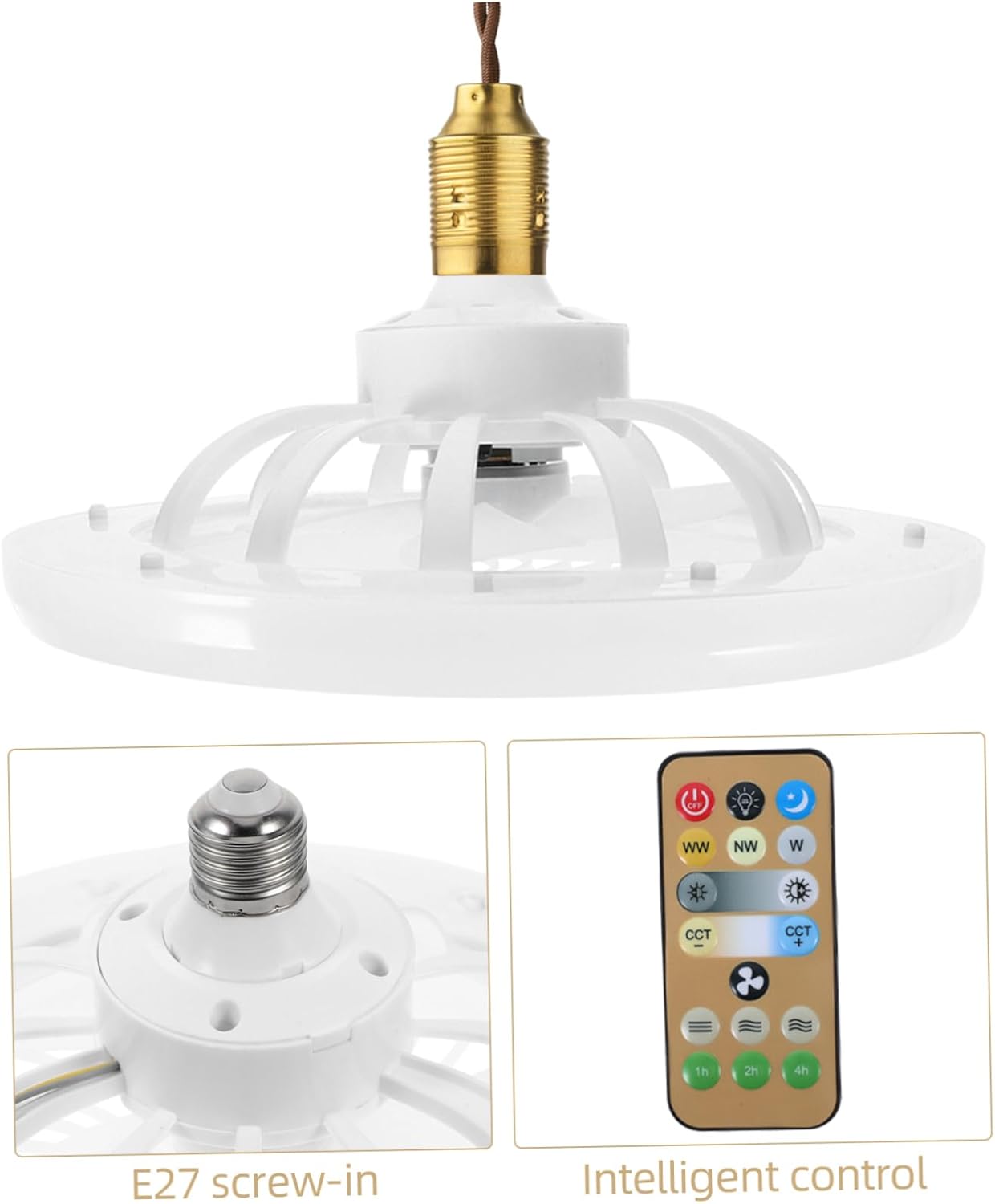
בילד: נאָענט-אַרויף view of the E27 screw-in base for installation, alongside the remote control.
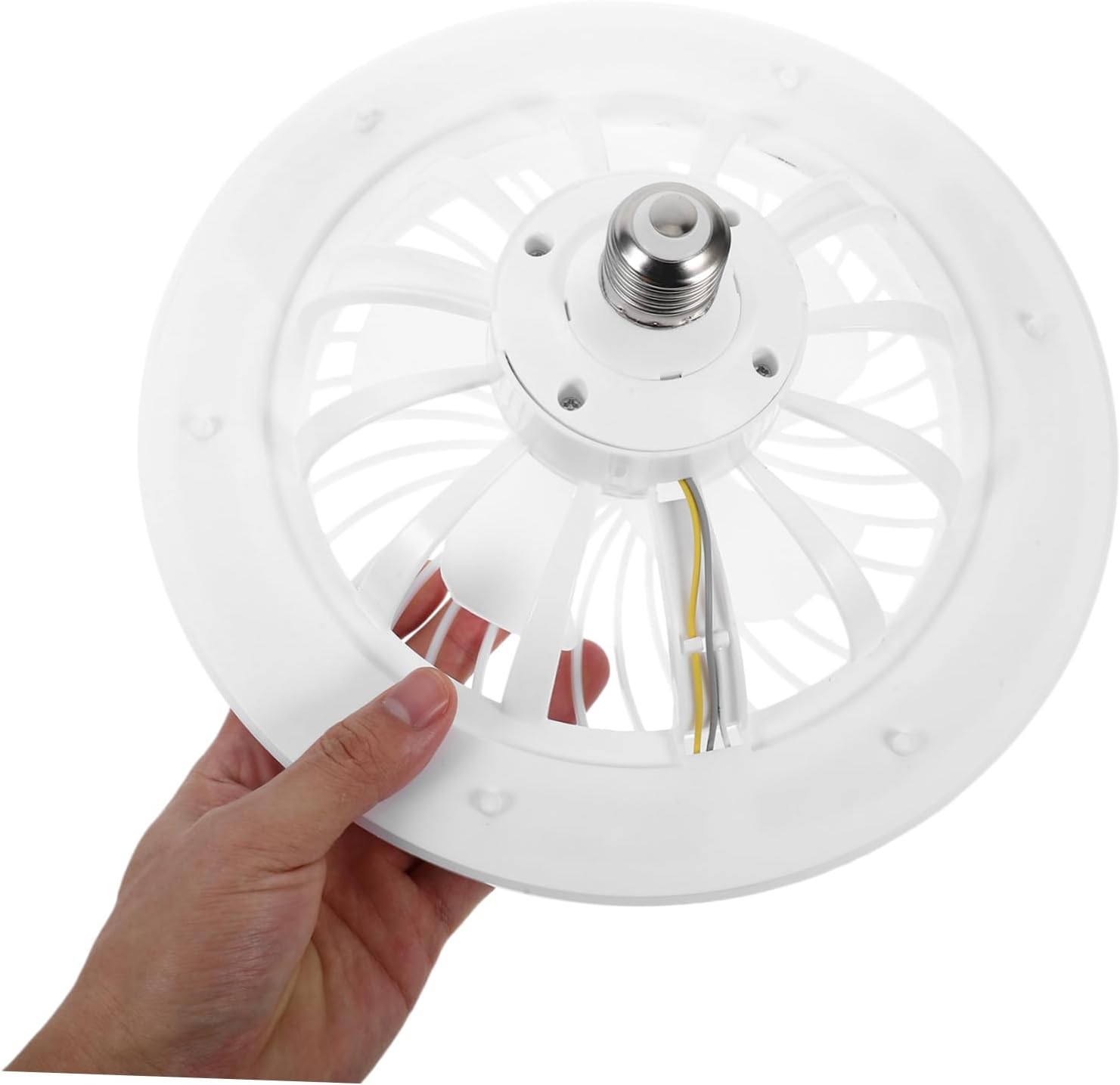
Image: A hand holding the fan light, illustrating its compact size and E27 screw-in base for easy handling.

Image: The mini ceiling fan installed and hanging from a ceiling fixture, ready for use.
אַפּערייטינג ינסטראַקשאַנז
The fan and light functions are controlled via the included remote control.
ווייַט קאָנטראָל פאַנגקשאַנז

Image: The remote control for the fan light, showing various buttons for light and fan speed adjustments.
- מאַכט אויף / אַוועק: דרוק די OFF button to turn off both the fan and light. Press any function button (e.g., light on, fan speed) to turn the unit on.
- ליכט קאָנטראָל:
- ברייטנאַס אַדזשאַסטמאַנט: Use the sun icon buttons (light up/down) to increase or decrease the light intensity.
- קאָליר טעמפּעראַטור אַדזשאַסטמאַנט: ניצן די WW (Warm White), NW (Neutral White), and W (Cool White) buttons to change the light color temperature.
- נאַכט ליכט מאָדע: Press the moon icon button for a low-brightness, soft light setting.
- פאָכער ספּיד קאָנטראָל: Use the fan icon buttons (fan up/down) to adjust the fan speed to your preference.
- טיימער פֿונקציע: Set the fan/light to turn off automatically after 1 hour, 2 hours, or 4 hours using the respective buttons.

Image: A hand operating the remote control, demonstrating its use with the installed ceiling fan light.
וישאַלט
Regular maintenance ensures optimal performance and longevity of your fan light.
- רייניקונג: Always disconnect power at the circuit breaker before cleaning. Wipe the fan and light surfaces with a soft, damp cloth. Do not use abrasive cleaners, harsh chemicals, or solvents, as these may damage the finish.
- באַזייַטיקונג פון שטויב: Periodically remove dust from the fan blades and light cover to maintain efficient airflow and consistent light output. A soft brush or vacuum cleaner with a brush attachment can be used.
- באַלב פאַרבייַט: The LED light source is integrated into the unit and is not user-replaceable. If the light fails, the entire unit may need servicing or replacement.
טראָובלעשאָאָטינג
If you encounter any issues with your fan light, refer to the table below for common problems and solutions.
| פּראָבלעם | מעגלעך סיבה | לייזונג |
|---|---|---|
| Fan/Light does not turn on. | No power to the socket; Remote control battery is dead; Unit not screwed in properly. | Check circuit breaker and wall switch; Replace remote battery; Ensure unit is securely screwed into the E27 socket. |
| דער ווענטילאַטאָר אַרבעט, אָבער דער ליכט נישט. | Light function is off on remote; Integrated LED failure. | Press the light ON button on the remote; Contact customer support if the integrated LED is faulty. |
| די ווײַטקאָנטראָל רעאַגירט נישט. | Remote battery is dead or low; Obstruction between remote and fan; Remote not paired (if applicable). | Replace remote battery; Ensure clear line of sight to the fan; Refer to pairing instructions if the remote requires it (not typically for this model). |
| דער ווענטילאַטאָר איז גערוישפול אָדער וויברירט צו פיל. | Loose installation; Obstruction in fan blades; Damaged fan blades. | Ensure unit is securely installed in the socket; Check for and remove any obstructions; Inspect blades for damage. |
ספּעסאַפאַקיישאַנז
Detailed technical specifications for the jojofuny Mini Ceiling Fan with LED Light.
| שטריך | דעטאַל |
|---|---|
| סאָרט | jojofuny |
| מאָדעל נומער | QPW6304002SC263VF |
| מאַכט מקור | E27 Screw-in (Remote Control: Battery Powered) |
| קאָליר | ווייַס |
| פּראָדוקט דימענשאַנז | 10.16"ד x 10.16"ברייט x 4.33"ה (25.80 ס״מ x 25.80 ס״מ x 11.00 ס״מ) |
| פּונקט וואָג | 0.72 פונט (11.5 אונסעס) |
| ספּעציעלע פֿעיִקייטן | Lightweight, Remote Control, Adjustable Brightness, Adjustable Color Temperature, Silent Operation |
| אַרייַנגערעכנט קאַמפּאָונאַנץ | Fan Light, Remote Control |

Image: Diagram showing the dimensions of the fan light: 25.8cm (10.14in) diameter and 11cm (4.32in) height.
וואָראַנטי און שטיצן
For warranty information or technical support, please contact jojofuny customer service. Refer to your purchase documentation for specific warranty terms and conditions.
For further assistance or to explore other jojofuny products, please visit the official jojofuny store on Amazon: jojofuny Amazon Store.