
STRICH SDP-P7 Digital Piano Instruction Manual
Model: SDP-P7
1. הקדמה
Thank you for choosing the STRICH SDP-P7 Digital Piano. This 88-key weighted keyboard is designed to provide an authentic playing experience for beginners and experienced musicians alike. Featuring hammer-action keys, a rich sound engine, and versatile connectivity, the SDP-P7 is suitable for various musical environments. Please read this manual thoroughly to ensure proper setup, operation, and maintenance of your instrument.
2. וואָס איז אין דער קעסטל
Upon unpacking, please ensure all the following items are included:
- STRICH SDP-P7 Digital Piano
- ונטערהאַלטן פּעדאַל
- Piano Stickers
- מוזיק רעסט
- מאַכט אַדאַפּטער
- באַניצער מאַנואַל

Image: All components included in the STRICH SDP-P7 Digital Piano package.
3. סעטאַפּ אינסטרוקציעס
3.1 Assembling the Stand (Optional)
If you are using a separate keyboard stand, ensure it is stable and correctly assembled according to its own instructions. The SDP-P7 is compatible with most standard X-style or Z-style keyboard stands.
Video: A seller demonstrates the assembly process for the keyboard stand and highlights key features of the STRICH Digital Piano.
3.2 Connecting Power and Accessories
- מאַכט אַדאַפּטער: Connect the power adapter to the DC 12V input port on the rear panel of the piano. Plug the other end into a standard wall outlet.
- סוסטאַין פּעדאַל: Plug the included sustain pedal into the 'SUSTAIN' jack on the rear panel.
- מוזיק מנוחה: אַרײַנשטעלן די מוזיק־שטיצע אין די באַשטימטע סלאָטן אויף דער אויבערשטער פּאַנעל פֿון פּיאַנע.
- Piano Stickers (Optional): For beginners, carefully apply the piano stickers to the keys as indicated in the included guide.
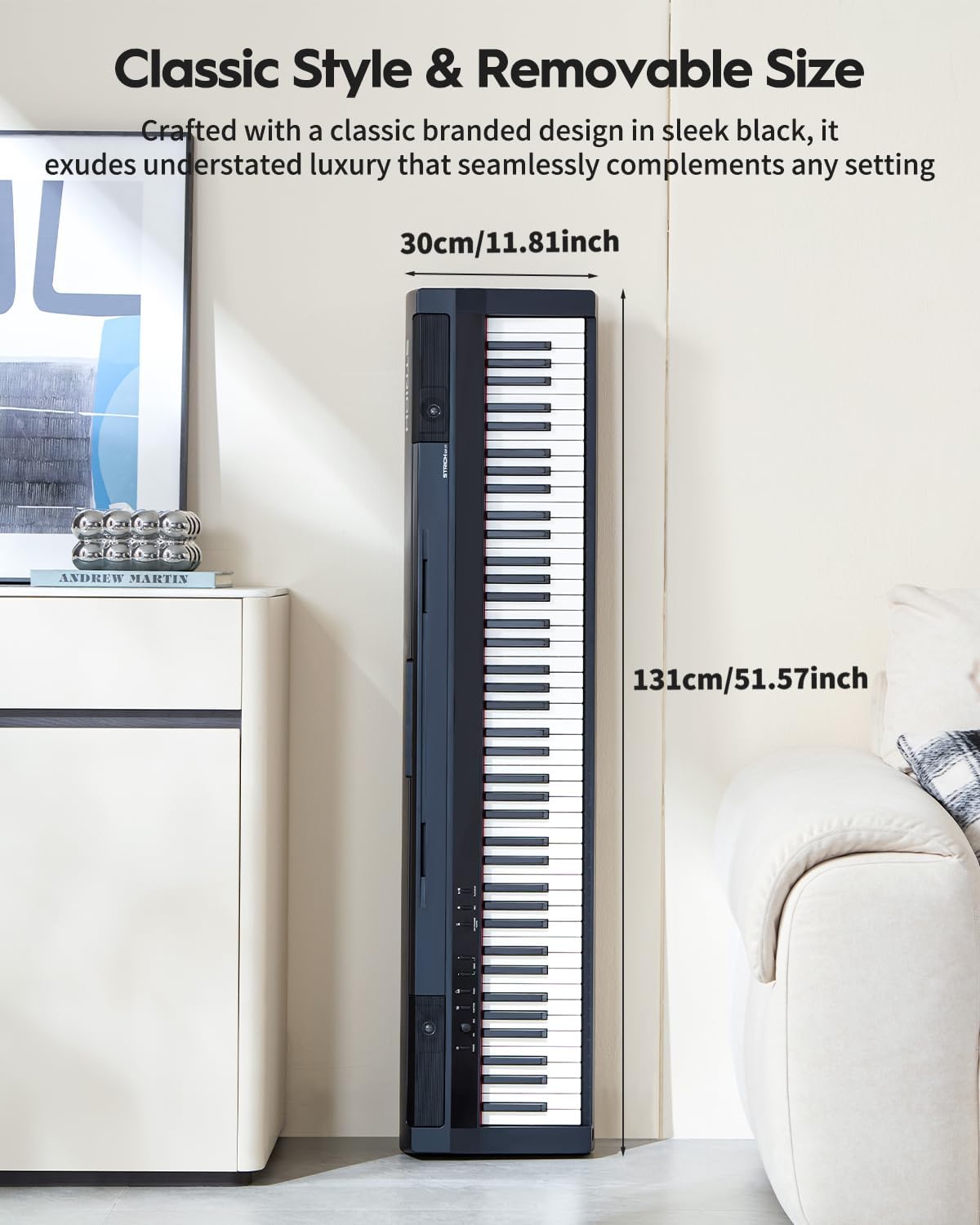
Image: The rear panel of the STRICH SDP-P7 Digital Piano, illustrating the various input and output ports including power, sustain pedal, line out, headphone, and USB MIDI.
4. אַפּערייטינג ינסטרוקטיאָנס
4.1 מאַכט אויף/אויס און באַנד קאָנטראָל
- מאַכט: Press the 'POWER' button on the control panel to turn the piano on or off.
- באַנד: Use the 'MASTER VOLUME' knob to adjust the overall sound level.
4.2 Selecting Tones and Features
The SDP-P7 offers 200 tones and various functions for enhanced playability:
- טאָנע סעלעקציע: Use the 'VOICE SELECT' buttons (e.g., PIANO, ELECTRIC PIANO, ORGAN, SYNTH) to choose different instrument sounds.
- מעטראָנאָמע: Press the 'METRONOME' button to activate the metronome for rhythm practice. Adjust tempo using the VALUE knob.
- איבערזעצן: Use the 'TRANSPOSE' buttons to shift the pitch of the keyboard up or down.
- Dual Keyboard Mode: Allows splitting the keyboard into two identical pitch ranges for duet play.
- שיכטן: Combine two different tones to play simultaneously.
- דראָטלאָזע פֿאַרבינדונג: Pair your piano with a phone, tablet, or computer to stream music or transfer MIDI fileס וויירליס.
- כעדפאָון נוצן: Connect headphones to one of the two 6.35mm jacks on the rear panel for silent practice.

Image: The control panel of the STRICH SDP-P7 Digital Piano, showing buttons for voice selection and effect controls.
5. שליסל פֿעיִקייטן
- 88 Weighted Hammer-Action Keys: Experience an authentic piano feel with keys that are heavier in the lower register and lighter in the upper register, mimicking an acoustic piano.
- רייך געזונט קוואַליטעט: Piano tones are sampled from European German-style grand pianos, enhanced with STRICH's multi-layer dynamic sampling technology and dual DSP processors for lossless sound reproduction.
- 2-וועג רעדנער סיסטעם: Equipped with 5W×2 tweeters and 20W×2 woofers, delivering full-spectrum audio with clear highs and deep lows.
- Versatile Tones and Rhythms: Explore 200 tones and 60 demo songs, along with functions like dual keyboard mode, layering, metronome, and transpose.
- ווירעלעסס קאַנעקטיוויטי: Seamlessly connect to phones, tablets, or computers for music streaming and MIDI file אַריבערפירן.
- Dual Headphone Jacks: Practice privately without disturbing others.
- פּאָרטאַטיוו פּלאַן: Lightweight and easy to move, ideal for various settings from home practice to outdoor performances.

Image: The STRICH SDP-P7 Digital Piano highlighting its authentic and rich sound with 128 max polyphony, 200 tones, and 60 demo songs.

Image: A graphic illustrating the true-to-acoustic piano touch of the STRICH SDP-P7's hammer-action keyboard, showing dynamic force curves from soft (PPP) to loud (FFF).
6. וישאַלט
To ensure the longevity and optimal performance of your STRICH SDP-P7 Digital Piano, follow these maintenance guidelines:
- רייניקונג: ניצט אַ ווייכע, טרוקענע שטאָף צו ווישן די ייבערפלאַך פון פּיאַנע. פֿאַר שווערע שמוץ, אַ ביסל ווייכער מאַכןampen the cloth with water and a mild soap solution, then wipe dry immediately. Avoid abrasive cleaners or solvents.
- סטאָרידזש: When not in use for extended periods, cover the piano with a dust cover to protect it from dust and debris. Store in a cool, dry place away from direct sunlight and extreme temperatures.
- האַנדלינג: Always handle the piano with care. Avoid dropping it or subjecting it to strong impacts, which can damage internal components or the casing.
7. טראָובלעשאָאָטינג
If you encounter any issues with your STRICH SDP-P7, please refer to the following common solutions:
- קיין קול:
- Ensure the power adapter is securely connected and the piano is turned on.
- Check the 'MASTER VOLUME' knob and increase the volume.
- אויב כעדפאָונז זענען פארבונדן, דיסקאָנעקט זיי צו קאָנטראָלירן רעדנער אַוטפּוט.
- קנעפּלעך רעאַגירן נישט:
- זייט זיכער אז די פיאנא איז אנגעצינדן.
- If using MIDI, check all connections and software settings.
- פאַרקרימט סאָונד:
- קוק פֿאַר פרייַ קאַבלע קאַנעקשאַנז.
- Reduce the volume to see if distortion persists.
- ווירעלעסס קאַנעקטיוויטי ישוז:
- Ensure the piano's wireless function is enabled.
- Check the Bluetooth settings on your external device and ensure it is discoverable.
- Move the piano closer to the external device to improve signal strength.
אויב די פראבלעם בלייבט נאך פרובירן די שריט, ביטע קאנטאקטירט קאסטומער סופארט פאר ווייטערדיגע הילף.
8. ספּעסאַפאַקיישאַנז
| שטריך | באַשרייַבונג |
|---|---|
| מאָדעל נאָמען | SDP-P7 |
| סאָרט | שטריקן |
| נומער פון קיז | 88 |
| שליסל טיפּ | Weighted Hammer-Action |
| טאָנעס | 200 |
| דעמאָ סאָנגס | 60 |
| רעדנער סיסטעם | 2-Way (5W×2 tweeters + 20W×2 woofers) |
| קאַנעקטיוויטי | Wireless Connect, MIDI USB |
| כעדפאָונז דזשאַק | 6.35 מ״מ דזשעק (x2) |
| מאַכט מקור | קאָרדעד עלעקטריק |
| פּראָדוקט דימענשאַנז | 11.8"ד רענטגענ 51.6"וו רענטגענ 6.5"ה |
| פּונקט וואָג | 33 פונט (15 קילאָגראַמס) |
9. וואָראַנטי און שטיצן
For warranty information, technical support, or service inquiries, please refer to the contact details provided in your product packaging or visit the official STRICH webזייטל. האַלט אייער קויף קוויטל ווי אַ באַווייַז פון קויפן.