
WeCool FW-5100-R1
WeCool Fairwhale Sports Analog Digital Watch
Model: FW-5100-R1
הקדמה
This manual provides detailed instructions for the setup, operation, maintenance, and troubleshooting of your WeCool Fairwhale Sports Analog Digital Watch, model FW-5100-R1. Please read this manual thoroughly to ensure proper use and to maximize the lifespan of your watch.
זיכערקייַט פּריקאָשאַנז
- פֿאַרמײַדט אויסשטעלן די זייגער צו עקסטרעמע טעמפּעראַטורן (הייס אָדער קאַלט) פֿאַר לאַנגע פּעריאָדן.
- Do not operate buttons underwater to maintain water resistance.
- Keep the watch away from strong magnetic fields, which can affect timekeeping accuracy.
- Clean the watch regularly with a soft, dry cloth. Avoid chemical cleaners.
- Battery replacement should be performed by a qualified technician to ensure proper sealing and water resistance.
פּראָדוקט איבערview
Your WeCool Fairwhale Sports Watch features a robust design with both analog and digital displays, offering multiple functions for daily use and outdoor activities.
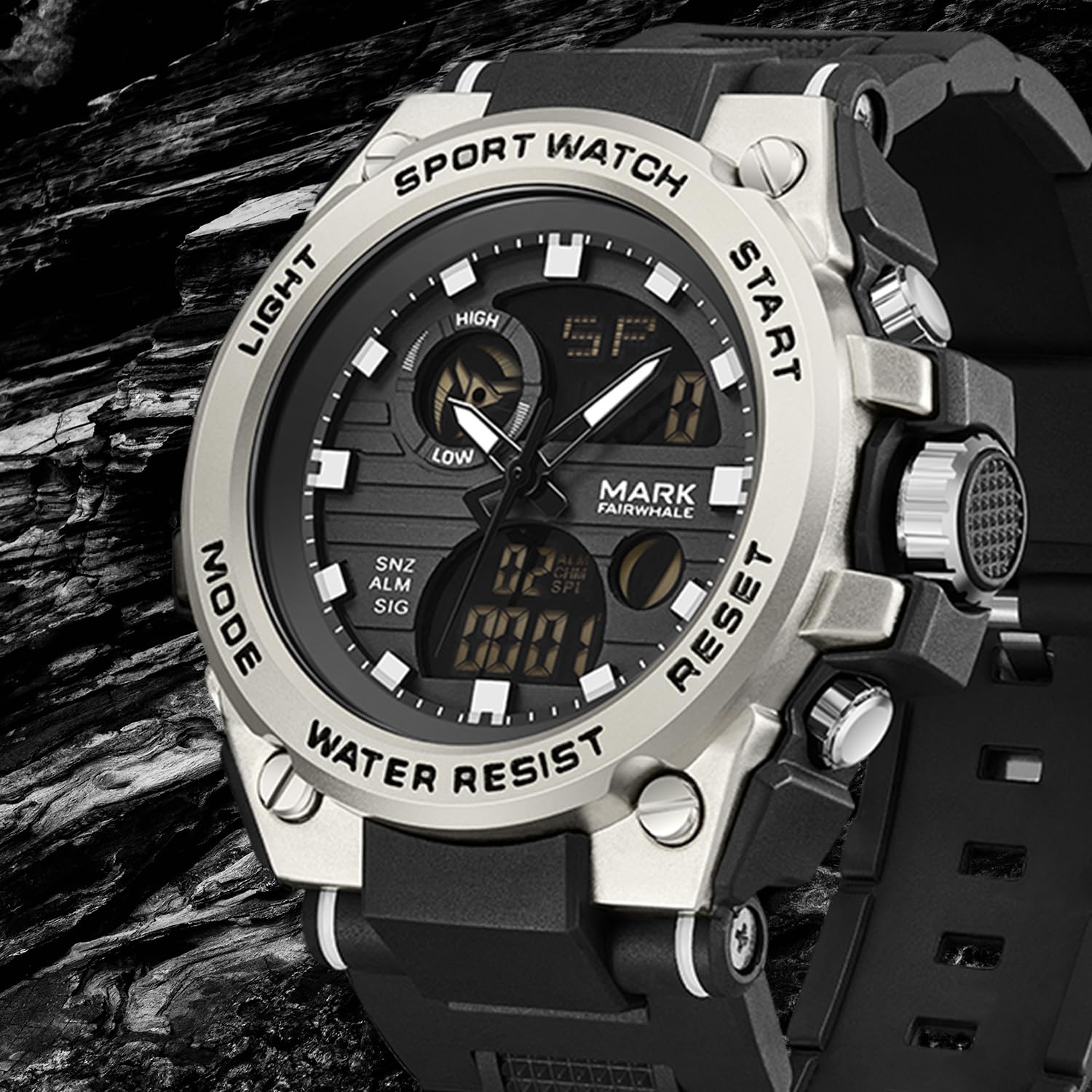
פיגורע 1: פראָנט view of the WeCool Fairwhale Sports Analog Digital Watch FW-5100-R1.
Watch Components and Buttons

Figure 2: Watch button functions.
- ליכט קנעפּל: אַקטיוויזירט די LED באַקלייט פֿאַר זעאונג אין נידעריק-ליכט באדינגונגען.
- מאָדע קנעפּל: Cycles through different modes (Time, Alarm, Stopwatch, Dual Time).
- אָנהייב קנעפּל: Used to start/pause functions (e.g., stopwatch) and adjust settings.
- באַשטעטיק קנעפּל: Used to reset functions (e.g., stopwatch) and switch between hour, minute, week modes during setting.
סעטאַפּ און ערשטע קאָנפיגוראַציע
1. Setting Analog Time
- Pull out the crown (the knob on the right side of the watch case) to the first click position.
- דרייען די קרוין צו סטרויערן די שעה און מינוט הענט צו די געבעטן צייט.
- פּוש די קרוין צוריק צו באַוואָרענען די צייט באַשטעטיקן.
2. Setting Digital Time and Date
- דרוק די מאָדע button repeatedly until the digital time display starts flashing, indicating it's in setting mode.
- דרוק די באַשטעטיק button to cycle through the settings: seconds, hour, minute, month, date, day of the week.
- ניצן די אָנהייב קנעפּל צו סטרויערן די בלינקנדיקע ווערט.
- אַמאָל אַלע סעטטינגס זענען ריכטיק, דריקן די מאָדע קנעפּל צו אַרויסגאַנג די באַשטעטיקן מאָדע.
3. 12/24 Hour Format Selection
In the digital time setting mode (when the hour is flashing), press the אָנהייב קנעפּל צו טוישן צווישן 12-שעה (מיט AM/PM אינדיקאַטאָר) און 24-שעה פֿאָרמאַטן.
אַפּערייטינג ינסטראַקשאַנז
1. געפירט באַקלייט

Figure 3: Watch display with LED backlight.
דרוק די ליכט button (top-left) to illuminate the digital display. The backlight will remain active for a few seconds.
2. סטאַפּוואַטש פֿונקציע
- דרוק די מאָדע button until "ST" or "STOP" appears on the digital display.
- דרוק די אָנהייב קנעפּל צו אָנהייבן טיימינג.
- דרוק די אָנהייב קנעפּל ווידער צו פּויזירן די צייט.
- To resume, press the אָנהייב קנעפּל.
- כדי צוריקצושטעלן די סטאָפּוואַטש צו נול, דריק די באַשטעטיק קנעפּל בשעת די סטאָפּוואַטש איז פּויזירט.
3. שרעק פֿונקציע
- דרוק די מאָדע קנעפל ביז "AL" אדער "ALARM" דערשיינט אויפן דידזשיטאלן דיספלעי.
- דרוק די באַשטעטיק button to select the hour or minute setting. The selected value will flash.
- ניצן די אָנהייב קנעפּל צו סטרויערן די בלינקנדיקע שעה אדער מינוט.
- דרוק די מאָדע קנעפּל צו באַשטעטיקן און אַרויסגאַנג די שרעק באַשטעטיקן.
- צו אנצינדן/אויסלעשן דעם אלארם, דריק די אָנהייב button while in alarm mode (not in setting mode). An alarm icon will appear/disappear.
- To activate the hourly קלאַנג, דריק די באַשטעטיק button while in alarm mode (not in setting mode). A chime icon will appear/disappear.
4. Dual Time Display
This watch supports displaying two different time zones. To set the second time zone:
- דרוק די מאָדע קנעפל ביז "DT" אדער "DUAL TIME" דערשיינט אויפן דיגיטאלן דיספלעי.
- דרוק די באַשטעטיק button to select the hour or minute setting. The selected value will flash.
- ניצן די אָנהייב button to adjust the flashing hour or minute for the second time zone.
- דרוק די מאָדע button to confirm and exit the dual time setting.
וישאַלט
1. Water Resistance (50M)
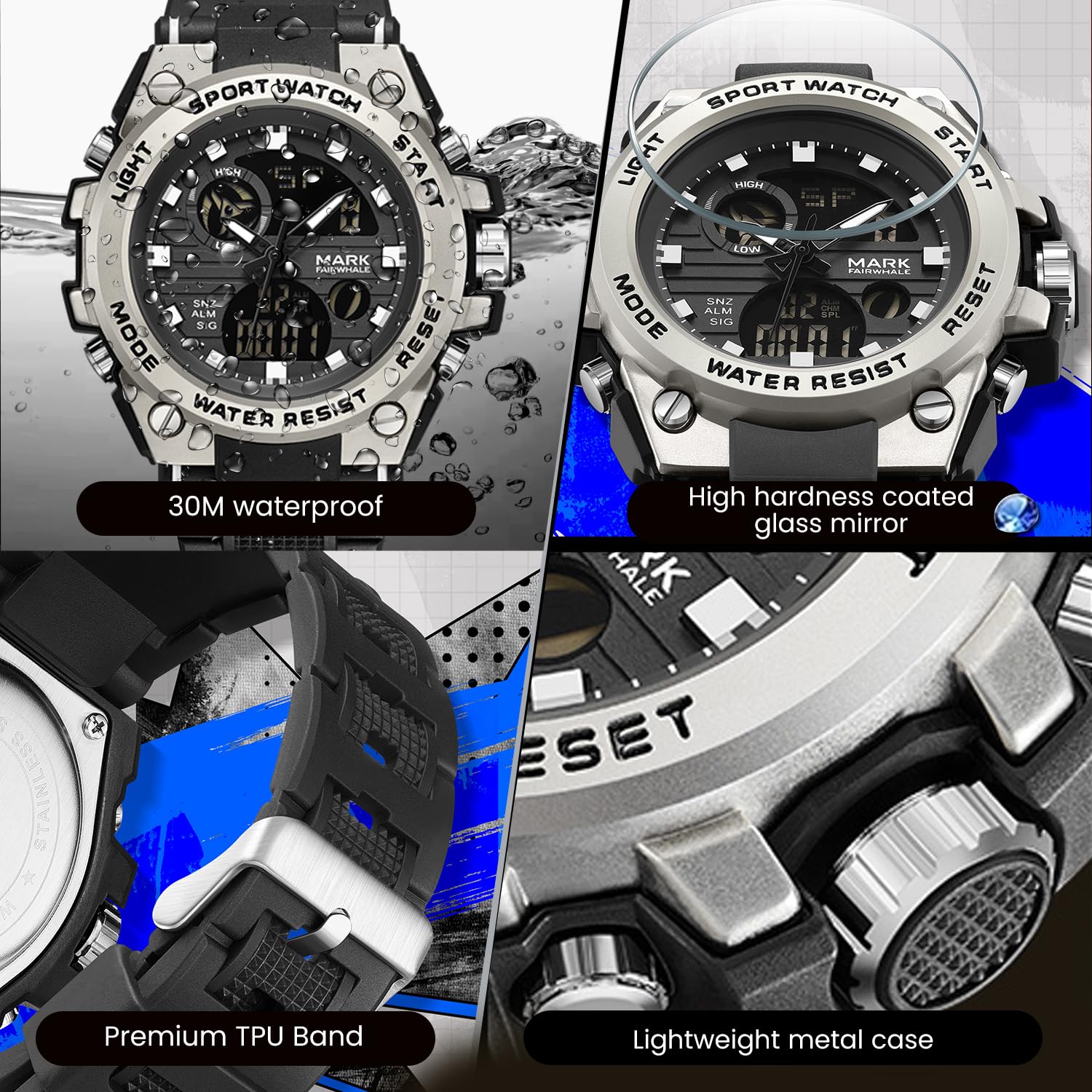
Figure 4: Key features including water resistance.
Your watch is water-resistant up to 50 meters (5 ATM). This means it is suitable for cold water, rain, and swimming. However, it is נישט suitable for diving, snorkeling, or hot water activities (e.g., hot showers, saunas) as steam can damage the waterproof seals. Do not operate buttons while the watch is wet or submerged.
2. רייניקונג
Wipe the watch case and band regularly with a soft, slightly damp cloth. For stubborn dirt, a mild soap solution can be used, followed by rinsing with clean water and thorough drying. Avoid harsh chemicals, solvents, or abrasive cleaners.
3. באַטערי פאַרבייַט
The watch uses 1 AAA battery (included). When the display dims or functions become erratic, the battery may need replacement. It is recommended to have the battery replaced by a professional watch technician to ensure the watch's water resistance is maintained after opening the case back.
4. סטאָרידזש
ווען נישט אין באַנוץ פֿאַר לענגערע פּעריאָדן, זאָל מען האַלטן די זייגער אין אַ קיל, טרוקן אָרט, אַוועק פֿון דירעקטער זון און עקסטרעמע טעמפּעראַטורן.
טראָובלעשאָאָטינג
| פּראָבלעם | מעגלעך סיבה | לייזונג |
|---|---|---|
| Analog hands not moving or incorrect time. | קרוין איז ארויסגעצויגן; נידריגע באַטעריע. | שטופּ צוריק אַרײַן די קרוין. אויב די פּראָבלעם בלייבט, דאַרף מען אפשר טוישן די באַטעריע. |
| די דיגיטאַלע אַרויסווייַז איז ליידיק אָדער טונקל. | נידעריק באַטאַרייע. | פאַרבייַטן די באַטאַרייע. |
| די קנעפּלעך זענען נישט ריספּאַנדינג. | Watch is wet; internal malfunction. | Ensure watch is dry before operating buttons. If issue persists, contact support. |
| Water condensation inside the watch. | Exposure to extreme temperature changes; damaged seal. | Avoid hot water/steam. Seek professional inspection immediately to prevent damage. |
ספּעסאַפאַקיישאַנז

Figure 5: Detailed watch parameters.
| שטריך | דעטאַל |
|---|---|
| מאָדעל נומער | FW-5100-R1 |
| באַוועגונג טיפּ | Quartz (Analog) / Electronic (Digital) |
| שפּיגל מאַטעריאַל | Mineral Reinforced Coated Glass |
| קאַסע מאַטעריאַל | מעטאַל |
| רימען מאַטעריאַל | פּאָליורעטאַן (TPU) |
| רעדל דיאַמעטער | 50 מם |
| דיאַל גרעב | 18 מם |
| וואַסער קעגנשטעל | 50 מעטער (5 אַטם) |
| באַטערי טיפּ | 1 אַאַאַ באַטאַרייע (אַרייַנגערעכנט) |
| פּונקט וואָג | 50 ג |
| לאַנד פון אָריגין | כינע |
וואָראַנטי אינפֿאָרמאַציע
This WeCool Fairwhale Sports Analog Digital Watch comes with a לימיטעד וואָראַנטי. Please refer to the warranty card included with your purchase for specific terms, conditions, and duration of coverage. The warranty typically covers manufacturing defects but may not cover damage resulting from improper use, accidents, or unauthorized repairs.
קונה שטיצן
For any questions, technical assistance, or warranty claims regarding your WeCool Fairwhale Sports Analog Digital Watch, please contact WeCool customer support. You can reach us through the Amazon platform where you made your purchase. Our professional after-sales team is available to assist you.
אָנליין שטיצן: Visit the WeCool Store on Amazon
Ask a question about this manual
Ask about setup, troubleshooting, compatibility, parts, safety, or missing instructions. Manuals+ will review the question and use this page’s manual context to help answer it.