
1. הקדמה
Thank you for choosing the iKF T1 Max Wireless Bluetooth Over Ear Headphones. These headphones are designed to provide a high-fidelity audio experience with advanced features such as Active Noise Cancellation (ANC), extended battery life, and dual-device connectivity. This manual will guide you through the setup, operation, and maintenance of your new headphones.

בילד 1.1: עקספּלאָדירט view of the 40mm dynamic driver, illustrating the components responsible for HiFi sound quality.
2. פּעקל אינהאַלט
ביטע טשעק די פּאַקעט פֿאַר די פאלגענדע זאכן:
- iKF T1 Max Wireless Bluetooth Over Ear Headphones
- באַניצער מאַנואַל
- טשאַרדזשינג קאַבל (USB-C)
- 3.5 מם אַודיאָ קאַבלע
3. פּראָדוקט איבערview
Familiarize yourself with the various parts of your iKF T1 Max headphones. A detailed diagram of button functions and port locations can typically be found in the printed manual included with your product.

Image 3.1: The iKF T1 Max headphones, showcasing their design and over-ear form factor.
שליסל קאַמפּאָונאַנץ:
- עאַרקופּס: Padded for comfort, housing the drivers and controls.
- העאַדבאַנד: אַדזשאַסטאַבאַל פֿאַר אַ זיכער פּאַסיק.
- מאַכט קנעפּל: Used for powering on/off and pairing.
- באַנד קנעפּלעך: אַדזשאַסטירט אַודיאָ באַנד.
- מולטי-פונקציע קנעפּל: Controls playback, calls, and ANC modes.
- USB-C טשאַרדזשינג פּאָרט: פֿאַר טשאַרדזשינג די כעדפאָונז.
- 3.5 מם אַודיאָ דזשאַק: פֿאַר דראָטיקער פֿאַרבינדונג.
- LED ינדיקאַטאָר: ווײַזט מאַכט, פּערינג און טשאַרדזשינג סטאַטוס.
4. סעטאַפּ
4.1 אויפלאָדן די קאָפּהערער
- פֿאַרבינדט דעם USB-C טשאַרדזשינג קאַבל צום טשאַרדזשינג פּאָרט אויף די כעדפאָונז.
- פֿאַרבינדט דעם אַנדערן עק פֿונעם קאַבל צו אַ USB מאַכט אַדאַפּטער (נישט אַרייַנגערעכנט) אָדער אַ קאָמפּיוטער'ס USB פּאָרט.
- The LED indicator will show charging status (e.g., red for charging, blue for fully charged). A full charge typically takes approximately 2 hours.
4.2 מאַכט אויף / אַוועק
- צו מאַכט אויף: דריק און האלט דעם פּאַוער קנעפּל פֿאַר אַרום 3 סעקונדעס ביז די LED אינדיקאַטאָר בלינקט.
- צו מאַכט אַוועק: דריק און האלט דעם פּאַוער קנעפּל פֿאַר אַרום 5 סעקונדעס ביז דער LED אינדיקאַטאָר גייט אויס.
4.3 בלועטאָאָטה פּערינג
- מאַכן זיכער אַז די כעדפאָונז זענען פּאַוערד אַוועק.
- Press and hold the Power button for approximately 5-7 seconds until the LED indicator flashes rapidly (usually blue and red alternately), indicating pairing mode.
- אויף אייער דעווייס (סמאַרטפאָן, טאַבלעט, לאַפּטאָפּ), אַקטיווירט בלועטוט און זוכט פֿאַר פֿאַראַן דעווייסעס.
- Select "iKF T1 Max" from the list of found devices.
- Once connected, the LED indicator will typically show a steady blue light or flash slowly.
4.4 iKF App Connection
For advanced customization, including ANC level adjustments and personalized sound profiles, download the official iKF app from your device's app store. Follow the in-app instructions to connect your headphones.

Image 4.1: The iKF T1 Max headphones connected to the iKF mobile application, demonstrating app-based control and customization.
5. אַפּערייטינג ינסטרוקטיאָנס
5.1 אַקטיוו ראַש קאַנסאַליישאַן (ANC)
The iKF T1 Max features Active Noise Cancellation to reduce ambient noise. You can activate and adjust ANC levels:
- אַקטאַווייט / דיאַקטיווייט: Press the dedicated ANC button (refer to your product diagram for exact location).
- סטרויערן לעוועלס: Use the iKF app to fine-tune ANC intensity to your preference.
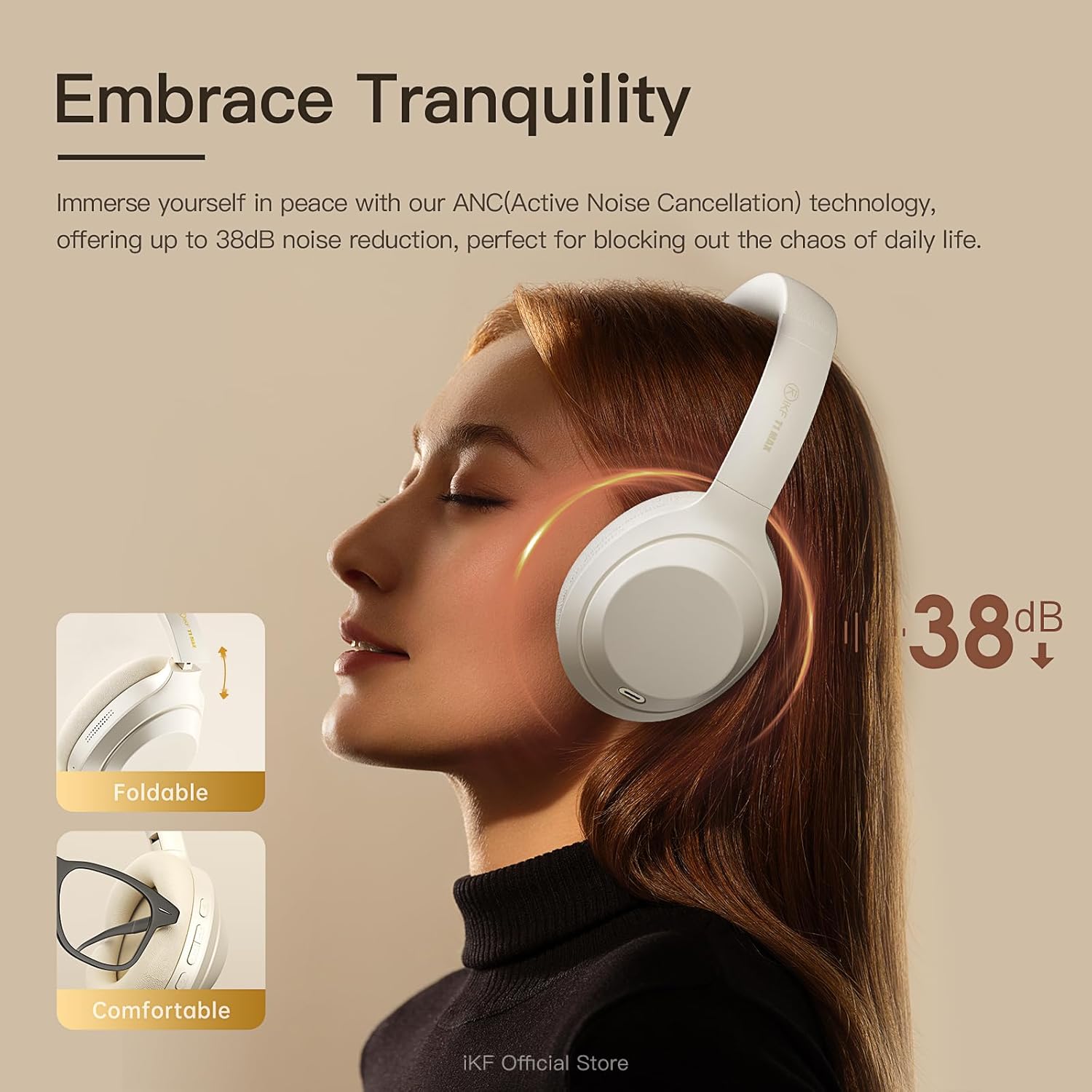
Image 5.1: A user experiencing the noise reduction capabilities of the iKF T1 Max headphones, highlighting up to 38dB noise cancellation.
5.2 צווייפאַכיקע דעווייס פֿאַרבינדונג
The headphones can connect to two Bluetooth devices simultaneously, allowing for seamless switching between audio sources.
- Pair the headphones with your first device (e.g., smartphone) as described in Section 4.3.
- אָפּשטעקן בלוטוט אויף דער ערשטער דעווייס צייטווייליק.
- Pair the headphones with your second device (e.g., laptop).
- פֿאַרבינדט ווידער בלועטוט אויף דער ערשטער דעווייס. די כעדפאָונז זאָלן איצט זיין פֿאַרבונדן צו ביידע דעווייסעס.
- אַודיאָ וועט אויטאָמאַטיש איבערגיין צום מיטל וואָס שפּילט אינהאַלט אָדער באַקומט אַ רוף.

Image 5.2: The iKF T1 Max headphones demonstrating simultaneous connection to a smartphone and a laptop, enabling effortless switching between devices.
5.3 ווייערד מאָדע
For continuous listening or when battery is low, use the included 3.5mm audio cable.
- שטעקט איין עק פון די 3.5 מ״מ אַודיאָ קאַבל אין די כעדפאָון'ס אַודיאָ דזשעק.
- Plug the other end into your audio source's 3.5mm port.
- די כעדפאָונז וועלן אויטאָמאַטיש איבערגיין צו דראָט מאָדע. בלועטוט פונקציעס וועלן זיין דיאַקטיווירט.

Image 5.3: A visual comparison illustrating the flexibility of the iKF T1 Max headphones, supporting both wireless Bluetooth and wired 3.5mm audio connections.
5.4 יקערדיק קאָנטראָלס
- שפּיל / פּויזע: דריק איין מאל דעם מולטי-פונקציע קנעפל.
- באַנד אַרויף / אַראָפּ: Press the Volume + / - buttons.
- ווייַטער שפּור: דריקט צוויי מאָל דעם מולטי-פונקציע קנעפּל.
- פֿריִערדיקע שפּור: דריק דריי מאָל דעם מולטי-פונקציע קנעפּל.
- ענטפֿערן / סוף רופן: דריק איין מאל דעם מולטי-פונקציע קנעפל בעת אן אנקומענדיקן רוף אדער אקטיוון רוף.
- אָפּוואַרפן רופן: דריק און האלט דעם מולטי-פונקציע קנעפל בעת אן אנקומענדיקן רוף.

Image 5.4: The iKF T1 Max headphones adapting to various audio experiences, including music listening, movie watching, and gaming, demonstrating seamless transition.
6. וישאַלט
6.1 רייניקונג
- ווישט די כעדפאָונז מיט אַ ווייכן, טרוקענעם, לינט-פֿרייע שטאָף.
- ניצט נישט קיין שרײַבנדיקע רייניגער, אַלקאָהאָל, אדער כעמישע סאָלווענטן.
- פֿאַרמײַדט אַרײַנצוקומען פֿײַכטקײַט אין קיין עפענונגען.
6.2 סטאָרידזש
- האַלט די כעדפאָונז אין אַ קיל, טרוקן אָרט אַוועק פון עקסטרעמע טעמפּעראַטורן און דירעקט זונשייַן.
- When not in use for extended periods, fully charge the headphones at least once every three months to preserve battery life.
- The headphones are foldable for compact storage.
7. טראָובלעשאָאָטינג
If you encounter issues with your iKF T1 Max headphones, refer to the following common problems and solutions:
| פּראָבלעם | לייזונג |
|---|---|
| די קאָפּהערער ווערן נישט אנגעצינדן. | Ensure the headphones are charged. Connect to a power source and try again after a few minutes. |
| קען נישט פאַרבינדן זיך מיט אַ דעווייס. | Ensure headphones are in pairing mode (LED flashing rapidly). Turn off and on Bluetooth on your device. Move headphones closer to the device. |
| קיין קלאַנג אָדער נידעריקע וואָלומען. | Check volume levels on both headphones and the connected device. Ensure headphones are properly paired. If in wired mode, check cable connection. |
| ANC איז נישט עפעקטיוו. | Ensure ANC is activated. Adjust ANC levels via the iKF app. Ensure earcups form a good seal around your ears. |
| Dual device switching not working. | Ensure both devices are actively connected via Bluetooth. Play audio on one device to initiate the switch. |
8. ספּעסאַפאַקיישאַנז
Key technical specifications for the iKF T1 Max Wireless Bluetooth Over Ear Headphones:
- סאָרט: iKF
- מאָדעל: ט1 מאַקס
- אויער אָרט: איבער אויער
- ראַש קאָנטראָל: Active Noise Cancellation, Environmental Noise Cancellation
- קאַנעקטיוויטי טעכנאָלאָגיע: Bluetooth 5.4, Wired (3.5mm Jack)
- דרייווער גרייס: 40 מם
- Battery Life (ANC Off): אַרויף צו 100 שעה
- Battery Life (ANC On): אַרויף צו 75 שעה
- טשאַרדזשינג צייט: בעערעך 2 שעה
- קאַמפּאַטאַבאַל דעוויסעס: Android Phone, Laptops, Smart Watch, Tablets, iPhone/iPad/Macbook
- מאַטעריאַל: פּלאַסטיק, פּאָליורעטאַן (PU)

Image 8.1: The iKF T1 Max headphones highlighting their extended battery performance: up to 100 hours with ANC off and 75 hours with ANC on.
9. וואָראַנטי און שטיצן
9.1 וואָראַנטי אינפֿאָרמאַציע
The iKF T1 Max Wireless Bluetooth Over Ear Headphones come with a 1-Year Store Warranty פֿון דעם קויפֿדאַטום. די וואָראַנטי דעקט פֿאַבריקאַציע חסרונות און אַרבעט אונטער נאָרמאַל נוצן. עס דעקט נישט שעדיקן געפֿירט דורך אומרעכט נוצן, אַקסאַדענטן, נישט-אָטעריזירטע מאָדיפֿיקאַציעס, אָדער נאָרמאַל טראָגן און טרער. ביטע האַלטן דיין קויפֿבאַווייַז פֿאַר וואָראַנטי קליימז.
9.2 קונה שטיצן
For further assistance, technical support, or warranty inquiries, please contact iKF customer service through the retailer's platform or the official iKF webזייטל. ביטע האַלט אייער פּראָדוקט מאָדעל און קויף דעטאַלן גרייט ווען איר קאָנטאַקטירט שטיצע.