
1. הקדמה
Thank you for choosing the AIRMATE FB20187 Standing Fan. This fan is designed to provide efficient air circulation, adjustable lighting, and quiet operation for your home or office. Please read this manual thoroughly before use to ensure proper operation and maintenance.
2. זיכערקייַט אינפֿאָרמאַציע
- שטענדיק זיכער מאַכן אַז דער ווענטילאַטאָר איז געשטעלט אויף אַ סטאַביל, גלייכער ייבערפלאַך צו פאַרמייַדן קיפּינג.
- שטעקט נישט אריין פינגער אדער קיין אביעקטן אין די ווענטילאַטאָר גריל ווען עס אַרבעט.
- האַלט דעם ווענטילאַטאָר אַוועק פון וואַסער אָדער אַנדערע פליסיקייטן. ניצט נישט אין נאַסע סביבות.
- נעמט ארויס דעם ווענטילאַטאָר פֿון דער עלעקטרישער אַוטלעט איידער איר רייניקט אָדער דורכפֿירט קיין שום וישאַלט.
- Do not operate the fan with a damaged cord or plug. Contact customer support for assistance.
- דער אַפּפּליאַנסע איז נישט בדעה פֿאַר נוצן דורך מענטשן (אַרייַנגערעכנט קינדער) מיט רידוסט גשמיות, סענסערי אָדער גייַסטיק קייפּאַבילאַטיז, אָדער פעלן פון דערפאַרונג און וויסן, סייַדן זיי האָבן באקומען השגחה אָדער לימעד וועגן די נוצן פון דעם אַפּפּליאַנסע דורך אַ מענטש פאַראַנטוואָרטלעך פֿאַר זייער זיכערקייַט.
- קינדער זאָל זיין סופּערווייזד צו ענשור אַז זיי טאָן ניט שפּילן מיט די אַפּפּליאַנסע.
3. פּעקל אינהאַלט
באַשטעטיקן אַז אַלע קאָמפּאָנענטן זענען פאַראַן אין דער פּאַקעט:
- פאָכער העאַד אַסעמבלי
- Adjustable Stand Pole (multiple sections for height adjustment)
- באַזע
- מאַכט אַדאַפּטער
- ווייַט קאָנטראָל
- באַניצער מאַנואַל (דעם דאָקומענט)
4. אַסעמבלי אינסטרוקציעס
The AIRMATE FB20187 fan is designed for quick and easy assembly. Follow these steps:
- צוטשעפּען די באַזע: Securely connect the base to the bottom of the adjustable stand pole. Ensure it clicks into place or is tightened with the provided fastener.
- Assemble the Stand Pole: Depending on your desired height (12" to 39"), connect the appropriate sections of the stand pole.
- מאָנטירן דעם פאָכער קאָפּ: Attach the fan head assembly to the top of the assembled stand pole. Ensure it is firmly seated and locked.
- פאַרבינדן מאַכט: Plug the power adapter into the fan and then into a suitable electrical outlet.
5. אַפּערייטינג ינסטרוקטיאָנס
The AIRMATE FB20187 fan offers multiple control options and features for customized comfort.
5.1. קאָנטראָל פּאַנעל און ווײַטקאָנטראָל
The fan can be operated using the digital touch display on the unit or the included remote control. The remote control features a magnetic backing for convenient storage on the fan itself.

5.2. מאַכט אויף / אויסגעלאשן
- דריק דעם "Power" קנעפּל אויפן קאנטראל פאנעל אדער ווײַטקאנטראל צו אנצינדן אדער אויסלעשן דעם ווענטילאַטאָר.
5.3. פאַן ספּיד אַדזשאַסטמאַנט
The fan offers 16 precision speed settings.
- Use the 'Fan Speed' buttons on the control panel or remote to increase or decrease the airflow.
- A 'Storm Mode' button may be available for maximum airflow with a single press.
5.4. Oscillation Settings
The fan supports both horizontal and vertical oscillation for wide area coverage.
- האָריזאָנטאַל אַסאַליישאַן: Select from 60°, 90°, or 120° oscillation angles using the 'Oscillation' button on the control panel or remote.
- ווערטיקאַל אָסילאַטיאָן: The fan head can be manually adjusted vertically up to 90°.

5.5. LED ליכט פונקציע
The integrated LED light offers three color temperature options and adjustable brightness.
- Press the 'Light' button on the control panel or remote to cycle through light colors: Warm, Neutral, and Cool White.
- Hold the 'Light' button to adjust the brightness level.

5.6. טייַמער פֿונקציע
Set the fan to operate for a specific duration using the 12-hour programmable timer.
- Press the 'Timer' button on the remote control to set the desired operating time. The fan will automatically turn off after the set period.
5.7. שטום מאָדע
- The fan features a mute mode to silence button presses for undisturbed use, especially during sleep.
6. וישאַלט
Regular cleaning and maintenance will ensure the longevity and optimal performance of your AIRMATE fan.
- רייניקונג די יקסטיריער: ווישט די אויסערליכע זייטן פון דעם ווענטילאַטאָר מיט אַ ווייכן, דamp שטאָף. דו זאלסט נישט נוצן אַברייסיוו קלינערז אָדער סאָלוואַנץ.
- Cleaning the Fan Grille and Blades: Unplug the fan before attempting to clean the grille or blades. The fan head can be disassembled for easier access to the blades. Use a soft brush or vacuum cleaner to remove dust. Ensure all parts are dry before reassembly and use.
- סטאָרידזש: ווען נישט אין באַנוץ פֿאַר לענגערע פּעריאָדן, זאָל מען האַלטן דעם ווענטילאַטאָר אין אַ קיל, טרוקן אָרט, בעסער אין זיין אָריגינעלער פּאַקאַדזשינג.
7. טראָובלעשאָאָטינג
אויב איר טרעפט פראבלעמען מיט אייער פען, זעט די פאלגנדע אלגעמיינע פראבלעמען און לייזונגען:
| פּראָבלעם | מעגלעך סיבה | לייזונג |
|---|---|---|
| פאָכער טוט נישט קער אויף | No power supply; Power button not pressed; Damaged power cord/adapter | Check power connection; Press power button; Inspect cord for damage, contact support if damaged. |
| שוואַך לופט לויפן | Low speed setting; Dust accumulation on blades/grille | Increase fan speed; Clean fan blades and grilles. |
| Oscillation not working correctly | Obstruction; Internal mechanism issue | Ensure no obstructions; If issue persists, contact customer support. |
| ווייַט קאָנטראָל נישט ריספּאַנדינג | Battery depleted; Obstruction between remote and fan; Remote out of range | Replace remote battery; Remove obstructions; Ensure remote is within operating range. |
| געפירט ליכט נישט פאַנגקשאַנינג | Light function not activated; Internal issue | Press the light button; If issue persists, contact customer support. |
If the problem persists after attempting these solutions, please contact AIRMATE customer support for further assistance.
8. ספּעסאַפאַקיישאַנז
| שטריך | באַשרייַבונג |
|---|---|
| מאָדעל נומער | FB20187 |
| סאָרט | AIRMATE |
| קאָליר | Darkgrey |
| עלעקטריק פאַן פּלאַן | פלאָר פאַן |
| מאַכט מקור | DC |
| פּראָדוקט דימענשאַנז (ד רענטגענ וו רענטגענ ה) | 33D x 33W x 121H סענטימעטער |
| מאַונטינג טיפּ | פֿרייַ שטייענדיק |
| קאָנטראָללער טיפּ | Remote Control, Touch |
| מאַטעריאַל | אַבס פּלאַסטיק |
| נומער פון ספּידז | 16 |
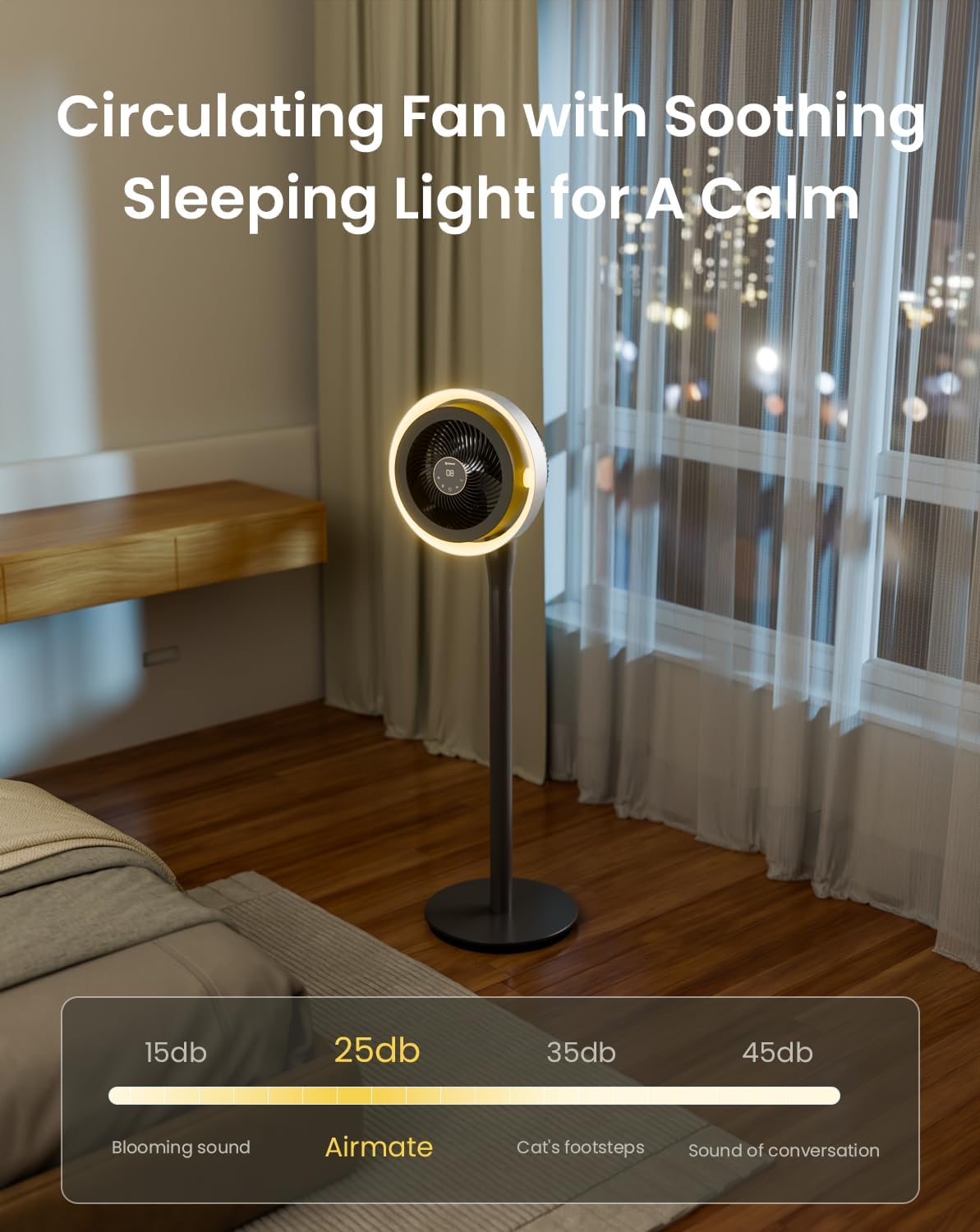
| ראַש מדרגה | 25 דעציבעלן |
| וואָסtage | 20 וואטס |
| נומער פון בלאַדעס | 3 |
| לופט פלאָו קאַפּאַסיטי | 1000 קוביק פֿיס פּער מינוט |
| ספּיד | 1700 רפּם |
| Voltage | 120 וואלטס |
| דרינענדיק דרויסנדיק באַניץ | דרינענדיק |
| בלייד לענג | 12 אינטשעס |
9. וואָראַנטי און שטיצן
AIRMATE products are manufactured to high-quality standards. For warranty information, product support, or to report any issues, please contact AIRMATE customer service. Keep your purchase receipt as proof of purchase for warranty claims.
Manufacturer Contact Information: Airmate Electrical(Shenzhen)Co.,Ltd. Huang Feng Ling Industrial Zone, Shiyan Town, Baoan District, China.