
1. הקדמה
Welcome to the OUKITEL C59 Pro user manual. This guide provides detailed instructions on how to set up, operate, maintain, and troubleshoot your new Android 15 smartphone. Please read this manual thoroughly to ensure optimal performance and longevity of your device.
2. זיכערקייַט אינפֿאָרמאַציע
To prevent injury to yourself or others, or damage to your device, read all safety information before using the device. Keep this manual for future reference.
- שטעלט נישט אויס דעם אפאראט צו עקסטרעמע טעמפעראטורן, דירעקטע זונשייַן, אדער הויכע הומידיטי.
- ניצט נאָר OUKITEL-באשטעטיקטע טשאַרדזשערס, באַטעריעס און אַקסעסאָריעס.
- פֿאַרמײַדט צו לאָזן פֿאַלן אָדער אויסשטעלן דאָס אַפּאַראַט צו שווערע קלאַפּן.
- דו זאלסט נישט צענעמען, מאדיפיצירן אדער פאררעכטן דעם אפאראט אליין.
- Maintain a safe distance from medical devices to avoid interference.
- אַוועקוואַרפן דאָס אַפּאַראַט און זייַנע קאָמפּאָנענטן פאַראַנטוואָרטלעך לויט די לאָקאַלע רעגולאַציעס.
3. פּעקל אינהאַלט
באַשטעטיקן אַז אַלע זאכן זענען פאַראַן אין דיין פּראָדוקט קעסטל:
- OUKITEL C59 Pro Smartphone
- טעלעפאָנירן קאַסע
- וסב קאַבלע (טיפּ-C)
- סים עדזשעקטאָר טול
- מאַכט אַדאַפּטער
4. דיווייס איבערview
Familiarize yourself with the physical features and components of your OUKITEL C59 Pro smartphone.

בילד: אַלגעמיין view of the OUKITEL C59 Pro smartphone, showcasinג זײַן גלאַטן דיזײַן און דערציען קאַמעראַ מאָדול.
4.1 Physical Buttons and Ports
- מאַכט קנעפּל: Located on the side, used to power on/off the device or wake/sleep the screen. Integrates fingerprint recognition.
- באַנד קנעפּלעך: Located on the side, used to adjust media volume and ringtone volume.
- וסב טיפּ-C פּאָרט: ליגן אין די דנאָ, געניצט פֿאַר טשאַרדזשינג און דאַטן אַריבערפירן.
- סים/מיקראָסד קאַרטל שפּאַלט: Located on the side, for inserting Nano SIM cards and a MicroSD card.
- 110lm LED Flashlight: An exclusive physical flashlight located at the top of the device, activated by a dedicated button.
4.2 ווייַז
The OUKITEL C59 Pro features a large 6.88-inch HD+ display with a 90Hz refresh rate and 450 nits brightness, providing a clear and smooth visual experience.

Image: The OUKITEL C59 Pro's 6.88-inch HD+ display, highlighting its size and visual clarity.
4.3 קאַמעראַס
The device is equipped with a dual rear camera system, featuring a 13MP main camera, and a 5MP front camera for selfies and video calls.

Image: Close-up of the OUKITEL C59 Pro's rear camera module and exampווייניקער פאָטאָס גענומען מיט די 13MP הויפּט קאַמעראַ און 5MP פראָנט קאַמעראַ.
4.4 פלאַשליגהט
The OUKITEL C59 Pro features a powerful 110 lumen LED flashlight at the top. This flashlight can be activated instantly by pressing a dedicated physical button on the side of the phone, even when the screen is locked.

Image: The OUKITEL C59 Pro's 110lm LED flashlight illuminating dark environments, demonstrating its brightness and utility in various scenarios.
5. סעטאַפּ
5.1 אריינשטעלן סים און מיקראָסד קאַרטלעך
Your OUKITEL C59 Pro supports Dual Nano SIM cards and a MicroSD card for expandable storage up to 1TB.
- געפינט די סים קארטל טאַץ אויף דער זייט פון דעם מיטל.
- שטעקט אריין דעם סים ארויסווארף געצייג אין דעם קליינעם לאך לעבן דעם טרעי צו עס עפענען.
- Place your Nano SIM cards and/or MicroSD card into the designated slots on the tray, ensuring correct orientation.
- דזשענטלי שטופּן די טאַץ צוריק אין די מיטל ביז עס קליקס אין פּלאַץ.

Image: The SIM card tray of the OUKITEL C59 Pro, showing slots for two Nano SIM cards and one MicroSD card.
5.2 טשאַרדזשינג די מיטל
Before first use, fully charge your OUKITEL C59 Pro. The device supports 18W fast charging.
- פֿאַרבינדט דעם USB טיפּ-C קאַבל צום טשאַרדזשינג פּאָרט אין דער אונטערשטער טייל פֿון טעלעפֿאָן.
- פאַרבינדן די אנדערע סוף פון די וסב קאַבלע צו די מאַכט אַדאַפּטער.
- צאַפּן די מאַכט אַדאַפּטער אין אַ וואַנט ווענטיל.
- A full charge typically takes approximately four hours.
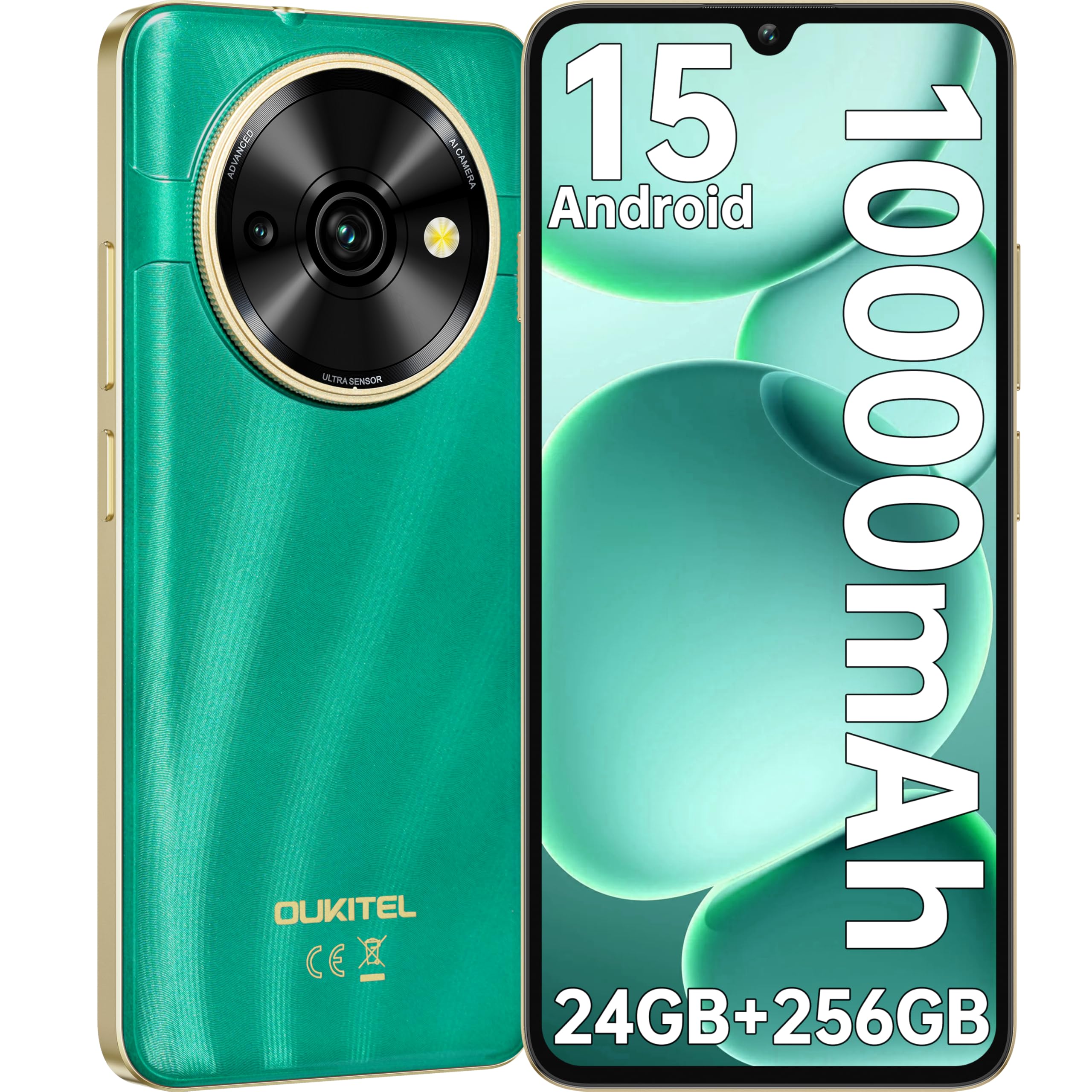
Image: Visual representation of the OUKITEL C59 Pro's 10000mAh battery capacity, indicating extended standby, talk, flashlight, and video playback times.
5.3 פּאַוערינג אויף / אַוועק
- צו מאַכט אויף: דריק און האלט דעם פּאַוער קנעפּל ביז דער OUKITEL לאָגאָ דערשיינט.
- צו מאַכט אַוועק: דריק און האלט דעם פּאַוער קנעפּל, און סעלעקטיר 'פּאַוער אויס' פון די אָפּציעס אויפן עקראַן.
- צו ריסטאַרט: דריק און האלט דעם פּאַוער קנעפּל, און סעלעקטיר 'ריסטאַרט' פֿון די אָפּציעס.
6. אפערירן אייער סמאַרטפאָון
6.1 אַנדרויד 15 אָפּערייטינג סיסטעם
Your OUKITEL C59 Pro runs on the latest Android 15 operating system, offering enhanced energy efficiency, privacy protection, and multi-device integration capabilities optimized with artificial intelligence.

בילד: א וויזועלע רעפרעזענטאציע פון די אַנדרויד 15 אָפּערייטינג סיסטעם צובינד, געוויזןasing its modern design and various application icons.
6.2 Biometric Security (Fingerprint & Face ID)
Unlock your device securely using the side-mounted fingerprint sensor or Face ID recognition.
- פינגערפּרינט דערקענונג: Register your fingerprints in the Security settings. To unlock, simply place your registered finger on the side power button.
- Face ID: Set up Face ID in the Security settings. To unlock, hold the phone in front of your face.
6.3 Connectivity Features (NFC, GPS)
The OUKITEL C59 Pro supports NFC for contactless payments and data transfer, and GPS for navigation and location services.
- NFC: Enable NFC in Settings > Connected devices > Connection preferences > NFC. Tap your phone to compatible devices for quick pairing or payments.
- גפּס: Location services are enabled by default. You can manage them in Settings > Location.
6.4 זכּרון און סטאָרידזש
The device comes with 24GB RAM (8GB physical + 16GB virtual) and 256GB internal storage, expandable up to 1TB via MicroSD card.

Image: A graphical representation of the OUKITEL C59 Pro's memory configuration, showing 24GB RAM (8GB + 16GB expansion) and 256GB ROM (expandable to 1TB).
6.5 OTG פונקציאָנאַליטעט
The OUKITEL C59 Pro supports OTG (On-The-Go) reverse charging, allowing you to transfer data to other devices or use your phone as an emergency power bank.
7. וישאַלט
Proper maintenance ensures the longevity and optimal performance of your smartphone.
- רייניקונג: ניצט אַ ווייכע, לינט-פֿרייע שטאָף צו רייניקן דעם עקראַן און קערפּער פֿון דעם אַפּאַראַט. פֿאַרמייַדט ניצן שטרענגע כעמיקאַלן אָדער אַברייסיוו מאַטעריאַלן.
- ווייכווארג דערהייַנטיקונגען: Regularly check for and install system updates to ensure your device has the latest features and security patches. Go to Settings > System > System update.
- באַטערי זאָרגן: Avoid fully discharging the battery frequently. For long-term storage, charge the battery to about 50%.
- סטאָרידזש פאַרוואַלטונג: פּעריִאָדיש אויסמעקן נישט-נייטיקע fileס און אַפּפּס צו באַפֿרײַען סטאָרידזש פּלאַץ און פֿאַרבעסערן פאָרשטעלונג.
8. טראָובלעשאָאָטינג
אויב איר טרעפט פּראָבלעמען מיט אייער מיטל, פּרוּווט די פאלגענדע לייזונגען:
- מיטל ניט ריספּאַנדינג: דריק און האלט דעם פּאַוער קנעפּל פֿאַר בערך 10-15 סעקונדעס צו צווינגען אַ ריסטאַרט.
- אַפּפּס קראַשינג: Clear the cache and data of the problematic app in Settings > Apps > [App Name] > Storage. If the issue persists, uninstall and reinstall the app.
- נעבעך באַטאַרייע לעבן: Check battery usage in Settings > Battery to identify power-hungry apps. Reduce screen brightness, disable unnecessary features like GPS or Wi-Fi when not in use.
- נעץ ישוז: Ensure SIM cards are correctly inserted. Try restarting the device. Check network settings or contact your service provider.
- איבערהייצונג: Avoid using the device while charging or during prolonged heavy usage. Close background apps.
- פאַבריק באַשטעטיק: As a last resort, if software issues persist, you can perform a factory reset. ווארענונג: דאָס וועט אויסמעקן אַלע דאַטן אויף דיין מיטל. מאַכט אַ באַקאַפּ פון וויכטיקע דאַטן איידער איר גייט ווייטער. גיי צו סעטטינגס > סיסטעם > צוריקשטעלן אָפּציעס > אויסמעקן אַלע דאַטן (פֿאַבריק צוריקשטעלן).
9. ספּעסאַפאַקיישאַנז
Detailed technical specifications for the OUKITEL C59 Pro smartphone.
| שטריך | באַשרייַבונג |
|---|---|
| סאָרט | OUKITEL |
| מאָדעל נאָמען | אויקיטעל סי59 פּראָ |
| אָפּערייטינג סיסטעם | אַנדרויד 15 |
| אינסטאַלירטע ראַם גרייס | 24 גיגאבייט (8 גיגאבייט פיזיש + 16 גיגאבייט ווירטועל) |
| סטאָרידזש קאַפּאַסיטי | 256 גיגאבייט |
| Max Supported Flash Memory Size | 1024 גיגאבייט (1 טב) |
| פאַרשטעלן גרייס | 6.88 אינטשעס |
| האַכלאָטע | 1640 רענטגענ 720 פּיקסעלס |
| דערפרישן קורס | 90 הז |
| ווייַז טיפּ | לקד |
| סעליאַלער טעכנאָלאָגיע | 4G |
| קאַנעקטיוויטי טעכנאָלאָגיע | 4G |
| קאָליר | גרין |
| Number of SIM Card Slots | צווייענדיק סים |
| סים קאַרד גרייס | נאַנאָ |
| קאַנעקטער טיפּ | וסב טיפּ C |
| פאָרם פאַקטאָר | בַּר |
| Biometric Security Feature | פינגערפּרינט דערקענונג, פּנים אידענטיפיקאַציע |
| וואַסער קעגנשטעל מדרגה | ניט וואָטערפּרוף |
| כעדפאָון דזשאַק | קיינער |
| דערציען אַפּאַראַט האַכלאָטע | 13 מפּ |
| Number of Rear Cameras | 2 |
| Number of Front Cameras | 1 |
| ווידעא קאַפּטורע רעסאָלוטיאָן | 1080 פּ |
| ראַם קורס | 30fps, 60fps, 120fps |
| באַטאַרייע קאַפּאַציטעט | 10000 מאַה |
| באַטערי לעבן | 50 שעה (רעד צייט) |
| גפּס | יא |
| אַרייַנגערעכנט קאַמפּאָונאַנץ | Phone case, USB cable, SIM ejector tool, Power adapter |
| ספּעציפֿישע פּראָדוקט ניצט | Gaming, Photography, Streaming, Video Conferencing |
10. וואָראַנטי און שטיצן
10.1 וואָראַנטי אינפֿאָרמאַציע
The OUKITEL C59 Pro smartphone comes with a 2-יאָר פאַבריקאַנט ס וואָראַנטי. This warranty covers defects in materials and workmanship under normal use. It does not cover damage caused by misuse, accidents, unauthorized repairs, or normal wear and tear. Please retain your proof of purchase for warranty claims.
10.2 קונה שטיצן
For technical assistance, warranty claims, or any other inquiries regarding your OUKITEL C59 Pro, please contact OUKITEL customer support through their official website or the contact information provided with your purchase. Ensure you have your device model and purchase details ready when contacting support.