
הקדמה
This manual provides detailed instructions for the installation, operation, maintenance, and troubleshooting of your Ossuret 10.1-inch Android 13 Autoradio. This multimedia system is specifically designed for Renault Clio 4 models manufactured between 2012 and 2019, offering advanced features such as GPS navigation, wireless Carplay, Android Auto, Bluetooth, and USB connectivity. Please read this manual thoroughly before installation and use to ensure proper functionality and safety.
Applicable Models & Years
This Ossuret Autoradio is compatible with Renault Clio 4 vehicles produced from 2012 to 2019. Please confirm your vehicle's center console matches the compatible configurations shown below before proceeding with installation.

Image: Compatible Renault Clio 4 dashboards (2012-2019) and a visual guide for locating the original power plug.
פּעקל אינהאַלט
באַשטעטיקט אַז אַלע זאכן וואָס זענען אויסגערעכנט אונטן זענען אַרייַנגערעכנט אין אייער פּעקל:
- Main Autoradio Unit
- ראַם
- גפּס אַנטענע
- RCA Harness
- פונדרויסנדיק מיקראָפאָן
- Rear Camera Input RCA Cable
- 4 Pin USB Cable
- 6 Pin USB Cable
- Back Cover Frame
- Power Cable-1
- Power Cable-2
- Power Cable-3
- Canbus Decoder (if included or purchased separately)
- Factory USB Adapter
- Radio Antenna Adapter Cable
- Air Outlet Frames
- 2*AC Knobs Frames

בילד: אַלע קאָמפּאָנענטן אַרייַנגערעכנט אין דעם פּראָדוקט פּעקל.
סעטאַפּ און ינסטאַלירונג
Proper installation is crucial for the optimal performance of your autoradio. It is recommended that installation be performed by a qualified professional.
פאַר-ינסטאַלירונג טשעקס
- זיכער מאַכן אַז די איגנישאַן פונעם אויטאָ איז אויסגעלאָשן און די באַטאַרייע איז אָפּגעטיילט איידער איר הייבט אָן די אינסטאַלאַציע.
- Verify the compatibility of the autoradio with your specific Renault Clio 4 model (2012-2019).
- Locate the original car power plug. In some Renault Clio 4 models, it may be found by opening the storage box in front of the passenger seat.
אינסטאַלאַציע טריט (אַלגעמיינע גייד)
- פֿאָרזיכטיק אַראָפּנעמען די אָריגינעלע אויטאָ ראַדיאָ און דאַשבאָרד טרים.
- Connect the provided power cables, RCA harness, and other necessary cables to the autoradio and the vehicle's wiring. Ensure all connections are secure.
- Install the GPS antenna in a location with a clear view פון הימל, טיפּיש אויף די דאַשבאָרד אָדער אונטער די ווינטשויב.
- If your vehicle's original radar sound is emitted by the factory speakers, you may need to purchase and install the RN-SS-11 Canbus decoder and a small speaker to retain this functionality.
- Mount the new autoradio unit into the dashboard opening using the provided frame and back cover frame.
- Reconnect the vehicle's battery and test the unit's functionality before fully reassembling the dashboard trim.

Image: Dashboard appearance before and after installation of the Ossuret Autoradio.
אַפּערייטינג ינסטראַקשאַנז
1. אײַנשאַלטן/אויסלעשן און גרונטלעכע נאַוויגאַציע
Press the power button to turn the unit on or off. Use the touchscreen to navigate through the Android 13 interface. The home screen provides access to various applications and settings.
2. Wireless Carplay / Android Auto
This autoradio supports wireless Carplay and Android Auto via the pre-installed and activated Zlink application. To connect:
- זיכער מאַכן אַז אייער סמאַרטפאָון'ס Wi-Fi און בלועטוט זענען אַקטיוויזירט.
- Open the Zlink app on the autoradio.
- Follow the on-screen instructions to pair your smartphone via Bluetooth first, then establish the Wi-Fi connection for wireless Carplay or Android Auto.
- Once connected, you can access your phone's navigation, music, calls, and messages directly on the autoradio screen.

Image: Carplay and Android Auto system support.

Image: Wireless Carplay and Android Auto functionality.
3. בלועטאָאָטה פאַנגקשאַנאַליטי
The built-in Bluetooth allows for hands-free calling and wireless music streaming.
- הענט-פריי רופן: Pair your phone via Bluetooth to make and receive calls directly through the autoradio. The integrated microphone captures your voice, and car speakers provide audio.
- טעלעפאָן בוך סינקראָניזאַציע: Download your mobile phone's contacts to the autoradio for easy access.
- אַודיאָ סטרימינג: Play music from your paired smartphone wirelessly.

Image: Bluetooth music streaming interface.
4. וסב קאַנעקשאַן
Connect external storage devices via the USB ports to play video and audio files. The unit supports USB devices up to 2TB.
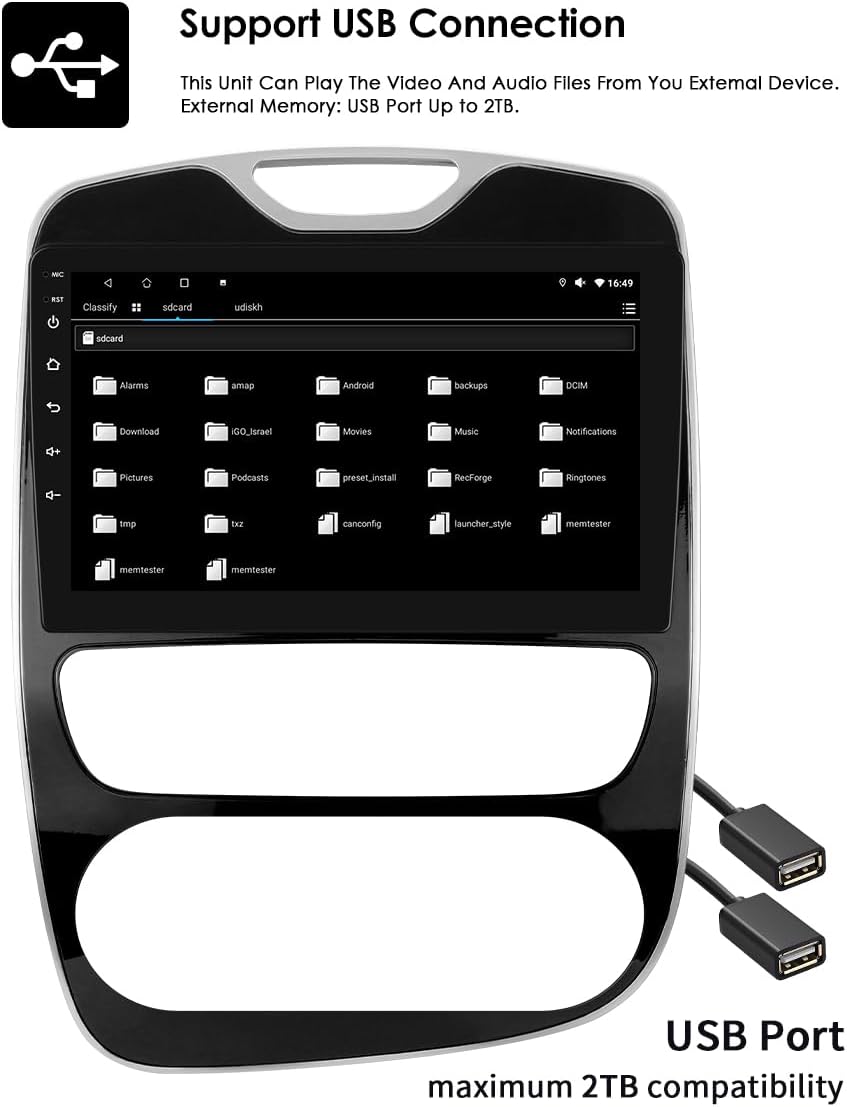
Image: USB connection support for media playback.
5. 10.1-inch Capacitive Touch Screen
The large 10.1-inch capacitive touch screen offers multi-touch functionality, providing a sensitive and flexible user experience. Its clear and translucent display ensures excellent visibility.

Image: Multi-touch capacitive screen functionality.
6. דזשי-פי-עס נאַוויגאַציע
The autoradio features an integrated GPS navigator running on Android OS. It supports 2D/3D map views, dual-zone functionality (allowing navigation while playing music), offline map data, and various online navigation applications.
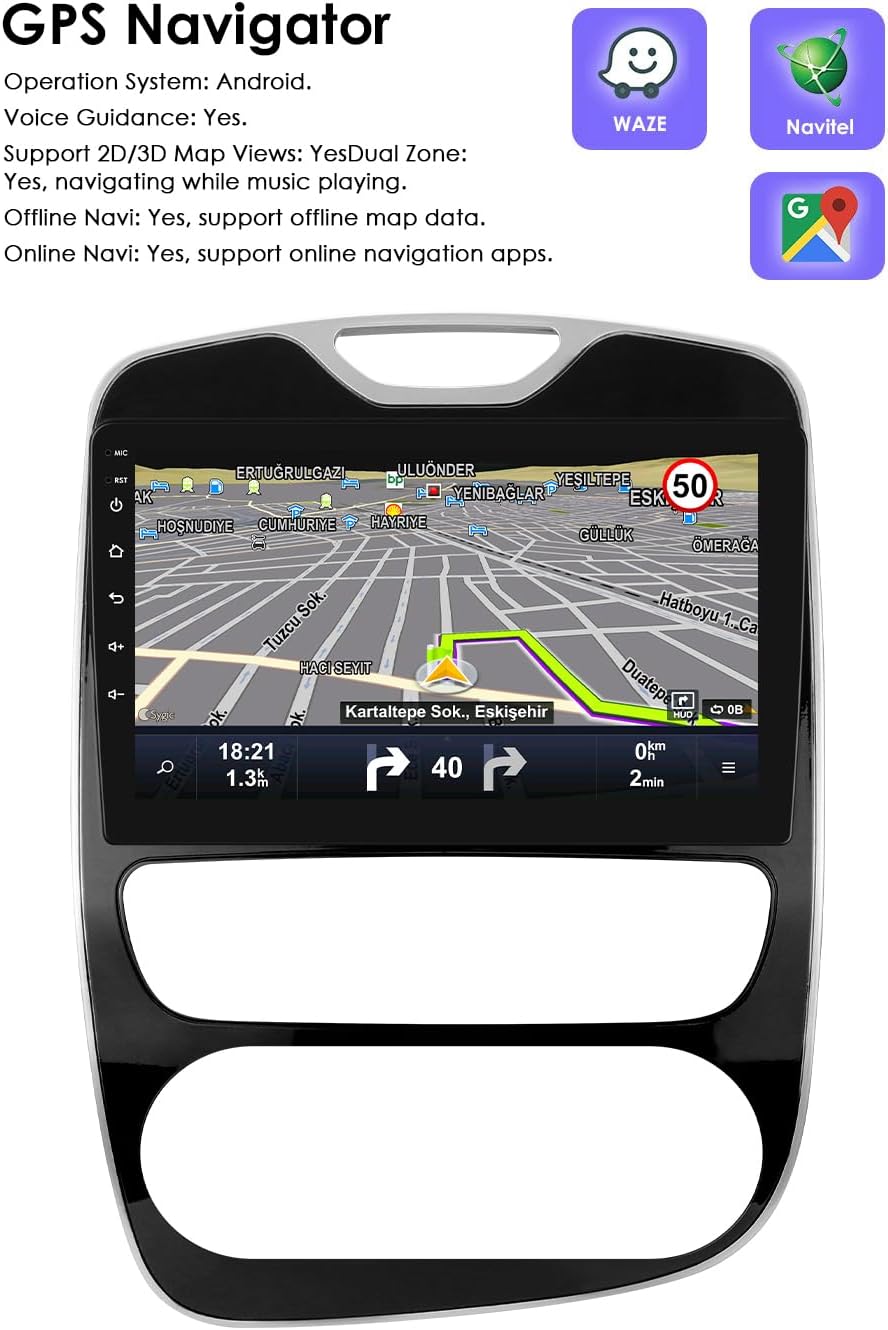
בילד: דזשי-פי-עס נאַוויגאַציע צובינד.
7. שטיר-ראד קאנטראל (SWC)
The unit is compatible with your vehicle's factory steering wheel controls. This allows you to easily change tracks, channels, and adjust volume, minimizing distractions while driving.

Image: Steering Wheel Control icon.
8. צעטיילטע סקרין אַרויסווייַזונג
Utilize the split-screen feature to display multiple applications simultaneously, such as navigation and music, or an ADAS camera view alongside other functions.

Image: Split Screen Display functionality.
9. קול קאָנטראָל
The system features enhanced voice control sensitivity, allowing for convenient hands-free operation of various functions, such as navigation and calling.
Image: Voice control interaction with the autoradio.
10. באַקקופּ קאַמעראַ אַרייַנשרייַב
The autoradio supports a rearview camera input. When the vehicle is put into reverse, the display automatically switches to the camera interface, showing blind spots and assisting with parking maneuvers.

Image: Backup Camera support icon.
11. מולטימעדיאַ ווידערשפּיל
The unit supports a wide range of multimedia formats:
- Music Formats: MP3, WMA, AAC, RM, FLAC, etc.
- ווידעא פֿאָרמאַטירונגען: MPEG-1/2/4, H264, H263, VC1, RV, RMVB, DivX, Sorenson Spark, VP8 AVS Stream, etc.

Image: Multimedia playback capabilities.
12. FM ראַדיאָ פֿונקציע
Access and tune into FM radio stations. The interface allows for easy station selection and saving presets.

Image: FM Function icon.
13. שפּיגל לינק
The Mirror Link function allows you to mirror your smartphone's screen directly onto the autoradio display, providing access to your phone's apps and content on a larger screen.

Image: Mirror Link functionality.
14. Built-in DSP with 48 EQ Adjustment
The integrated Digital Sound Processor (DSP) allows for precise audio customization with 48 equalization adjustments, enabling you to fine-tune the sound output to your preference.

Image: 48 EQ Adjustment interface.
וישאַלט
To ensure the longevity and optimal performance of your Ossuret Autoradio, follow these maintenance guidelines:
- רייניקונג: ניצט אַ ווייכע, טרוקענע שטאָף צו רייניקן דעם עקראַן און דעם אויסערן. פֿאַרמייַדט אַברייסיוו רייניגער אָדער סאָלווענטן וואָס קענען שאַטן די ייבערפלאַך.
- ווייכווארג דערהייַנטיקונגען: Periodically check for available software updates to ensure the system runs efficiently and has the latest features and security patches.
- טעמפּעראַטור: Avoid exposing the unit to extreme temperatures, both hot and cold, as this can affect its electronic components.
- פֿאַרבינדונגען: Ensure all cables and connections remain secure. Loose connections can lead to intermittent issues.
טראָובלעשאָאָטינג
If you encounter issues with your autoradio, refer to the following common problems and solutions:
- Unit does not power on or blows fuses:
- Check all power connections and ensure they are correctly wired.
- Verify the vehicle's fuses. If fuses repeatedly blow, there might be a short circuit or incorrect wiring. Consult a professional.
- Ensure the original car power plug is correctly located and connected (refer to the Setup section for potential location).
- Wireless Carplay/Android Auto disconnects or does not work:
- Ensure your smartphone's Wi-Fi and Bluetooth are active and properly paired with the autoradio.
- Check the Zlink application status on the autoradio.
- Restart both the autoradio and your smartphone.
- Ensure there are no other devices interfering with the Wi-Fi or Bluetooth connection.
- Steering wheel controls are not functioning:
- Verify that the steering wheel control wires are correctly connected to the autoradio.
- Access the autoradio's settings to configure or calibrate the steering wheel controls.
- No radar sound from the vehicle after installation:
- If your original vehicle's radar sound was emitted through the factory speakers, you will need to purchase and install the RN-SS-11 Canbus decoder and a small speaker to restore this functionality.
- USB connection issues (e.g., device not recognized, intermittent connection):
- Ensure the USB cable is securely connected to both the autoradio and the external device.
- Try a different USB cable or external device to rule out a faulty accessory.
- קוק די file system format of your USB device; some formats may not be supported.
- GPS signal is weak or inaccurate:
- זיכער מאַכן אַז די GPS אַנטענע איז אינסטאַלירט אין אַ אָרט מיט אַ קלאָרן view פֿון הימל, פֿרײַ פֿון שטערונגען.
- Check the GPS antenna connection to the autoradio.
ספּעסאַפאַקיישאַנז
| סאָרט | Ossuret |
| מאָדעל נומער | 6946cbde-ec23-470d-9f79-e4a4ffba77b7 |
| קאָליר / גרייס | 10.1 inches, 2GB RAM + 64GB Storage |
| אָפּערייטינג סיסטעם | אַנדרויד 13 |
| קאַנעקטיוויטי טעכנאָלאָגיע | בלועטוט, יו-עס-בי, וויי-פיי |
| ספּעציעלע פֿעיִקייטן | Wireless Carplay/Android Auto, GPS Navigation, Steering Wheel Control, Split Screen, Voice Control, Backup Camera Input, Built-in DSP (48 EQ) |
| קאַמפּאַטאַבאַל דעוויסעס | סמאַרטפאָנע |
| קאַנעקטער טיפּ | USB, 3.5 mm jack, HDMI |
| אַודיאָ רעזולטאַט מאָדע | סטערעאָ |
| אַרומרינגלען סאָונד קאַנאַל קאַנפיגיעריישאַן | 2.0 |
| ווידעא קאָדירונג | RM |
וואָראַנטי & שטיצן
Your Ossuret Autoradio comes with a 1-יאָר פאַבריקאַנט ס וואָראַנטי. די וואָראַנטי קאָווערס חסרונות אין מאַטעריאַלס און ווערקמאַנשיפּ אונטער נאָרמאַל נוצן.
For technical support, warranty claims, or further assistance, please contact your retailer or the Ossuret customer service department. Please have your product model number and purchase information ready when contacting support.
Information regarding spare parts availability and software updates is not available at this time. Please refer to the manufacturer's official website or contact support for the most current information.