
1. וויכטיק סאַפעטי אינסטרוקציעס
ביטע ליינט אלע אינסטרוקציעס קערפול איידער איר ניצט דעם טרעדמיל. האלט דעם מאנואל פאר שפעטערדיגע רעפערענץ.
- שטעלט שטענדיק דעם טרעדמיל אויף א פלאַכער, סטאַבילער ייבערפלאַך.
- Ensure adequate clearance around the treadmill (at least 2 meters behind and 0.6 meters on each side).
- האַלטן קינדער און פּעץ אַוועק פון די טרעדמיל בעשאַס אָפּעראַציע.
- טראָגט פּאַסיקע אַטלעטישע שיך און קליידער.
- ניצט נישט דעם טרעדמיל אויב עס האט א צעבראכענעם שנור אדער פלאג, אדער אויב עס ארבעט נישט ריכטיג.
- Maximum user weight capacity: 130 kg.
- Always use the safety key. Attach it to your clothing before starting your workout.
2. פּראָדוקט איבערview
The TOPUTURE 2-in-1 Treadmill is designed for both walking and light running, offering a versatile fitness solution for home or office use. It features a powerful yet quiet motor, manual incline adjustment, and smart app connectivity.

Image: Two individuals demonstrating the TOPUTURE 2-in-1 Treadmill in use, highlighting its dual functionality for walking while working and running.
3. סעטאַפּ און אַסעמבלי
This TOPUTURE 2-in-1 Treadmill features a space-saving design that requires minimal assembly. It is ready for use almost immediately out of the box.
3.1 אַנפּאַקינג
- פֿאָרזיכטיק אַרויסנעמען די טרעדמיל פֿון זײַן פּאַקאַדזשינג.
- Check all components against the packing list to ensure everything is present.
3.2 פּלייסמאַנט
- Place the treadmill on a firm, level surface.
- זיכער מאַכן אַז דער עלעקטרישער שנור איז גרינג צוטריטלעך און נישט פֿאַרשטאָפּט.
3.3 Manual Incline Adjustment
The treadmill offers manual incline settings to increase workout intensity. The original incline is 2°, and can be adjusted to 4.7° (9% incline rate).
- Locate the incline adjustment bolts at the rear of the treadmill.
- Pull out the bolt and turn the slope block to the desired position.
- Insert the bolt into the upper hole to secure the incline.

Image: A visual guide illustrating the two-step process for manually adjusting the treadmill's incline.
4. אַפּערייטינג ינסטרוקטיאָנס
Your treadmill can be controlled via its LED display, remote control, or a smart application.
4.1 מאַכט אויף / אַוועק
- פאַרבינדן די מאַכט שנור צו אַ פּאַסיק ווענטיל.
- Flip the main power switch located on the treadmill base to the 'ON' position.
- To turn off, flip the main power switch to 'OFF' and unplug the unit.
4.2 Using the LED Display and Remote Control
The multi-functional LED display shows real-time data including speed, distance, time, and calories burned. The remote control allows for easy adjustment of speed and modes.

Image: The treadmill's clear LED display provides real-time workout metrics, complemented by a convenient remote control for adjustments.
- אָנהייב / האַלטן: Press the 'Start' button on the display or remote to begin. Press 'Stop' to pause or end your workout.
- גיכקייט אַדזשאַסטמאַנט: Use the '+' and '-' buttons on the remote or display to increase or decrease speed (1-10 km/h).
- פראגראמען: Select from 12 preset programs for varied workout routines.
- צייטווייליגע פּויזע: Use the 'Pause' button to temporarily stop your workout without losing data.
4.3 קלוגע אַפּ קאָנעקטיוויטי
Connect your treadmill to fitness apps like 'FITSHOW' via Bluetooth (Bluetooth name: TP3) for enhanced training courses and data tracking.
- מאַכן זיכער אַז בלועטאָאָטה איז ענייבאַלד אויף דיין רירעוודיק מיטל.
- Open the 'FITSHOW' app (or compatible app) and search for 'TP3'.
- Pair your device with the treadmill.
- Follow the app's instructions to access various training courses and monitor your progress.

Image: The treadmill connects to fitness apps, allowing users to engage with virtual training courses and track their performance.
5. וישאַלט
רעגולערע אויפהאלטונג גאראנטירט די לאנגעוויטי און אפטימאלע פערפארמאנס פון אייער טרעדמיל.
5.1 רייניקונג
- Unplug the treadmill before cleaning.
- Wipe down the display and exterior surfaces with a damp שטאָף. ויסמיידן אַברייסיוו קלינערז.
- רעגולער וואַקוום אונטער די טרעדמיל צו פאַרמייַדן שטויב אויפבוי.
5.2 גאַרטל לובריקאַציע
The running belt requires periodic lubrication to reduce friction and extend its lifespan. Use silicone-based treadmill lubricant.
- הייבט אויף דעם ראַנד פֿון דעם לויפֿ־גאַרטל.
- Apply a small amount of lubricant to the center of the deck, underneath the belt.
- Run the treadmill at a low speed for a few minutes to distribute the lubricant evenly.
- Refer to the lubricant manufacturer's instructions for frequency, typically every 3-6 months depending on usage.
5.3 גאַרטל אַדזשאַסטמאַנט
אויב דער לויף-גאַרטל באַוועגט זיך צו איין זייט אָדער גליטשט, קען עס דאַרפֿן צו ווערן צוגעפּאַסט.
- Consult the detailed instructions in the full product manual for specific belt tension and alignment procedures.
6. טראָובלעשאָאָטינג
אויב איר טרעפט פּראָבלעמען מיט אייער טרעדמיל, זעט די פאלגענדע געוויינטלעכע פּראָבלעמען און לייזונגען.
| פּראָבלעם | מעגלעך סיבה | לייזונג |
|---|---|---|
| טרעדמיל גייט נישט אן. | Power cord not plugged in, main switch off, safety key not in place. | Check power connection, ensure main switch is ON, insert safety key. |
| פליסנדיק גאַרטל סליפּס. | גאַרטל צו לויז, נישט גענוג לובריקאַציע. | Adjust belt tension (refer to full manual), lubricate the belt. |
| ומגעוויינטלעך ראַש בעשאַס אָפּעראַציע. | Loose parts, belt friction, motor issue. | Check for loose bolts, lubricate belt, contact customer support if motor noise persists. |
| אַפּ פֿאַרבינדונג דורכפֿאַל. | Bluetooth off, app not updated, incorrect pairing. | Ensure Bluetooth is on, update app, re-pair with 'TP3'. |
If the problem persists after attempting these solutions, please contact TOPUTURE customer support.
7. ספּעסאַפאַקיישאַנז
| שטריך | באַשרייַבונג |
|---|---|
| סאָרט | TOPUTURE |
| מאָטאָר מאַכט | 2.5 HP (Peak 3.0 HP) |
| ספּיד ראַנגע | 1 - 10 קילאָמעטער פּער שעה |
| שיפּוע | Manual (0%, 5%, 10% equivalent to 2° and 4.7°/9%) |
| פליסנדיק ייבערפלאַך | 1000 x 400 מ״מ (אומגעפער 39.4 x 15.7 אינטשעס) |
| מאַקס באַניצער וואָג | 130 קג (בעערעך 286 לבס) |
| ראַש מדרגה | < 45 דב |
| פּראָדוקט דימענשאַנז | 120.8 x 52.6 x 12.5 ס״מ (אומגעפער 47.6 x 20.7 x 4.9 אינטשעס) |
| פּראָדוקט וואָג | 21.69 קג (בעערעך 47.8 לבס) |
| קאַנעקטיוויטי | Bluetooth (TP3) for APP control |
| מגילה | 12 פּריסעט מגילה |
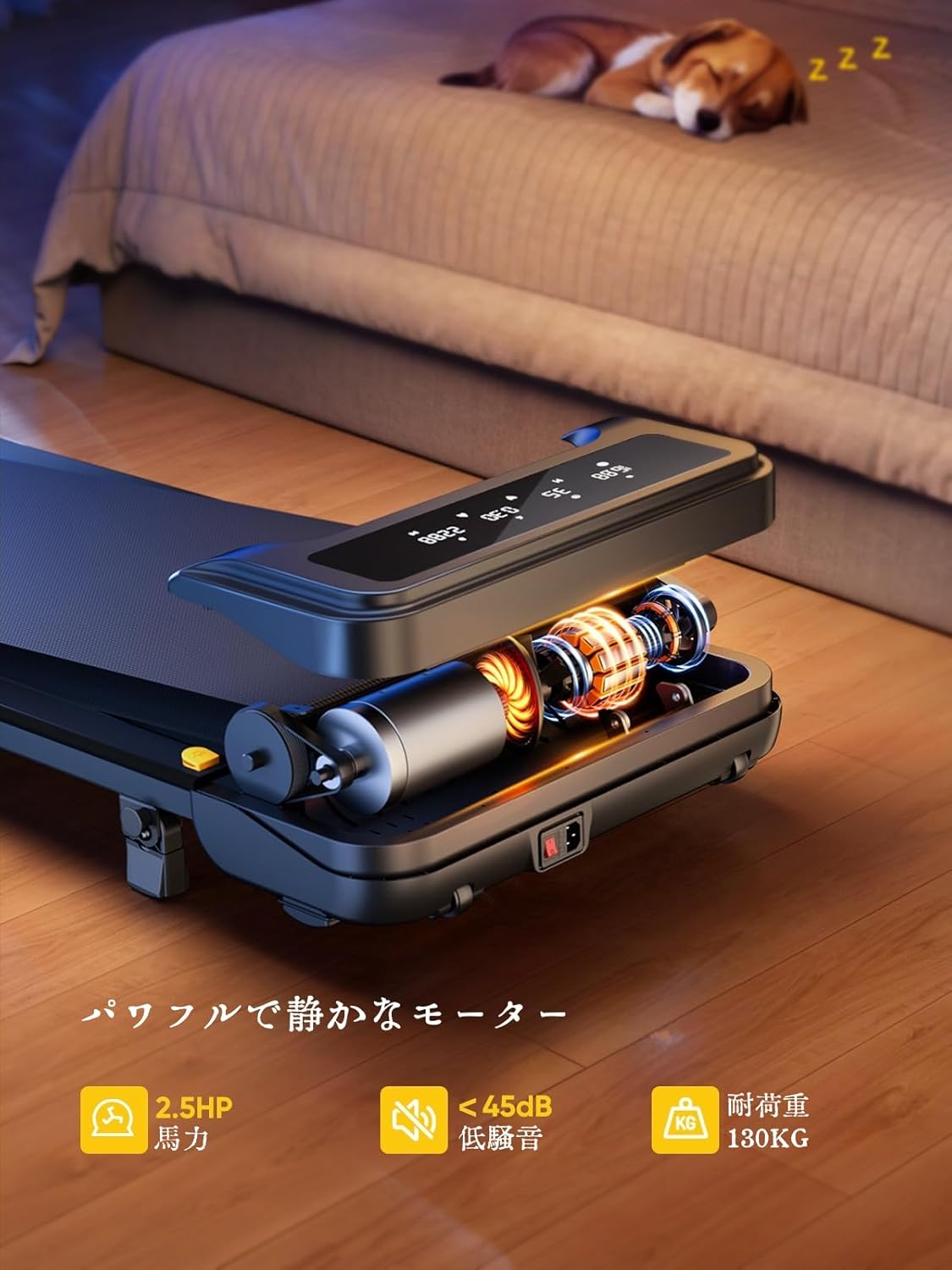
Image: The treadmill features a powerful 2.5 HP motor, operates quietly below 45dB, and supports users up to 130 kg.

Image: The compact design of the treadmill, highlighting its running surface dimensions for space efficiency.
8. סטאָרידזש און פּאָרטאַביליטי
The TOPUTURE 2-in-1 Treadmill is designed for easy storage and portability, making it ideal for small spaces.
- The treadmill is lightweight (18.5 kg / 40.7 lbs) and features built-in wheels for effortless movement.
- It can be stored upright or flat under a bed or sofa when not in use, saving valuable space.
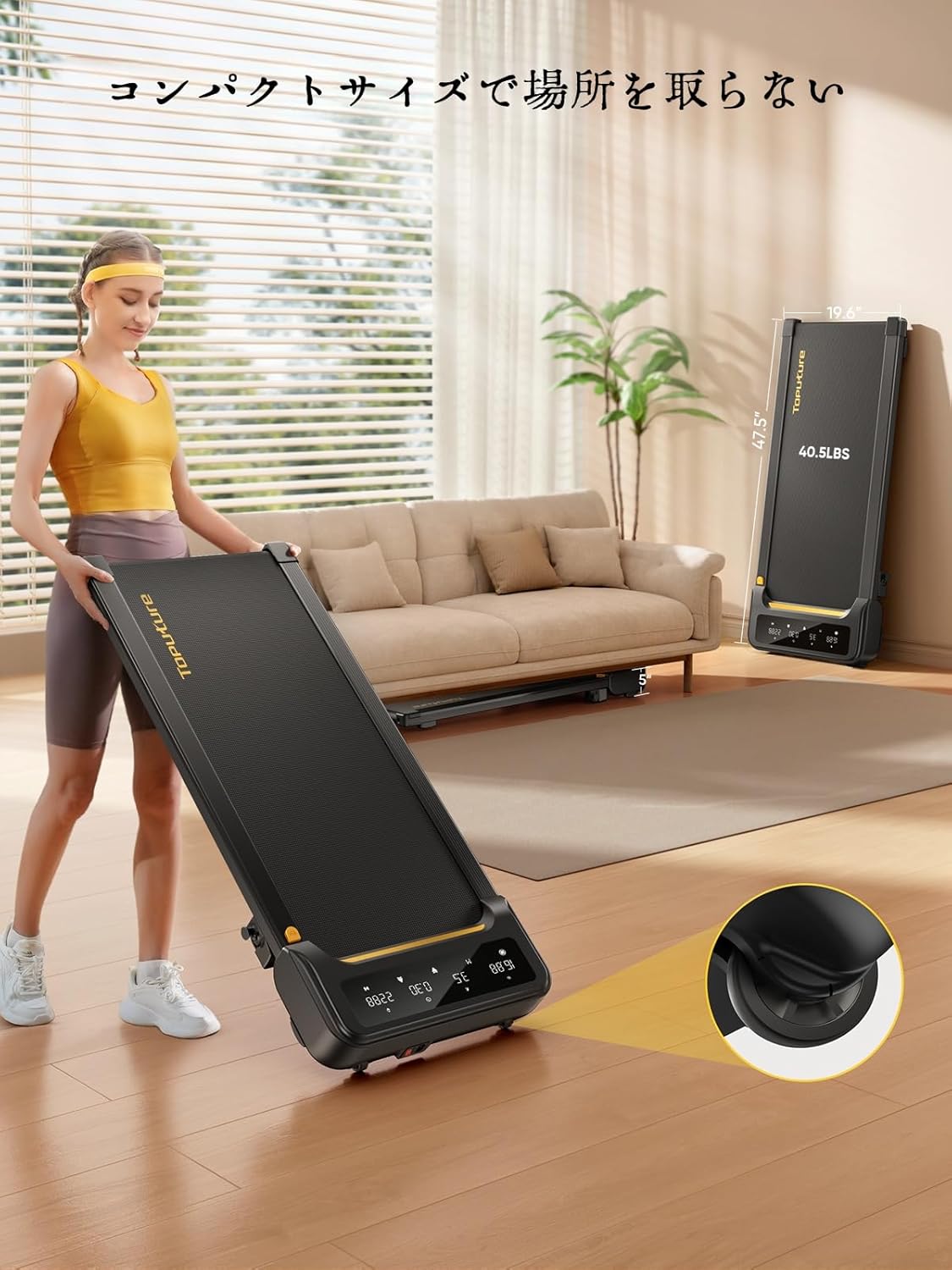
Image: A woman demonstrates the ease of moving the treadmill, highlighting its portability with integrated wheels.
9. וואָראַנטי און שטיצן
TOPUTURE provides a warranty for this product. Please refer to your purchase documentation for specific warranty terms and conditions.
9.1 קונה שטיצן
For any questions, technical assistance, or warranty claims, please contact TOPUTURE customer support through the retailer where you purchased the product or visit the official TOPUTURE webפּלאַץ.
- אָנליין שטיצן: Visit the TOPUTURE brand store on Amazon or the official webוועבזייטל פֿאַר אָפֿט געשטעלטע פֿראַגעס און קאָנטאַקט אינפֿאָרמאַציע.
- E- בריוו שטיצן: זעט אייער פּראָדוקט פּאַקאַדזשינג אָדער וואָראַנטי קאַרטל פֿאַר די קונה סערוויס בליצפּאָסט אַדרעס.