
הקדמה
The usogood DL05 4G LTE Solar Trail Camera is designed for outdoor monitoring, wildlife observation, and security applications. It features 4G cellular connectivity for real-time alerts and remote access, a solar panel for continuous power, and advanced night vision capabilities. This manual provides essential information for setting up, operating, and maintaining your DL05 trail camera.
פּעקל אינהאַלט
ביטע באַשטעטיקן אַז אַלע זאכן וואָס זענען ליסטעד אונטן זענען אַרייַנגערעכנט אין דיין פּעקל:
- 1 x usogood DL05 4G Low Power Hunting Camera
- 1 רענטגענ 3 וו זונ פּאַנעל
- 1 רענטגענ זונ פּאַנעל בראַקעט
- 1 x Snap-on Camera Bracket
- 1 רענטגענ טיפּ-C קאַבלע
- 1 x מאַונטינג רימען
- 1 x User Manual (5 languages)
- 1 x 32 גיגאבייט TF קארטל (איינגעבויט)
- 1 x SIM Card (pre-installed if bundled, otherwise not included)
- 3 x 1/4 inch Nuts (for solar panel bracket)

Image: The usogood DL05 trail camera with its solar panel and various mounting accessories.
סעטאַפּ
- SIM Card and Micro SD Card Installation:
The camera comes with a pre-installed SIM card (if bundled) and a 32GB TF card. Ensure both are properly seated in their respective slots. The SIM card enables 4G cellular connectivity for remote monitoring and alerts. A micro SD card is essential for local storage of photos and videos.

Image: The trail camera mounted on a tree, highlighting its 4G cellular capability and SIM card support.
- Mounting the Camera and Solar Panel:
Use the provided mounting strap and brackets to secure the camera and solar panel to a tree or pole. Position the solar panel in an area that receives ample direct sunlight throughout the day to ensure continuous charging of the camera's internal battery.
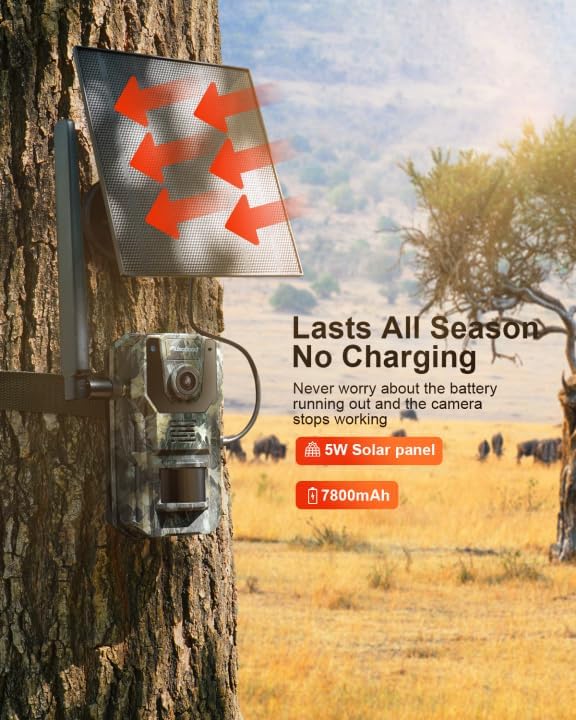
Image: The usogood DL05 camera and its solar panel mounted on a tree, illustrating solar charging.
- App Download and Initial Configuration:
Download the official usogood app to your smartphone or tablet. Follow the in-app instructions to pair your camera and complete the initial configuration. This includes setting up motion detection sensitivity, recording modes (photo/video), and notification preferences.
אַפּערייטינג ינסטראַקשאַנז
- מאַכט אויף / אַוועק:
Locate the power button on the camera. Press and hold to power on or off. The camera will indicate its status via LED lights or an on-screen display.
- רעאַל-צייט נאָוטאַפאַקיישאַנז:
Once motion is detected, the camera will push an app message to your linked smartphone. You can customize alert settings within the app to receive immediate notifications of activity.

Image: A smartphone receiving a "TRAIL CAMREA Activity detected" notification, demonstrating real-time alerts.
- שנעלע טריגער גיכקייט:
The DL05 camera features a 0.2-second fast trigger speed, ensuring that quick movements are captured effectively. This minimizes missed events, especially for fast-moving wildlife.

Image: A deer in motion, with an overlay indicating the camera's 0.2s fast trigger speed.
- נאַכט זעאונג מאָדעס:
The camera automatically switches between two night modes: Blacklight and Infrared. Blacklight night vision provides clearer, less intrusive illumination for stealthy observation, while Infrared offers standard black and white night vision.

Image: A comparison showing a bear captured with Blacklight night vision (color) and Infrared night vision (monochrome).
- 2K Live Photo and Video:
The DL05 captures high-resolution 2K video and photos. Through the app, you can view לעבן פאָאָtagE און שייַעךview captured media directly on your phone.

Image: A red panda in a tree, with a smartphone displaying a live feed from the camera, demonstrating 2K live photo and video capabilities.
- גפּס פּאַזישאַנינג:
The camera supports GPS positioning, allowing you to track its location via the app. This feature is useful for deployment in remote areas, helping you always know where your device is located.
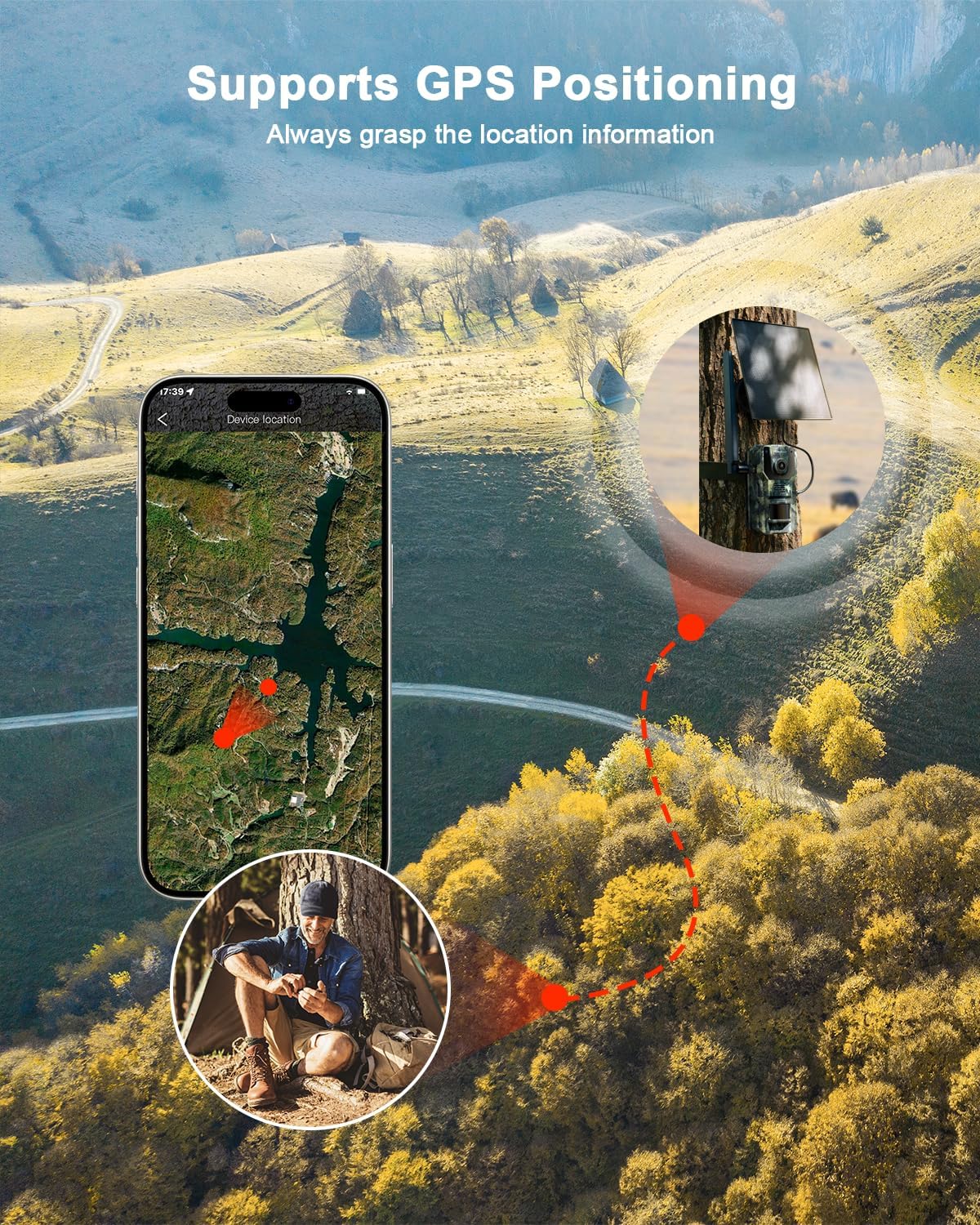
Image: A map on a smartphone screen indicating the GPS location of the trail camera in a natural landscape.
- Data Plan Usage:
The 4G cellular functionality requires a data plan. The included SIM card typically comes with an initial data allowance. After this period, you will need to subscribe to an affordable data tariff to continue receiving real-time alerts and remote access features.
וישאַלט
- סאָלאַר פּאַנעל טשאַרדזשינג:
Ensure the solar panel is kept clean and free from obstructions (leaves, dirt, snow) to maximize charging efficiency. Periodically check its position to ensure it receives optimal sunlight.
- וועטער קעגנשטעל:
The DL05 camera is IP66 waterproof, designed to withstand various weather conditions including sun, rain, and snow. While robust, avoid submerging the camera in water.

Image: The usogood DL05 camera mounted on a tree during rain, emphasizing its IP66 waterproof rating.
- רייניקונג:
Gently clean the camera lens and solar panel with a soft, damp שטאָף. דו זאלסט נישט נוצן אַברייסיוו קלינערז אָדער סאָלוואַנץ.
- באַטערי געזונט:
Although solar-powered, if the camera is stored for extended periods, ensure the internal battery is charged periodically using the provided Type-C cable to maintain battery health.
טראָובלעשאָאָטינג
| פּראָבלעם | מעגלעך סיבה / לייזונג |
|---|---|
| קאַמעראַ גייט נישט אָן. | Ensure the internal battery is charged. Connect the camera to a power source using the Type-C cable. Check solar panel connection and sunlight exposure. |
| No real-time notifications or remote access. | Verify that the SIM card has an active data plan. Check cellular signal strength in the camera's location. Ensure the camera is properly paired with the app and app notifications are enabled on your phone. |
| No photos/videos recorded. | Check if the Micro SD card is correctly inserted and not full. Ensure motion detection is enabled and sensitivity settings are appropriate. Format the SD card if issues persist (backup data first). |
| שלעכטע בילד/ווידעא קוואַליטעט ביינאכט. | Ensure the night vision sensors are clean and unobstructed. Check if the camera is positioned too far from the subject for effective illumination. |
| זונ טאַפליע איז נישט טשאַרדזשינג. | Ensure the solar panel is clean and positioned to receive direct sunlight for several hours daily. Check the connection cable between the solar panel and the camera. |
ספּעסאַפאַקיישאַנז
| שטריך | דעטאַל |
|---|---|
| סאָרט | usogood |
| מאָדעל נאָמען | DL05 |
| קאַנעקטיוויטי פּראָטאָקאָל | סעלולאַר (4G LTE) |
| באַניץ סוויווע | דרויסנדיק |
| מאַונטינג טיפּ | פּאָול בארג |
| ווידעא קאַפּטורע רעסאָלוטיאָן | 2K |
| ווידעא קאַפּטורע פֿאָרמאַט | עמפּעג-4 |
| נומער דימענשאַנז (L X W X H) | 13 X 8 X 4 סענטימעטער |
| וואָטערפּרוף רייטינג | IP66 |
| אַרייַנגערעכנט קאַמפּאָונאַנץ | Camera, 3W Solar Panel, Solar Panel Bracket, Camera Bracket, Type-C Cable, Mounting Strap, User Manual, 32GB TF Card, SIM Card (if bundled), 1/4 inch Nuts. |
| UPC | 729086268646 |
וואָראַנטי און שטיצן
The usogood DL05 Trail Camera typically comes with an extendable three-year warranty. For technical assistance, troubleshooting, or warranty claims, please contact usogood customer service. Refer to the contact information provided in the included user manual or visit the official usogood webפּלאַץ פֿאַר שטיצן רעסורסן.
Customer service is available to assist with setup, operation, and any issues you may encounter with your device.