
1. הקדמה
Thank you for choosing the MOREFINE M700 Mini PC. This compact desktop computer is designed for efficiency and performance, featuring an AMD Ryzen 7 7735U processor, 16GB DDR5 RAM, and a 512GB M.2 NVMe SSD. It supports 4K dual display output, WiFi 6, and Bluetooth 5.2, making it suitable for various computing tasks from everyday use to demanding applications. This manual provides essential information for setting up, operating, maintaining, and troubleshooting your device.
2. פּעקל אינהאַלט
ביטע אָפּהאַקן דאָס קעסטל פֿאַר די פֿאָלגנדיקע זאַכן:
- 1 x MOREFINE M700 Mini PC
- 1 x באַניצער מאַנואַל (דאָס דאָקומענט)
- 1 x HDMI קאַבלע
- 1 x מאַכט אַדאַפּטער
- 1 x וועסאַ מאָונט
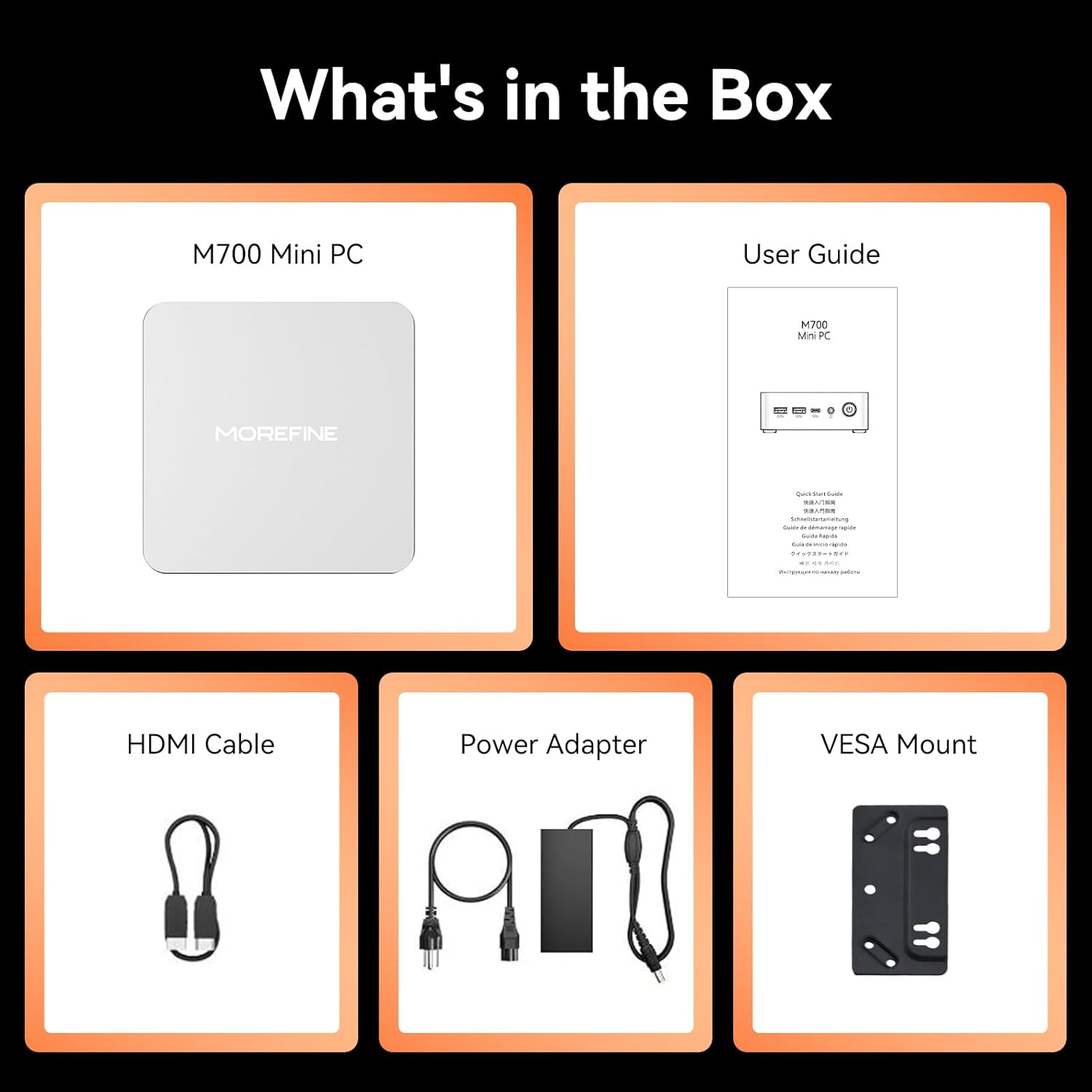
Image: The package contents including the M700 Mini PC, user guide, HDMI cable, power adapter, and VESA mount.
3. פּראָדוקט איבערview
The MOREFINE M700 Mini PC is engineered for high performance in a compact design. Key features include:
- פּראַסעסער: AMD Ryzen 7 7735U (8 Cores/16 Threads, up to 4.75Ghz)
- גראַפיקס: AMD Radeon 680M (12 cores, 2200 MHz)
- זכּרון: 16GB DDR5 RAM (expandable up to 64GB)
- סטאָרידזש: 512GB M.2 NVMe SSD (expandable up to 4TB)
- ווייַז רעזולטאַט: Supports up to four 4K@60Hz displays via Dual USB-C, 1x HDMI 2.0, and 1x DP 1.4
- קאַנעקטיוויטי: WiFi 6, Bluetooth 5.2, 1000M RJ45 LAN
- אַפּערייטינג סיסטעם: Pre-installed with Windows 11
- קאָאָלינג: High-efficiency cooling system with ultra-quiet CPU fan
- דימענסיעס: 112.8 X 112.8 X 38 מם
- וואָג: בעערעך 0.40 קג

Image: A visual summary of the M700's core features, including the AMD Ryzen 7 7735U processor, Radeon 680M graphics, 4K display support, Windows 11, cooling system, VESA compatibility, LAN, Wi-Fi, Bluetooth, RAM, SSD, and physical dimensions.

Image: An illustration highlighting the M700's enhanced cooling system, featuring a large copper heatsink and a high-performance, quiet fan for improved thermal management.
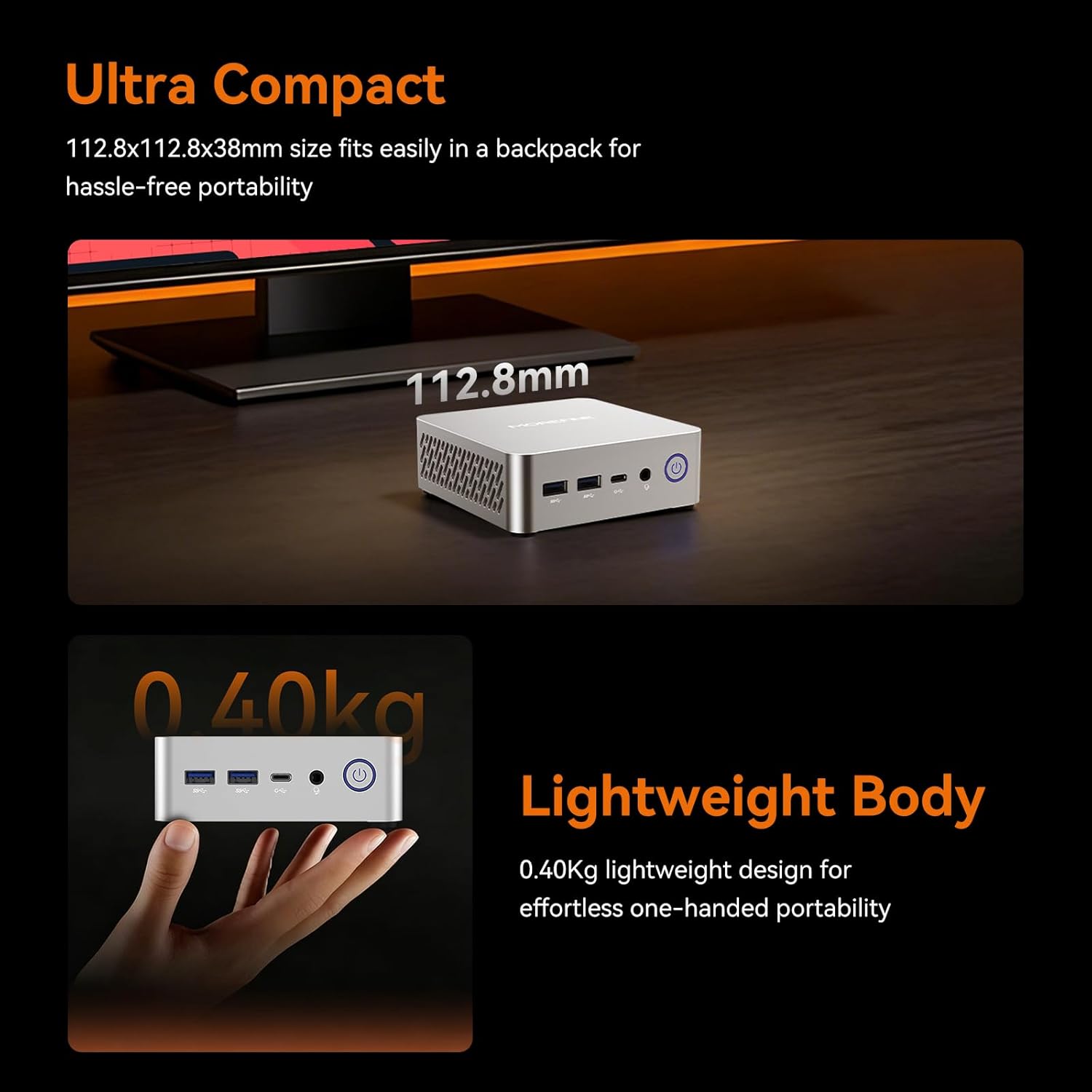
Image: The M700 Mini PC demonstrating its ultra-compact dimensions (112.8x112.8x38mm) and lightweight design (0.40kg), emphasizing its portability.
4. סעטאַפּ אינסטרוקציעס
4.1 ערשט קאַנעקשאַן
- פאַרבינדן צו ווייַז: Use the provided HDMI cable to connect the Mini PC to your monitor or TV. You can also use a DisplayPort (DP 1.4) or USB-C cable for other display options.
- פאַרבינדן פּעריפעראַלס: שטעקט אריין אייער קלאַוויאַטור, מויז, און אַלע אַנדערע USB דעוויסעס אין די פאַראַן USB פּאָרץ.
- פאַרבינדן מאַכט: Connect the power adapter to the Mini PC's AC Jack and then plug it into a power outlet.
- מאַכט אויף: דריק דעם מאַכט קנעפּל אויף דער פראָנט פון די מיני פּיסי.
4.2 וועסאַ מאָונט אינסטאַלאַציע (אָפּציאָנאַל)
The M700 Mini PC is VESA compatible, allowing you to mount it behind a monitor or TV to save desk space.
- Attach the VESA mount bracket to the back of your compatible monitor using the provided screws.
- Slide the Mini PC onto the VESA mount until it clicks securely into place.

Image: The M700 Mini PC demonstrating its space-saving design by being mounted behind a display, illustrating how it can reclaim desk space.
5. אַפּערייטינג ינסטרוקטיאָנס
5.1 ערשטער בוט און ווינדאָוס סעטאַפּ
Upon first power-on, the system will guide you through the initial Windows 11 setup process. Follow the on-screen instructions to configure your language, region, network, and user account.
5.2 ווייַז קאַנפיגיעריישאַן
The M700 supports up to four 4K@60Hz displays simultaneously. To configure multiple displays:
- Connect your displays to the available HDMI 2.0, DisplayPort 1.4, or USB-C ports.
- In Windows, right-click on the desktop and select "Display settings."
- Arrange your displays, choose their orientation, and select the desired resolution and refresh rate for each.

Image: A setup demonstrating the M700 Mini PC connected to three 4K monitors, showcasing its multi-display capabilities via HDMI, Type-C, and DP ports.
5.3 נעץ קאָנעקטיוויטי
The Mini PC offers both wired and wireless network options:
- ווייערד: Connect an Ethernet cable to the RJ45 1000M LAN port for a stable, high-speed internet connection.
- ווירעלעסס: The device features built-in WiFi 6 (2.4G+5G Dual Band) and Bluetooth 5.2. To connect to a Wi-Fi network, click the network icon in the taskbar, select your desired network, and enter the password. For Bluetooth devices, go to Windows Settings > Bluetooth & devices to pair.
5.4 Wake On LAN and Auto Power On
The M700 supports Wake On LAN and Auto Power On features, which can be configured in the BIOS settings. These features are useful for remote management or for using the Mini PC as a server.
6. וישאַלט
6.1 רייניקונג
To ensure optimal performance and longevity, regularly clean your Mini PC:
- ניצט אַ ווייכן, טרוקענעם שטאָף צו ווישן די אויסערלעכע טייל.
- Use compressed air to clear dust from ventilation openings. Ensure the device is powered off before cleaning.
6.2 ווייכווארג דערהייַנטיקונגען
Keep your Windows operating system and drivers updated to ensure system stability and security. Windows Update can be accessed via Settings > Windows Update.
6.3 RAM and SSD Upgrade
The M700 Mini PC features an easily disassembled design for convenient upgrades.
- באַראַן: It has two DDR5 SODIMM slots, each supporting up to 32GB, for a total maximum of 64GB.
- SSD: It includes one 2280 PCIe 3.0 SSD slot, supporting up to 4TB.
Refer to the detailed instructions in the full user manual or contact customer support for guidance on hardware upgrades.

Image: An illustration detailing the easy installation and upgrade capabilities for DDR5 4800MHz dual-channel SO-DIMM RAM (max 64GB) and M.2 2280 SSD (up to 4TB) in the M700 Mini PC.
7. טראָובלעשאָאָטינג
If you encounter issues with your MOREFINE M700 Mini PC, please refer to the following common solutions:
- קיין מאַכט: Ensure the power adapter is securely connected to both the Mini PC and a working power outlet. Try a different outlet or power adapter if available.
- קיין ווייַז: Verify that the HDMI, DisplayPort, or USB-C cable is correctly connected to both the Mini PC and the monitor. Ensure the monitor is powered on and set to the correct input source.
- קיין אינטערנעט פֿאַרבינדונג: For wired connections, check the Ethernet cable and router status. For Wi-Fi, ensure the Wi-Fi adapter is enabled and you are connected to the correct network with the right password.
- סיסטעם פארלאנגזאמונג: Check for background applications consuming resources. Ensure sufficient free storage space. Consider upgrading RAM or SSD if performance issues persist.
- פּעריפעראַל נישט דעטעקטירט: פרובירט צו פארבינדן דעם פּעריפעראלן מיטל צו אן אנדער USB פּאָרט. זיכערט זיך אז דרייווערס זענען אינסטאלירט אויב נויטיג.
For more complex issues or if the problem persists, please contact MOREFINE customer support.
8. ספּעסאַפאַקיישאַנז
| שטריך | באַשרייַבונג |
|---|---|
| סאָרט | MOREFINE |
| מאָדעל נאָמען | M700 |
| אָפּערייטינג סיסטעם | Windows |
| קפּו מאָדעל | AMD Ryzen 7 7735U |
| קפּו ספּיד | אַרויף צו 4.75 GHz |
| ראַם זכּרון אינסטאַלירט גרייס | 16 גיגאבייט |
| ראַם זכּרון טעכנאָלאָגיע | דדר5 |
| ראַם זכּרון מאַקסימום גרייס | 64 גיגאבייט |
| שווער דיסק באַשרייַבונג | ססד |
| שווער דיסק צובינד | PCIE x 4 (M.2 NVMe) |
| זכּרון סטאָרידזש קאַפּאַסיטי | 512 גיגאבייט (אויסברייטבאר ביז 4 טב) |
| גראַפיקס קאַרד באַשרייַבונג | Integrated AMD Radeon 680M |
| קאַנעקטיוויטי | WiFi 6, Bluetooth 5.2, 1000M LAN |
| פּאָרץ | HDMI 2.0, DP 1.4, 2x USB-C, 2x USB 3.2, 2x USB 2.0, RJ45, 3.5mm Phone Jack, AC Jack |
| פּונקט וואָג | 0.65 קילאָגראַמס |
| ספּעציפיש ניצט פֿאַר פּראָדוקט | Everyday Use, Home Theater, Office Business |
9. וואָראַנטי און שטיצן
MOREFINE Mini PCs undergo strict inspection before shipping. Your MOREFINE M700 Mini PC comes with a 1-Year-free warrantyמיר פאָרשלאָגן אויך לעבן טעכניש שטיצן און 24/7 after-sales service.
If you have any product-related questions, require technical assistance, or need to claim warranty service, please contact MOREFINE customer support through the official channels provided at the time of purchase or on the MOREFINE webפּלאַץ.
ביטע באַהאַלטן אייער קויפן-באַווייַז פֿאַר גאַראַנטיע צוועקן.