
1. הקדמה
This manual provides comprehensive instructions for the installation, operation, and maintenance of your Techage CG6E Solar Security Camera. Designed for outdoor use, this wireless camera system offers 2K high-definition video, AI motion detection, color night vision, two-way audio communication, and is built with an IP66 waterproof rating for reliable performance in various weather conditions. The integrated solar panel ensures continuous power, reducing the need for frequent battery recharges.
2. פּעקל אינהאַלט
באַשטעטיקן אַז אַלע זאכן זענען פאַראַן אין דיין פּעקל:
- Techage Solar Security Camera (2 units)
- Solar Panel (2 units)
- מאַונטינג קלאַמערן און שרויפן
- וסב טשאַרדזשינג קאַבלע
- באַניצער מאַנואַל (דעם דאָקומענט)

Image: Two Techage CG6E solar security cameras and two solar panels, illustrating the complete product package.
3. פּראָדוקט איבערview
The Techage CG6E camera system is engineered for robust outdoor surveillance. Key features include:
- 2K Ultra HD האַכלאָטע: כאַפּט קלאָרע ווידעאָ פֿוtage with 1.5 times the clarity of standard 1080P cameras.
- זונ - פּאַוערד עפיקאַסי: Equipped with an external solar panel for continuous battery charging, ensuring uninterrupted operation.
- קינסטלעכע אינטעליגענץ באַוועגונג דעטעקציע: Advanced algorithms identify human movement, reducing false alerts and sending instant notifications.
- קאָליר נאַכט זעאונג: Dual LED spotlights enable full-color video recording even in low-light conditions.
- צוויי-וועג אַודיאָ: Built-in microphone and speaker allow for real-time communication through the camera.
- IP66 וועטערפּרוף: Designed to withstand rain, snow, and extreme temperatures for year-round outdoor use.
- פלעקסאַבאַל סטאָרידזש: Supports local storage via a Micro SD card (up to 128GB, not included) and cloud storage options.

בילד: אן איבערview of the Techage CG6E camera highlighting its main features: long-lasting battery, free 3-day cloud storage, AI motion detection, and full-color night vision.
4. סעטאַפּ
4.1 אַפּ ינסטאַלירונג
The Techage CG6E camera operates with the Vicohome app. Download the app from your device's app store:
- For iOS devices, search for "Vicohome" in the Apple App Store.
- For Android devices, search for "Vicohome" in the Google Play Store.
Follow the on-screen instructions to create an account and log in.

Image: A smartphone displaying the Vicohome app interface, indicating where to download the application.
4.2 קאַמעראַ פּערינג
- Ensure your smartphone is connected to a 2.4GHz Wi-Fi network. The camera does not support 5GHz Wi-Fi.
- Open the Vicohome app and tap the "Add Device" or "+" icon.
- Power on the camera. The camera will enter pairing mode, indicated by a specific LED light pattern or voice prompt.
- Follow the app's instructions to scan the QR code on the camera or manually select the device.
- אַרייַן דיין Wi-Fi נעץ פּאַראָל ווען געבעטן.
- Once connected, the camera will confirm successful pairing, and you can name your device within the app.
4.3 גשמיות ינסטאַלירונג
The camera and solar panel are designed for wall mounting.
- קלייַבן אַ אָרט: אויסקלייבן אַן אָרט אינדרויסן וואָס גיט די געוואונטשענע viewווינקל און באַקומט ample direct sunlight for the solar panel. Ensure the camera is within range of your 2.4GHz Wi-Fi network.
- אָנקלאַפּן די אַפּאַראַט: Use the provided mounting bracket and screws to securely attach the camera to a wall or other stable surface. Adjust the camera angle for optimal coverage.
- בארג די זונ פּאַנעל: Position the solar panel in a location that maximizes sun exposure throughout the day. Connect the solar panel cable to the camera's charging port.
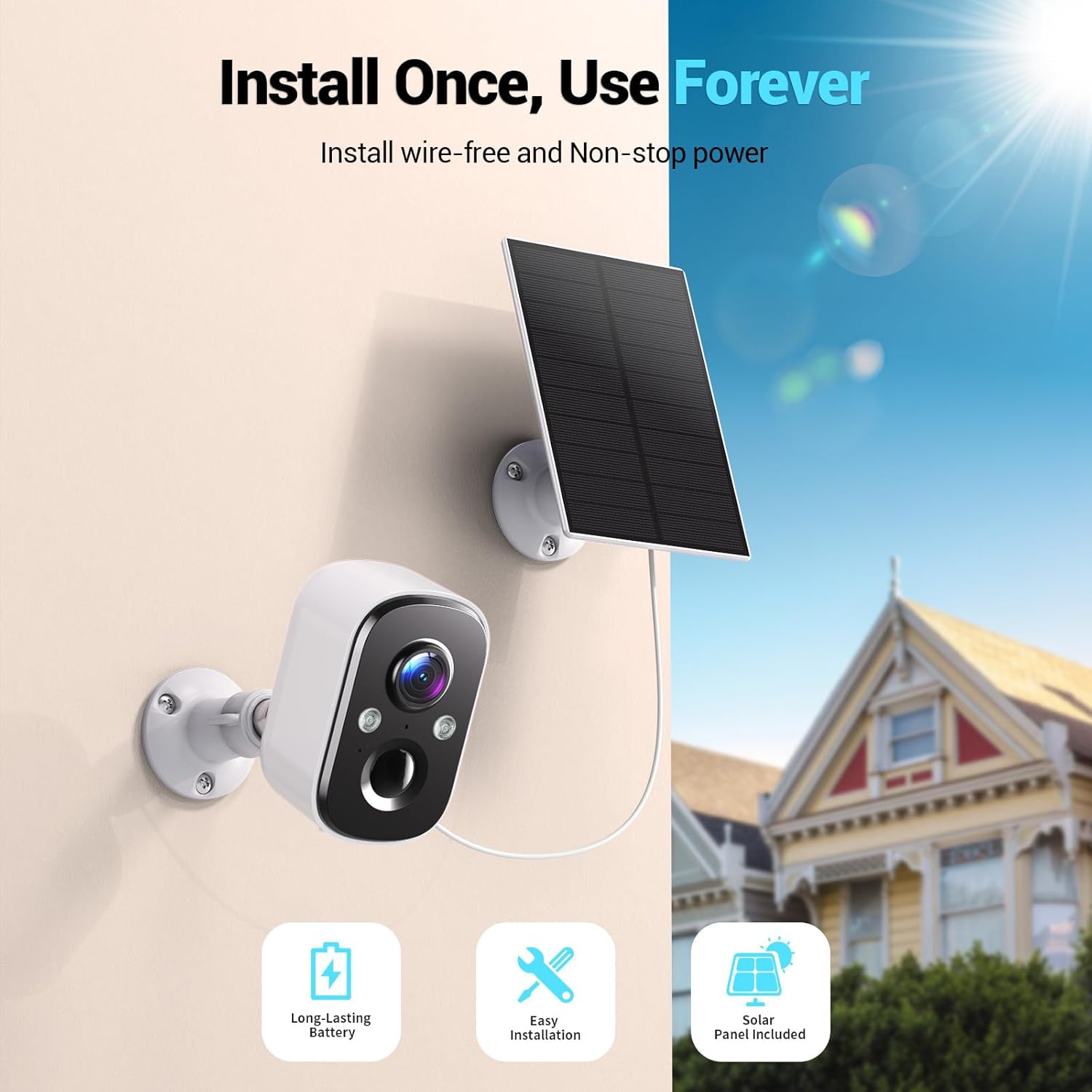
Image: A Techage CG6E camera and its solar panel are shown mounted on an outdoor wall, illustrating a typical installation scenario.
5. אַפּערייטינג ינסטרוקטיאָנס
5.1 לעבן View
Access real-time video feed from your camera through the Vicohome app. Simply select the desired camera from your device list to view its live stream.
5.2 באַוועגונג דעטעקשאַן סעטטינגס
The camera features advanced AI motion detection. You can customize settings within the Vicohome app:
- סענסיטיוויטי: Adjust the detection sensitivity to minimize false alerts.
- אַקטיוויטעט זאָנעס: דעפינירן ספּעציפֿישע געביטן אין דער קאַמעראַ'ס view where motion detection should be active, ignoring other areas.
- קינסטלעכע אינטעליגענץ דערקענונג: The camera can differentiate between people, vehicles, packages, and pets, providing more relevant alerts.
- אַלערץ: קאָנפיגורירן פּוש נאָוטאַפאַקיישאַנז צו דיין סמאַרטפאָון ווען באַוועגונג איז דעטעקטעד.

Image: A visual representation of the camera detecting motion near a doorway, triggering a spotlight, siren, and sending a notification to the Vicohome app.
5.3 צוויי-וועג אַודיאָ
Utilize the two-way audio feature to communicate with individuals near the camera. Tap the microphone icon in the live view interface of the Vicohome app to speak, and the camera's speaker will broadcast your voice. You can also hear audio from the camera's location.

Image: A person inside a house communicating via the camera with another person outside, demonstrating the two-way audio function.
5.4 נאַכט זעאונג מאָדעס
די קאַמעראַ אָפפערט צוויי נאַכט זעאונג מאָדעס:
- קאָליר נאַכט זעאונג: When the built-in spotlights are activated (either manually or by motion detection), the camera captures full-color video in dark environments.
- ינפרערעד נאַכט זעאונג: With spotlights off, the camera uses infrared LEDs to provide clear black-and-white video in darkness.

Image: A comparison showing the difference between color night vision (spotlight on) and infrared night vision (spotlight off) in a dark setting.
5.5 סטאָרידזש אָפּציעס
Your camera supports two storage methods:
- מיקראָ סד קאַרד: Insert a Micro SD card (up to 128GB, not included) into the designated slot on the camera for local recording.
- וואָלקן סטאָרידזש: The Vicohome app offers a free 3-day rolling event recording cloud storage. Optional premium cloud plans are available for extended storage and advanced features.
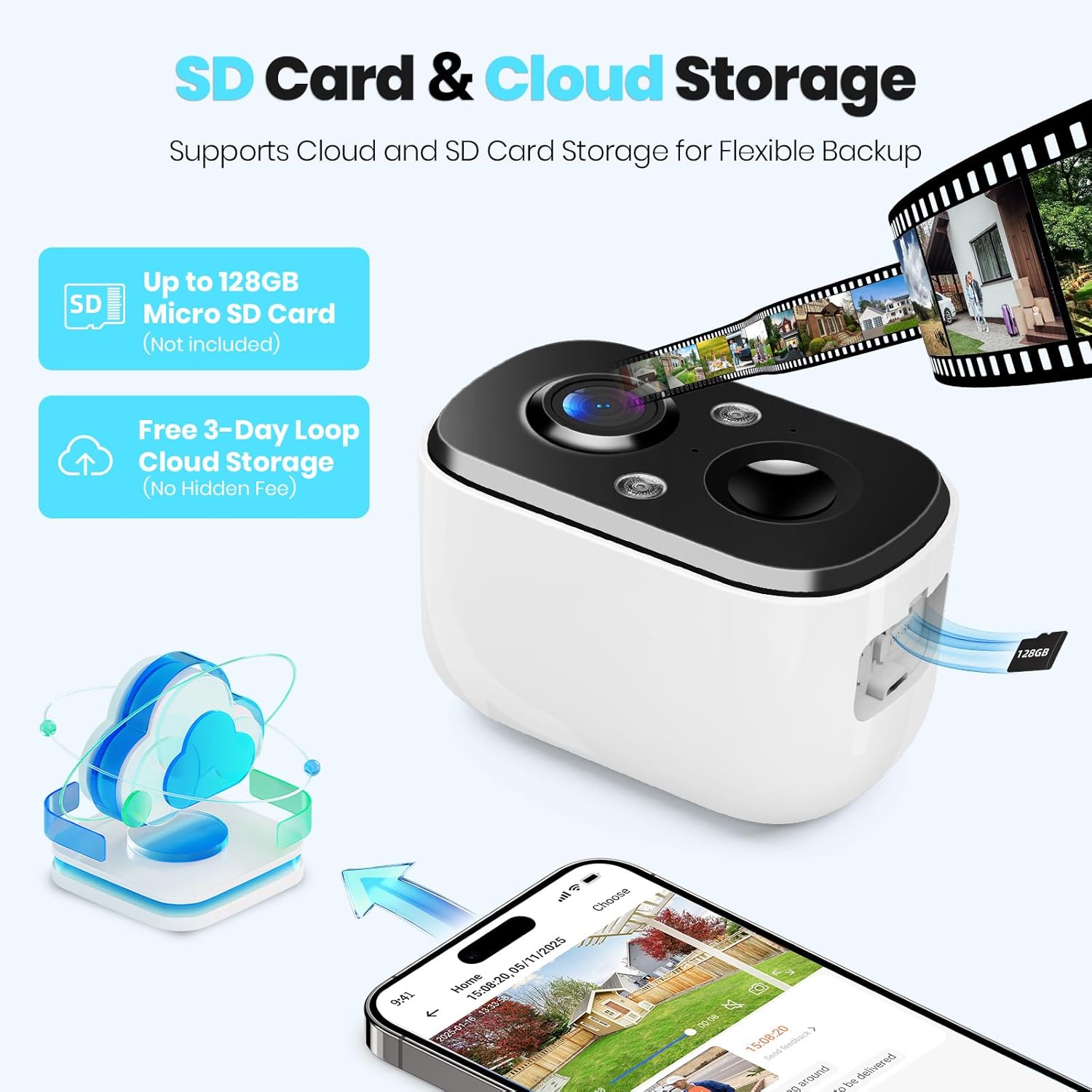
Image: A close-up of the camera highlighting the Micro SD card slot and illustrating cloud storage functionality.
5.6 טיילן צוטריט
You can share camera access with family members or trusted individuals through the Vicohome app. This allows multiple users to view לעבן פידז און באַקומען אַלערץ.
6. וישאַלט
6.1 Battery Charging and Solar Panel Placement
The solar panel is designed to keep the camera battery charged. Ensure the solar panel is positioned to receive maximum direct sunlight daily. If the camera's battery level drops significantly due to prolonged cloudy weather or insufficient sunlight, you may need to temporarily charge the camera using the provided USB cable.
6.2 רייניקונג
Periodically clean the camera lens and the surface of the solar panel with a soft, damp שטאָף צו ענשור אָפּטימאַל פאָרשטעלונג. ויסמיידן ניצן שטרענגע כעמיקאַלן אָדער אַברייסיוו מאַטעריאַלס.
6.3 פירמוואַרע דערהייַנטיקונגען
The Vicohome app will notify you of available firmware updates. It is recommended to keep your camera's firmware updated to ensure the latest features, security enhancements, and bug fixes.
7. טראָובלעשאָאָטינג
- קאַמעראַ פֿאַרבינדט זיך נישט צו Wi-Fi: זיכער מאַכן אַז אייער Wi-Fi נעץ איז 2.4GHz. קאָנטראָלירט די Wi-Fi סיגנאַל שטאַרקייט ביי דער קאַמעראַ'ס אָרט. ריסטאַרט אייער ראַוטער און די קאַמעראַ.
- Frequent false alerts: Adjust motion detection sensitivity and configure activity zones within the Vicohome app to focus on relevant areas.
- שלעכטע נאכט זעאונג: Ensure the camera lens is clean. Check if the spotlights are enabled for color night vision.
- באַטערי נישט טשאַרדזשינג: Verify the solar panel is connected correctly and receives sufficient direct sunlight. Clean the solar panel surface.
- No cloud recording: Confirm your cloud storage subscription status. The free plan offers 3-day rolling event recording.
פֿאַר ווייטערדיקע הילף, זעט די אין-אַפּ הילף אָפּטייל אָדער קאָנטאַקט קונה שטיצע.
8. ספּעסאַפאַקיישאַנז
| שטריך | באַשרייַבונג |
|---|---|
| מאָדעל נאָמען | CG6E |
| דרינענדיק / דרויסנדיק באַניץ | דרויסנדיק |
| מאַכט מקור | זונ - פּאַוערד |
| קאַנעקטיוויטי טעכנאָלאָגיע | Wireless (Wi-Fi 2.4GHz only) |
| ווידעא קאַפּטורע רעסאָלוטיאָן | 2K (1440p) |
| נאַכט וויזשאַן ראַנגע | 33 פֿיס |
| וואַסער קעגנשטעל מדרגה | IP66 וואָטערפּרוף |
| צוויי-וועג אַודיאָ | יא |
| סטאָרידזש אָפּציעס | מיקראָ SD קאַרטל (ביז 128 גיגאבייט), וואָלקן סטאָרידזש |
| קאַמפּאַטאַבאַל דעוויסעס | Smartphone (via Vicohome app) |
| פּראָדוקט דימענשאַנז | 6 X 3.49 X 7.5 אינטשעס |
| פּונקט וואָג | 2.09 פונט |
9. וואָראַנטי און שטיצן
Techage provides free technical support for its products. For warranty information or to contact support, please refer to the contact details provided within the Vicohome app or visit the official Techage webפּלאַץ.

Image: A customer support representative, symbolizing the availability of technical assistance.