
הקדמה
א דאנק פארן קויפןasing the MONODEAL Portable CD Player. This device is designed to provide high-quality audio playback from your favorite CDs, with the added convenience of Bluetooth connectivity and built-in stereo speakers. Please read this manual carefully before using the product to ensure proper operation and to maximize its lifespan.
פּעקל אינהאַלט

Figure 1: Package Contents. The image displays the MONODEAL Portable CD Player alongside its included accessories: a dual AUX cable, a USB-C charging cable, wired earphones, and the user manual.
- MONODEAL Portable CD Player (Model: MD-602)
- וסב-C טשאַרדזשינג קאַבלע
- Dual AUX Cable
- ווייערד ירפאָונז
- באַניצער מאַנואַל
פּראָדוקט איבערview

פיגורע 2: פראָנט view of the MONODEAL Portable CD Player, highlighting the central control panel with playback buttons, mode selection, volume, and the digital display showing track information and battery status.
The MONODEAL Portable CD Player features a compact design with intuitive controls. It includes a digital display for track information, battery status, and mode indicators. Key features include:
- געבויט-אין סטערעאָ ספּיקערז: Enjoy audio without headphones.
- בלועטאָאָטה 5.0 קאַנעקטיוויטי: Easily connect to Bluetooth headphones, earphones, or speakers.
- קייפל שפּיל מאָדעס: Play in order, repeat track, repeat all, A-B repeat, and shuffle.
- EQ Sound Effects: Choose from BBS, Pop, Jazz, Rock, and Classic.
- Resume Function: Remembers the last played track.
- FM טראַנסמיטער: Connect to car stereos or home radios via FM.
- קריקאָנלאָדלעך באַטערי: Long-lasting 2000mAh battery for extended playback.
סעטאַפּ
1. טשאַרדזשינג די מיטל
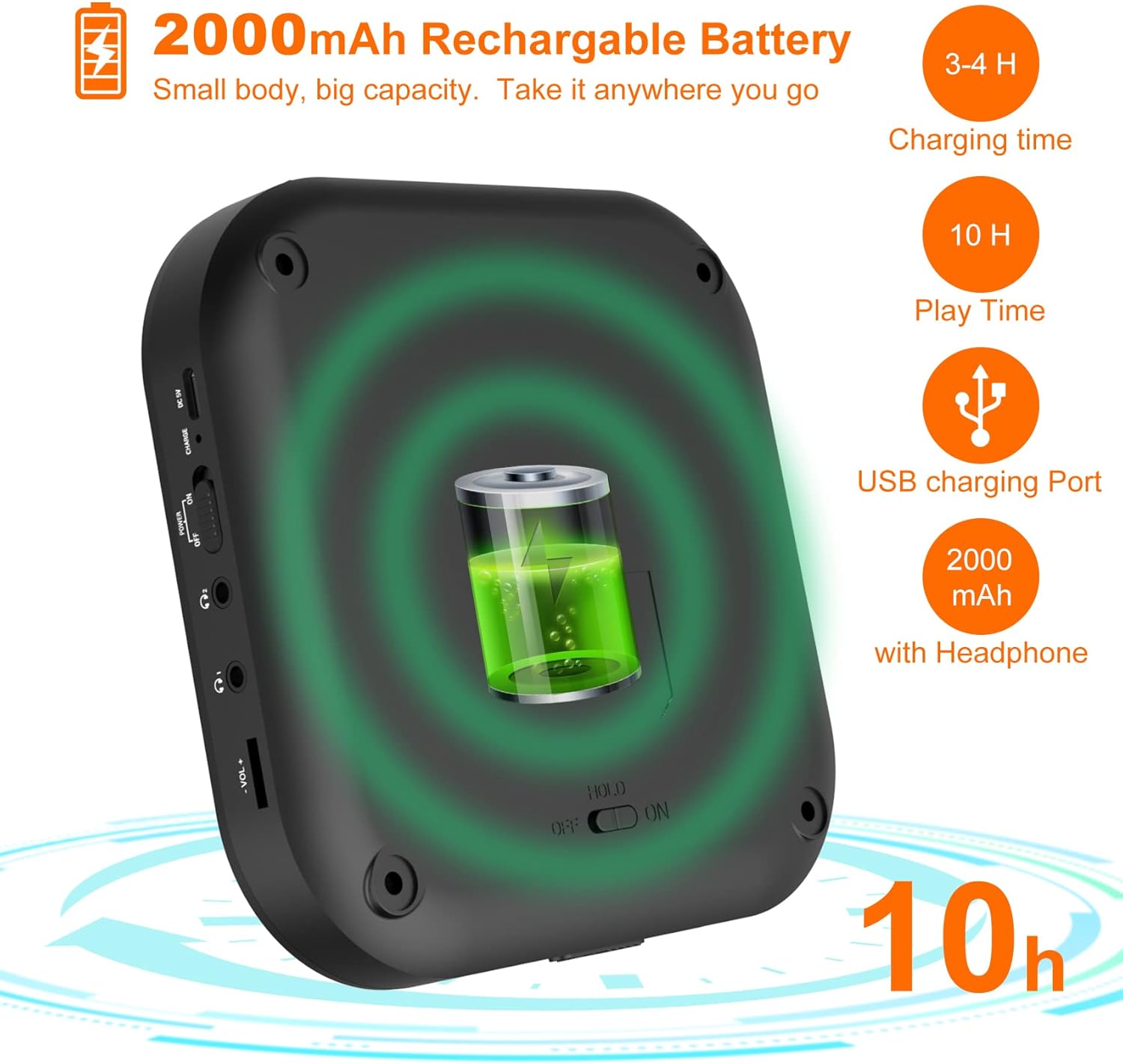
Figure 3: Battery and Charging. This image illustrates the 2000mAh rechargeable battery capacity, indicating a charging time of 3-4 hours and a play time of up to 10 hours with headphones, using the USB charging port.
Before first use, fully charge the CD player. Connect the supplied USB-C charging cable to the device's USB-C port and the other end to a USB power adapter (not included) or a computer's USB port. The charging indicator light will show the charging status. A full charge typically takes 3-4 hours and provides up to 10 hours of playback with headphones.
2. Inserting a CD
- Gently slide the "OPEN" switch to open the CD compartment lid.
- לייגט אַ סי-די אויף דער שפּינדל מיט דער עטיקעט זײַט אַרויף.
- Press down gently on the center of the CD until it clicks into place.
- פֿאַרמאַכט דעם דעקל פֿון דעם סי-די אָפּטייל פֿעסט ביז עס פֿאַרשליסט זיך.
אַפּערייטינג ינסטראַקשאַנז
יקערדיק פּלייַבאַקק
- Ensure the "HOLD" switch on the side of the player is in the "OFF" position.
- דרוק די שפּיל / פּויזע קנעפּל (▶‖) צו אָנהייבן פּלייבאַק.
- דרוק די שפּיל / פּויזע קנעפּל ווידער צו פּויזירן די ווידערשפּיל.
- ניצן די פרייַערדיק (⏮) און NEXT (⏭) buttons to skip tracks. Press and hold to fast forward or rewind.
- סטרויערן באַנד ניצן די VOL+ און וואָל- קנעפּלעך.
בלועטאָאָטה קאַנעקשאַן

Figure 4: Bluetooth Connectivity. This image demonstrates the player's built-in Bluetooth 5.0, showing its compatibility with Bluetooth headphones, earphones, and speakers, with a woman enjoying music wirelessly.
- קער אויף די סי שפּילער.
- דרוק די בלועטאָאָטה קנעפּל (&B;) to activate Bluetooth pairing mode. The Bluetooth indicator will flash.
- Enable Bluetooth on your desired device (headphones, speaker, etc.) and set it to pairing mode.
- Select "MONODEAL CD Player" from the list of available devices.
- אַמאָל פארבונדן, וועט דער בלועטוט אינדיקאַטאָר אויפהערן צו בלינקען און בלייבן פעסט.
עפעם טראַנסמיטער פֿונקציע

Figure 5: Car Connection Options. This image illustrates two methods to connect the CD player to a car audio system: via AUX connection or FM connection, highlighting its suitability for cars without a built-in CD player.
The player can transmit audio to an FM radio, ideal for car stereos without a CD player.
- דרוק די PROG/FM button to enter FM transmission mode.
- The display will show the FM frequency. Use the פרייַערדיק (⏮) און NEXT (⏭) buttons to adjust the frequency.
- Tune your car radio or home radio to the same FM frequency.
- Adjust the volume on your radio for optimal sound.
Play Modes and EQ Settings

Figure 6: Play Modes and EQ. This image shows a family enjoying music, with text detailing the 5 available play modes (Play in order, Repeat a track, Repeat all, A-B repeat, Shuffle) and 5 EQ sound effects (BBS, Pop, Jazz, Rock, Classic).
- מאָדע קנעפּל: Press to cycle through different play modes:
- איין ציקל: ריפּיץ די קראַנט שפּור.
- אַלע: Repeats all tracks on the CD.
- הקדמה: Plays the first 10 seconds of each track.
- SHUF: שפּילט לידער אין אַ צופֿעליקער סדר.
- AB איבערחזרן: דרוק די AB button at the start point (A) and again at the end point (B) of the desired section to repeat it. Press a third time to cancel.
- עק קנעפּל: Press to cycle through different equalizer sound effects: BBS, Pop, Jazz, Rock, Classic.
וישאַלט
- Keep the device clean by wiping it with a soft, dry cloth. Do not use liquid cleaners or aerosols.
- Avoid exposing the player to extreme temperatures, direct sunlight, or high humidity.
- Do not disassemble the device. Repairs should only be performed by qualified personnel.
- When not in use for extended periods, store the player in a cool, dry place.
טראָובלעשאָאָטינג
| פּראָבלעם | מעגלעך סיבה | לייזונג |
|---|---|---|
| דער שפּילער טוט זיך נישט אָן. | באַטערי איז דיפּליטיד. HOLD switch is ON. | באַשולדיקן די באַטאַרייע. Set HOLD switch to OFF. |
| קיין קלאַנג פֿון די רעדנערס/כעדפאָונז. | די באַנד איז צו נידעריק. קאָפּהערער נישט ריכטיק פֿאַרבונדן. Bluetooth device not connected. | פאַרגרעסערן באַנד. זיכער מאַכן אַז די כעדפאָונז זענען גאָר איינגעשטעקט. פאַרבינדט ווידער די בלוטוט מיטל. |
| CD skips or stops. | די סי-די איז שמוציק אדער קראצט. Player is subjected to strong vibrations. | Clean the CD with a soft cloth. ניצן אויף אַ סטאַביל ייבערפלאַך. |
| קען נישט פאַרבינדן דורך בלוטוט. | מיטל איז אויס פון קייט. Bluetooth not in pairing mode. | Move device closer. Ensure player and receiving device are in pairing mode. |
ספּעסאַפאַקיישאַנז
| שטריך | דעטאַל |
|---|---|
| סאָרט | מאָנאָדעאַל |
| מאָדעל נומער | מד-602 |
| קאָליר | זילבער |
| קאַנעקטיוויטי טעכנאָלאָגיע | בלועטאָאָטה, וסב |
| שטיצט אַודיאָ פֿאָרמאַט | CD |
| Includes MP3 Player | יא |
| באַטערי טיפּ | 1 ליטהיום-יאָן באַטאַרייע פארלאנגט |
| באַטאַרייע קאַפּאַציטעט | 2000mAh (approx. 10 hours playback with headphones) |
| UPC | 673143964531 |
וואָראַנטי און שטיצן
For warranty information or technical support, please refer to the contact details provided with your purchase or visit the official MONODEAL webזייטל. האַלט אייער קויף קוויטל ווי אַ באַווייַז פון קויפן פֿאַר קיין וואָראַנטי קליימז.