
הקדמה
Welcome to the user manual for your Acer Nitro V 15 ANV15-52 Gaming Laptop. This document provides essential information for setting up, operating, maintaining, and troubleshooting your device. The Acer Nitro V 15 is designed for an immersive gaming experience, powered by an Intel Core i7-13620H processor and NVIDIA GeForce RTX 5050 graphics.
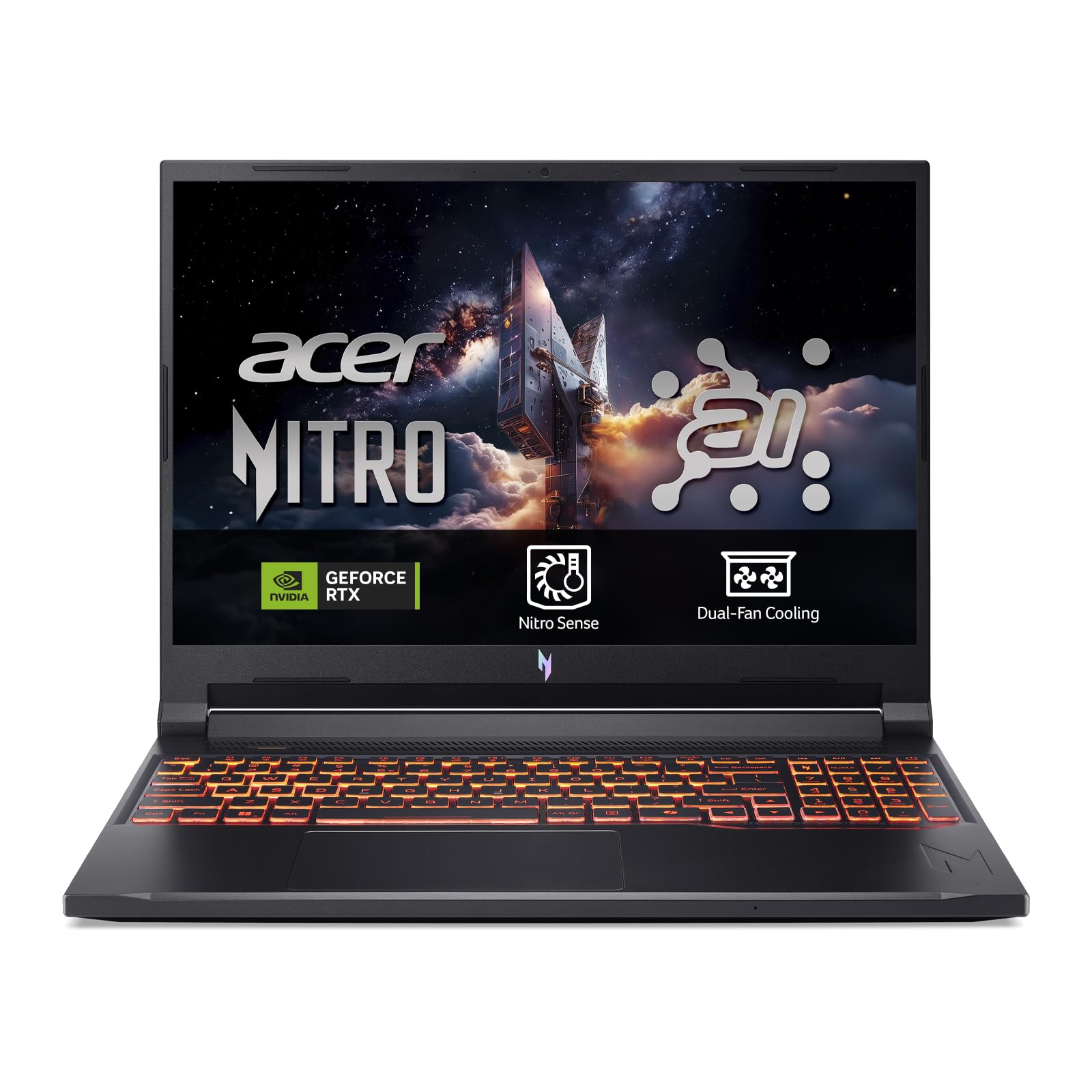
Figure 1: Acer Nitro V 15 ANV15-52 Gaming Laptop.
סעטאַפּ
1. ונבאָקסינג און ערשט דורכקוק
Carefully remove your laptop and all accessories from the packaging. Verify that all components, including the charger, are present and undamaged. Keep the packaging for future transport or service needs.
2. פֿאַרבינדן דעם מאַכט אַדאַפּטער
פֿאַרבינדט דעם מאַכט אַדאַפּטער צום לאַפּטאָפּ'ס מאַכט אַרייַנגאַנג פּאָרט און דערנאָך שטעקט עס אַרײַן אין אַ וואַנט אַוטלעט. עס איז רעקאָמענדירט צו גאָר אָפּלאָדן די באַטאַרייע איידער דער ערשטער נוצן.
3. אפערירן סיסטעם אינסטאַלאַציע
This laptop is shipped without a pre-installed operating system (DOS). You will need to install a compatible operating system, such as Windows or Linux, to use the device. Ensure you have the necessary installation media (USB drive) and drivers ready. Drivers can typically be downloaded from the Acer support webוועבזייטל פֿאַר דיין ספּעציפֿישן מאָדעל.
4. קאַנעקטינג פּעריפעראַלס
Utilize the available ports to connect external devices such as a mouse, external keyboard, or monitor. The laptop features multiple USB 3.2 Type-A ports and a Thunderbolt port for versatile connectivity.

פיגורע 2: זייַט view of the laptop displaying connectivity ports.
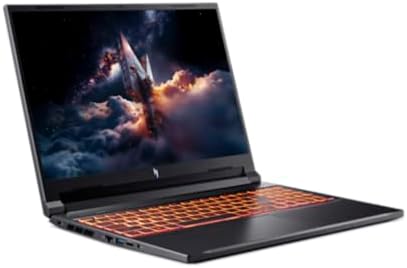
פיגורע 3: דערציען view of the laptop with power and display output ports.
אפערירן דיין לאַפּטאָפּ
1. אײַנשאַלטן/אויסלעשן און שלאָף מאָדע
- To power on, press the power button located on the keyboard.
- To shut down, use the operating system's shutdown function.
- To enter sleep mode, close the lid or select 'Sleep' from the operating system's power options.
2. קלאַוויאַטור און טאָוטשפּאַד
The laptop features a full-size QWERTY keyboard, often with backlighting for low-light conditions. The precision touchpad supports multi-touch gestures for navigation.
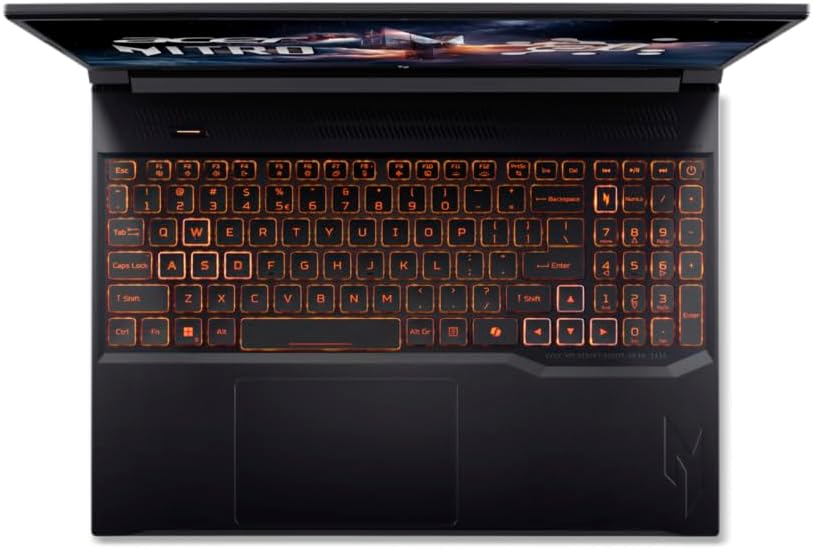
פיגור 4: פון אויבן אַראָפּ view of the laptop keyboard and touchpad.
3. ווייַז פֿעיִקייטן
Enjoy clear visuals on the 15.6-inch Full HD (1920 x 1080) LCD display with a 165Hz refresh rate, providing smooth and responsive gaming. The narrow bezels enhance the immersive viewינג דערפאַרונג.
4. ווירעלעסס קאַנעקטיוויטי
The laptop supports Wi-Fi 6 (802.11ax) for high-speed wireless internet access. Connect to compatible networks for online gaming, streaming, and browsing.
וישאַלט
1. רייניקונג
- Use a soft, lint-free cloth to clean the screen and exterior surfaces. Avoid harsh chemicals.
- Periodically clean the keyboard and touchpad to remove dust and debris.
2. באַטערי קער
- פֿאַרמײַדט אָפֿט פֿולשטענדיק אויסצולאָדן די באַטעריע.
- האַלט דעם לאַפּטאָפּ אין אַ קיל, טרוקן אָרט אויב עס ווערט נישט גענוצט פֿאַר לענגערע צייטן.
- Use only the original Acer power adapter.
3. קאָאָלינג סיסטעם
Gaming laptops generate heat. Ensure the cooling vents are not obstructed to maintain optimal performance and prevent overheating. Regular cleaning of the vents can help.

פיגורע 5: דנאָ view of the laptop, highlighting cooling vents.
4. ווייכווארג דערהייַנטיקונגען
Regularly update your operating system, drivers, and gaming software to ensure stability, security, and optimal performance.
טראָובלעשאָאָטינג
If you encounter issues with your Acer Nitro V 15 laptop, refer to the following common solutions:
- קיין מאַכט: Ensure the power adapter is securely connected to both the laptop and a working power outlet. Check the power button.
- ווייַז ישוז: If the screen is blank, try connecting an external monitor to verify if the laptop is functioning. Adjust display settings in your operating system.
- פאָרשטעלונג פּראָבלעמען: Close unnecessary applications, update drivers, and ensure the cooling vents are clear.
- אַפּערייטינג סיסטעם ינסטאַלירונג: As noted in the setup section, this laptop requires an OS installation. If you face issues during OS setup, ensure all necessary drivers (especially storage drivers) are loaded during the installation process. Refer to Acer's support website for specific driver downloads and installation guides.
- קאַנעקטיוויטי ישוז: For Wi-Fi problems, restart your router and laptop. Check network settings in your operating system.
For further assistance, visit the official Acer support webפּלאַץ אָדער קאָנטאַקט זייער קונה דינסט.
ספּעסאַפאַקיישאַנז
| שטריך | דעטאַל |
|---|---|
| סאָרט | אַסער |
| מאָדעל נאָמען | Nitro V 15 ANV15-52 |
| פאַרשטעלן גרייס | 15.6 אינטשעס |
| ווייַז האַכלאָטע | 1920 x 1080 בילדצעלן (פול הד) |
| ווייַז טעכנאָלאָגיע | על-סי-די, 165 הערץ רעפרעש רעיט |
| פּראַסעסער | Intel Core i7-13620H (13th Gen, 10 Cores, up to 2.41 GHz) |
| גראַפיקס פּראַסעסער | NVIDIA GeForce RTX 5050 (געווידמעט) |
| באַראַן | 16 גיגאבייט DDR4 SDRAM |
| סטאָרידזש | 512 GB PCIe 4.0 NVMe SSD |
| אָפּערייטינג סיסטעם | DOS (User-installed OS required) |
| ווירעלעסס סטאַנדאַרד | Wi-Fi 6 (802.11 אַקס) |
| בלועטאָאָטה | ניט ספּעסיפיעד |
| וסב פּאָרץ | 4 (including USB 3.2 Type-A) |
| טאַנדערבאָלט פּאָרץ | 1 |
| קלאַוויאַטור | QWERTY Type Keyboard |
| אַרייַנגערעכנט קאַמפּאָונאַנץ | טשאַרדזשער |
וואָראַנטי און שטיצן
Your Acer Nitro V 15 ANV15-52 laptop comes with a standard manufacturer's warranty. Please refer to the warranty card included with your product for specific terms, conditions, and duration. For technical support, driver downloads, and service inquiries, please visit the official Acer support webפּלאַץ:
Ensure you have your laptop's serial number and model information ready when contacting support.


