
הקדמה
Thank you for choosing the Pro Breeze 25L Smart Dehumidifier. This appliance is designed to efficiently remove excess moisture from your indoor environment, helping to prevent mold, mildew, and dampness. Featuring smart Wi-Fi connectivity, a digital display, and multiple operating modes, this dehumidifier offers advanced control and convenience. Please read this manual thoroughly before operation to ensure safe and optimal performance.
וויכטיק סאַפעטי אינסטרוקציעס
שטענדיק פֿאָלגן די גרונטלעכע זיכערהייט מיטלען ווען איר ניצט עלעקטרישע אַפּאַראַטן צו רעדוצירן דעם ריזיקאָ פֿון פֿײַער, עלעקטרישן קלאַפּ און שאָדן.
- פאַרזיכערן די מאַכט צושטעלן שוועבעלעך די וואָלtage ספּעסיפיעד אויף די שאַץ פירמע.
- ניצ נישט דעם לופט-טרוקענער מיט א צעבראכענעם שנור אדער שטעקער.
- Keep the appliance at least 20 cm (8 inches) away from walls and other objects to ensure proper airflow.
- טונקט נישט איין דעם אַפּאַראַט, עלעקטרישע שנור, אדער פּלאָג אין וואַסער אדער אַנדערע פליסיקייטן.
- נעמט ארויס דעם לופט-טרוקענער איידער רייניגן, אויפהאלטן, אדער ווען ער איז נישט אין באנוץ.
- דער מיטל איז בלויז פֿאַר דרינענדיק נוצן.
- דו זאלסט נישט פאַרשפּאַרן די לופט ינלעט אָדער ווענטיל.
- היט אויף קינדער און זאָרגט אַז זיי שפּילן נישט מיטן אַפּאַראַט.
- פרובירט נישט צו פאררעכטן אדער מאדיפיצירן דעם איינהייט אליין. קאנטאקטירט קוואַליפֿיצירטע סערוויס פּערסאָנעל.
פּראָדוקט פֿעיִקייטן

Image: The Pro Breeze 25L Smart Dehumidifier, showcasing its compact design and highlighting features such as Wi-Fi compatibility, 25L extraction rate, energy efficiency, and laundry mode. Dimensions are also indicated.
- שטאַרקע דעהומידיפיקאַציע: Extracts up to 25 liters of moisture per day, effectively combating persistent humidity, mold, and condensation in large rooms.
- גרויס וואַסער טאַנק: Features a 5.5-liter water tank with automatic shut-off when full. A drainage hose is included for continuous operation.
- ענערגיע עפעקטיוו: Utilizes a high-performance compressor, 24-hour timer, and automatic stop system to reduce energy consumption.
- שטיל אָפּעראַציע: Designed with silent technology, making it suitable for use in bedrooms, living rooms, offices, and other quiet environments.
- קלוגע קאנטראל דורך אפליקאציע: Manage all functions remotely using the free Pro Breeze app or voice commands with Alexa and Google Home (compatible with iPhone and Android).
- Digital Display & Humidity Sensor: An intuitive LED screen allows selection of fan speed and humidity levels between 30% and 80%. The smart sensor displays real-time humidity and automatically stops the dehumidifier once the target is reached.
- עטלעכע אַפּערייטינג מאָדעס: Includes a 24-hour timer and 4 operating modes, including a dedicated וועש דרייינג מאָדע. Also features a קינד לאַק, Automatic Defrost Mode, און נאַכט ווייַז.

Image: The Pro Breeze dehumidifier positioned next to a large 25-liter water bottle, visually representing its daily moisture extraction capacity and the benefit of fewer tank emptying cycles.
פּעקל אינהאַלט
ביטע אָפּהאַקן דאָס קעסטל פֿאַר די פֿאָלגנדיקע זאַכן:
- Pro Breeze 25L Smart Dehumidifier Unit
- קעסיידערדיק דריינאַדזש קישקע
- באַניצער מאַנואַל
סעטאַפּ
- אויספּאַקן: Carefully remove the dehumidifier from its packaging. Retain the packaging for future storage or transport.
- אָרט: Place the dehumidifier on a firm, level surface. Ensure there is at least 20 cm (8 inches) of clear space around the air inlet and outlet to allow for efficient airflow. Avoid placing it near heat sources or in direct sunlight.
- מאַכט קשר: שטעקט אריין דעם עלעקטרישן שנור אין א געערדטן עלעקטרישן ווענטיל. זיכערט זיך אז דער וואָלומען איז גוטtage פּאַסט צו די באדערפענישן פון דער איינהייט.
- וואַסער טאַנק ינסטאַלירונג: Ensure the water tank is correctly inserted into the unit. The dehumidifier will not operate if the tank is not properly seated or is full.
- קאָנטינויִערלעכע דריינאַדזש (אָפּציאָנאַל): For continuous operation without emptying the tank, connect the provided drainage hose to the continuous drainage port on the back of the unit. Route the hose to a suitable drain, ensuring it is sloped downwards to allow water to flow freely.
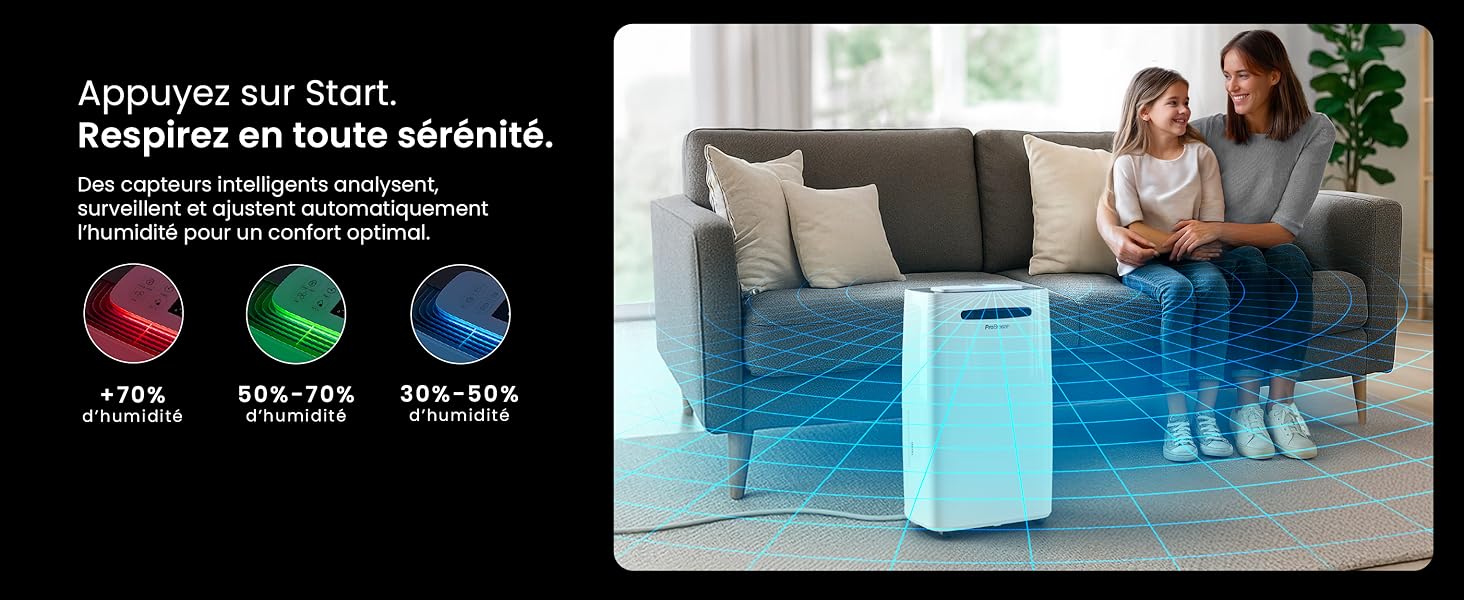
Image: The dehumidifier shown in different environments such as a garage, home office, and laundry room, illustrating its versatility and suitability for various spaces. Icons for continuous drainage and automatic defrost are also present.
אַפּערייטינג ינסטראַקשאַנז
קאָנטראָל פּאַנעל איבערview

בילד: א דעטאַלירטע view of the dehumidifier's illuminated digital control panel, showing buttons for power, mode, fan speed, timer, child lock, and humidity settings, along with the LED display.
The intuitive LED display and touch controls allow for easy operation.
- מאַכט קנעפּל: דרוק צו קער די אַפּאַראַט אויף אָדער אַוועק.
- מאָדע קנעפּל: Cycle through available operating modes: נאָרמאַל, וועש טריקעניש, און נאַכט מאָדע.
- פאָכער ספּיד קנעפּל: Adjust the fan speed between נידעריק און הויך.
- Humidity Setting (SET %): Use the up/down arrows to set your desired humidity level (30% - 80%). The unit will operate until this level is reached.
- טיימער קנעפּל: Set a 24-hour timer for automatic power ON or OFF.
- קינד לאַק קנעפּל: Press and hold to activate/deactivate the child lock, preventing accidental changes to settings.
- ווייַז קנעפּל: Turn the LED display lights ON or OFF, useful for night mode.
Wi-Fi און אַפּ קאָנטראָל

Image: A user interacting with the Pro Breeze mobile application on a smartphone, demonstrating remote control capabilities for the dehumidifier. The app shows current humidity and temperature settings.
The Pro Breeze 25L Smart Dehumidifier can be controlled remotely via the Pro Breeze app. Download the app from your smartphone's app store and follow the in-app instructions to connect your device to your home Wi-Fi network. Once connected, you can control all functions, set schedules, and monitor humidity levels from anywhere.
The unit is also compatible with Amazon Alexa and Google Home for voice control. Refer to the app's help section for detailed instructions on integrating with these smart home platforms.
וישאַלט
עמפּטיינג די וואַסער טאַנק
When the water tank is full, the dehumidifier will automatically shut off and an indicator light will illuminate. Carefully remove the water tank from the unit, empty the collected water, and reinsert the tank securely. The unit will resume operation.
רייניקונג די לופט פילטער
A clogged filter can reduce efficiency. It is recommended to clean the air filter every two weeks or more frequently depending on usage and air quality.
- אויסלעשן דעם לופט-טרוקענער און ארויסציען עס פון דער עלעקטרישער ווענטיל.
- Locate and remove the air filter (usually on the back or side of the unit).
- Clean the filter with a vacuum cleaner or wash it gently with warm, soapy water.
- שווענקט גוט אויס און לאָזט דעם פילטער גאָר טרוקן ווערן אין דער לופט איידער איר לייגט עס צוריק אַרײַן אין דעם אַפּאַראַט.
רייניקונג די יקסטיריער
ווישן די יקסטיריער פון די דעהומידיפיער מיט אַ ווייך, דamp שטאָף. ניצט נישט קיין שאַרפע כעמיקאַלן, אַברייסיוו רייניגער, אדער סאָלווענטן, ווייל די קענען שאַטן די ייבערפלאַך.
סטאָרידזש
If storing the unit for an extended period, ensure the water tank is empty and clean, and the filter is clean and dry. Store the dehumidifier in a cool, dry place, preferably in its original packaging.
טראָובלעשאָאָטינג
| פּראָבלעם | מעגלעך סיבה | לייזונג |
|---|---|---|
| דער לופט-טרוקענער צינדט זיך נישט אן. | No power; water tank full or incorrectly inserted; ambient temperature too low. | Check power connection; empty and reinsert water tank; ensure room temperature is above 5°C (41°F). |
| די איינהייט אַרבעט אָבער זאַמלט נישט וואַסער. | Humidity level too low; air filter clogged; room temperature too low; unit size too small for space. | Adjust desired humidity setting lower; clean air filter; ensure room temperature is adequate; consider if unit is appropriate for room size. |
| אַפּאַראַט איז טומלדיק. | Unit not on a level surface; air filter clogged; internal components vibrating. | Place on a flat, stable surface; clean air filter; if noise persists, contact support. |
| Wi-Fi פֿאַרבינדונג פּראָבלעמען. | Incorrect Wi-Fi password; unit too far from router; router issues; app issues. | Verify Wi-Fi password; move unit closer to router; restart router; reinstall Pro Breeze app. |
| פראָסט דערשיינט אויף שפּולן. | נידעריק אַמביאַנט טעמפּעראַטור. | The unit has an automatic defrost function. If frost persists, increase room temperature. |
ספּעסאַפאַקיישאַנז
| באַשרייַבונג | דעטאַל |
|---|---|
| מאָדעל נומער | PB-D-37W-W-EU |
| סאָרט | פּראָ בריז |
| Moisture Extraction Capacity | 25 ליטער/טאָג |
| וואַסער טאַנק קאַפּאַציטעט | 5.5 ליטער |
| דימענסיעס (L X W X H) | 38.6 סענטימעטער X 26 סענטימעטער X 50 סענטימעטער |
| וואָג | 15.1 קילאָגראַמס |
| פאָכער ספּידז | 2 |
| ספּעציעלע פֿעיִקייטן | Adjustable Humidity Control, Night Mode, Continuous Drainage, Wi-Fi Connectivity, Digital Display, 24h Timer, Laundry Drying Mode, Child Lock, Automatic Defrost |
| רעקאָמענדירטע שטאָק שטח | ביז 322 קוואַדראַט פֿוס (30 מ²) |

Image: The Pro Breeze dehumidifier highlighting its elegant and discreet design, along with its dimensions (50cm H, 38.6cm L, 26cm P) and four easy-to-move caster wheels.
וואָראַנטי און שטיצן
Pro Breeze products are manufactured to the highest standards. This product comes with a standard manufacturer's warranty. For specific warranty details, please refer to the warranty card included in your package or visit the official Pro Breeze webפּלאַץ.
If you encounter any issues or have questions regarding your dehumidifier, please contact Pro Breeze customer support. Contact information can typically be found on the Pro Breeze webוועבזייטל אדער אויף דער פּראָדוקט פּאַקאַדזשינג.


