
הקדמה
This manual provides comprehensive instructions for the LogiLink ID0212 Wireless 28-Key Bluetooth 5.0 Scissor Mechanism Keyboard. It covers setup, operation, maintenance, and troubleshooting to ensure optimal performance and user experience. Please read this manual thoroughly before using the device.
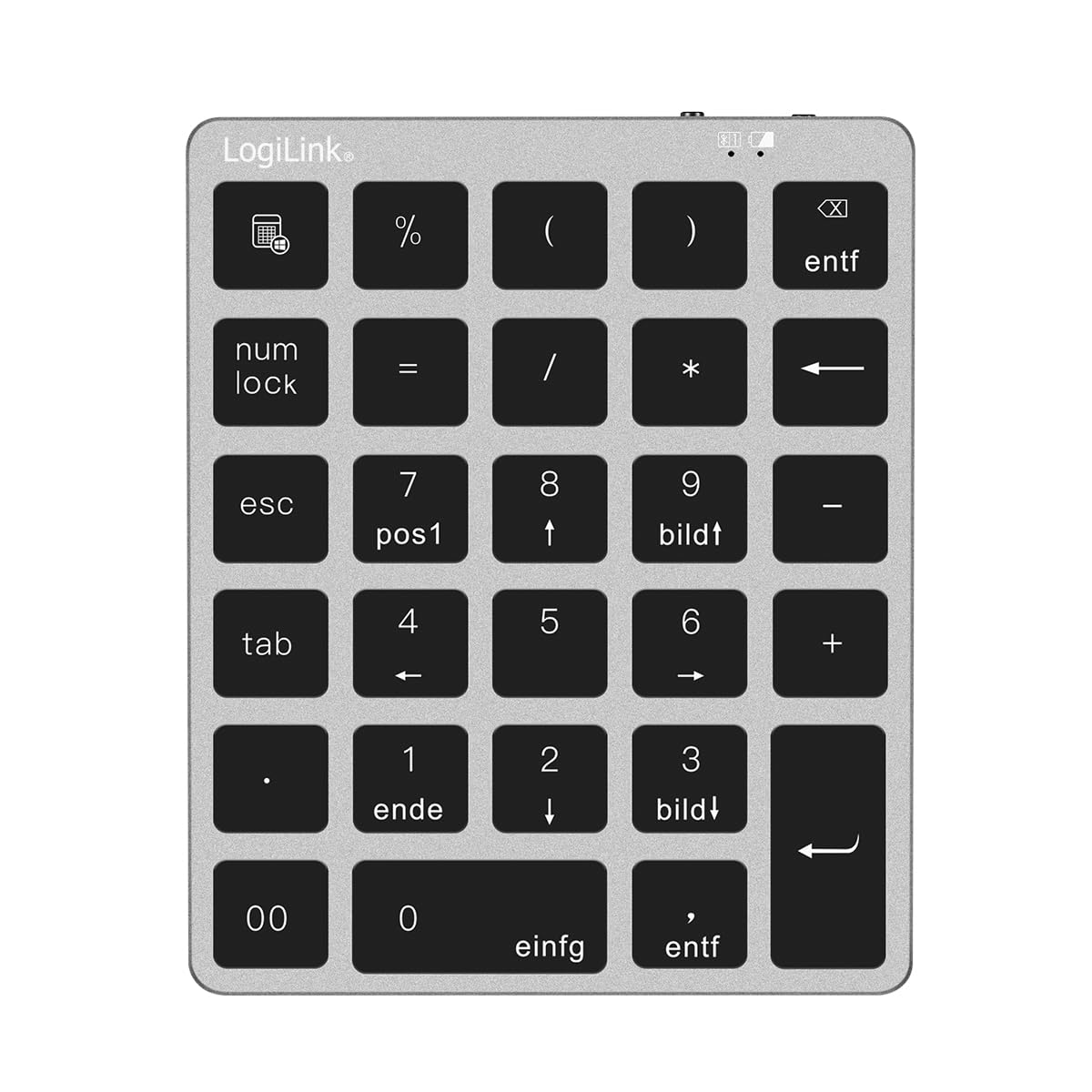
Figure 1: LogiLink ID0212 Wireless 28-Key Bluetooth 5.0 Scissor Mechanism Keyboard. This image shows the overall design of the numeric keypad.
פּעקל אינהאַלט
זיכער מאַכן אַז אַלע זאכן זענען פאַראַן אין פּעקל:
- LogiLink ID0212 Wireless 28-Key Bluetooth 5.0 Keyboard
- וסב-C טשאַרדזשינג קאַבלע
- באַניצער מאַנואַל (דעם דאָקומענט)
סעטאַפּ
1. אויפלאָדן די קלאַוויאַטור
Before initial use, fully charge the keyboard. Connect the supplied USB-C cable to the keyboard's charging port and the other end to a USB power source (e.g., computer USB port, USB wall adapter).
- The LED indicator will show רויט בעשאַס טשאַרדזשינג.
- The LED indicator will turn off or change color (depending on model) when fully charged.
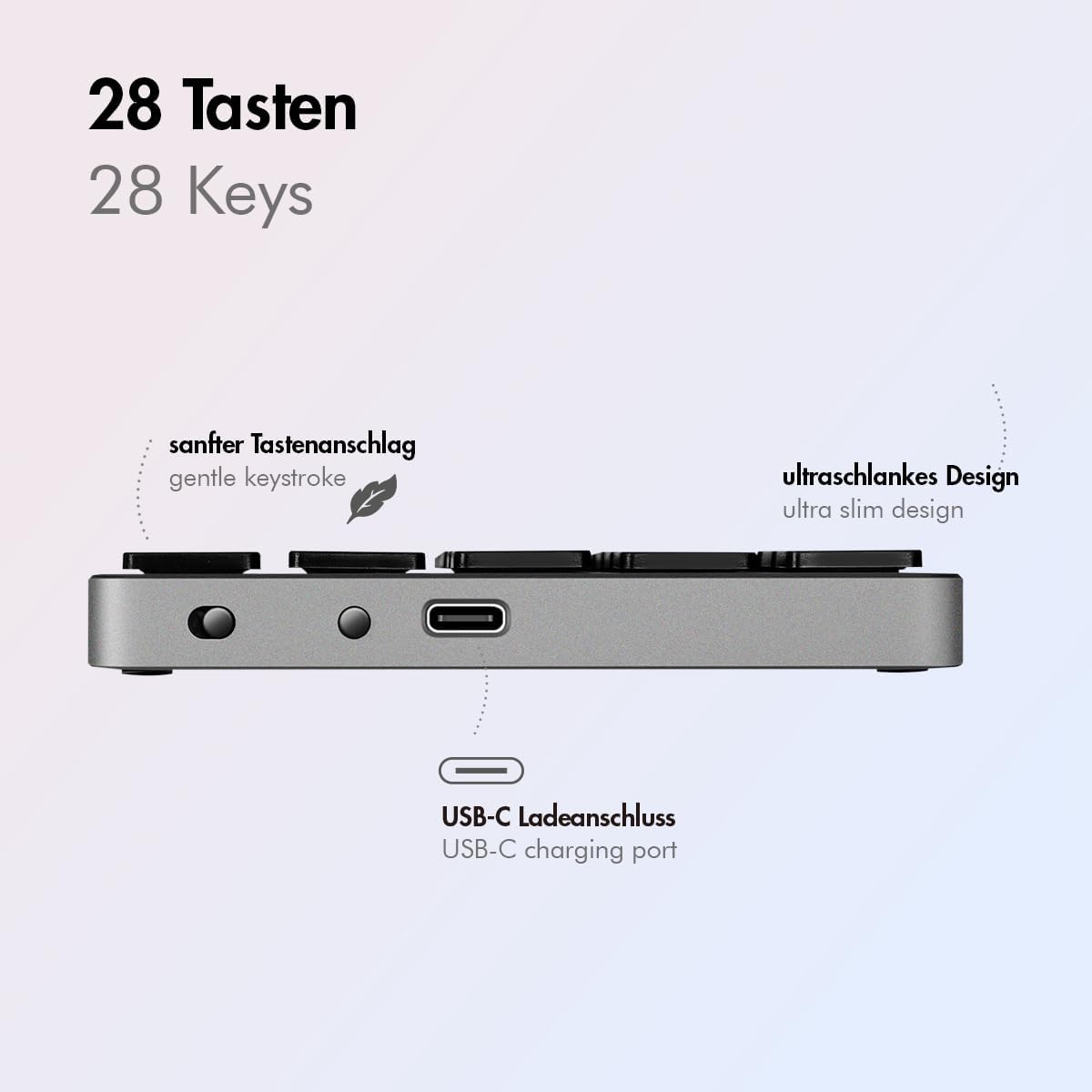
פיגורע 2: זייַט view of the LogiLink ID0212 keyboard showing the USB-C charging port. This image highlights the location of the charging port and the ultra-slim design.

פיגורע 3: דעטאַילעד view of the LogiLink ID0212 keyboard's side profile, indicating the USB-C charging port, gentle keystroke mechanism, and ultra-slim design.
2. בלועטאָאָטה פּערינג
Follow these steps to connect your LogiLink ID0212 keyboard via Bluetooth 5.0:
- זייט זיכער אז די קלאַוויאַטור איז אויפגעלאָדן און אנגעצונדן.
- Activate Bluetooth on your device (computer, tablet, smartphone).
- Put the keyboard into pairing mode. Look for a small button on the back or side, or a key combination like Fn + C (common for Bluetooth keyboards). The LED indicator will flash בלוי when in pairing mode.
- אויף דיין מיטל, זוכן פֿאַר בנימצא בלועטאָאָטה דעוויסעס.
- Select "LogiLink ID0212" or a similar name from the list of found devices.
- If prompted, enter the pairing code displayed on your screen using the LogiLink ID0212 keyboard and press אַרייַן.
- Once paired, the blue LED indicator will stop flashing and remain solid for a few seconds, then turn off. The keyboard is now ready for use.
The keyboard supports a stable connection up to 10 meters (33 feet) and is compatible with iOS, Android, Windows, MacOS, Chrome OS, and iPadOS.
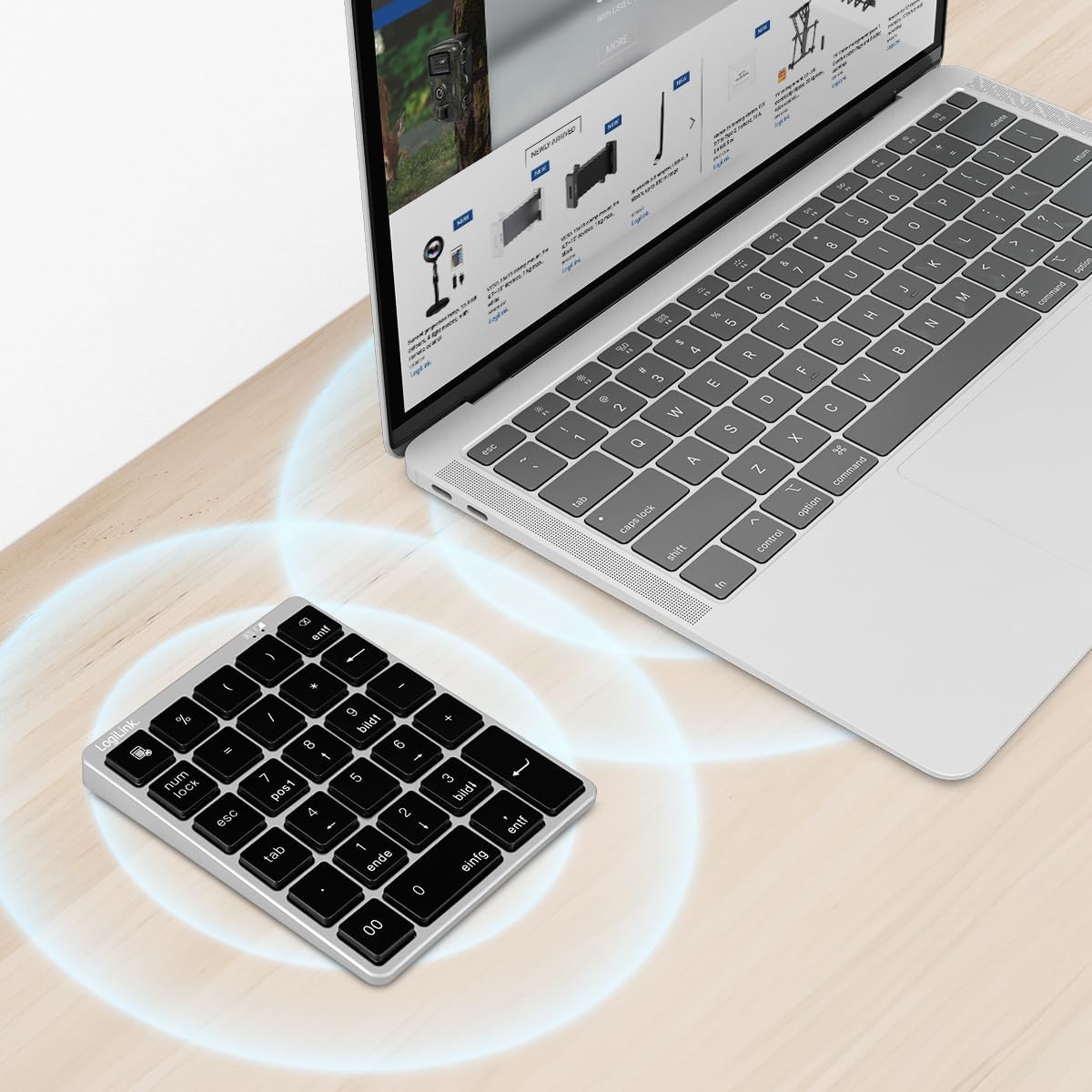
Figure 4: The LogiLink ID0212 keyboard positioned next to a laptop, illustrating its wireless connectivity. This image demonstrates the keyboard's use in a typical workspace setup.
אַפּערייטינג ינסטראַקשאַנז
יקערדיק שליסל פאַנגקשאַנז
The LogiLink ID0212 features 28 keys designed for efficient data entry and calculations. Key functions include:
- נומעריק קיז (0-9): Standard number input.
- Arithmetic Operators (+, -, *, /): For calculations.
- דעצימאַל פונט (.): For fractional numbers.
- NumLock: Toggles the numeric keypad function. When NumLock is active, the green LED indicator will be on.
- ESC: Escape key, typically used to cancel operations or close menus.
- Delete (DEL): Deletes characters.
- קאַלקולאַטאָר קנעפּל: Launches the calculator application on compatible operating systems.
- טאַב: Moves the cursor to the next tab stop or field.
- Home/End/PgUp/PgDn: These keys (often labeled as 'pos1', 'ende', 'bildt', 'bildl' or similar) provide navigation functions.
The scissor mechanism keys provide a gentle and quiet keystroke, enhancing typing comfort.

Figure 5: The LogiLink ID0212 keyboard in active use, demonstrating its compact layout and key functions alongside a laptop. This image provides a clear view of the keypad's design and key labels.
געפירט ינדיקאַטאָרס
The keyboard features LED indicators to provide status information:
- רויט געפירט: Indicates the keyboard is charging.
- בלוי געפירט: Flashes during Bluetooth pairing mode; solid when successfully paired (then turns off).
- גרין געפֿירט: Indicates that NumLock is active.
וישאַלט
רייניקונג
כדי צו אויפהאלטן די קלאַוויאַטור'ס אויסזען און פונקציאָנאַליטעט:
- Use a soft, dry, lint-free cloth to wipe the surface.
- פֿאַר שווערן שמוץ, אַ ביסל דampווייקט דעם שטאָף מיט וואַסער אָדער אַ מילדער רייניקונג לייזונג. פֿאַרמייַדט איבעריקע פֿײַכטקייט.
- ניצט נישט קיין שרײַבנדיקע רייניגער, סאָלווענטן, אדער אַעראָסאָל שפּריץ גלייך אויף דער קלאַוויאַטור.
באַטערי קער
The integrated 140 mAh lithium battery provides long-lasting power. To prolong battery life:
- לאָדט אויף די קלאַוויאַטור מיטן צוגעשטעלטן USB-C קאַבל.
- פֿאַרמײַדט אָפֿט פֿולשטענדיק אויסצולאָדן די באַטעריע.
- אויב איר לייגט אַוועק די קלאַוויאַטור פֿאַר אַ לענגערע צייט, לאָדט עס אויף צו אַרום 50% און לייגט עס אַוועק אין אַ קיל, טרוקן אָרט.
טראָובלעשאָאָטינג
Keyboard Not Connecting/Pairing
- קוק די באַטאַרייע מדרגה: Ensure the keyboard is sufficiently charged. Charge it if the red LED indicates low battery.
- שייַעך-אַרייַן פּערינג מאָדע: Turn the keyboard off and on, then re-enter Bluetooth pairing mode (blue LED flashing).
- Device Bluetooth: Ensure Bluetooth is enabled on your computer/device and it's discoverable.
- פארגעסן דיווייס: On your device, remove or "forget" the keyboard from your Bluetooth device list, then attempt to pair again.
- דיסטאַנסע: Ensure the keyboard is within the 10-meter (33 feet) operating range of your device.
- ינטערפיראַנס: Move away from other wireless devices that might cause interference.
שליסלען ניט ריספּאַנדינג
- קשר: Verify the keyboard is still connected via Bluetooth (blue LED should not be flashing).
- NumLock: If numeric keys are not working as expected, check the green NumLock LED. Press the NumLock key to toggle its state.
- רעבאָאָט דיווייס: Sometimes, restarting your computer or device can resolve input issues.
- קאַמפּאַטאַבילאַטי: While compatible with many OS, specific key functions might behave differently on certain systems (e.g., some special characters on macOS, as noted in reviewס).
טשאַרדזשינג ישוז
- קאַבלע טשעק: Ensure the USB-C cable is securely connected to both the keyboard and the power source.
- מאַכט מקור: Try a different USB port or power adapter.
- רויט געפירט: Confirm the red LED illuminates when charging. If not, the cable or port might be faulty.
ספּעסאַפאַקיישאַנז
| שטריך | דעטאַל |
|---|---|
| מאָדעל נומער | ID0212 |
| שליסלען | 28 keys (NumLock, ESC, Delete, Calculator button) |
| Key Mechanism | שער מעקאַניזאַם |
| קאַנעקטיוויטי | בלועטאָאָטה 5.0 |
| אַפּערייטינג קייט | אַרויף צו 10 מעטער (33 פֿיס) |
| באַטערי | 140 מאַה ליטהיום באַטאַרייע |
| טשאַרדזשינג פּאָרט | וסב-C |
| געפירט ינדיקאַטאָרס | Red (Charging), Blue (Pairing/Connected), Green (NumLock) |
| מאַטעריאַל | אַלומינום + אַבס |
| קאָליר | אָרט גריי |
| דימענסיעס (L X W X H) | 12.1 X 10 X 1.3 סענטימעטער (4.76 X 3.94 X 0.51 אינטשעס) |
| וואָג | 95 גראַמז (0.21 לבס) |
| קאַמפּאַטאַבילאַטי | iOS, Android, Windows, MacOS, Chrome OS, iPadOS |
| אַרייַנגערעכנט קאַמפּאָונאַנץ | וסב- C קאַבלע |
| לאַנד פון אָריגין | כינע |
וואָראַנטי אינפֿאָרמאַציע
Specific warranty details for the LogiLink ID0212 keyboard are typically provided at the point of purchase or included with the product packaging. Please refer to your purchase documentation or the official LogiLink webזייטל פֿאַר די מערסט פּינקטלעכע און אַרויף-צו-דאַטע וואָראַנטי טערמינען און באדינגונגען.
קונה שטיצן
If you encounter issues not covered in this manual or require further assistance, please contact LogiLink customer support. You can usually find contact information, FAQs, and additional resources on the official LogiLink webפּלאַץ:
When contacting support, please have your product model number (ID0212) and purchase information ready.