
1. הקדמה
Welcome to the Noise ColorFit Pulse 4 Pro Smartwatch user manual. This guide provides essential information for setting up, operating, and maintaining your new smartwatch. Please read this manual thoroughly to ensure proper use and to maximize your device's features.
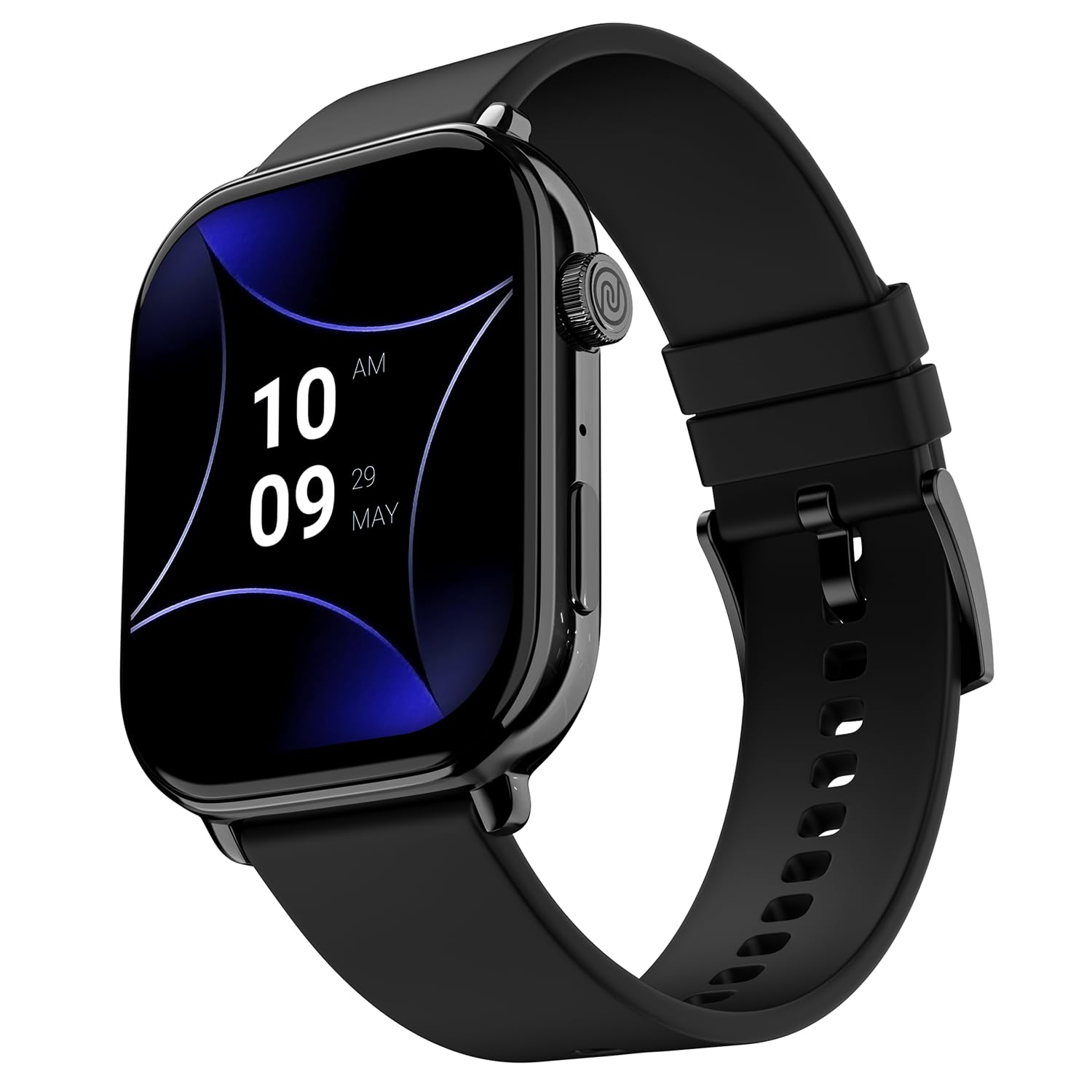
Image 1.1: The Noise ColorFit Pulse 4 Pro Smartwatch in Jet Black.
2. וואָס איז אין דער קעסטל
Upon unboxing your Noise ColorFit Pulse 4 Pro Smartwatch, please verify that all the following items are included:
- Noise ColorFit Pulse 4 Pro Smartwatch
- מאַגנעטיק טשאַרדזשער
- באַניצער מאַנואַל (דעם דאָקומענט)
- וואָראַנטי קאַרד
ווידעא 2.1: אן איבערview of the Noise ColorFit Pulse 4 Pro Smartwatch and its contents, including the watch, color options, and items found in the box.
3. סעטאַפּ
3.1 ערשט טשאַרדזשינג
Before first use, fully charge your smartwatch. Connect the magnetic charger to the charging pins on the back of the watch and plug the USB end into a power adapter (not included) or a computer's USB port. The watch display will indicate charging status.
3.2 אַפּ דאַונלאָוד און פּערינג
כּדי צו עפֿענען דעם פֿולן פּאָטענציאַל פֿון אײַער סמאַרטוואַטש, דאַונלאָוד די נאָיסעפיט application on your smartphone. The app is compatible with both Android and iOS devices.
- Scan the QR code below or search for 'NoiseFit' in your smartphone's app store.
- Install and open the NoiseFit app.
- Follow the on-screen instructions in the app to create an account and pair your smartwatch via Bluetooth. Ensure Bluetooth is enabled on your smartphone.
- באַשטעטיקן די פּאָרינג בעטן אויף ביידע דיין סמאַרטפאָון און סמאַרטוואַטש

Image 3.1: The smartwatch display showing a QR code for payments, which can also be used to illustrate app download. For app download, please refer to the official NoiseFit app store page or דעם לינק.
4. אַפּערייטינג ינסטרוקטיאָנס
4.1 מאַכט אויף / אַוועק
- מאַכט אויף: Press and hold the functional crown button on the side of the watch until the Noise logo appears.
- מאַכט אַוועק: Swipe down from the watch face, tap the settings icon, then select 'Power Off'. Alternatively, press and hold the functional crown button and select 'Power Off' when prompted.
4.2 נאַוויגאַציע
The Noise ColorFit Pulse 4 Pro features a responsive touchscreen and a functional crown for intuitive navigation.
- טאָוטשסקרעען: Swipe left, right, up, or down to access different menus, notifications, and widgets. Tap to select items.
- פונקציאָנעלע קרוין: Rotate the crown to scroll through lists and menus. Press the crown to return to the watch face or to confirm a selection.

בילד 4.1: דעטאַלירט view of the functional crown on the Noise ColorFit Pulse 4 Pro Smartwatch, used for navigation.
4.3 ווייַז
The smartwatch features a 1.96-inch AMOLED display with Always-on Display functionality for clear visibility and quick access to information.

Image 4.2: The smartwatch display highlighting its 1.96-inch AMOLED screen with Always-on Display capabilities.
5. געזונט מאָניטאָרינג
The Noise ColorFit Pulse 4 Pro integrates the Noise Health Suite™ to help you monitor various aspects of your well-being. Access these features via the watch menu or the NoiseFit app.
- 24*7 Heart Rate Monitor: כסדר טראַקס דיין האַרץ טעמפּאָ איבערן טאָג.
- SpO2 Measure: מעסט אייערע בלוט זויערשטאָף זעטיקונג לעוועלס.
- סטרעס מאָניטאָר: גיט איינבליקן אין אייערע סטרעס לעוועלס.
- שלאָף מאָניטאָר: Tracks your sleep patterns, including awake, REM, and deep sleep stages.
- Breathe Practice: געפֿירטע אָטעמען־געניטונגען צו העלפֿן אײַך אָפּרוען.
- Female Cycle Tracker: העלפט טראַקן און פאָרויסזאָגן מענסטרואַל ציקלען.

Image 5.1: An illustration of the Noise Health Suite™ features available on the smartwatch.
6. סמאַרט פֿעיִקייטן
6.1 בלועטאָאָטה פאַך
Stay connected directly from your wrist. The Noise ColorFit Pulse 4 Pro supports Bluetooth calling, allowing you to make and receive calls without reaching for your phone.
- טעלעפאן: Use the on-screen dial pad to initiate calls.
- באַליבסטע קאָנטאַקטן: Save up to 10 favorite contacts for quick dialing.
- In-built Speaker: Listen to calls directly from the watch.

Image 6.1: The smartwatch interface displaying Bluetooth calling options.
6.2 AI Voice Assistance
Control your smartwatch and connected devices using voice commands. Simply activate the AI Voice Assistant and speak your commands.

Image 6.2: The smartwatch displaying the AI Voice Assistance feature, ready for voice commands.
6.3 QR Code Payments
Facilitate quick and convenient payments directly from your wrist by displaying your UPI QR code on the smartwatch screen.
6.4 Security and Convenience Features
- Scheduled DND: Set specific time windows during which notifications will be silenced.
- שפּריכוואָרט שוץ: Secure your smartwatch with a password to prevent unauthorized access.

Image 6.3: Smartwatch screens illustrating the Scheduled DND and Password Protection functionalities.
7. וישאַלט
7.1 רייניקן אייער סמאַרטוואַטש
Regular cleaning helps maintain the performance and appearance of your device.
- ווישט דעם עקראַן און קערפּער מיט אַ ווייכן, לינט-פֿרייע שטאָף.
- פֿאַר שווערן שמוץ, אַ ביסל דampשווענק דעם שטאָף מיט וואַסער. פֿאַרמייַדט ניצן שאַרפע כעמיקאַלן אָדער אַברייסיוו מאַטעריאַלן.
- Ensure the charging pins are clean and dry before charging.
7.2 וואַסער קעגנשטעל
The Noise ColorFit Pulse 4 Pro is rated IP68 for water resistance, meaning it can withstand immersion in water up to 1.5 meters for a limited time. It is suitable for daily use, such as hand washing or light rain. However, it is not recommended for swimming, diving, or high-pressure water activities.
7.3 טשאַרדזשינג גיידליינז
Use only the provided magnetic charger. Do not attempt to charge the watch if it or the charger is wet. Avoid exposing the charger to extreme temperatures.
8. טראָובלעשאָאָטינג
If you encounter issues with your Noise ColorFit Pulse 4 Pro Smartwatch, refer to the following common solutions:
- זייגער טוט זיך נישט אן: זיכער מאַכן אַז די זייגער איז גאָר אויפגעלאָדן. פֿאַרבינדט עס צום מאַגנעטישן טשאַרדזשער און וואַרט אַ פּאָר מינוט איידער איר פּרוּווט עס ווידער אָנצוצינדן.
- קען נישט צוזאמענשטעלן מיט סמאַרטפאָון: Make sure Bluetooth is enabled on your phone and the watch is within range. Restart both devices and try pairing again through the NoiseFit app.
- נישט פּינקטלעכע געזונט דאַטן: זייט זיכער אז די זייגער טראָגט זיך גוט אויף אייער האַנטגעלענק, נישט צו ענג אדער צו לויז. רייניקט די סענסאָרן אויף דער הינטערשטער זייגער.
- נאטיפיקאציעס דערשיינען נישט: Check notification settings in the NoiseFit app and on your smartphone. Ensure the app has necessary permissions.
- קורץ באַטאַרייע לעבן: Reduce screen brightness, disable unnecessary features like Always-on Display, and limit background app refresh.
For persistent issues, consult the NoiseFit app's help section or contact customer support.
9. ספּעסאַפאַקיישאַנז
Key technical specifications for the Noise ColorFit Pulse 4 Pro Smartwatch:
| ווייַז טיפּ | AMOLED |
| פאַרשטעלן גרייס | 1.96 אינטשעס |
| באַנד מאַטעריאַל | סיליקאָנע |
| קאַסע מאַטעריאַל | צינק צומיש |
| פּונקט וואָג | 45 גראַמז |
| קאַנעקטיוויטי טעכנאָלאָגיע | בלועטאָאָטה |
| וואַסער קעגנשטעל שאַץ | IP68 (1.5 Metres) |
| אָפּערייטינג סיסטעם | Android (Compatible) |
| קאַמפּאַטאַבאַל דעוויסעס | Laptop, Smartphone, Tablet (Android, iOS) |
| מעטריקס געמאסטן | Calories Burned, Distance, Heart Rate, Step Count |
| ספּעציעלע פֿעיִקייטן | Activity Tracker, Alarm Clock, Lightweight, Notifications, Touchscreen, Voice Call |
10. וואָראַנטי און שטיצן
10.1 וואָראַנטי אינפֿאָרמאַציע
The Noise ColorFit Pulse 4 Pro Smartwatch comes with a 1-יאָר לימיטעד וואָראַנטי provided by the manufacturer from the date of purchase. Please retain your purchase receipt and warranty card for any warranty claims.
10.2 קונה שטיצן
For technical assistance, warranty claims, or any other inquiries, please contact Noise customer support:
- טעלעפֿאָן: 02268056289
- בליצפּאָסט: help@nexxbase.com
- פאַבריקאַנט: Nexxbase Marketing Pvt. Ltd, Khasra No-146/25/2/1, Jail Road Badshahpur, Gurugram Haryana-122101