
1. הקדמה
Thank you for choosing the BMAX I8 Plus Android 16 Tablet. This manual provides essential information for the safe and efficient use of your device. Please read it carefully before use and keep it for future reference.
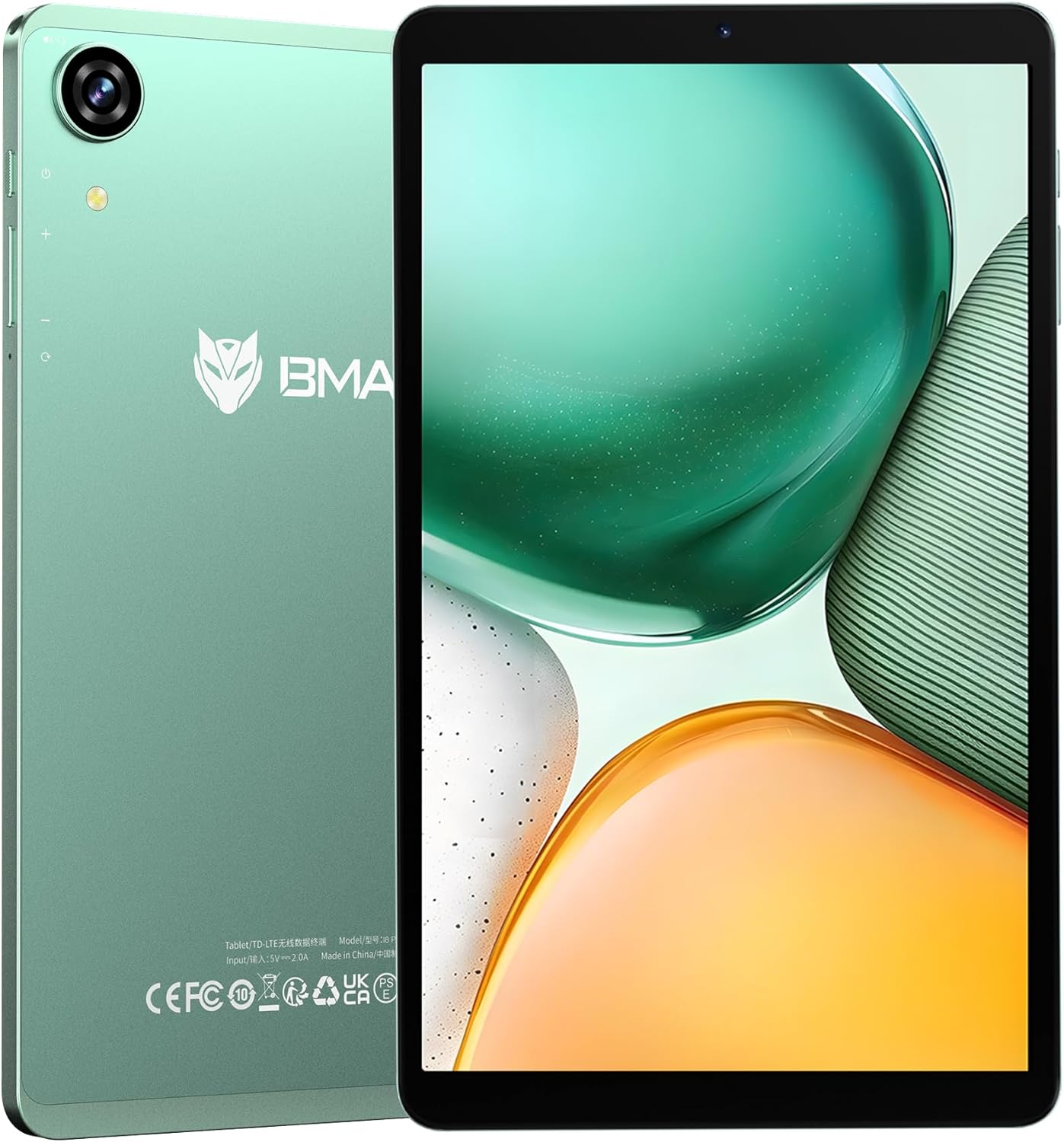
Figure 1: BMAX I8 Plus Tablet Overview
The BMAX I8 Plus is an 8.7-inch tablet featuring the latest Android 16 OS, optimized for performance and user experience. It offers 20GB (4GB physical + 16GB virtual) RAM, 128GB internal storage expandable up to 1TB, and is powered by a Unisoc T7250 octa-core CPU with Mali G57 GPU. Key features include 4G LTE connectivity, dual-band Wi-Fi, Bluetooth 5.2, a 90Hz high refresh rate display, Widevine L1 certification for high-quality streaming, face recognition, split-screen multitasking, and parental control options.
2. פּעקל אינהאַלט
ביים אויספּאַקן דעם קעסטל, ביטע זיכער מאַכן אַז אַלע די זאכן וואָס זענען אויסגערעכנט אונטן זענען פאַראַן:
- BMAX I8 Plus Tablet
- וסב טיפּע- C קאַבלע
- מאַכט אַדאַפּטער
- סים עדזשעקטאָר טול
- באַניצער מאַנואַל (דעם דאָקומענט)
Video 1: Unboxing the BMAX I8 Plus Tablet. This video demonstrates the unboxing process and shows all included accessories, such as the tablet, charging cable, power adapter, and SIM ejector tool.
3. מיטל אויסלייג
Familiarize yourself with the physical components of your BMAX I8 Plus tablet:

Figure 2: BMAX I8 Plus Tablet Component Diagram
- פראָנט אַפּאַראַט: For video calls and face recognition.
- דערציען אַפּאַראַט: פֿאַר נעמען בילדער און ווידעאָס.
- מיקראָפאָן: פֿאַר אַודיאָ אַרייַנשרייַב.
- 3.5 מם כעדפאָון דזשאַק: פֿאַר פֿאַרבינדן דראָטיקע קאָפּהערער.
- מאַכט קנעפּל: To turn the device on/off or put it to sleep/wake it up.
- באַנד קנעפּלעך: To adjust the device's volume.
- באַשטעטיק האָלע: For force restarting the device if unresponsive.
- SIM & SD Card Slot: For inserting SIM cards and microSD cards.
- טיפּ C טשאַרדזשינג פּאָרט: For charging the device and data transfer.
- רעדנער: פֿאַר אַודיאָ רעזולטאַט.
4. סעטאַפּ
4.1 ערשט טשאַרדזשינג
Before first use, fully charge your tablet. Connect the USB Type-C cable to the tablet's charging port and the power adapter to a wall outlet. The battery indicator will show charging status.

Figure 3: Charging the BMAX I8 Plus Tablet
4.2 מאַכט אויף / אַוועק
- צו מאַכט אויף: Press and hold the Power button until the BMAX logo appears.
- צו מאַכט אַוועק: דריק און האלט דעם פּאַוער קנעפּל, און סעלעקטיר 'אויסלאָשן' פון די אָפּציעס.
- צו ריסטאַרט: דריק און האלט דעם פּאַוער קנעפּל, און סעלעקטיר 'ריסטאַרט' פֿון די אָפּציעס.
4.3 סים קאַרטל און מיקראָסד קאַרטל ינסטאַלירונג
The tablet supports dual SIM cards and a microSD card for expanded storage up to 1TB.
- Locate the SIM & SD card slot on the side of the tablet.
- שטעקט אריין דעם סים אויסווארף געצייג אין דעם קליינעם לאך לעבן דעם טרעי און דריקט לײַכט ביז דער טרעי קומט ארויס.
- Place your SIM card(s) and/or microSD card into the designated slots on the tray, ensuring correct orientation.
- שטופּ פֿאָרזיכטיק צוריק דעם טאַץ אין דער טאַבלעט ביז עס קליקט אַרײַן אין פּלאַץ.
Video 2: SIM and SD Card Installation. This video demonstrates how to correctly insert SIM cards and a microSD card into the tablet's tray.
5. אפערירן אייער טאַבלעט
5.1 אַנדרויד 16 אָפּערייטינג סיסטעם
Your BMAX I8 Plus tablet runs on the latest Android 16 OS, offering enhanced stability, improved operational comfort, and support for new features. The system UI has been optimized for a more user-friendly experience.

פיגור 4: אַנדרויד 16 אָפּערירן סיסטעם צובינד
5.2 ווייַז פֿעיִקייטן
- 90Hz High Refresh Rate: Enjoy a smooth visual experience with seamless animations.
- IPS In-cell TDDI Display: גיט באַקוועם viewing with 1340x800 resolution and a 16:10 aspect ratio.
- וויידוויין L1 סערטיפיקאציע: Stream high-quality content from platforms like Netflix, YouTube, Amazon Prime Video, and Disney+.
- ווירעלעסס פּרויעקציע: Easily connect your tablet to a larger TV for an expanded viewינג דערפאַרונג.

Figure 5: Widevine L1 Support for High-Quality Streaming

Figure 6: Wireless Screen Casting Functionality
5.3 קאַנעקטיוויטי
- 4G LTE: Dual SIM support for flexible mobile communication.
- Dual-band Wi-Fi (2.4G/5G): Fast and stable wireless connections.
- בלועטאָאָטה 5.2: Reduced latency for wireless accessories, improving audio synchronization.
- גפּס: Supports GPS, Beidou, Galileo, and Glonass for accurate navigation and location services.

Figure 7: 4G LTE and VoLTE Communication

Figure 8: GPS Navigation Support
5.4 Cameras and Audio
- דערציען אַפּאַראַט: 13MP with autofocus and LED flash for clear photos in various conditions.
- פראָנט אַפּאַראַט: 5MP for smooth video calls and selfies.
- צווייענדיק ספּיקערז: Two sound cavity speakers provide a pure and immersive audio experience.
- עפעם ראַדיאָ: Enjoy your favorite FM radio stations.

Figure 9: High-Quality Cameras for Photos and Video Calls

פיגור 10: אימערסיווע אַודיאָ דערפאַרונג
5.5 זיכערהייט און פּראָדוקטיוויטעט
- פּנים דערקענונג: Unlock your tablet quickly and securely in 0.3 seconds by simply facing the camera.
- שפּאַלטן פאַרשטעלן: Display two applications simultaneously, enhancing multitasking efficiency.
- OTG שטיצן: Transfer photos, videos, and files with external devices.
- פּריוואַטער פּלאַץ: Keep sensitive apps and data invisible for enhanced privacy.
- App Pair: Pair frequently used apps for quick multitasking.

Figure 11: Fast and Secure Face Recognition Unlock

Figure 12: Split Screen Multitasking
5.6 Kids Protection (Parental Controls)
The tablet offers parental control features to manage children's usage. Utilize Google's built-in 'FamilyLink' to set screen time limits, monitor app usage, remotely lock the device, and check your child's tablet location information. This helps parents provide a balanced learning and entertainment environment.

Figure 13: Parental Controls for Kids Protection
6. וישאַלט
6.1 באַטערי קער
The tablet is equipped with a 6000mAh cobalt lithium battery. To prolong battery life:
- ויסמיידן עקסטרעם טעמפּעראַטורעס.
- Use the provided charger and cable.
- לאָזט נישט די באַטאַרייע גאָר אויסליידיקן אָפט.
- פֿאַר לאַנג-טערמין סטאָרידזש, לאָד די באַטאַרייע צו אַרום 50%.
6.2 רייניקונג
ניצט אַ ווייכע, לינט-פֿרייע שטאָף צו רייניקן דעם עקראַן און קערפּער פֿון דער טאַבלעט. פֿאַרמייַדט ניצן שטרענגע כעמיקאַלן אָדער אַברייסיוו מאַטעריאַלן.
7. טראָובלעשאָאָטינג
If you encounter issues with your tablet, try the following basic troubleshooting steps:
- אַפּאַראַט רעאַגירט נישט: דריק און האלט דעם פּאַוער קנעפּל פֿאַר 10-15 סעקונדעס צו צווינגען אַ ריסטאַרט.
- אַפּפּס קראַשן: Clear the cache of the problematic app or reinstall it.
- שלעכטע Wi-Fi פֿאַרבינדונג: Restart your router and the tablet. Ensure you are within range of the Wi-Fi signal.
- די באַטאַרייע פליסן געשווינד: Check background app usage, reduce screen brightness, or disable unnecessary features like GPS or Bluetooth when not in use.
For more complex issues, please refer to the support information in Section 9.
8. ספּעסאַפאַקיישאַנז
| שטריך | באַשרייַבונג |
|---|---|
| סאָרט | BMAX |
| מאָדעל נאָמען | I8 Plus |
| OS | אַנדרויד 16 |
| פאַרשטעלן גרייס | 8.68 אינטשעס |
| ווייַז האַכלאָטע | 1340x800 פּיקסעלס |
| דערפרישן קורס | 90 הז |
| קפּו | Unisoc T7250 Octa-Core (2x A75@1.8GHz + 6x A55) |
| גפּו | Mali-G57 |
| באַראַן | 20 גיגאבייט (4 גיגאבייט פיזיש + 16 גיגאבייט ווירטועל) |
| אינערלעכער סטאָרידזש | 128 גיגאבייט |
| יקספּאַנדאַבאַל סטאָרידזש | ביז 1TB דורך microSD קאַרטל |
| דערציען אַפּאַראַט | 13MP with Autofocus and LED Flash |
| פראָנט אַפּאַראַט | 5MP |
| באַטערי | 6000 מאַה |
| טשאַרדזשינג פּאָרט | וסב טיפּ-C |
| ווי-פי | 802.11a/b/g/n/ac (2.4G/5G Dual-band) |
| בלועטאָאָטה | 5.2 |
| סעללולאַר נעטוואָרק | 4G LTE (Dual SIM support) |
| נאַוויגאַציע | GPS, Beidou, Galileo, Glonass |
| דימענשאַנז | 8.4mm thin, approx. 355g weight |
| קאָליר | גרין |
| סערטיפיקאַטיאָנס | PSE, CE, FCC, TELEC, GMS, Widevine L1 |
9. וואָראַנטי און שטיצן
Your BMAX I8 Plus tablet comes with a one-year quality warranty. We are committed to providing satisfactory support to our customers.
9.1 קאָנטאַקט שטיצן
If you have any questions or require assistance, please contact us via email. Support is available in both English and Japanese.
צו קאָנטאַקט אונדז:
- Go to your Amazon account > Order History > Select your order > Contact Seller.
- Alternatively, on the product page, click on the store name below the "Add to Cart" button, then click "Ask a question" in the upper right corner to send us an email.

Figure 14: Customer Support Information