
1. הקדמה
The Light My Bricks 2.0 Light Kit is designed to enhance your LEGO Bonsai Tree #10281 model, bringing it to life with carefully placed illumination. This kit includes 9 lights, featuring warm white Astro Lights for general illumination and options for pink or green Astro Lights to customize the tree's foliage.
The ultimate goal of this kit is to provide an atmosphere of peace and tranquility to your display, transforming your LEGO creation into a vibrant centerpiece.
2. זיכערקייַט אינפֿאָרמאַציע
Warning: Choking Hazard - small parts. Not for children under 3 years.
Please handle all components with care. Keep small parts away from young children to prevent accidental ingestion.
3. וואָס איז אַרייַנגערעכנט
Your Light My Bricks 2.0 Light Kit for LEGO Bonsai Tree #10281 includes the following components:
- 9 x Lights (various types and colors)
- 1 x Dock
- 1 x Flux Power
- 6 x אַקסעססאָריעס
- 13 x Assorted Bricks
באַמערקונג: A USB Power Bank or USB Wall Adaptor (to connect to a mains outlet) is required to power this kit and is ניט אַרייַנגערעכנט.
4. סעטאַפּ און ייַנמאָנטירונג
The Light My Bricks kit is designed for flexible installation. You can integrate the lighting components as you build your LEGO Bonsai Tree, or install them after the model is complete. For detailed, step-by-step instructions, please refer to our 3D installation guide.
To access the 3D installation guide, scan the QR code located on the side of your product box. This guide provides visual assistance to ensure correct placement of every brick and component.

Image 1: The LEGO Bonsai Tree #10281 illuminated with the Light My Bricks kit, showcasing the green leaves and warm white base lighting.
The kit includes both pink and green Astro Lights, allowing you to choose the color scheme for your Bonsai Tree's leaves. These can be swapped out to match your preferred aesthetic.
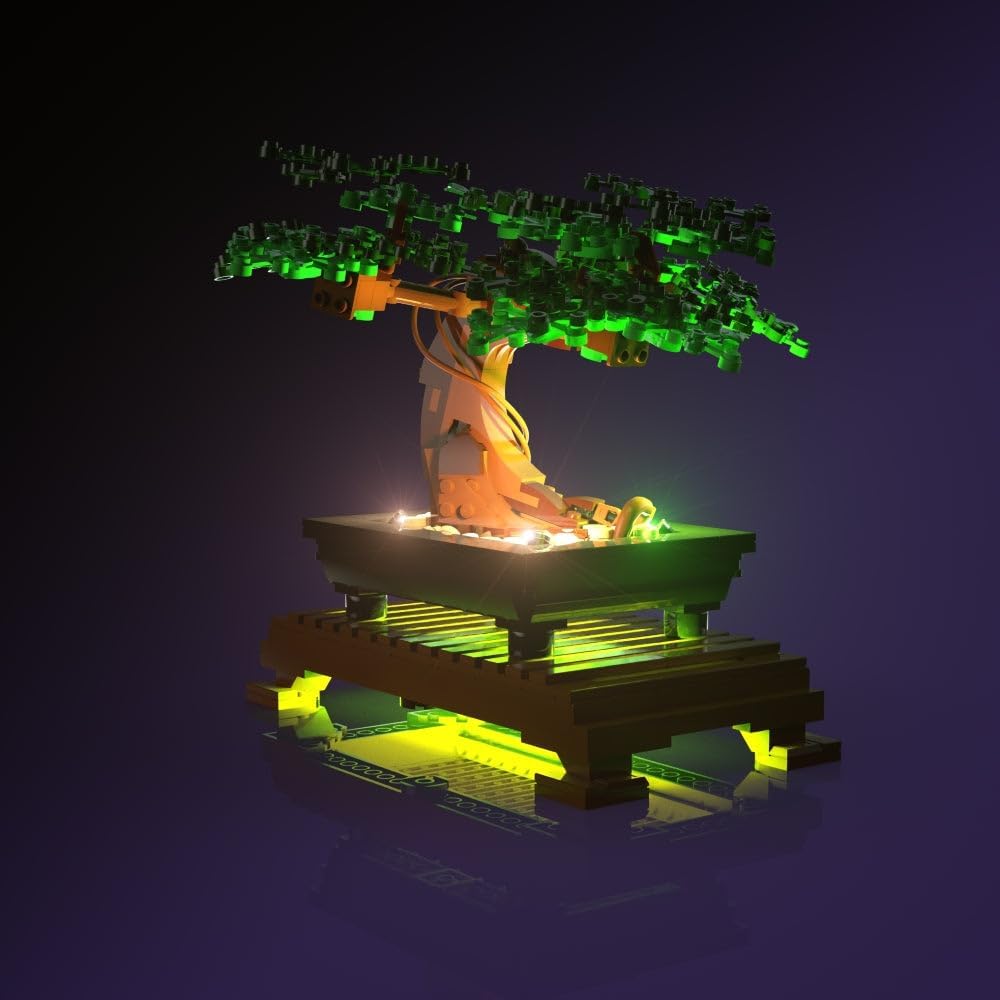
Image 2: Close-up of the LEGO Bonsai Tree with its leaves illuminated in green by the light kit.

Image 3: Close-up of the LEGO Bonsai Tree with its leaves illuminated in pink by the light kit.
Four warm white Astro Lights are positioned within the Bonsai Tree's pot to direct light upwards, illuminating the tree's trunk and base. Ensure these are securely placed according to the 3D guide.

בילד 4: דעטאַלירט view of the Bonsai Tree's pot, showing the warm white Astro Lights illuminating the base.

בילד 5: דעטאַלירט view of the Bonsai Tree's pot, showing green lights illuminating the base, complementing the green leaf option.
The product packaging provides a visual reference for the kit. Always refer to the 3D guide for precise installation steps.

Image 6: The Light My Bricks packaging for the Bonsai Tree light kit.
5. אַפּערייטינג ינסטרוקטיאָנס
Once all lighting components are installed according to the 3D guide, connect the Flux Power unit to a compatible USB power source. This can be a USB Power Bank or a USB Wall Adaptor (not supplied).
- מאַכט קשר: Plug the USB cable from the Flux Power unit into your chosen USB power source.
- אַקטאַוויישאַן: The lights should illuminate automatically upon receiving power.
- דיאַקטיוויישאַן: אָפּשטעקן דעם USB קאַבל פֿון דער מאַכט מקור צו אויסלעשן די ליכט.
זיכער מאַכן אַז אַלע פֿאַרבינדונגען זענען זיכער איידער איר צינדט אָן דעם קיט.
6. וישאַלט
To ensure the longevity and optimal performance of your Light My Bricks kit, follow these maintenance guidelines:
- רייניקונג: Gently dust the light components and wires with a soft, dry cloth. Avoid using liquids or abrasive cleaners.
- האַנדלינג: Handle wires and lights with care to prevent damage. Avoid excessive bending or pulling.
- סטאָרידזש: If disassembling for storage, carefully coil wires and store components in a dry, dust-free environment.
- סוויווע: Keep the illuminated LEGO model in a stable environment, away from extreme temperatures or direct sunlight, which can affect plastic components over time.
7. טראָובלעשאָאָטינג
If you encounter any issues with your Light My Bricks kit, please refer to the following common troubleshooting steps:
- לייץ נישט ארבעטן:
- Ensure the USB power source is functioning correctly and providing power.
- Check all cable connections to the Flux Power unit and between individual lights. Ensure they are firmly seated.
- Verify that the Flux Power unit is correctly connected to the power source.
- פליקערינג ליכט:
- This may indicate a loose connection. Re-check all cable connections.
- Ensure the power source is stable and providing sufficient power.
- Individual Light Not Working:
- Inspect the specific light and its connection for any damage or dislodgement.
- If possible, test the light in a different port on the dock or with another working cable to isolate the issue.
If these steps do not resolve the issue, please contact Light My Bricks customer support for further assistance.
8. ספּעסאַפאַקיישאַנז
| פּראָדוקט דימענשאַנז | 5.7 X 4.5 X 1.9 אינטשעס |
| פּונקט וואָג | 4.5 אונסעס |
| ASIN | B0DXNVC2Q2 |
| נומער מאָדעל נומער | 2.0bonsaitree-10281 |
| פאַבריקאַנט רעקאַמענדיד עלטער | 12 יאר און העכער |
| פאַבריקאַנט | ליכט מייַן בריקס |
9. וואָראַנטי און שטיצן
For information regarding product warranty, returns, or technical support, please visit the official Light My Bricks webזייטל אדער קאנטאקט זייער קאסטומער סערוויס גלייך.
You can also find more information and products from Light My Bricks by visiting their Amazon store: Light My Bricks Amazon Store.