
הקדמה
Thank you for choosing the BoxWave SlimKeys Bluetooth Keyboard. This ultra-thin and portable keyboard is designed to enhance your typing experience with your Volla Tablet (12.3 in) and other compatible devices. Featuring a sleek design, comfortable chiclet-style keys, and efficient Bluetooth 3.0 connectivity, it is ideal for productivity on the go. Please read this manual carefully to ensure proper setup and operation.
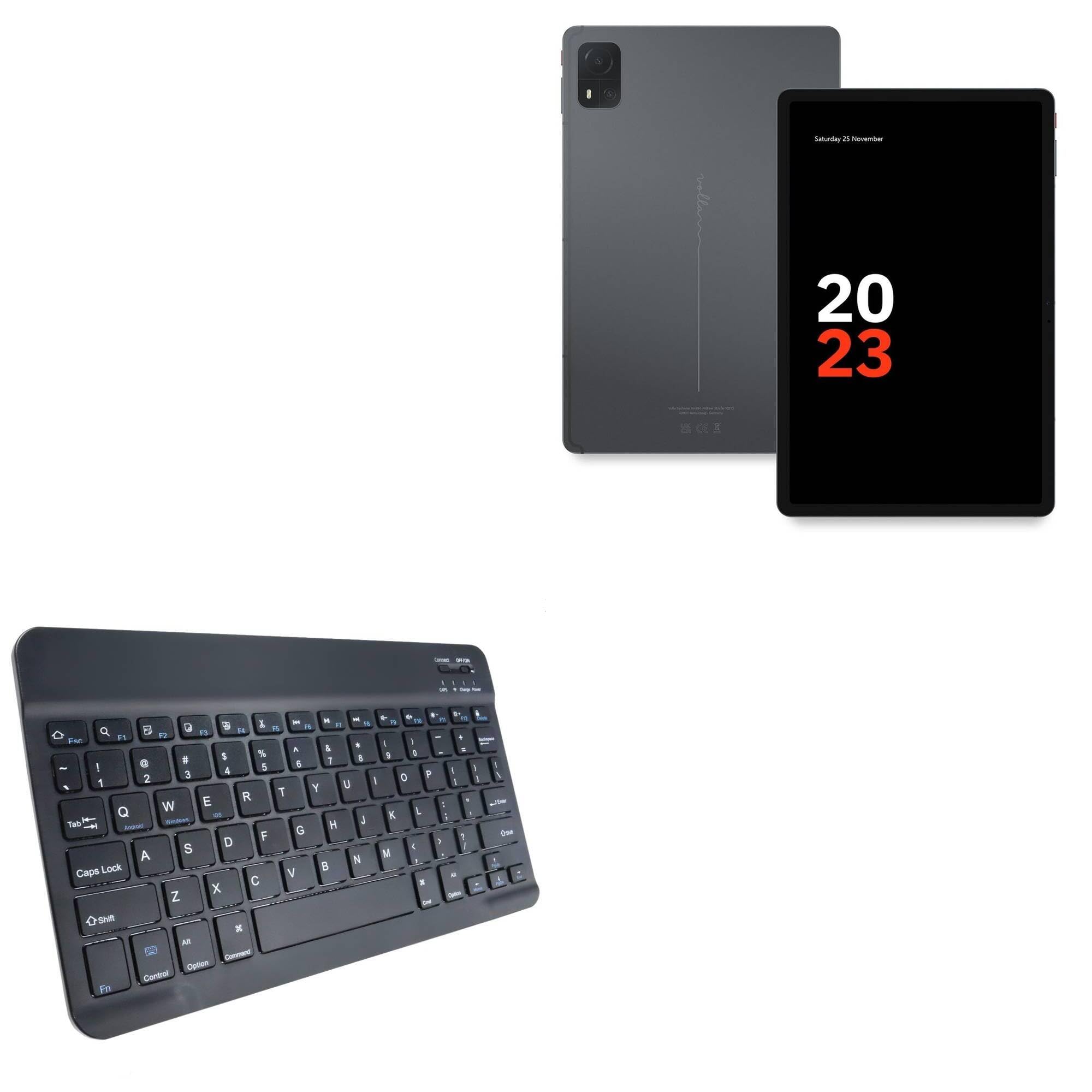
Image: The BoxWave SlimKeys Bluetooth Keyboard in Jet Black, showcasing its full QWERTY layout and compact design.
פּעקל אינהאַלט
- BoxWave SlimKeys Bluetooth Keyboard
- וסב טשאַרדזשינג קאַבלע
- ינסטראַקשאַנז מאַנואַל
פּראָדוקט פֿעיִקייטן
- הינטער-דין פּלאַן: Measuring just 3/16 inch thick, the keyboard offers a sleek, compact profile פֿאַר גרינגע פּאָרטאַביליטי.
- לייטווייט און באַקוועם: Responsive, chiclet-style keys provide a tactile typing experience.
- Power-Efficient Functionality: Built-in on/off switch and Bluetooth 3.0 for reduced power consumption.
- Fast Bluetooth Pairing: Ensures quick and reliable connection without lag.
- מולטי-פּלאַטפאָרם קאַמפּאַטאַבילאַטי: Works seamlessly with Android, Windows, and iOS devices.
- לאַנג-בלייַביק באַטערי: Up to 30 days of battery life and 6 months on standby.

Image: A visual summary of the keyboard's key features, including Chiclet Keys, Multi-Platform compatibility, Bluetooth 3.0, and its ultra-slim and light design.
סעטאַפּ
1. אויפלאָדן די קלאַוויאַטור
- Locate the charging port on the keyboard (usually on the top edge).
- Connect the provided USB charging cable to the keyboard's charging port.
- פאַרבינדן די אנדערע סוף פון די וסב קאַבלע צו אַ וסב מאַכט מקור (למשל, קאָמפּיוטער, וואַנט אַדאַפּטער).
- The 'Charge' indicator light will illuminate during charging. It will turn off or change color when fully charged.
A full charge provides up to 30 days of active use or 6 months of standby time.

Image: The SlimKeys Bluetooth Keyboard connected to a charging cable, illustrating its long-lasting battery feature.
2. Pairing with Your Device (Bluetooth Connection)
- Ensure the keyboard is charged and the power switch (usually labeled 'ON/OFF') is in the 'ON' position.
- Press the 'Connect' button on the keyboard (often a small button near the power switch or an Fn key combination). The Bluetooth indicator light will start blinking, indicating it's in pairing mode.
- On your Volla Tablet (or other device), go to סעטטינגס > בלועטאָאָטה און זיכער מאַכן אַז בלועטוט איז ענייבאַלד.
- Your device will search for available Bluetooth devices. Select "BoxWave SlimKeys Keyboard" or a similar name from the list.
- If prompted, enter the displayed pairing code on the SlimKeys keyboard and press אַרייַן.
- Once paired, the Bluetooth indicator light on the keyboard will stop blinking and remain solid or turn off, indicating a successful connection.
אַפּערייטינג ינסטראַקשאַנז
1. מאַכט אויף / אויסגעלאשן
Slide the 'ON/OFF' switch located on the top right of the keyboard to turn it on or off. To conserve battery, turn off the keyboard when not in use.
2. Operating System Selection
The SlimKeys keyboard supports multiple operating systems. To optimize function keys for your device, press the following key combinations:
- Fn + Q: פֿאַר אַנדרויד דעוויסעס
- Fn + W: פֿאַר Windows דעוויסעס
- Fn + E: פֿאַר יאָס דעוויסעס
3. פֿונקציע קיז
The keyboard features specialized function keys (F1-F12) that provide quick access to various commands. These keys are typically activated by pressing the Fn קנעפּל גלײַכצײַטיק מיטן געוואונטשענעם פֿונקציע קנעפּל.

בילד: א נאָענטע בילד view of the specialized function keys on the SlimKeys Bluetooth Keyboard, detailing their icons and corresponding actions.
| שליסל קאָמבינאַציע | פֿונקציע |
|---|---|
| Fn + Esc | היים |
| Fn + F1 | זוכן |
| Fn + F2 | אויסקלייַבן אַלע |
| Fn + F3 | קאָפּי |
| Fn + F4 | פּאַפּ |
| Fn + F5 | שנייַדן |
| Fn + F6 | האָפּקען צוריק |
| Fn + F7 | שפּיל / פּויזע |
| Fn + F8 | האָפּקען פאָרויס |
| Fn + F9 | באַנד אַראָפּ |
| Fn + F10 | באַנד אַרויף |
| Fn + F11 | ברייטנאַס אַראָפּ |
| Fn + F12 | ברייטנאַס אַרויף |
| Fn + ויסמעקן | שלאָס |
וישאַלט
- רייניקונג: ניצן אַ ווייך, לינט-פֿרייַ שטאָף אַ ביסל דampened with water or a mild cleaning solution to wipe the keyboard surface. Avoid excessive moisture. Do not spray cleaners directly onto the keyboard.
- סטאָרידזש: Store the keyboard in a cool, dry place away from direct sunlight and extreme temperatures. When traveling, consider placing it in a protective sleeve to prevent scratches.
- באַטערי זאָרגן: For optimal battery life, avoid fully discharging the keyboard frequently. Charge it regularly, especially if it will be stored for an extended period.
טראָובלעשאָאָטינג
קלאַוויאַטור נישט פּערינג
- זייט זיכער אז די קלאַוויאַטור איז אויפגעלאָדן און אנגעצונדן.
- מאַכן זיכער אַז בלועטאָאָטה איז ענייבאַלד אויף דיין מיטל.
- Press the 'Connect' button on the keyboard to enter pairing mode.
- If previously paired, try 'forgetting' the keyboard from your device's Bluetooth settings and re-pairing.
- זיכער מאַכן אַז די קלאַוויאַטור איז אין דער עפעקטיווער בלוטוט ראַנגע (געווענליך 10 מעטער אדער 33 פֿיס).
שליסלען ניט ריספּאַנדינג
- Check if the keyboard is powered on and successfully connected via Bluetooth.
- Ensure the correct operating system mode (Fn+Q/W/E) is selected for your device.
- The battery might be low; try charging the keyboard.
- Restart both the keyboard (power off/on) and your device.
פאַרהאַלטונג אָדער דיסקאַנעקשאַנז
- ריקט די קלאַוויאַטור נענטער צו אייער דעווייס צו רעדוצירן שטערונג.
- Ensure there are no other strong wireless signals or devices causing interference.
- קאָנטראָלירט די קלאַוויאַטור'ס באַטאַרייע לעוועל.
ספּעסאַפאַקיישאַנז
| שטריך | דעטאַל |
|---|---|
| מאָדעל נאָמען | SlimKeys Bluetooth Keyboard |
| סאָרט | BoxWave |
| קאַנעקטיוויטי | בלועטאָאָטה 3.0 |
| קאַמפּאַטאַבילאַטי | אַנדרויד, ווינדאָוז, יאָס |
| דימענסיעס (בעערעך) | 9.5 in (Width) x 5.75 in (Depth) x 0.2 in (Height) |
| וואָג | 8.6 אונסעס |
| באַטערי טיפּ | פּראָדוקט ספּעציפֿיש (אַרייַנגערעכנט) |
| באַטערי לעבן | Up to 30 days (active use), 6 months (standby) |
| קאָליר | דזשעט שווארצע |

Image: The SlimKeys Bluetooth Keyboard with its ultra-slim and lightweight dimensions highlighted.
זיכערקייַט אינפֿאָרמאַציע
- שטעלט נישט אויס די קלאַוויאַטור צו וואַסער אָדער צו פיל פייכטקייט.
- פֿאַרמײַדט צו לאָזן פאַלן אָדער אויסשטעלן די קלאַוויאַטור צו שטאַרקע קלאַפּן.
- האַלטן אויס פון דערגרייכן פון קינדער.
- Do not attempt to disassemble or repair the keyboard yourself. This may void the warranty and cause damage.
- ניצט נאָר דעם צוגעשטעלטן טשאַרדזשינג קאַבל אָדער אַ סערטיפיצירטן עקוויוואַלענט.
וואָראַנטי און שטיצן
BoxWave products are designed for quality and reliability. For warranty information or technical support, please refer to the BoxWave official webזייטל אדער קאנטאקט זייער קאסטומער סערוויס גלייך. האלט אייער קויף קוויטל אלס באווייז פון קויפן.