
1. הקדמה
This manual provides detailed instructions for the setup, operation, and maintenance of your Bmax B1 Mini PC. Please read this manual thoroughly before using the device to ensure proper functionality and longevity.
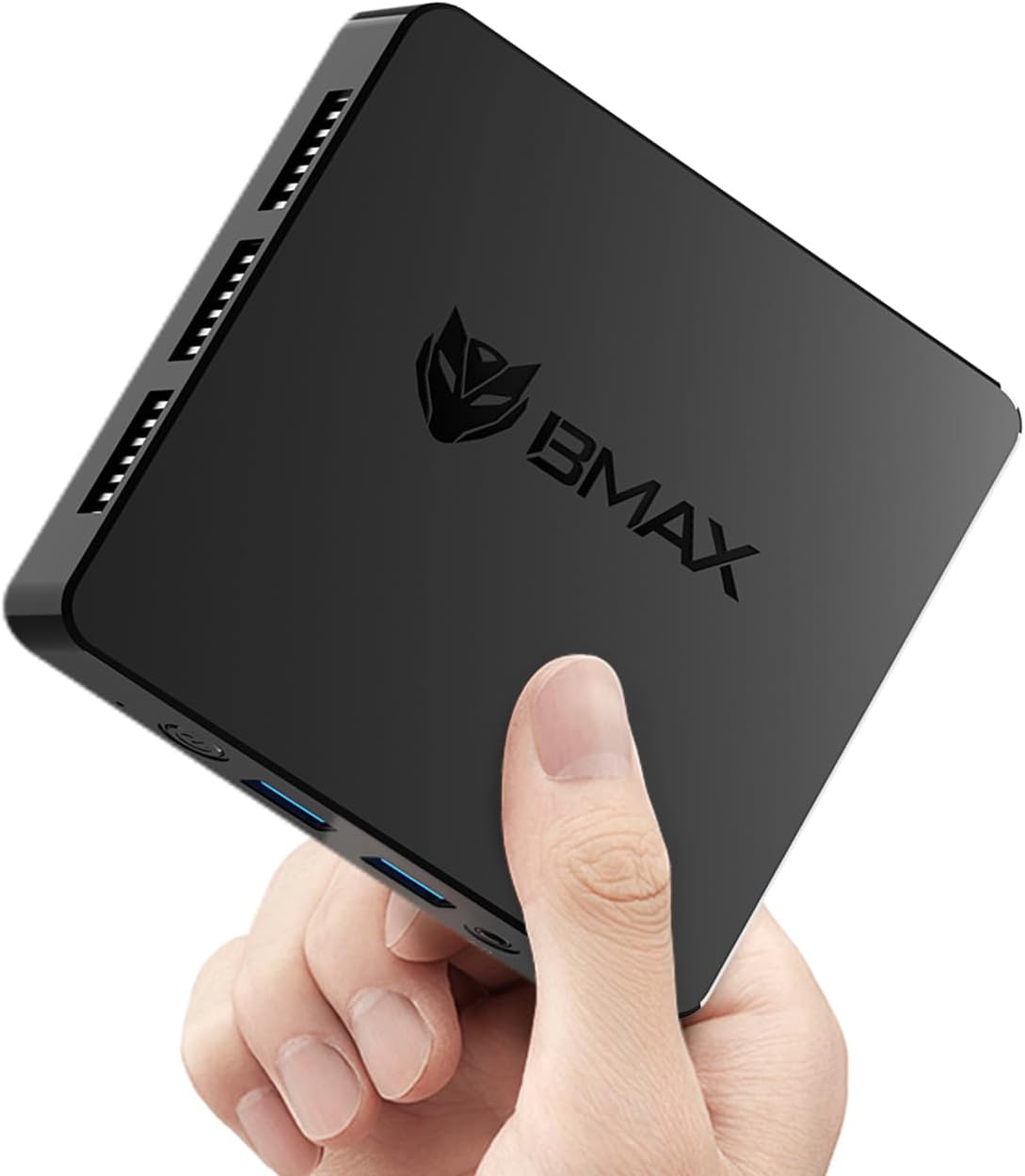
Image 1.1: The Bmax B1 Mini PC, demonstrating its compact and portable design.
פּעקל אינהאַלט
באַשטעטיקן אַז אַלע זאכן זענען פאַראַן אין פּעקל:
- Bmax B1 Mini PC
- מאַכט אַדאַפּטער
- HDMI קאַבלע
- באַניצער מאַנואַל (דעם דאָקומענט)
2. פּראָדוקט איבערview
The Bmax B1 Mini PC is a compact desktop computer designed for various applications, from office work to home entertainment. It features an Intel Gemini Lake N4000 processor, 8GB LPDDR4 RAM, and 128GB eMMC storage.

Image 2.1: Key features and specifications of the Bmax B1 Mini PC.
פּאָרט אויסלייג
Familiarize yourself with the available ports on your Bmax B1 Mini PC:

Image 2.2: Port configuration on the Bmax B1 Mini PC.
- DC Power In: קאַנעקץ צו די מאַכט אַדאַפּטער.
- וסב 3.0 פּאָרץ (x2): פֿאַר הויך-גיכקייט דאַטן אַריבערפירן מיט קאָמפּאַטיבלע דעוויסעס.
- וסב 2.0 פּאָרץ (x2): For connecting peripherals like keyboards, mice, or printers.
- HDMI פּאָרטן (x2): Supports dual 4K display output.
- RJ45 עטהערנעט פּאָרט: For wired network connection (1000Mbps LAN).
- 3.5 מם כעדסעט דזשאַק: פֿאַר אַודיאָ אַרויסגאַנג צו כעדפאָונז אָדער רעדנער.
- מאַכט קנעפּל: צו קער די מיטל אויף / אַוועק.
- מאַכט ינדיקאַטאָר: LED ליכט וואָס ווײַזט אָן מאַכט סטאַטוס.
דימענשאַנז און וואָג

Image 2.3: Physical dimensions and weight of the Bmax B1 Mini PC.
The Bmax B1 Mini PC measures approximately 4.25 (L) x 4.17 (W) x 0.87 (H) inches (10.8 x 10.6 x 2.2 cm) and weighs around 1.37 pounds (0.62 kg), making it highly portable and space-efficient.
3. סעטאַפּ גייד
3.1 ערשט קאַנעקשאַן
- פאַרבינדן צו ווייַז: Use an HDMI cable to connect the Mini PC to your monitor or TV. The device supports up to two displays simultaneously.
- פאַרבינדן פּעריפעראַלס: שטעקט אריין אייער USB קלאַוויאַטור און מויז אין די פאַראַן USB פּאָרץ.
- פאַרבינדן צו נעץ (אפציאָנעל): For a wired connection, connect an Ethernet cable to the RJ45 port. For wireless, Wi-Fi 5 (802.11a/b/g/n/ac) is built-in.
- פאַרבינדן מאַכט: Plug the power adapter into the DC Power In port on the Mini PC, then connect the adapter to a power outlet.
3.2 ערשטער שטיוול
- Press the Power Button on the Mini PC. The power indicator light will illuminate.
- The device comes with Windows 11 Pro pre-installed. Follow the on-screen instructions to complete the initial Windows setup, including language, region, and user account creation.
- The Mini PC also supports Linux/Ubuntu operating systems, allowing for flexible OS installation if desired.
3.3 פּלאַצירונג אָפּציעס
The compact design of the Bmax B1 Mini PC allows for versatile placement options:

Image 3.1: Various placement options for the Bmax B1 Mini PC.
- שרייַבטיש אָרט: Simply place the Mini PC on your desk.
- All-in-One Setup: Mount the Mini PC behind a compatible monitor using a VESA mount (not included) for a clean, integrated workspace.
- וואַנט מאָונטינג: Secure the Mini PC to a wall using appropriate mounting hardware (not included) to save desk space.
4. אַפּערייטינג ינסטרוקטיאָנס
4.1 מולטי-דיספּליי סעטאַפּ
The Bmax B1 Mini PC supports connecting up to two monitors simultaneously via its two HDMI ports, enabling extended desktop or mirrored display configurations. Ensure your monitors are connected before powering on the device for optimal detection.
4.2 סטאָרידזש יקספּאַנשאַן
The internal storage can be expanded by adding an M.2 2280 SATA SSD (up to 2TB, not included). This allows for increased storage capacity for applications and data.

Image 4.1: The M.2 SATA 2280 slot for additional storage.

Image 4.2: Steps for installing an M.2 SATA SSD for storage expansion.
צו אינסטאַלירן אַן M.2 SATA SSD:
- Power off the Mini PC and disconnect all cables.
- Locate the screws on the bottom cover of the device.
- Carefully remove the screws and open the bottom cover.
- Insert the M.2 2280 SATA SSD into the designated slot.
- Secure the SSD with the provided screw (if applicable).
- Replace the bottom cover and secure it with the screws.
4.3 מאַכט מאַנאַגעמענט פֿעיִקייטן
The Mini PC includes several power management features:
- Auto-boot: Configurable to automatically power on when connected to power.
- וועק-אויף-לאן (WoL): Allows the device to be powered on remotely via a network signal.
- PXE שטיוול: Enables booting from a network server.
- Wake-on-RTC: Allows scheduling the device to power on at a specific time.
These settings can typically be configured within the BIOS/UEFI settings of the Mini PC.
5. וישאַלט
5.1 קאָאָלינג סיסטעם
The Bmax B1 Mini PC features a built-in smart cooling system (fan + heat sink + hard drive cooler) to maintain optimal operating temperatures. Ensure that the ventilation openings are not obstructed to allow for proper airflow.
5.2 ווייכווארג דערהייַנטיקונגען
Regularly update your operating system and drivers to ensure system stability, security, and performance. For system updates, it is recommended to use a stable wired internet connection to avoid potential wireless issues during the update process. If you encounter difficulties, contact Bmax support for assistance.
6. טראָובלעשאָאָטינג
6.1 פּראָסט ישוז
- קיין ווייַז:
- Ensure the HDMI cable is securely connected to both the Mini PC and the monitor.
- Verify the monitor input source is set correctly (e.g., HDMI 1, HDMI 2).
- Check if the power adapter is properly connected and the power indicator light is on.
- קיין מאַכט:
- Confirm the power adapter is fully plugged into both the Mini PC and the wall outlet.
- פּרובירט די עלעקטרישע אַוטלעט מיט אַן אַנדער מיטל צו זיכער מאַכן אַז עס פֿונקציאָנירט.
- פּאַמעלעך פאָרשטעלונג:
- שליסט אומנייטיקע אַפּליקאַציעס וואָס לויפן אין הינטערגרונט.
- זיכער מאַכן אַז דער מיני פּיסי האָט גענוג ווענטילאַציע און ווערט נישט איבערהייצט.
- Check for available operating system updates.
6.2 One-Click Recovery
The Bmax B1 Mini PC features a one-click smart recovery function. This allows you to restore the device to its factory settings quickly. Refer to the specific instructions provided by Bmax for accessing and utilizing this feature, as it may vary based on the pre-installed operating system configuration.
7. ספּעסאַפאַקיישאַנז
| שטריך | דעטאַל |
|---|---|
| פּראַסעסער | Intel Celeron N4000 (Dual Core, 1.1 GHz base, up to 2.6 GHz burst) |
| גראַפיקס | Intel UHD Graphics 600 |
| באַראַן | 8 גיגאבייט LPDDR4 (2133 מהז) |
| אינערלעכער סטאָרידזש | 128GB eMMC SSD |
| יקספּאַנדאַבאַל סטאָרידזש | 1x M.2 2280 SATA SSD slot (up to 2TB, not included) |
| אָפּערייטינג סיסטעם | Windows 11 Pro (pre-installed), supports Linux/Ubuntu |
| ווירעלעסס קאַנעקטיוויטי | Wi-Fi 5 (802.11a/b/g/n/ac Dual-Band), Bluetooth 5.0 |
| ווייערד קאַנעקטיוויטי | 1x RJ45 Gigabit Ethernet (1000Mbps) |
| וסב פּאָרץ | 2 קס וסב 3.0, 2 קס וסב 2.0 |
| ווידעא רעזולטאַט | 2x HDMI (supports dual 4K display) |
| אַודיאָ רעזולטאַט | 1x 3.5mm Headset Jack |
| דימענסיעס (L X W X H) | 4.25 X 4.17 X 0.87 אינטשעס (10.8 X 10.6 X 2.2 סענטימעטער) |
| וואָג | בעערעך 1.37 פונט (0.62 קג) |
| מאַכט מקור | דק מאַכט אַדאַפּטער |
8. וואָראַנטי און שטיצן
The Bmax B1 Mini PC comes with a 12-month warranty. For technical assistance, troubleshooting, or warranty claims, please contact Bmax customer support. They offer 24/7 one-on-one support.
For the latest support information and contact details, please refer to the official Bmax webפּלאַץ אָדער די קאָנטאַקט אינפֿאָרמאַציע צוגעשטעלט מיט דיין קויפן.