
1. פּראָדוקט איבערview
The QRD Junior E5 Wireless Controller is a compact and versatile gaming controller designed for a wide range of platforms, including Nintendo Switch, Switch Lite, Switch OLED, PC (Windows), Mac, iOS, and Android devices. Its ergonomic design and advanced features provide an enhanced gaming experience.

בילד 1.1: פראָנט view of two QRD Junior E5 Wireless Controllers.

Image 1.2: Back and front views of the QRD Junior E5 Wireless Controller, highlighting its design.
2. פּעקל אינהאַלט
- QRD Junior E5 Wireless Controller (2 units for this package)
- וסב-C טשאַרדזשינג קאַבלע
- באַניצער מאַנואַל (דעם דאָקומענט)
3. סעטאַפּ און קאַנעקשאַן
3.1 טשאַרדזשינג די קאָנטראָללער
Before first use, fully charge the controller. Connect the provided USB-C cable to the controller's charging port and the other end to a USB power source (e.g., console, PC, or USB wall adapter). The indicator lights will show charging status and turn off when fully charged.
3.2 פֿאַרבינדן זיך צו נינטענדאָ סוויטש
- On the Nintendo Switch HOME Menu, select קאָנטראָללער > טוישן גריפּ / סדר.
- דריקן און האַלטן די היים קנעפּל on the QRD Junior E5 controller for 3-5 seconds until the indicator lights start flashing rapidly.
- Once connected, the corresponding player indicator light(s) on the controller will remain solid.
3.3 Connecting to PC (Windows/Mac)
The controller supports both wireless Bluetooth and wired USB-C connections for PC and Mac.
3.3.1 Wireless Bluetooth Connection
- Ensure your PC/Mac has Bluetooth enabled.
- On your PC/Mac, go to Bluetooth settings and search for new devices.
- דריקן און האַלטן די היים קנעפּל on the QRD Junior E5 controller for 3-5 seconds until the indicator lights start flashing rapidly.
- Select "QRD Controller" or similar from the list of available devices to pair.
- The controller supports רענטגענ-אַרייַנשרייַב for PC games.
3.3.2 דראָטיקע USB-C פֿאַרבינדונג
Connect the controller to your PC/Mac using the provided USB-C cable. The controller will be automatically recognized, and no driver installation is required.
3.4 פֿאַרבינדן זיך צו iOS/Android דעווייסעס
- Enable Bluetooth on your iOS/Android device.
- דריקן און האַלטן די היים קנעפּל on the QRD Junior E5 controller for 3-5 seconds until the indicator lights start flashing rapidly.
- זוכן פֿאַר "QRD Controller" or similar in your device's Bluetooth settings and pair.
4. Operating Instructions and Features
4.1 יקערדיק קאָנטראָלס
The QRD Junior E5 controller features standard button layouts including A/B/X/Y buttons, D-pad, Left/Right joysticks, L/R/ZL/ZR triggers, Home button, and +/- buttons.
4.2 טורבאָ פֿונקציע
The TURBO function allows for continuous or automatic rapid firing of buttons. This feature can be customized for different games and play styles.
- To set TURBO: Press and hold the desired action button (e.g., A) and then press the TURBO קנעפּל once. The button will now continuously fire when held.
- To set Auto-TURBO: Press and hold the desired action button and then press the TURBO קנעפּל a second time. The button will automatically fire without being held.
- To clear TURBO: Press and hold the desired action button and then press the TURBO קנעפּל אַ דריט מאָל.
- Adjusting TURBO Speed: דרוק די TURBO קנעפּל און די Up/Down D-pad simultaneously to cycle through speeds: 8 times/sec, 15 times/sec, 25 times/sec.

Image 4.1: Illustration of the Turbo function for rapid actions in games.
4.3 6-Axis Gyro Motion Sensor
The controller is equipped with an advanced 6-axis gyro motion sensor, allowing for precise viewpoint and tilt operations in compatible games. Tilt, turn, and twist the controller to interact with game environments dynamically.

Image 4.2: Demonstrating the 6-Axis Gyro motion sensor capability.
4.4 Adjustable Vibration Feedback
Dual vibration motors provide immersive haptic feedback. The vibration intensity can be adjusted to suit personal preference and game requirements.
- Vibration modes: 0% (no vibration), 30% (weak), 70% (medium), and 100% (strong).
- To adjust vibration: Press the ווייבריישאַן קנעפּל (if present, or a combination like TURBO + Left/Right joystick click) to cycle through intensity levels. Refer to the quick start guide for specific button combinations.

Image 4.3: Visual representation of the adjustable vibration feature.
5. וישאַלט און קער
- האַלט דעם קאָנטראָללער טרוקן און אַוועק פון עקסטרעמע טעמפּעראַטורן.
- רייניקט דעם קאָנטראָללער מיט אַ ווייכן, טרוקענעם שטאָף. ניצט נישט קיין שאַרפע כעמיקאַלן אדער שאַרפע מאַטעריאַלן.
- פֿאַרמײַדט צו לאָזן פאַלן אָדער אויסשטעלן דעם קאָנטראָללער צו שטאַרקע קלאַפּן.
- האַלט דעם קאָנטראָללער אין אַ זיכערן אָרט ווען עס איז נישט אין באַנוץ, כּדי צו פאַרמייַדן שאָדן.
6. טראָובלעשאָאָטינג
6.1 קאָנטראָללער פֿאַרבינדט זיך נישט
- זיכער מאַכן אַז דער קאָנטראָללער איז גאָר אויפגעלאָדן.
- Verify Bluetooth is enabled on your device (Switch, PC, Mac, iOS, Android).
- Make sure the controller is in pairing mode (indicator lights flashing rapidly).
- Try restarting both the controller and the device you are trying to connect to.
- If connecting to Switch, ensure you are on the "Change Grip/Order" screen.
- For PC/Mac, try a wired USB-C connection to rule out Bluetooth issues.
6.2 אינפוט לאג אדער נישט-רעספאנסיוו קנעפלעך
- Ensure the controller is within range of the connected device.
- קוק פֿאַר ינטערפיראַנס פון אנדערע וויירליס דעוויסעס.
- Confirm the controller is fully charged. Low battery can affect performance.
- ריסטאַרט דעם קאָנטראָללער און דאָס שפּיל/דעוויס.
6.3 Vibration Not Working or Incorrect
- Check the vibration settings on the controller (refer to section 4.4) to ensure it's not set to 0%.
- באַשטעטיקט אַז די שפּיל וואָס איר שפּילט שטיצט ווייבריישאַן פֿידבעק.
- Ensure the controller's firmware is up to date (if applicable, check the manufacturer's webפּלאַץ).
7. ספּעסאַפאַקיישאַנז
| מאָדעל | Junior E5 |
| סאָרט | QRD |
| קאַנעקטיוויטי | Wireless Bluetooth, Wired USB-C |
| קאַמפּאַטאַבילאַטי | Nintendo Switch, Switch Lite, Switch OLED, PC (Windows), Mac, iOS, Android |
| אַרייַנשרייַב מאָדעס | X-input (PC), Switch-input (Nintendo Switch) |
| ספּעציעלע פֿעיִקייטן | 6-Axis Gyro Motion Sensor, Adjustable Vibration, TURBO Function |
| דימענסיעס (בעערעך) | 5 X 3.31 X 2.13 אינטשעס (12.7 X 8.4 X 5.4 סענטימעטער) |
| וואָג (בעערעך) | 1.06 פונט (0.48 קג) |
| באַטערי | 2 Nonstandard Battery batteries required (internal, rechargeable) |

Image 7.1: Physical dimensions of the QRD Junior E5 Wireless Controller.
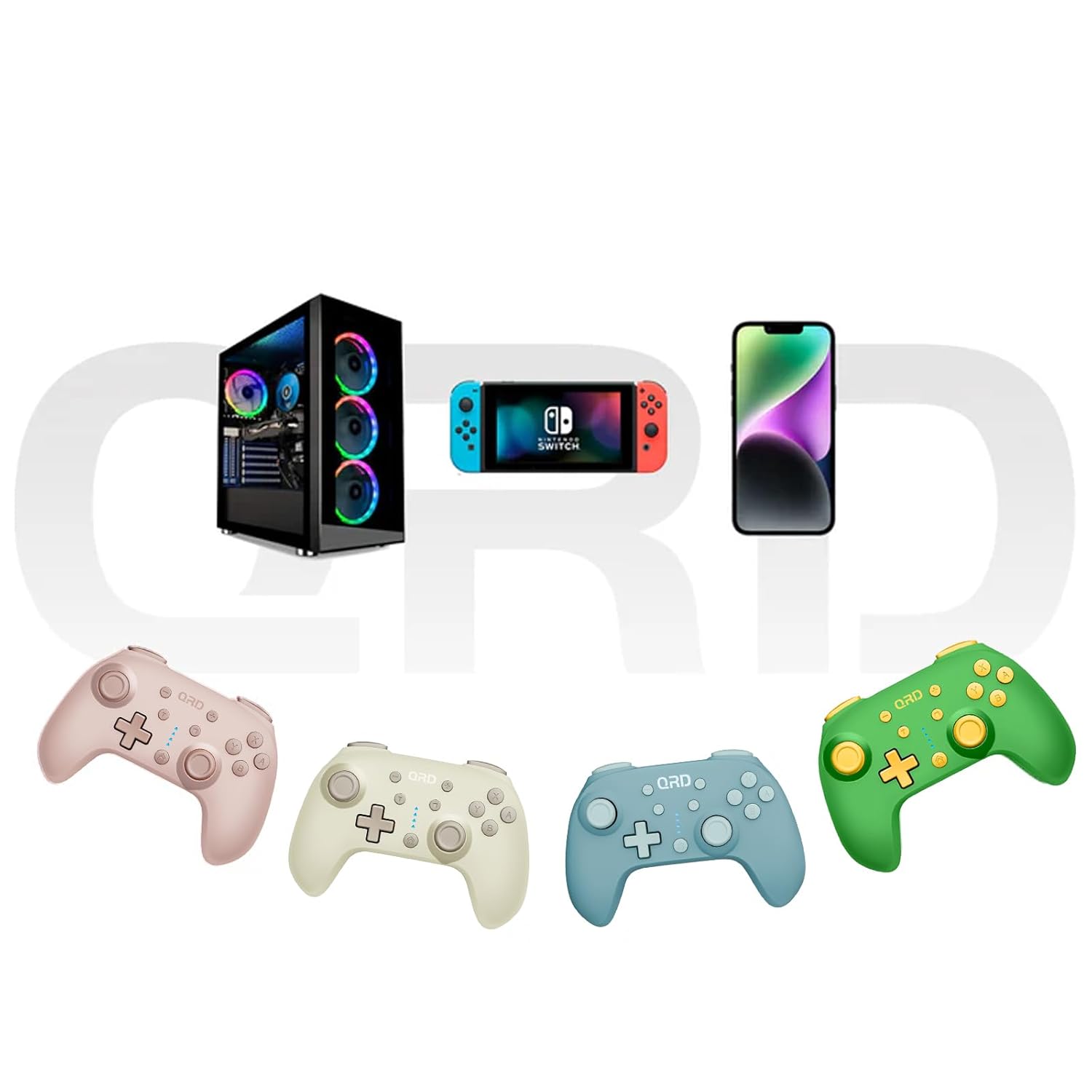
Image 7.2: Multi-platform compatibility of the QRD Junior E5 Wireless Controller.
8. וואָראַנטי און שטיצן
QRD products are designed for reliability and performance. For warranty information, technical support, or service inquiries, please refer to the contact information provided with your purchase or visit the official QRD webזייטל. ביטע באַהאַלטן אייער קויפן באַווייַז פֿאַר וואָראַנטי קליימז.
פֿאַר נאָך הילף, קענט איר באַזוכן די QRD Store on Amazon.