
הקדמה
This manual provides essential information for the setup, operation, and maintenance of your PowerA Enhanced Wireless Controller, featuring the unique Pikachu vs. Gengar design. This officially licensed controller is designed to enhance your gaming experience on Nintendo Switch, Nintendo Switch Lite, and Nintendo Switch (OLED Model) consoles.
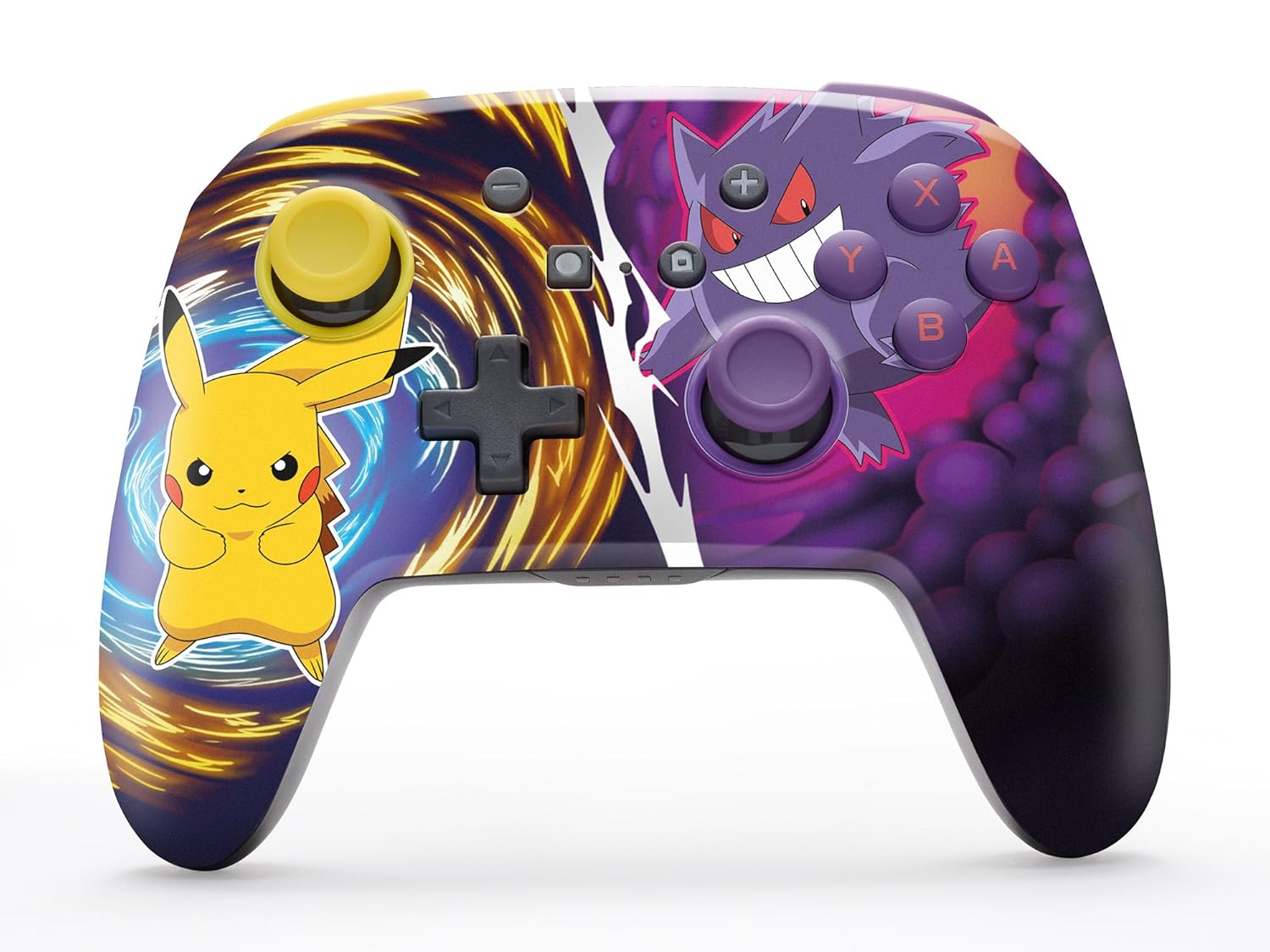
The PowerA Enhanced Wireless Controller with Pikachu vs. Gengar artwork.
שליסל פֿעיִקייטן
- ווירעלעסס קאַנעקטיוויטי: Utilizes Bluetooth 5.0 technology for a stable connection.
- קריקאָנלאָדלעך באַטערי: Integrated lithium-ion battery provides up to 30 hours of gameplay per charge.
- Mappable Advanced Gaming Buttons: Two programmable buttons on the back for custom control.
- ערגאָנאָמיק פּלאַן: Superior ergonomics for extended comfortable gaming sessions.
- Smooth Thumbstick Control: Embedded anti-friction rings ensure precise and fluid movement.
- באַוועגונג קאָנטראָלס: Supports intuitive motion controls for compatible games.

ערגאָנאָמיש פּלאַן פֿאַר באַקוועם גאַמעפּלייַ.
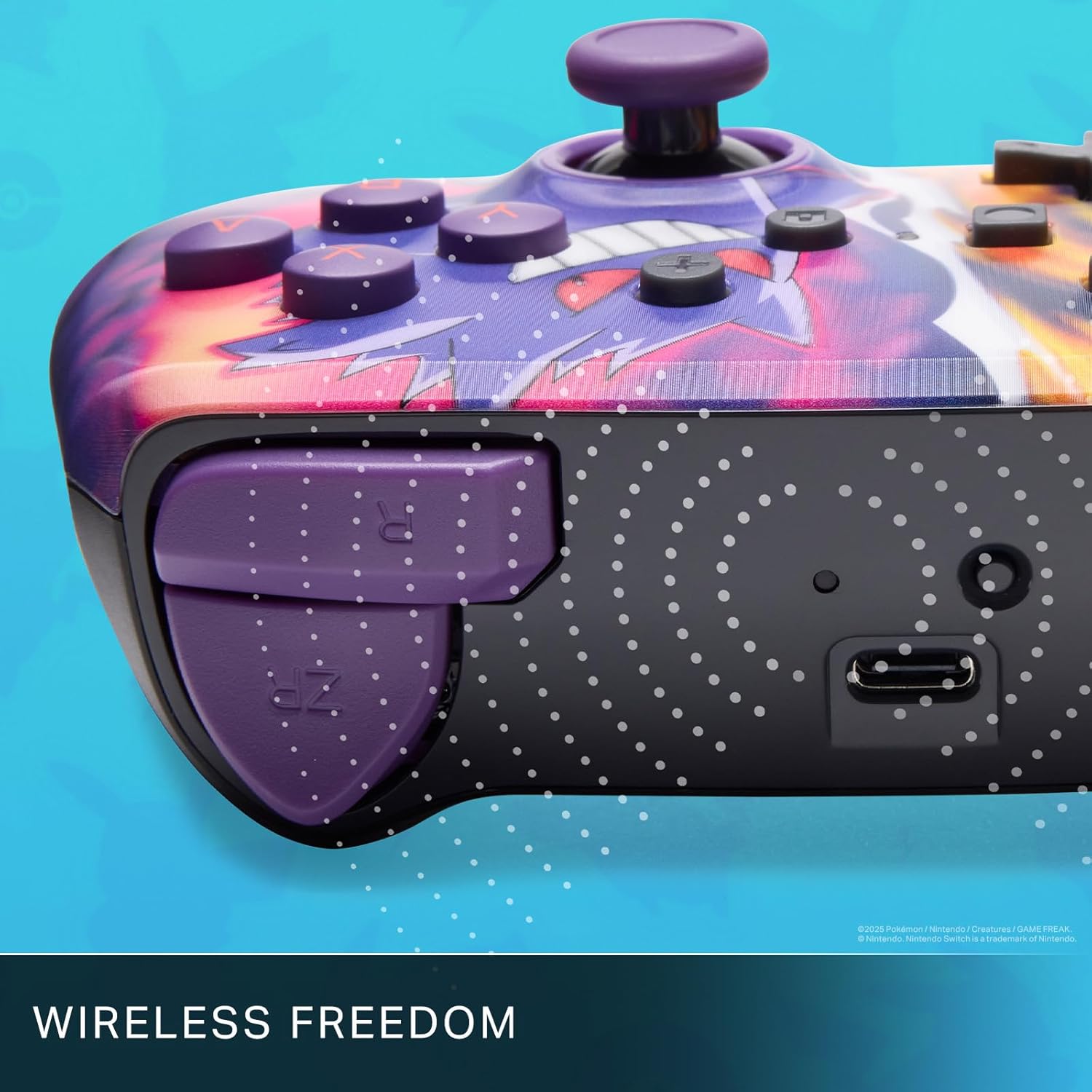
Enjoy wireless freedom with Bluetooth 5.0 technology.
סעטאַפּ און פּערינג
- זיכער מאַכן אַז אייער נינטענדאָ סוויטש קאַנסאָול איז אנגעצונדן און דערהייַנטיקט צו די לעצטע סיסטעם ווייכווארג.
- סעלעקטירן פֿון די היים מעניו קאָנטראָללער, דעמאלט טוישן גריפּ / סדר.
- דריקן און האַלטן די SYNC קנעפּל on the top edge of your PowerA Enhanced Wireless Controller for at least one second. The Player LED(s) will flash.
- Once paired, the Player LED(s) corresponding to the controller number will remain lit.
- דרוק די א קנעפּל to confirm and exit the menu. Your controller is now ready for use.
טשאַרדזשינג די קאָנטראָללער
The controller features an internal 900mAh lithium-ion rechargeable battery, providing up to 30 hours of gameplay on a single charge. To charge your controller:
- Connect the included 10ft (3m) USB-C charge cable to the USB-C port on the top of the controller.
- Connect the other end of the USB-C cable to a USB power source (e.g., Nintendo Switch dock, USB wall adapter, or computer USB port).
- The LED indicator on the controller will show charging status. It will typically turn off or change color when fully charged.

Connect the USB-C cable to charge your controller.
אַוואַנסירטע גיימינג קנעפּלעך
Your PowerA Enhanced Wireless Controller includes two mappable Advanced Gaming Buttons (AGBs) on the back, allowing you to assign specific button functions for quick access during gameplay.
Programming AGBs:
- דרוק די פּראָגראַם קנעפּל on the back of the controller. The Program LED will flash, indicating programming mode.
- Press the button you wish to map (A/B/X/Y/L/R/ZL/ZR/Left Stick Click/Right Stick Click/D-Pad). The Program LED will flash rapidly.
- Press the Advanced Gaming Button (AGB L or AGB R) you want to assign the function to. The Program LED will stop flashing, indicating the AGB is now programmed.
Resetting AGBs:
To reset all Advanced Gaming Buttons to their default (no function) state, press and hold the פּראָגראַם קנעפּל for five seconds. The Program LED will flash slowly, then turn off, confirming the reset.
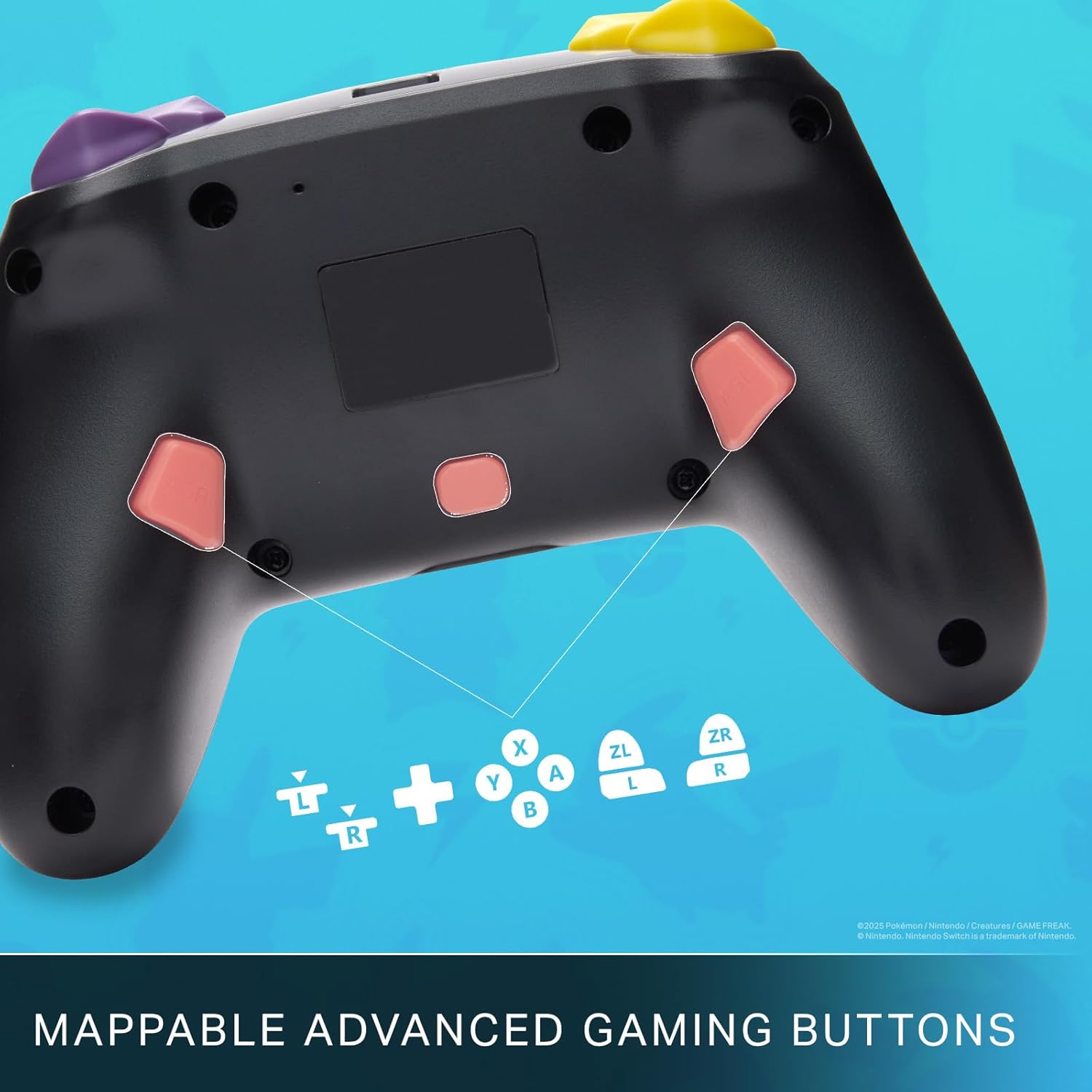
Mappable Advanced Gaming Buttons for personalized control.
קאַמפּאַטאַבילאַטי
This PowerA Enhanced Wireless Controller is compatible with the following Nintendo consoles:
- נינטענדאָו סוויטש
- נינטענדאָו סוויטש ליטע
- Nintendo Switch (OLED Model)
- Nintendo Switch 2 (Note: C button not available)

The controller is compatible with Nintendo Switch 2, though the C button functionality is not available.
ספּעסאַפאַקיישאַנז
| שטריך | דעטאַל |
|---|---|
| קאַמפּאַטאַבאַל דעוויסעס | נינטענדאָו סוויטש |
| קאָנטראָללער טיפּ | גאַמעפּאַד |
| קאַנעקטיוויטי טעכנאָלאָגיע | בלועטאָאָטה, וסב |
| נאָך פֿעיִקייטן | Ergonomic, Wireless |
| קנעפּל קוואַנטיטעט | 12 |
| ייַזנוואַרג פּלאַטפאָרמע | גיימינג קאַנסאָול |
| מאַכט מקור | באַטאַרייע פּאַוערד (קריקאָנלאָדלעך ליטהיום-יאָן) |
| קאָמפּאַטיבלע ווידעא שפּיל קאַנסאָול מאָדעלס | נינטענדאָו סוויטש, נינטענדאָו סוויטש ליטע |
| פּונקט וואָג | 0.68 פונט |
| נומער דימענשאַנז | 6.02 X 4.41 X 2.48 אינטשעס |
| קאָליר | Pikachu vs Gengar |
| מאָדעל נאָמען | Pikachu vs. Gengar |
| מאָדעל נומער | NSGP0420-01R |
זאָרגן און וישאַלט
- Keep the controller dry. Avoid exposure to moisture or extreme temperatures.
- רייניקט דעם קאָנטראָללער מיט אַ ווייכן, טרוקענעם שטאָף. ניצט נישט קיין שאַרפע כעמיקאַלן אדער שאַרפע מאַטעריאַלן.
- האַלט דעם קאָנטראָללער אין אַ זיכערן אָרט ווען עס איז נישט אין באַנוץ, כּדי צו פאַרמייַדן שאָדן.
טראָובלעשאָאָטינג
קאָנטראָללער פֿאַרבינדט זיך נישט:
- זיכער מאַכן אַז דער קאָנטראָללער איז גאָר אויפגעלאָדן.
- Verify the controller is within the Bluetooth range of your Nintendo Switch console.
- Attempt to re-pair the controller following the "Setup and Pairing" instructions.
נישט-רעספאנסירנדיקע קנעפּלעך/דזשויסטיקס:
- קוקט איבער פֿאַר יעדע פֿיזישע שטערונג אָדער שמוץ אַרום די קנעפּלעך אָדער דזשויסטיקס.
- Perform a hard reset by holding the SYNC button for 10 seconds, then attempt to re-pair.
- Ensure the controller's firmware is up to date (check PowerA's official webוועבזייטל פֿאַר דערהייַנטיקונגען).
וואָראַנטי און שטיצן
This PowerA Enhanced Wireless Controller comes with a צוויי-יאָר לימיטעד וואָראַנטי. For detailed warranty information, product support, and troubleshooting assistance, please visit the official PowerA support webפּלאַץ: