
1. הקדמה
The Kienzle Wireless Weather Station with Projection is a sophisticated device designed to provide comprehensive weather and indoor climate information. It features a clear color display and can project the current time and temperature onto a wall or ceiling. This manual will guide you through its setup, operation, and maintenance, ensuring you get the most out of your device.
2. פּעקל אינהאַלט
ביטע קאָנטראָלירט אַז אַלע זאכן זענען פאַראַן און אין גוטן צושטאַנד ביים אויספּאַקן:
- באַזע סטאנציע
- 1 Thermo-Hygrometer Outdoor Sensor
- מאַכט אַדאַפּטער
- באַניצער מאַנואַל (דעם דאָקומענט)
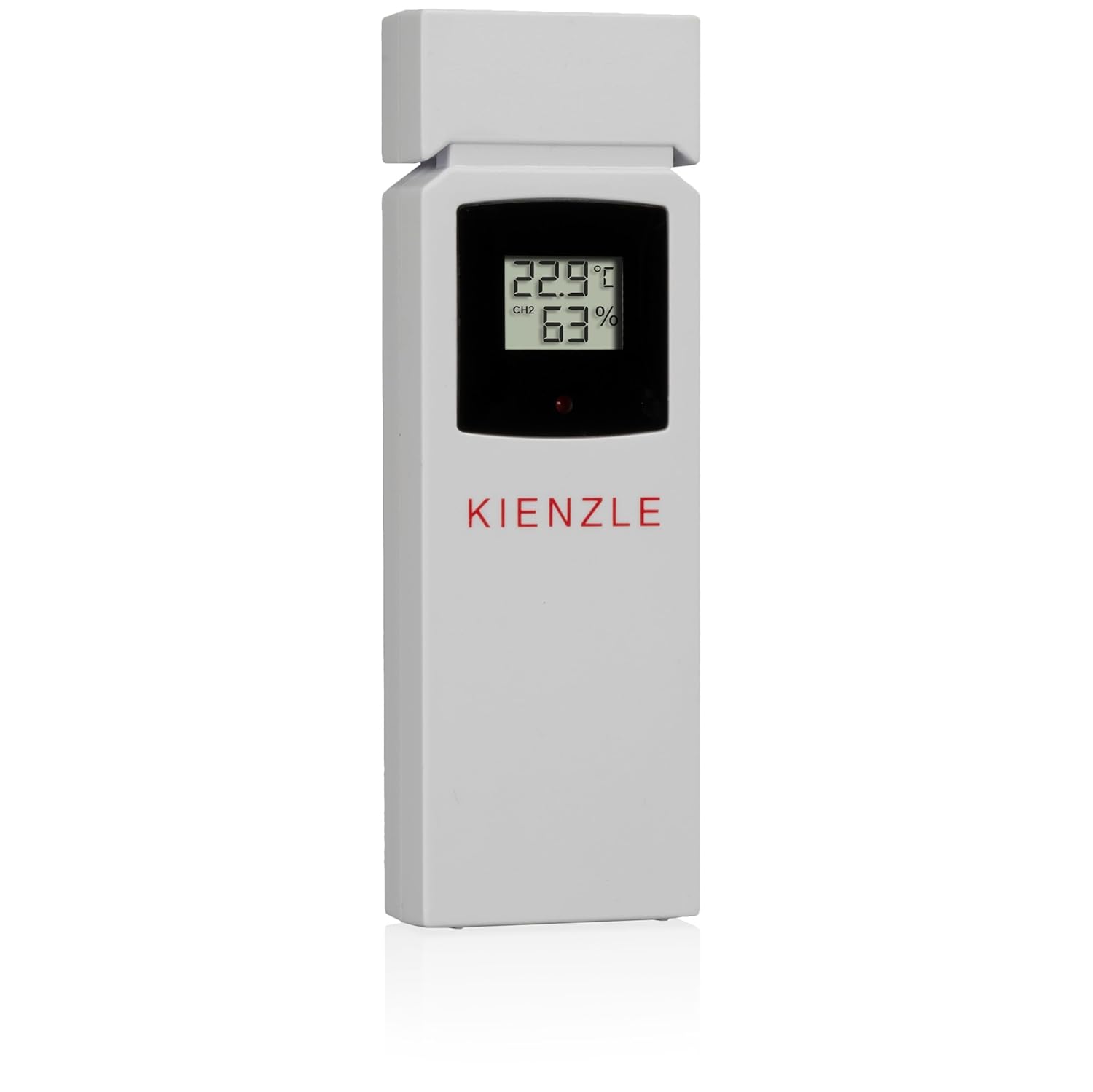
Image: The Kienzle weather station base unit and its accompanying outdoor thermo-hygrometer sensor.
3. פּראָדוקט פֿעיִקייטן
The Kienzle Wireless Weather Station offers a range of advanced features for monitoring your environment:
- פּרויעקציע פֿונקציע: Projects time and indoor/outdoor temperature onto a wall or ceiling.
- קאָליר ווייַז: Clear, vibrant display showing all relevant data at a glance.
- Indoor Climate Monitoring: Measures indoor temperature, humidity, and atmospheric pressure.
- דרויסנדיק דאַטן: Displays outdoor temperature and humidity from the included wireless sensor.
- וועטער פאָרעקאַסט: Provides weather predictions based on atmospheric pressure changes.
- טרייסט ינדיקאַטאָר: A smiley icon provides a quick visual assessment of indoor climate comfort.
- פורעם ריזיקע אינדעקס: A 3-level indicator helps identify and prevent potential mold formation.
- אייז ווארענונג: A snowflake icon flashes when the outdoor temperature is between -1.0 °C and 2.9 °C, indicating potential icy conditions.
- Max/Min Value Recording: Automatically records and allows viewing of maximum and minimum temperature and humidity readings.
- Automatic Time Setting (DCF): Automatically sets date and time via the DCF radio signal for precise timekeeping.
- צווייענדיק וועקער זייגער: Features two independent, adjustable alarm times with a convenient snooze function.
- באַקלייט: Provides illumination for the display, improving visibility in low-light conditions.
- Wireless Sensor Range: The outdoor sensor communicates wirelessly with the base station up to 80 meters in open areas.
4. סעטאַפּ גייד
4.1. אנשטעלן שטראָם פאר דער באַזע סטאנציע
Connect the provided power adapter to the DC 4.5V port on the back of the base station and plug it into a standard power outlet. The display will light up. For backup power during outages, insert 4 x AAA batteries (not included) into the battery compartment on the underside of the base station, ensuring correct polarity.
4.2. אינסטאַלירן דעם דרויסנדיקן סענסאָר
The outdoor sensor requires 2 x AAA batteries (not included). Open the battery compartment on the back of the sensor and insert the batteries, observing the correct polarity. Close the compartment securely. Place the outdoor sensor in a sheltered location outdoors, away from direct sunlight and rain, to ensure accurate readings and prolong its lifespan. Ensure it is within 80 meters of the base station and free from major obstructions.


בילד: פאָרנט און הינטן views of the Kienzle outdoor thermo-hygrometer sensor, showing its display and battery compartment.
4.3. ערשטע סינקראָניזאַציע
Once both the base station and the outdoor sensor are powered, the base station will automatically attempt to connect with the outdoor sensor and receive the DCF time signal. This process may take a few minutes. Ensure both units are close to each other during initial setup. If synchronization fails, refer to the Troubleshooting section for assistance.
5. אַפּערייטינג ינסטרוקטיאָנס
5.1. ווייַז איבערview
The color display provides a comprehensive overview of various environmental data:
- דרינענדיק טעמפּעראַטור און הומידיטי
- דרויסנדיק טעמפּעראַטור און הומידיטי
- אַטמאָספעריק דרוק
- Weather Forecast Icons (e.g., Sunny, Partly Cloudy, Rainy)
- קראַנט צייט און דאַטע
- Mold Risk Indicator
- Comfort Level Indicator (Smiley)
- Ice Warning Icon (Snowflake)
- שרעק סטאַטוס ינדיקאַטאָרס

Image: The main display of the Kienzle weather station, showing various readings including time, indoor/outdoor temperature and humidity, and weather forecast icons.
5.2. Setting Time and Date (Manual Adjustment)
While the DCF signal typically sets the time automatically, you can manually adjust it if needed. Refer to the buttons on the top of the device (e.g., 'SET', 'MODE') to enter time setting mode. Use the '+' and '-' buttons to adjust values and 'SET' or 'MODE' to confirm and move to the next setting.
5.3. באַשטעטיקן אַלאַרמס
The device supports two independent alarms. Locate the 'ALARM1' and 'ALARM2' switches on the back of the unit. Set the desired alarm times by pressing the corresponding 'ALARM' button and using the '+' and '-' buttons to adjust the hour and minute. Press the 'ALARM' button again to confirm. When an alarm sounds, press the 'SNOOZE' button to temporarily silence it for a few minutes, or any other button to turn it off completely.
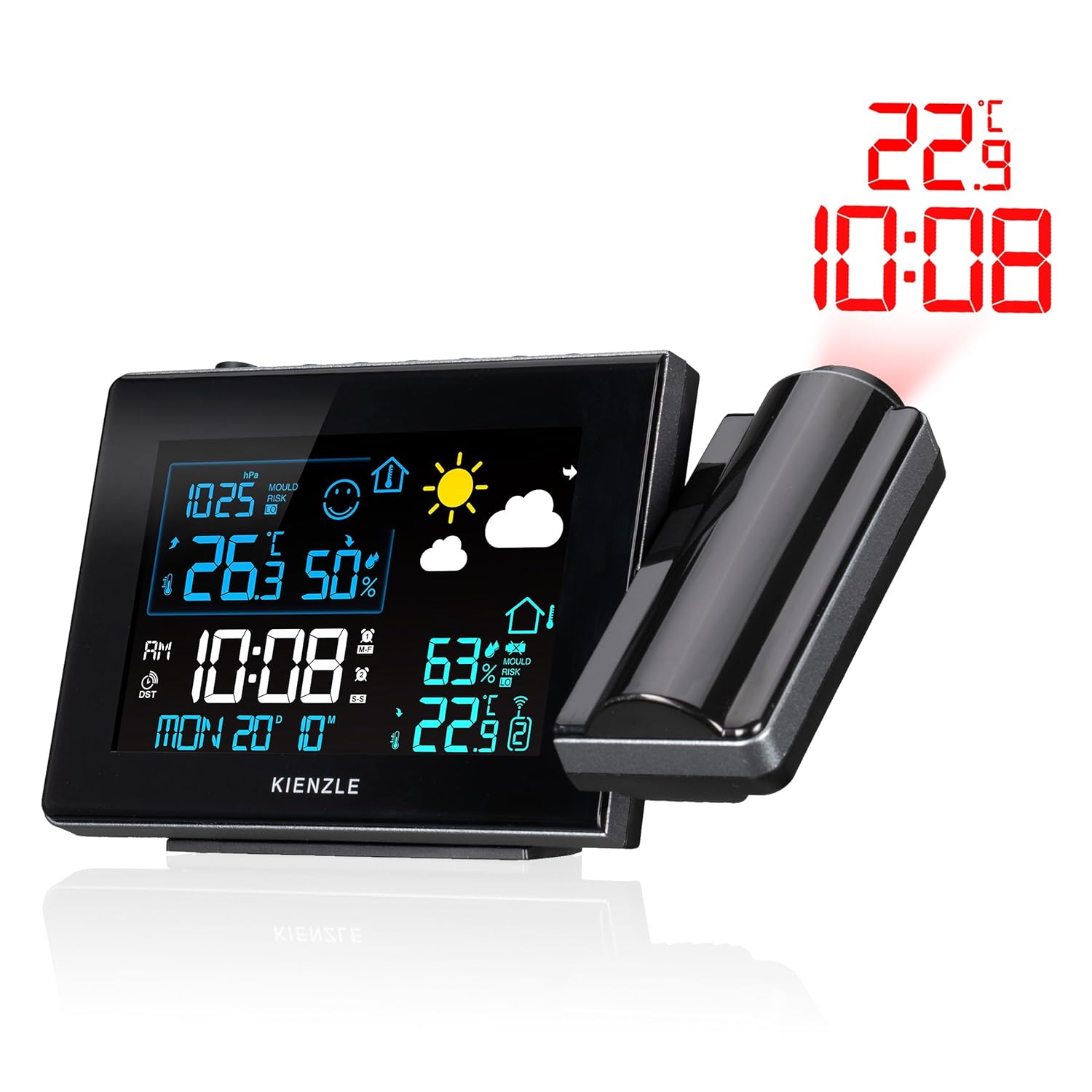
Image: The rear panel of the Kienzle weather station, highlighting the alarm switches and power input port.
5.4. Using the Projection Feature
The integrated projector can display the current time and indoor/outdoor temperature onto a wall or ceiling. To activate the projection, ensure the 'Projection' switch on the back of the unit is set to 'ON'. Adjust the projection angle by rotating the projector arm. Use the focus ring on the projector lens to achieve a clear image on your desired surface.
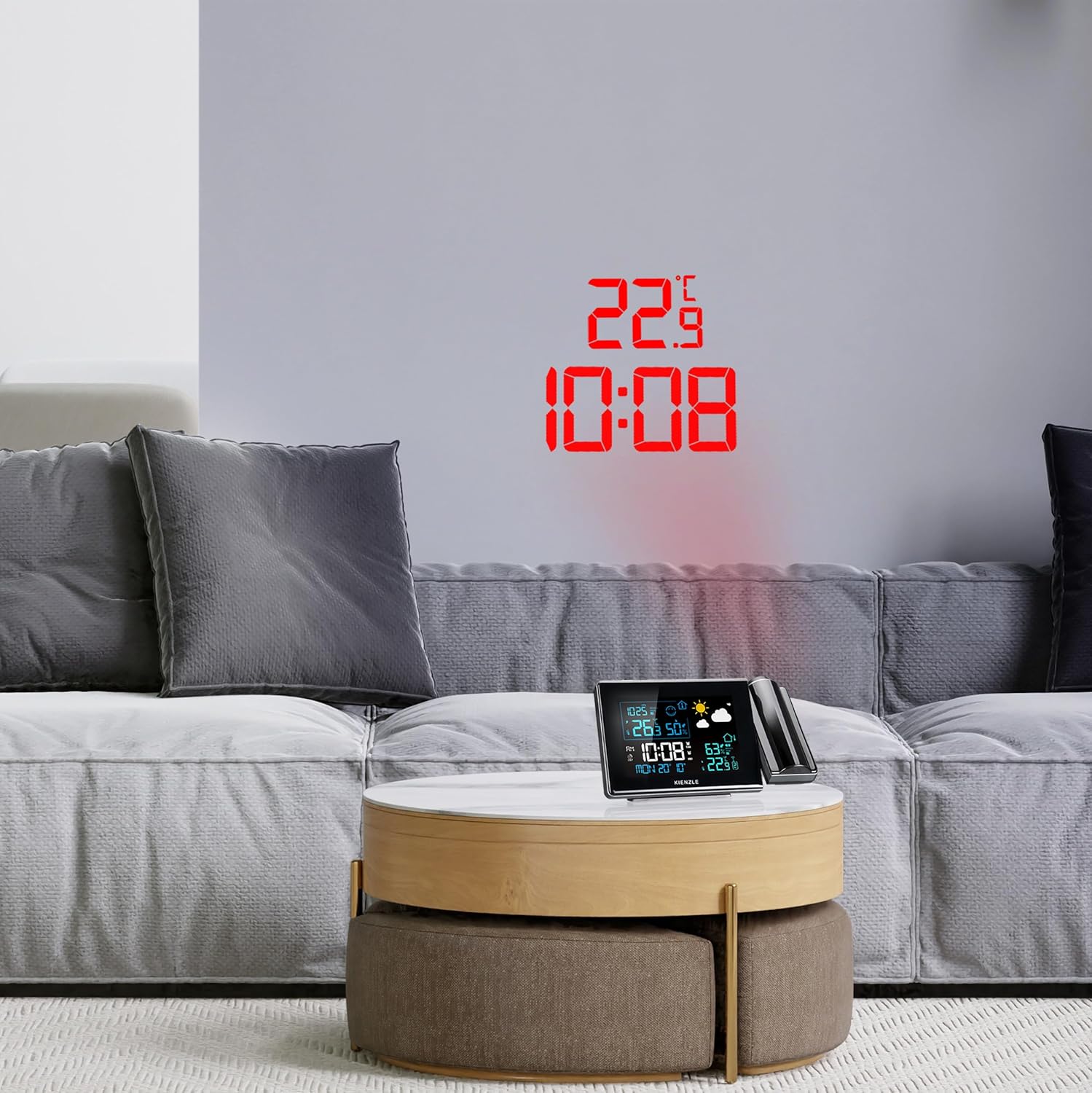

Image: The Kienzle weather station actively projecting the time and temperature onto a wall, demonstrating its projection capability in a home setting.
5.5 . Viewינג מאַקס / מין וואַלועס
Press the 'MAX/MIN' button on the top of the unit to cycle through the maximum and minimum recorded values for indoor temperature, outdoor temperature, indoor humidity, and outdoor humidity. Pressing the button repeatedly will show each value in sequence.
6. וישאַלט
- רייניקונג: Wipe the device and sensor with a soft, dry cloth. Do not use abrasive cleaners, solvents, or corrosive chemicals, as these can damage the surfaces and internal components.
- באַטערי פאַרבייַט: Replace batteries in both the base station and outdoor sensor when the low battery indicator appears on the display. Always replace all batteries in a unit at the same time with new ones of the same type.
- אָרט: Ensure the outdoor sensor remains in a sheltered location to protect it from extreme weather conditions and prolong its lifespan, while also maintaining accurate readings.
7. טראָובלעשאָאָטינג
| פּראָבלעם | מעגלעך סיבה | לייזונג |
|---|---|---|
| No display / Device not powering on | שטראָם אַדאַפּטער נישט פארבונדן; באַטעריעס אויסגעשעפּט אָדער נישט ריכטיק אַרײַנגעשטעלט. | Check power adapter connection; Replace batteries, ensuring correct polarity. |
| Outdoor temperature not displayed / Incorrect readings | Sensor out of range; Sensor batteries depleted; Interference. | Move sensor closer to base station; Replace sensor batteries; Relocate units away from electronic interference. |
| Time not setting automatically (DCF) | Weak DCF signal; Interference. | Move base station to a location with better signal reception (e.g., near a window); Avoid placing near electronic devices; Manually set time if necessary. |
| Projection unclear or out of focus | Incorrect focus adjustment; Incorrect projection distance. | Adjust the focus ring on the projector; Adjust the distance of the base station from the projection surface. |
| דער שרעק קלינגט נישט | אַלאַרם נישט אַקטיוויזירט; באַנד צו נידעריק. | Ensure alarm is set to "ON"; Check alarm settings. |
8. ספּעסאַפאַקיישאַנז
- מאָדעל נומער: 14993
- Dimensions (Base Station): 16.5 X 16.5 X 2.9 סענטימעטער
- Weight (Base Station): 206 גראַמז
- Power Source (Base Station): Power adapter (included), 4 x AAA batteries (not included) for backup
- מאַכט מקור (דרויסנדיק סענסאָר): 2 X AAA באַטעריז (ניט אַרייַנגערעכנט)
- ווירעלעסס אָפטקייַט: 433 מהז, 868 מהז
- ווירעלעסס קייט: ביז 80 מעטער (אין אפענע געביטן)
- טעמפּעראַטור אַקיעראַסי: ±1 °C
- מאַטעריאַל: פּלאַסטיק
- קאָליר: Black (Base Station), White (Sensor)
- ספּעציעלע פֿעיִקייטן: Mold alarm, Ice warning, Alarm function, Room temperature indicator, Max/Min value memory, Projection, Backlight, DCF time signal.
9. וואָראַנטי און שטיצן
For warranty information and technical support, please refer to the contact details provided with your purchase documentation or visit the official Kienzle website. Information regarding the availability of spare parts is not provided in this manual.