
Insoma SGW10-T
Insoma Sprinkler Timer SGW10-T Instruction Manual
Model: SGW10-T
Brand: Insoma
הקדמה
Thank you for choosing the Insoma Sprinkler Timer. This programmable irrigation hose timer is designed to simplify your garden and lawn watering, ensuring your plants receive optimal hydration with minimal effort. It features automatic scheduling, a rain delay function, and a manual watering option for complete control. Please read this manual carefully before use to ensure proper installation and operation.

Image: The Insoma Sprinkler Timer enables automatic watering, eliminating the need for manual watering.
פּראָדוקט קאַמפּאָונאַנץ
The Insoma Sprinkler Timer package includes the following items:
- Insoma Sprinkler Timer Unit
- Reducing Hex Bushing (for different faucet sizes)
- פאָדעם סיל טייפּ
- באַניצער מאַנואַל (דעם דאָקומענט)
Note: 2 AA alkaline batteries are required and are not included.
סעטאַפּ אינסטרוקציעס
- ינסטאַלירן באַטעריז: Open the battery compartment on the back of the timer. Insert two (2) new AA alkaline batteries, ensuring correct polarity. Close the compartment securely. The display will activate.
- צולייגן פֿאָדעם פֿאַרזיגלונג טייפּ: For a leak-free connection, wrap the included thread seal tape around the threads of your outdoor faucet.
- Attach Timer to Faucet: Screw the timer's brass inlet connector onto your outdoor faucet. Hand-tighten only. If your faucet size requires it, use the reducing hex bushing provided.
- קאָננעקט קישקע: Attach your garden hose to the plastic outlet of the sprinkler timer. Ensure a tight connection to prevent leaks.
- שטעלן די איצטיקע צייט: Turn the dial to 'SET CLOCK'. Use the '+' and '-' buttons to adjust the current time. Press 'OK' to confirm.

Image: The Insoma Sprinkler Timer installed on a faucet, ready for use.

Image: The timer features an upgraded anti-leakage design for a secure connection.
אַפּערייטינג ינסטראַקשאַנז
אָטאַמאַטיק וואָטערינג מאָדע
This mode allows you to set a recurring watering schedule.
- שטעלן אָנהייב צייט: Turn the dial to 'START TIME'. Use '+' and '-' to set the desired watering start time. Press 'OK'.
- Set How Long (Duration): Turn the dial to 'HOW LONG'. Use '+' and '-' to set the watering duration from 1 minute to 5 hours 59 minutes. Press 'OK'.
- Set How Often (Frequency): Turn the dial to 'HOW OFTEN'. Use '+' and '-' to set the watering frequency (every 1-24 hours or every 1-7 days). Press 'OK'.
- Activate Auto Mode: Turn the dial to 'AUTO'. The timer will now operate according to your programmed schedule.

Image: Setting the watering duration and frequency for automatic operation.
רעגן פאַרהאַלטן פֿונקציע
To conserve water during rainy periods, you can temporarily pause your watering schedule.
- While in 'AUTO' mode, press the 'RAIN DELAY' button (often combined with 'SET/MANU' or a dedicated button).
- Use '+' and '-' to select the delay duration (1 to 7 days).
- Press 'OK' to confirm. The timer will pause for the selected period and resume the schedule automatically afterward.
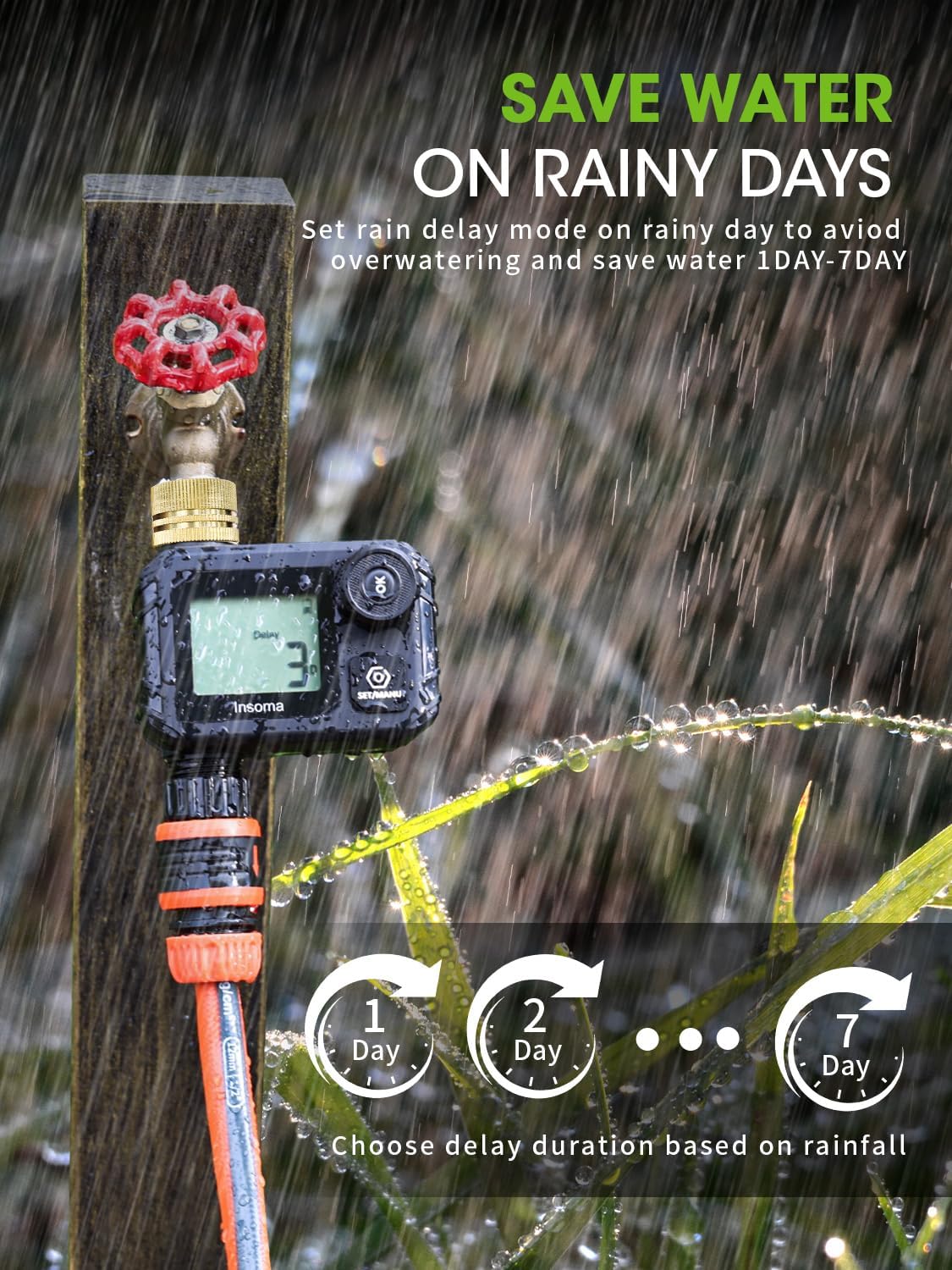
Image: The rain delay feature allows pausing watering for 1 to 7 days.
מאַנואַל וואָטערינג מאָדע
For immediate, unscheduled watering without affecting your programmed schedule.
- Turn the dial to 'MANUAL' or press the 'SET/MANU' button.
- Use '+' and '-' to set the desired manual watering duration (1 to 59 minutes).
- Press 'OK' to start manual watering. The timer will run for the set duration and then return to 'AUTO' mode.

Image: Manual watering allows for immediate, temporary watering without altering the schedule.
וישאַלט
באַטערי פאַרבייַט
The timer is powered by 2 AA alkaline batteries. A low battery indicator will appear on the display when power is low. When the battery is critically low, the valve will automatically close to prevent water waste. Replace batteries promptly to ensure continuous operation.

Image: The timer features low power auto-shutoff and a 365-day battery life with proper battery care.
רייניקונג די מעש פילטער
The timer includes a built-in mesh filter to prevent debris from entering your irrigation system. Periodically check and clean the filter to ensure optimal water flow and prevent blockages.

Image: The built-in mesh filter prevents debris from entering the system.
וואָטערפּרוף רייטינג
The Insoma Sprinkler Timer has an IP55 waterproof rating, meaning it is protected against dust and low-pressure water jets. The sealed battery cover and display screen with a rubber sealing ring provide enhanced protection against moisture.

Image: The IP55 waterproof design ensures durability in outdoor conditions.
טראָובלעשאָאָטינג
| פּראָבלעם | מעגלעך סיבה | לייזונג |
|---|---|---|
| Timer not watering | Low batteries; Incorrect program settings; Faucet off; Rain delay active. | Replace batteries; Check program (start time, duration, frequency); Ensure faucet is open; Cancel rain delay or wait for it to expire. |
| וואַסער וואָס רינט פֿון פֿאַרבינדונגען | Loose connections; Worn out washer; Missing thread seal tape. | Tighten connections; Check and replace rubber washers; Reapply thread seal tape. |
| קיין דיספּלעי אָדער טונקעל דיספּלעי | Dead or low batteries; Batteries inserted incorrectly. | Replace batteries with new ones; Check battery polarity. |
| וואַסער לויפן איז שוואַך | Clogged mesh filter; Low water pressure. | Clean the mesh filter; Check household water pressure. |
ספּעסאַפאַקיישאַנז
- מאָדעל נומער: SGW10-T
- סאָרט: ינסאָמאַ
- קאָליר: שוואַרץ
- מאַטעריאַל: אַקרילאָניטרילע בוטאַדיענע סטירענע (אַבס)
- פּראָדוקט גרייסן (ד x ב x ה): 1.96" x 4.13" x 4.52"
- מאַכט מקור: 2 אַאַ אַלקאַליין באַטעריז (ניט אַרייַנגערעכנט)
- וואַסער דרוק קייט: 7.25 צו 116 פּסי
- וואָטערפּרוף שאַץ: IP55
- וואַסערונג געדויער: 1 מינוט צו 5 שעה 59 מינוט
- וואַסערינג אָפטקייט: יעדער 1-24 שעה אָדער יעדער 1-7 טעג
- רעגן פאַרהאַלטן: 1 צו 7 טעג
וואָראַנטי אינפֿאָרמאַציע
Insoma products are designed for durability and performance. For specific warranty details, please refer to the product packaging or contact Insoma customer support. Generally, products are covered against defects in materials and workmanship under normal use.
קונה שטיצן
If you have any questions, require assistance with setup, or encounter issues with your Insoma Sprinkler Timer, please contact our customer support team. You can find more information and contact details by visiting the official Insoma store on Amazon:
פֿאַרבונדענע דאָקומענטן - SGW10-T
 |
Insoma SGW02W Smart Dual Water Timer User Manual & Setup Guide Comprehensive user manual for the Insoma SGW02W Smart Dual Water Timer. Learn how to set up, connect via WiFi and Bluetooth, use the Smart Life app, manage watering schedules, and troubleshoot common issues. |
 |
INSOMA ZL02 2-Zone Digital Water Timer User Manual Comprehensive user manual for the INSOMA ZL02 2-Zone Digital Water Timer. Includes setup instructions, programming guide, troubleshooting, and technical specifications. |
 |
Insoma Smart Water Timer Quick Connect Guide A step-by-step guide to connect your Insoma Smart Water Timer and Gateway to the Smart Life APP for automated garden irrigation, ensuring efficient watering and smart home integration. |
 |
SGW20 Water Timer User Manual User manual for the SGW20 Water Timer, detailing product overview, specifications, installation, automatic watering program settings, manual watering, rain delay, child safety lock, and frequently asked questions. |
 |
Insoma Smart WiFi Water Timer SGW05W User Manual User manual for the Insoma SGW05W Smart WiFi Water Timer. This guide covers product overview, Wi-Fi hub details, setup instructions, app features, voice control integration with Alexa and Google Assistant, warm tips, and frequently asked questions. |
 |
Insoma SGW05 Digital Water Timer Instruction Manual Comprehensive instruction manual for the Insoma SGW05 digital water timer. Learn how to install batteries, set irrigation schedules, and perform maintenance for automatic garden watering. |
Ask a question about this manual
Ask about setup, troubleshooting, compatibility, parts, safety, or missing instructions. Manuals+ will review the question and use this page’s manual context to help answer it.