
1. הקדמה
Thank you for choosing the blurams Indoor Security Camera. This manual provides essential information for the safe and efficient use of your device. Please read it thoroughly before operation and retain it for future reference.

Figure 1: blurams Indoor Security Camera (Model A31S)
2. וואָס איז אין דער קעסטל
Your blurams Indoor Security Camera package includes the following items:
- Indoor Camera Unit (2 units)
- טיפּ-C קאַבלע
- מאַונטינג סקרוז
- מאַכט אַדאַפּטער (5V 1A)
- ינסטראַקשאַנז מאַנואַל

Figure 2: Contents of the blurams Indoor Security Camera package.
3. סעטאַפּ גייד
Follow these steps to set up your blurams Indoor Security Camera:
- מאַכט אויף: Connect the camera to a power source using the provided Type-C cable and 5V 1A power adapter. The camera head will rotate for approximately 20 seconds during startup.
- אראפקאפיע די אַפּ: Download the official 'blurams' app from the Apple App Store or Google Play.
- שאַפֿן אַ חשבון: עפֿנט די אַפּ און פֿאָלגט די אינסטרוקציעס אויף דעם עקראַן צו שאַפֿן אַ נײַעם באַניצער אַקאַונט.
- צוגעבן אַפּאַראַט:
- Log in to your blurams account.
- צאַפּן אויף די '+' בילדל צו לייגן צו אַ נייעם מיטל.
- Select 'A31' or 'Dome Flare' from the indoor camera list.
- The app will guide you through the connection process.
- יבערקוקן QR קאָד: When prompted, scan the QR code displayed on your smartphone screen with the camera. Hold your phone 10-15 cm away from the camera lens until you hear a beep sound.
- Wi-Fi קאַנעקשאַן: Select your 2.4GHz or 5GHz Wi-Fi network and enter the password. The camera supports both frequencies.
- פארענדיקונג: Once connected, you can name your camera and select its primary use (e.g., pet monitoring, baby monitor).
Video 1: blurams 3MP Security Camera Connection Method. This video demonstrates the step-by-step process of connecting your blurams camera to the mobile application, including scanning the QR code and Wi-Fi setup.
Video 2: Indoor Baby Monitor and Pet Camera Installation and Connection Settings. This video provides a general guide for installing and connecting blurams indoor cameras, which can be applied to the A31S model.
4. אַפּערייטינג ינסטרוקטיאָנס
4.1 הויפּט פֿעיִקייטן איבערview
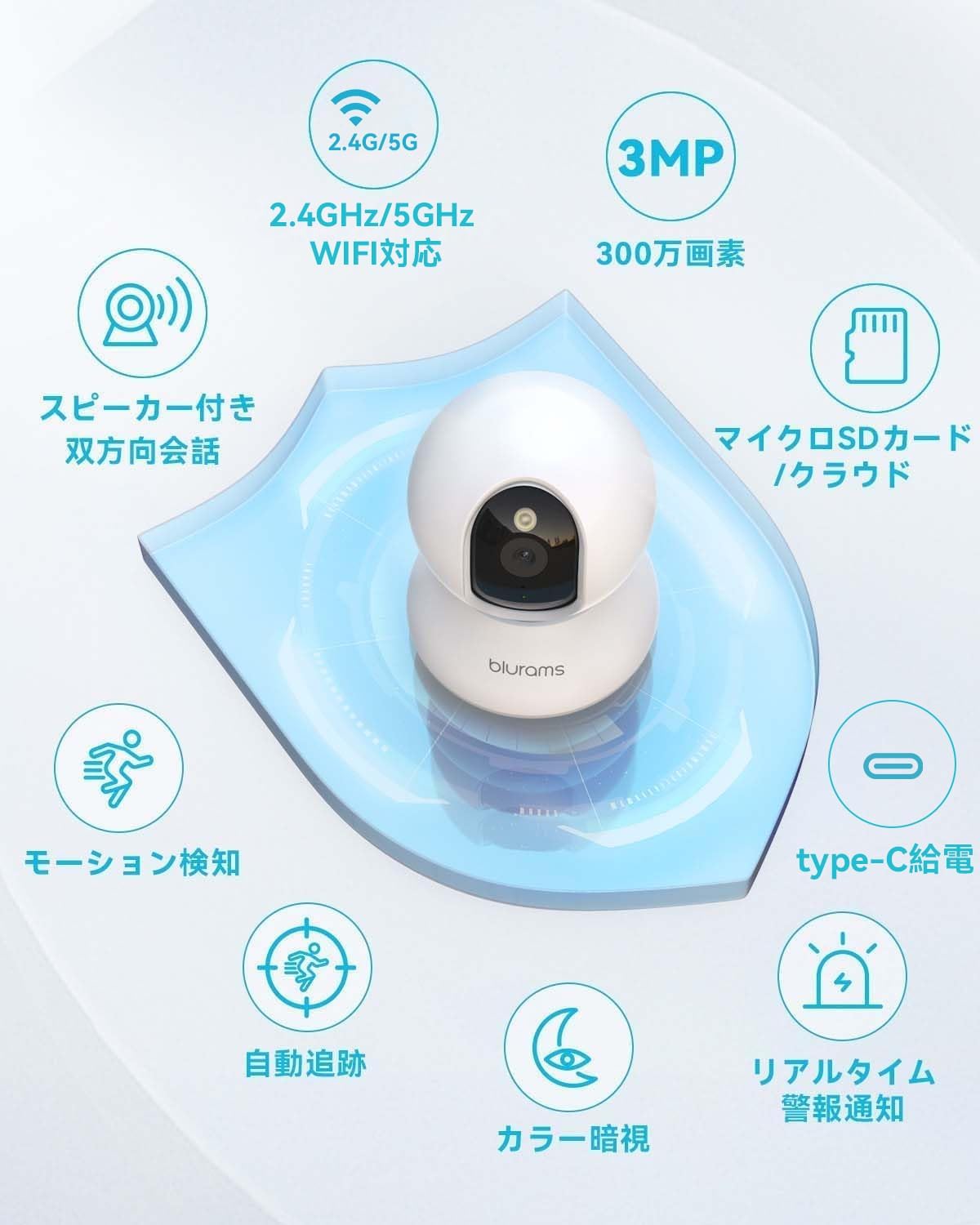
פיגורע 3: איבערview of blurams Indoor Security Camera features, including 2.4G/5G WiFi support, 3MP resolution, microSD/cloud storage, two-way audio, motion detection, auto-tracking, color night vision, real-time alarms, and Type-C power.
4.2 פּאַן-טילט-זום (PTZ) קאָנטראָל
The camera features 360° horizontal and 110° vertical rotation. Use the blurams app to remotely adjust the camera's viewing angle. It also supports 4x digital zoom to view פּרטים.

Figure 4: PTZ functionality with auto-tracking, showing the camera's range of motion and digital zoom capability via the app.
4.3 צוויי-וועג אַודיאָ
Engage in real-time two-way conversations through the camera using the app. This feature is ideal for communicating with family members, pets, or visitors.

Figure 5: Demonstrates two-way audio communication with a pet through the camera.
Video 3: Two-Way Talk from Surveillance Camera. This video illustrates the two-way audio feature, allowing users to communicate through the camera.
4.4 Motion, Sound, and Human Detection
The camera is equipped with AI-powered detection capabilities. When motion, sound, or a human figure is detected, you will receive instant notifications on your smartphone via the blurams app. Enable 'Auto-Tracking' in the app for the camera to follow detected movement.
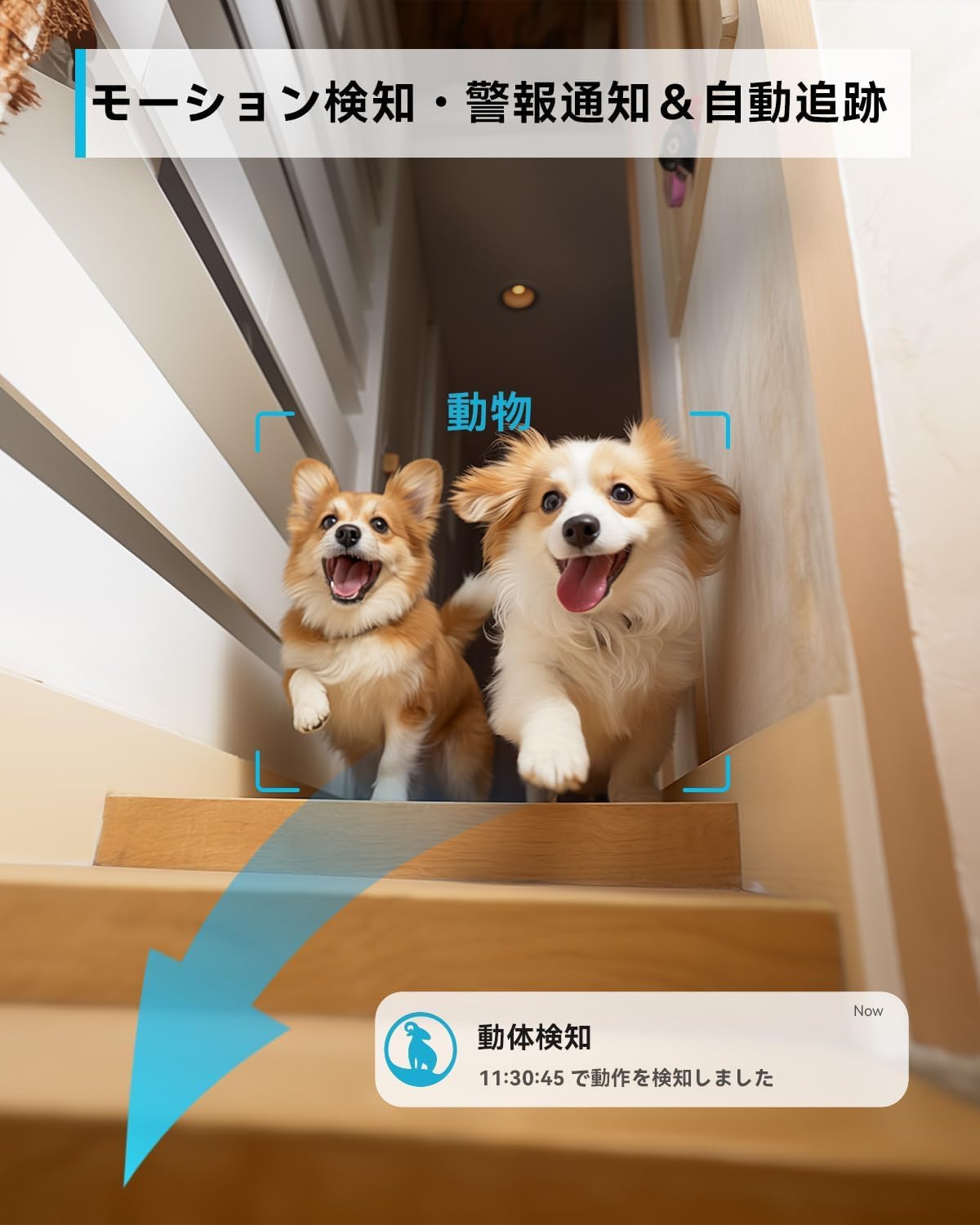
Figure 6: Motion detection and automatic tracking feature, showing the camera identifying and following movement.
4.5 נאַכט זעאונג
The camera provides 3MP resolution (2304x1296) and features full-color night vision up to 12 meters, ensuring clear images even in low-light conditions. It also supports traditional infrared night vision.
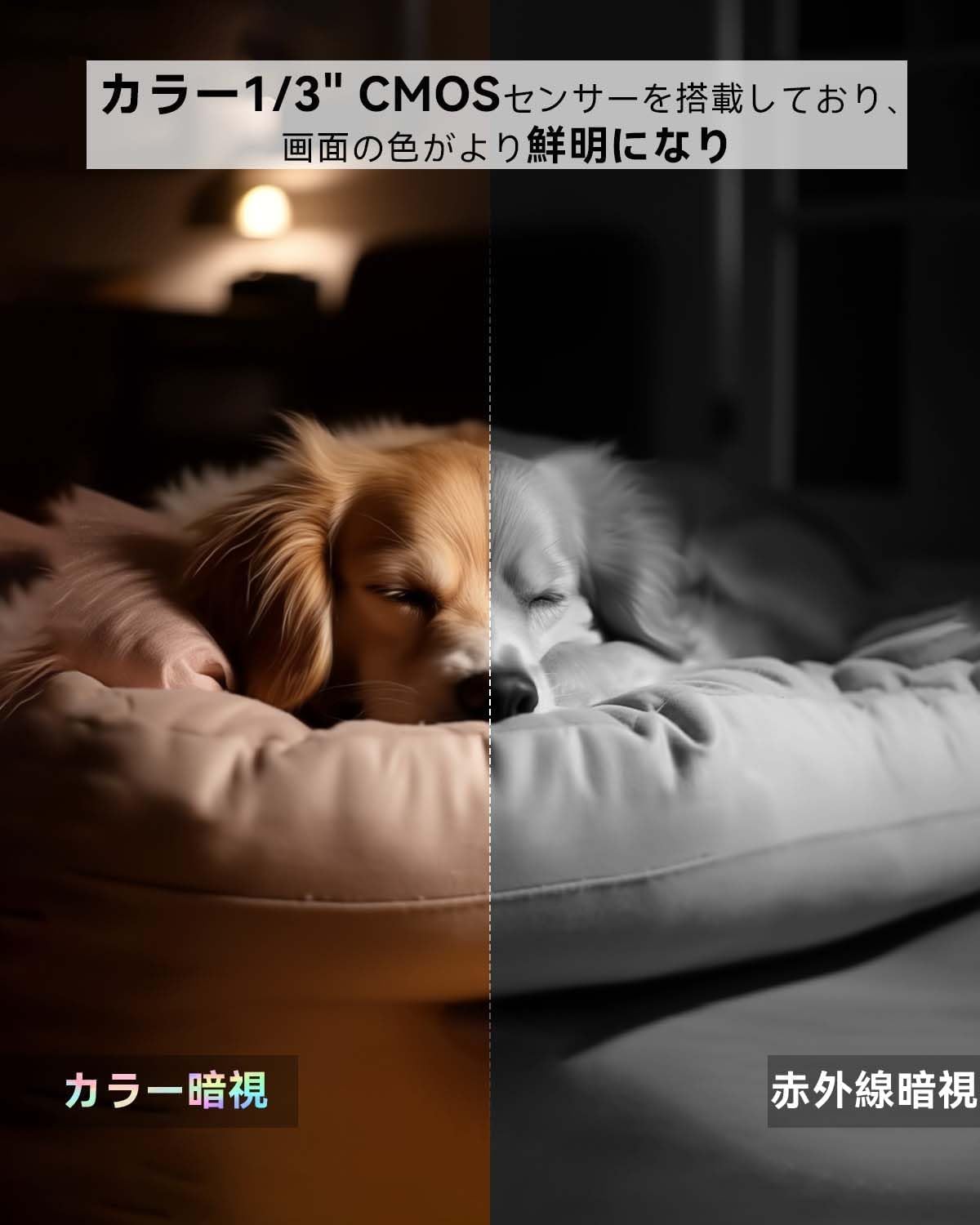
Figure 7: Comparison illustrating the clarity and color retention of full-color night vision versus standard infrared night vision.
4.6 רעקאָרדינג און סטאָרידזש
The camera offers flexible recording options:
- מיקראָסד קאָרט: Supports up to 256GB microSD cards (sold separately) for 24-hour continuous recording.
- וואָלקן סטאָרידזש: Optional paid cloud storage service is available, offering a 1-month free trial. This provides secure, encrypted storage for your video footage.

Figure 8: Recording and playback options, including continuous recording to microSD and event-based recording to cloud storage.
4.7 פּריוואַטקייט מאָדע
For enhanced privacy, you can activate the privacy mode via the app. In this mode, the camera lens will physically slide upwards, blocking the view and exposing the microSD card slot, ensuring no recording or live viewינג אַקערז.

Figure 9: Illustrates the privacy mode where the lens retracts, and various mounting options for the indoor camera.
5. וישאַלט
- רייניקונג: ניצט אַ ווייכע, טרוקענע שטאָף צו רייניקן די קאַמעראַ לענס און קערפּער. פֿאַרמייַדט ניצן שטרענגע כעמיקאַלן אָדער אַברייסיוו מאַטעריאַלן.
- אָרט: Place the camera on a stable, flat surface or mount it securely to a wall or ceiling using the provided hardware. Ensure it is within Wi-Fi range.
- מאַכט צושטעלן: Always use the original 5V 1A power adapter to prevent damage to the device.
- Firmware דערהייַנטיקונגען: Regularly check the blurams app for firmware updates to ensure optimal performance and security.
6. טראָובלעשאָאָטינג
- אַפּאַראַט ניט קאַנעקטינג צו Wi-Fi:
- Ensure your Wi-Fi network is 2.4GHz or 5GHz.
- באַשטעטיקן אַז די Wi-Fi פּאַראָל איז ריכטיק.
- שטעלן די אַפּאַראַט נעענטער צו דיין Wi-Fi ראַוטער.
- Reset the camera by pressing and holding the reset button until the indicator light changes to green and you hear a prompt.
- QR Code Scanning Issues:
- Ensure the QR code on your phone screen is clear and well-lit.
- Hold the phone 10-15 cm away from the camera lens.
- Clean the camera lens if it's dirty.
- קיין נאטיפיקאציעס:
- Check if 'Notification Permissions' are enabled in the blurams app settings.
- Ensure your smartphone's notification settings allow alerts from the blurams app.
- ווידעא קוואַליטעט ישוז:
- זיכער מאַכן אַ סטאַביל Wi-Fi פֿאַרבינדונג.
- קאָנטראָלירט די קאַמעראַ לינזע פֿאַר שמוץ אָדער שטערונגען.
7. ספּעסאַפאַקיישאַנז
| שטריך | דעטאַל |
|---|---|
| מאָדעל נומער | A31S |
| האַכלאָטע | 3MP (2304x1296), 1296p |
| קאַנעקטיוויטי | Wi-Fi (2.4GHz/5GHz) |
| פּאַן / טילט קייט | האָריזאָנטאַל 360 °, ווערטיקאַל 110 ° |
| נאַכט זעאונג | Full-Color Night Vision, up to 10-12 meters |
| אַודיאָ | צוויי-וועג אַודיאָ |
| דעטעקשאַן | Motion, Sound, Human Detection, Auto-Tracking |
| סטאָרידזש אָפּציעס | microSD Card (max 256GB, not included), Cloud Storage (paid subscription) |
| מאַכט צושטעלן | Corded Electric (5V 1A adapter included) |
| דימענשאַנז (LxWxH) | 8.2 X 8.2 X 11 סענטימעטער |
| וואָג | 600 ג |
| קאַמפּאַטאַבילאַטי | iOS 10+, Android 5+, Alexa, Google Assistant, IFTTT |
| וואַסער קעגנשטעל | Not Waterproof (Indoor Use Only) |
8. וואָראַנטי און שטיצן
Your blurams Indoor Security Camera comes with a 3-יאָר פאַבריקאַנט ס וואָראַנטי. The product is TELEC certified (TELEC Mark No: 204-B00738), ensuring compliance with technical standards.
For any questions or support requests regarding your product, please contact our support team through your Amazon order history. We are committed to providing excellent after-sales service.

Figure 10: Customer support representatives ready to assist with inquiries.