
הקדמה
This manual provides comprehensive instructions for the proper setup, operation, and maintenance of your EBTOOLS Camera Backpack Clip for Insta360 GO 3S. Please read this manual thoroughly before using the product to ensure optimal performance and longevity.

Image: The EBTOOLS Camera Backpack Clip, designed for secure and versatile mounting of the Insta360 GO 3S camera.
פּעקל אינהאַלט
באַשטעטיקט אַז אַלע זאכן וואָס זענען אויסגערעכנט אונטן זענען פאַראַן אין אייער פּעקל:
- 1 x EBTOOLS Backpack Clip Mount
- 2 רענטגענ גומע פּאַדס

Image: The backpack clip mount shown alongside the two included rubber pads, which provide additional grip and protection.
פּראָדוקט איבערview
The EBTOOLS Camera Backpack Clip is designed for secure and flexible attachment of your Insta360 GO 3S camera to various surfaces. Key features include:
- 360° ראָוטיישאַן: Allows for versatile camera positioning.
- זיכער גריפּ: Features multiple serrations and a strong spring mechanism.
- ווערסאַטאַל מאַונטינג: Compatible with backpack straps, hat brims, and clothing.
- שנעל מעלדונג: Designed for fast installation and removal.
- דוראַבאַל מאַטעריאַל: Constructed from ABS for lasting use.

בילד: א שפּאַלטונג view showing the camera clip independently and attached to a backpack strap with an Insta360 GO 3S camera, illustrating its compact design and application.
סעטאַפּ אינסטרוקציעס
- Attach Rubber Pads (Optional): For enhanced grip and to protect surfaces, peel and apply the included rubber pads to the inner surfaces of the clip's jaws.
- Open the Clip: Press the rear end of the clip to open its jaws.
- Position the Clip: Place the open jaws over the desired mounting surface, such as a backpack strap, hat brim, or thick clothing. Ensure the surface is securely gripped by the clip.
- באַוואָרענען די קליפּ: Release the clip to allow the strong spring to firmly hold it in place. Verify that the clip is stable and does not easily shift.
- אַרײַנשטעלן קאַמעראַ: Carefully slide your Insta360 GO 3S camera into the designated slot on the clip mount until it clicks securely into place.
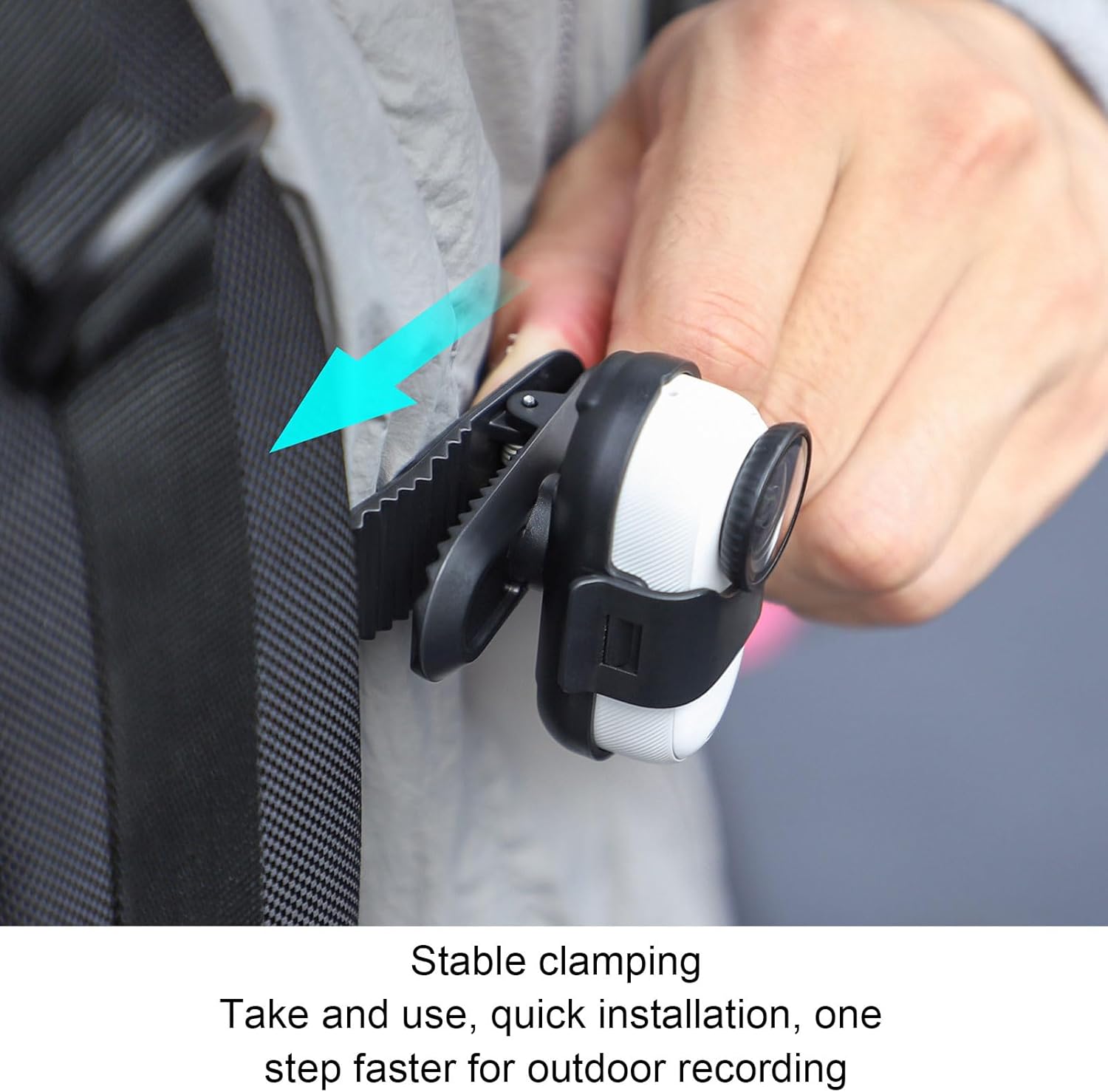
Image: A hand demonstrating the attachment of the camera clip to a backpack strap, highlighting the secure clamping mechanism for quick installation.

Image: The Insta360 GO 3S camera securely mounted on a backpack strap using the EBTOOLS clip, ready for hands-free recording.
אַפּערייטינג ינסטראַקשאַנז
Once the camera is securely mounted, you can adjust its orientation:
- 360° ראָוטיישאַן: The camera housing on the clip allows for full 360-degree rotation. Gently rotate your Insta360 GO 3S camera to achieve the desired recording angle (horizontal, vertical, or any intermediate position).
- רעקאָרדינג: Begin recording using your Insta360 GO 3S camera's controls as per its own instruction manual.

Image: A visual representation demonstrating the 360-degree rotation capability of the camera within the clip, alongside examples of vertical and horizontal recording orientations.
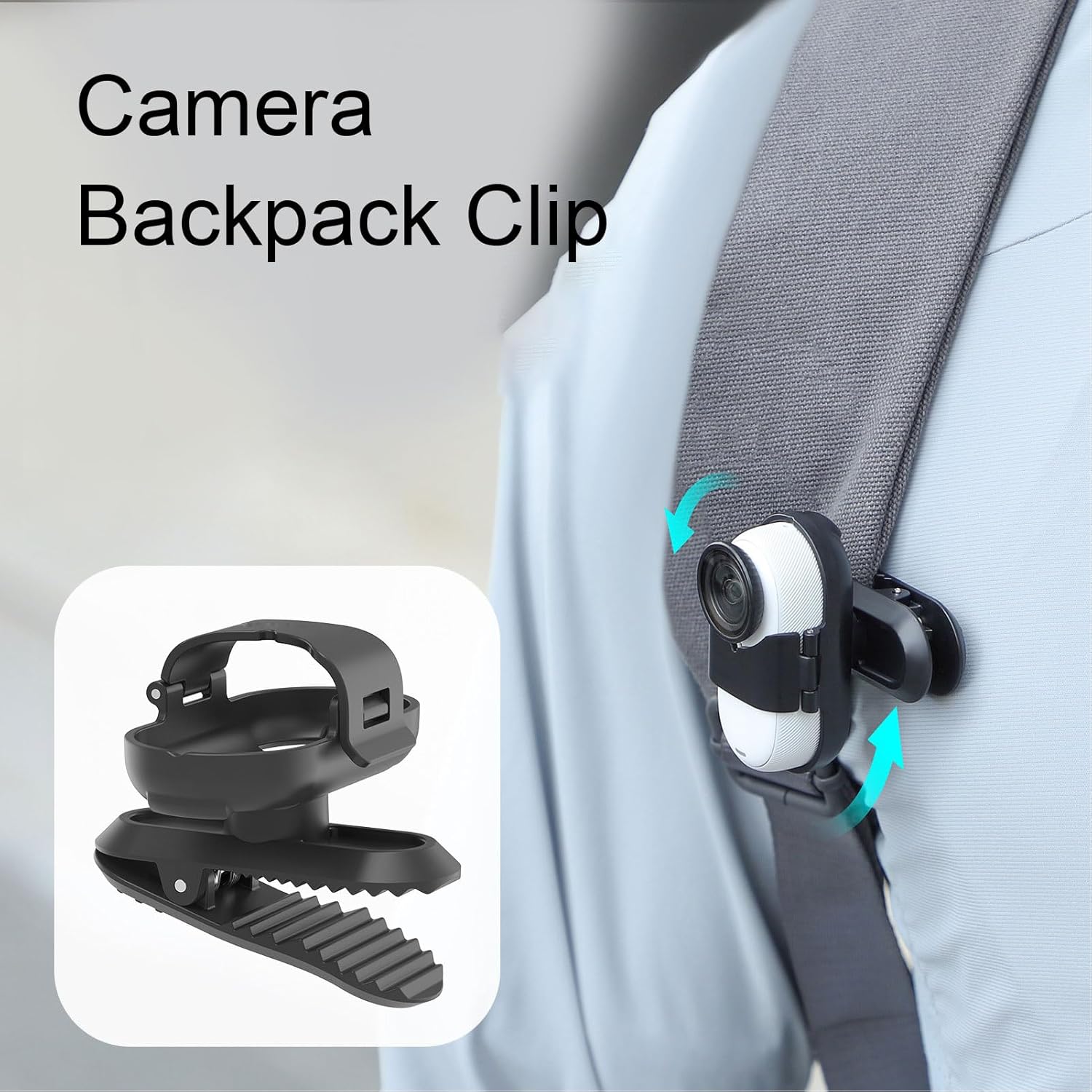
Image: The camera backpack clip with an Insta360 GO 3S attached, illustrating the rotational movement with arrows, allowing for flexible angle adjustments.
וישאַלט
- רייניקונג: Wipe the clip with a soft, dry cloth to remove dust and debris. For stubborn dirt, a slightly damp מען קען ניצן אַ שטאָף, און עס זאָל גלייך טריקענען. מען ניצט נישט קיין שאַרפע כעמיקאַלן אָדער אַברייסיוו רייניקונגסמיטלען.
- סטאָרידזש: Store the clip in a cool, dry place away from direct sunlight and extreme temperatures when not in use.
- דורכקוק: Periodically inspect the clip for any signs of wear or damage, especially the spring mechanism and the camera slot.
טראָובלעשאָאָטינג
| אַרויסגעבן | מעגלעך סיבה | לייזונג |
|---|---|---|
| Clip does not hold securely. | Mounting surface is too thin or too thick; spring mechanism is worn. | Ensure the mounting surface is within the clip's thickness range. Apply rubber pads for better grip. If the spring is worn, consider replacing the clip. |
| Camera feels loose in the slot. | Camera not fully inserted; slot is damaged. | Push the Insta360 GO 3S firmly into the slot until it clicks. Inspect the slot for damage; if damaged, the clip may need replacement. |
| Difficulty rotating the camera. | Dust or debris in the rotation mechanism. | Gently clean around the rotation joint. Ensure no foreign objects are obstructing movement. |
ספּעסאַפאַקיישאַנז
- מאָדעל: EBTOOLSzrasmfyo59
- מאַטעריאַל: ABS
- קאַמפּאַטאַבילאַטי: Insta360 GO 3S
- פּעקל דימענשאַנז: 2.36 X 1.57 X 1.57 אינטשעס
- נומער וואָג: 0.776 אונסעס
וואָראַנטי אינפֿאָרמאַציע
ספּעציפֿישע וואָראַנטי דעטאַלן פֿאַר דעם פּראָדוקט ווערן נישט צוגעשטעלט אין דער פֿאַראַן אינפֿאָרמאַציע. ביטע זעט די אָפֿיציעלע אינפֿאָרמאַציע פֿונעם פֿאַרקויפֿער אָדער פאַבריקאַנט. webזייטל פֿאַר אַלע אָנווענדלעך וואָראַנטי טערמינען און באדינגונגען.
קונה שטיצן
For further assistance or inquiries regarding your EBTOOLS Camera Backpack Clip, please contact your point of purchase or visit the official EBTOOLS website for support resources. Specific contact information is not provided in this manual.