
1. הקדמה
Thank you for choosing the JOMISE D530 Dash Cam. This manual provides detailed instructions for the proper installation, operation, and maintenance of your device. Please read this manual thoroughly before use to ensure optimal performance and safety.
2. וואָס איז אין דער קעסטל
- פראָנט אַפּאַראַט (הויפּט אַפּאַראַט)
- דערציען אַפּאַראַט
- מאַשין טשאַרדזשער
- באַניצער מאַנואַל
- 32 גיגאבייט מיקראָ סד קאָרט
- Static Cling Film for Windshield Mounting
- הינטער קאַמעראַ עקסטענסיאָן קאַבלע

Image: Contents of the JOMISE D530 Dash Cam package, showing the main front camera unit, the smaller rear camera, the car charger, and the user manual.
3. פּראָדוקט איבערviewקאָמפּאָנענטן און קאָנטראָלן
The JOMISE D530 Dash Cam features a compact design with a 3-inch LCD screen. It includes a front camera for 4K recording and a rear camera for 1080P recording.

Image: Detailed diagram of the JOMISE D530 Dash Cam, highlighting the Mini USB interfaces for the car charger and rear camera, the GPS Player Verification code, and the control buttons (Menu, Up, Down, Mode) with their respective functions.
הויפּט אַפּאַראַט פֿעיִקייטן:
- פראָנט לינז: Captures 4K video.
- 3-אינטש לקד פאַרשטעלן: פֿאַר לעבן view, פּלייבאַק און סעטטינגס.
- מיקראָ סד קאָרט שפּעלטל: Supports up to 256GB (32GB card included).
- מאַכט קנעפּל: צו קער די מיטל אויף / אַוועק.
- באַשטעטיק קנעפּל: פֿאַר פֿאַבריק ריסעט אויב נייטיק.
- Mini USB Interface (Top): Connects to the car charger.
- Mini USB Interface (Side): פֿאַרבינדט זיך צו דער הינטערשטער קאַמעראַ.
- Control Buttons (Menu, Up, Down, Mode): Navigate menus and settings.
Hotkey Guide:
- מעניו: Short press to lock video.
- אַרויף: Short press to take a photo; Long press to open Wi-Fi settings.
- אַראָפּ: Short press to switch front or rear view; Long press to turn On/Off audio recording.
- מאָדע: Short press to start and stop recording. After stopping recording, long press to switch between recording, photographing, and playback modes.
4. סעטאַפּ און ייַנמאָנטירונג
א ריכטיגע אינסטאַלאַציע איז קריטיש פֿאַר אָפּטימאַלער פאָרשטעלונג. פֿאָלגט די סטעפּס קערפֿול:
4.1. צוגרייטן די מיקראָ סד קאַרטל
- Insert the included 32GB Micro SD card into the card slot on the main unit.
- For first-time use, or after using a new card, format the SD card within the dash cam's settings menu. This ensures compatibility and proper function.
4.2. Mount the Front Camera
- רייניקט דעם געגנט אויף אייער ווינטשילד וואו איר פּלאַנירט צו מאָנטירן די דאַש קאַם.
- Apply the static cling film to the cleaned area on the windshield. This helps protect your windshield and makes removal easier.
- Attach the front camera's mount to the static cling film. Ensure it is positioned to provide a clear view פון דער וועג אָן צו שטערן אייער זעאונג ביים דרייווינג.
- Connect the car charger to the main unit's top Mini USB interface and route the cable neatly along the windshield trim to your car's cigarette lighter socket.
4.3. Mount the Rear Camera
The rear camera can be installed with the bracket facing up or down, making it suitable for various vehicle types.

Image: Illustrates the flexibility of the rear camera installation, showing it mounted with the bracket facing up for larger vehicles like RVs and trucks, and facing down for standard cars.
- Choose a suitable location on your rear window for the rear camera. Clean the area thoroughly.
- Attach the rear camera using its adhesive mount.
- Connect the rear camera to the main unit using the provided extension cable. Route the cable discreetly along the vehicle's interior trim to avoid interference.
5. אַפּערייטינג ינסטרוקטיאָנס
5.1. מאַכט אויף / אויסגעלאשן
The dash cam will automatically power on and begin recording when connected to your car's power supply and the engine starts. It will power off automatically when the engine is turned off.
5.2. Recording Modes and Settings
Use the control buttons (Menu, Up, Down, Mode) to navigate through the settings. The screen is not touch-sensitive.
- רעזאלוציע: Adjust video resolution (e.g., 4K+1080P).
- שלייף רעקאָרדינג: Overwrites the oldest footage when the SD card is full, ensuring continuous recording.
- ג-סענסאָר: Detects sudden impacts or collisions and automatically locks the current video segment to prevent it from being overwritten.
- WDR (ברייט דינאַמיק ראַנגע): Enhances video quality in varying light conditions, improving clarity in both bright and dark areas.
- נאַכט זעאונג: The Starvis sensor and WDR technology improve low-light performance for clear night recordings.

Image: Demonstrates the enhanced night vision capabilities of the JOMISE D530 Dash Cam, showing a clear street scene at night with improved brightness and reduced glare.
5.3. Built-in GPS & Wi-Fi
- גפּס: Records driving speed, location, and route data in real-time. This information can be viewed during playback.
- ווי-פי: Connect your smartphone to the dash cam via the dedicated app (OK CAM Plus for iOS/Android) to view לעבן פאָאָtage, manage recordings, and share videos. The effective Wi-Fi connection range is approximately 15 feet.
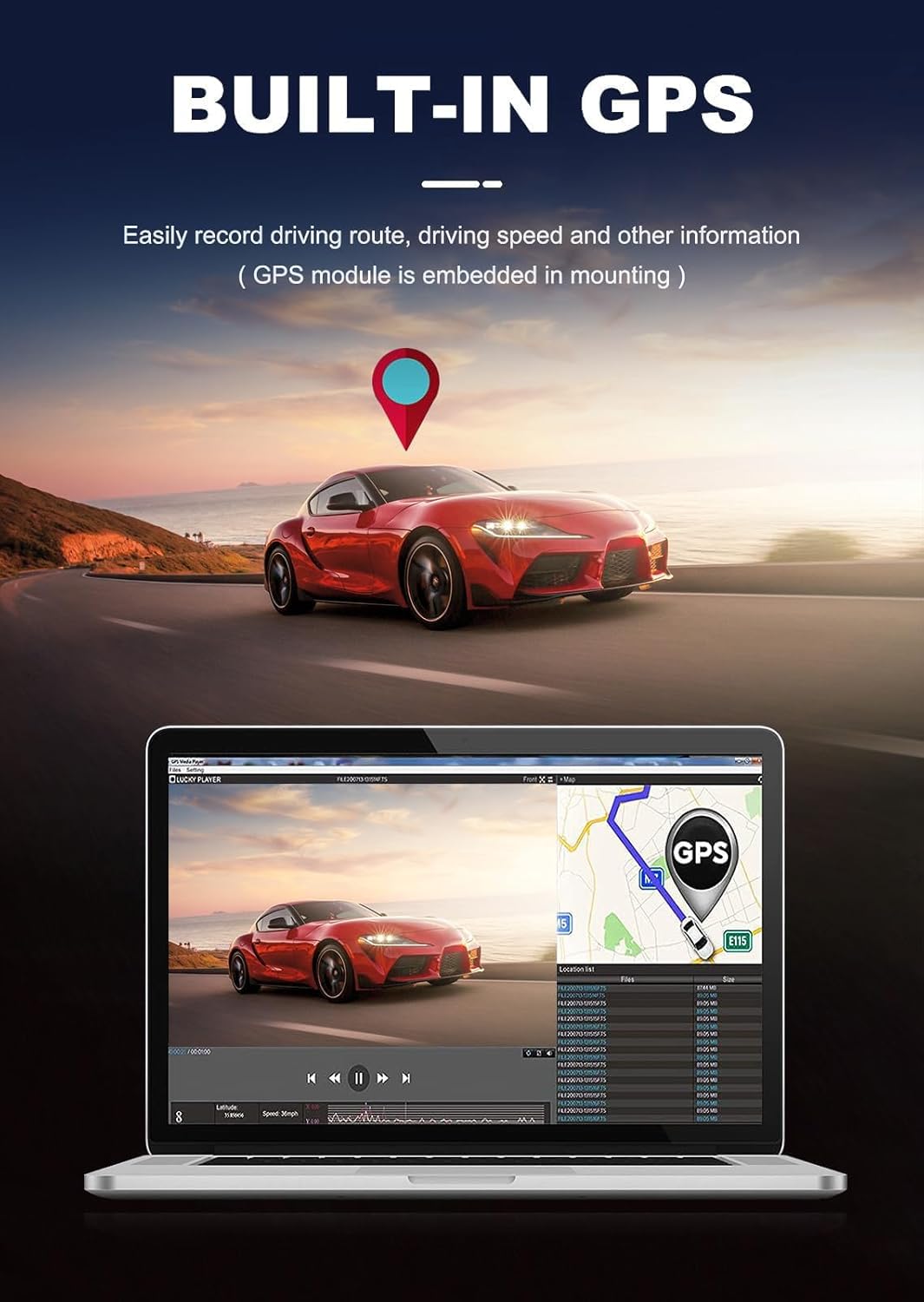
Image: Shows the built-in GPS functionality of the JOMISE D530 Dash Cam, illustrating how driving routes and speed are recorded and can be viewעד אויף אַ קאָמפּיוטער.

Image: Depicts the JOMISE D530 Dash Cam connecting wirelessly to a smartphone via the mobile app, allowing for easy access and management of footage.
5.4. 24/7 פּאַרקינג מאָדע
To enable 24/7 Parking Mode for continuous surveillance, a JOMISE hardwire kit is required (sold separately). When activated, the dash cam will automatically record motion or impacts while your vehicle is parked, providing protection against hit-and-runs or attempted theft.
6. וישאַלט
- SD קאָרט: Regularly format the Micro SD card (at least once a month) to maintain optimal recording performance and prevent data corruption.
- מאַכט צושטעלן: Always use the original accessories provided by JOMISE to avoid compatibility issues and ensure sufficient current supply. Using 2-in-1 or 3-in-1 cigar sockets may lead to insufficient power.
- Firmware דערהייַנטיקונגען: JOMISE continuously updates and improves product functions through firmware upgrades. Check the official JOMISE website or app for the latest firmware versions.
7. טראָובלעשאָאָטינג
- רעקאָרדינג ישוז: If the dash cam does not record automatically after power-on, short press the [M] button to start recording manually. Ensure the SD card is formatted correctly.
- Wi-Fi קאַנעקטיוויטי: If you experience Wi-Fi connection issues, ensure your mobile phone is within 15 feet of the dash cam. Check for app or firmware updates.
- Battery Swelling/Failure: The JOMISE D530 uses a supercapacitor for improved stability and durability, especially in high-temperature environments, reducing the risk of battery-related failures.
- דערציען אַפּאַראַט אַרויסווייַזן: If the rear camera image is inverted, use the vertical flip function in the settings to adjust the display.
8. ספּעסאַפאַקיישאַנז
| שטריך | דעטאַל |
|---|---|
| פּראָדוקט דימענשאַנז | 1.57 X 3.42 X 1.96 אינטשעס |
| פּונקט וואָג | 1.43 פונט |
| פראָנט קאַמעראַ האַכלאָטע | 4K (2160p) |
| דערציען אַפּאַראַט האַכלאָטע | 1080 פּ |
| סענסאָר | Starvis Sensor, IMX415 |
| ווייַז | 3-אינטש לקד |
| קאַנעקטיוויטי | Wi-Fi, איינגעבויטע GPS |
| ספּעציעלע פֿעיִקייטן | App Control, Compact Design, G-Sensor, Parking Monitor, WDR |
| סטאָרידזש | Supports up to 256GB Micro SD card (32GB included) |
| מאַכט מקור | Supercapacitor (1 Lithium Ion battery included for clock/settings) |
| מאַונטינג טיפּ | ווינטשויב בארג |
9. וואָראַנטי און שטיצן
JOMISE offers a 12-month warranty on this product. Additionally, a 7-day return policy is available, and returns are accepted for defects.
For customer support, please contact JOMISE via:
- בליצפּאָסט: jomise-us@jomise-cam.com
- טעלעפֿאָן: +1 866 788 8775
Please refer to the included warranty card or the JOMISE official webזייטל פֿאַר די מערסט אַרויף-צו-דאַטע שטיצע אינפֿאָרמאַציע.