
EAZYRC FMS FCX10 1/10 RC Crawler LC80 PRO V2 Instruction Manual
Model: FCX10 LC80 PRO V2
Brand: EAZYRC
1. הקדמה
This manual provides essential information for the safe and efficient operation, maintenance, and troubleshooting of your EAZYRC FMS FCX10 1/10 RC Crawler LC80 PRO V2. Please read this manual thoroughly before operating the vehicle to ensure optimal performance and longevity.
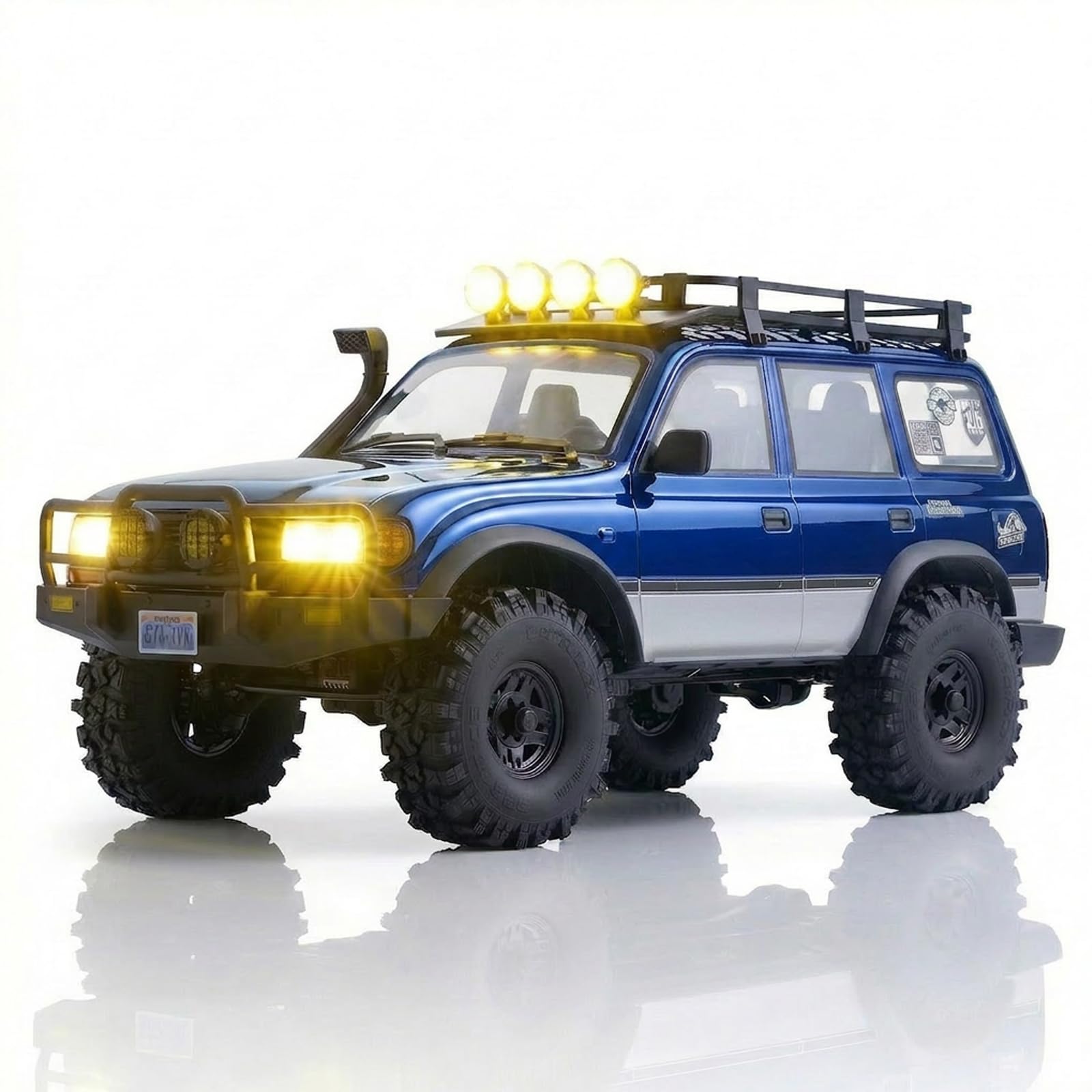
Image: The EAZYRC FMS FCX10 LC80 PRO V2 RC Crawler in blue, showcasing its detailed exterior and off-road capabilities.
2. זיכערקייַט אינפֿאָרמאַציע
Always operate the RC crawler in a safe and responsible manner. Failure to do so may result in injury or damage to the product or property. Observe the following safety guidelines:
- האַלטן הענט, האָר און פרייַ קליידער אַוועק פון מאָווינג טיילן.
- אַרבעט נישט לעבן מענטשן, חיות, אדער שטערונגען.
- Avoid operating in wet conditions unless specifically designed for it (this model features a waterproof motor).
- Ensure batteries are charged correctly and handled safely.
- דערוואַקסענע השגחה איז רעקאָמענדירט פֿאַר ניצערס אונטער 16 יאָר אַלט.
3. סעטאַפּ
3.1 ונבאָקסינג און דורכקוק
Carefully remove all components from the packaging. Verify that all items listed in the "What's in the Box" section are present. Inspect the vehicle for any visible damage from shipping.
3.2 באַטעריע אינסטאַלאַציע און טשאַרדזשינג
The EAZYRC FMS FCX10 LC80 PRO V2 requires Lithium-Ion Polymer batteries. While batteries are required, they are not included with the product. Ensure you use a compatible charger for LiPo batteries.
- Locate the battery compartment on the vehicle.
- פֿאַרבינדט די באַטאַרייע צום אויטאָ'ס מאַכט קאַנעקטער.
- Secure the battery within the compartment to prevent movement during operation.
- Charge the battery fully before first use according to your charger's instructions.
3.3 רימאָוט קאָנטראָל סעטאַפּ
The vehicle comes with a remote control. Ensure the remote control batteries are installed (not included). Power on the remote control first, then the vehicle. Follow the binding instructions in the remote control's manual if the vehicle does not respond.
Video: This video demonstrates the FMS FCX10P LC80Pro V2 in action, showcasing its features and handling. It highlights the vehicle's performance and design.
4. אָפּערייטינג
4.1 יקערדיק קאָנטראָלס
- גערגל: Controls forward and reverse movement. Gently increase throttle for smooth acceleration.
- סטירינג: Controls left and right turns. Use precise movements for optimal control, especially in challenging terrain.
4.2 דרייווינג עצות
The FCX10 LC80 PRO V2 is designed for high-performance off-road crawling. Its metal chassis and portal axle structure provide excellent ground clearance and durability.
- צוויי-גאַנג טראַנסמיסיע: Utilize the two-speed transmission for different terrains. Low gear provides maximum torque for crawling, while high gear offers faster speeds on flatter surfaces.
- Differential Locks: The front and rear differential locks enhance traction and stability on slippery or uneven terrains. Engage them for maximum grip when needed.
- Realistic LED Lighting: The vehicle features functioning LED headlights, turn signals, roof lights, and reverse lights. These lights improve visibility and add to the realistic driving experience.

Image: The EAZYRC FMS FCX10 LC80 PRO V2 RC Crawler navigating a rocky outdoor terrain, demonstrating its robust suspension and high ground clearance.
5. וישאַלט
5.1 רייניקונג
After each use, especially in dirty or wet conditions, clean your RC crawler. Use a soft brush or compressed air to remove dirt and debris. A damp cloth can be used for the body, but avoid excessive moisture near electronic components.
5.2 קאָמפּאָנענט דורכקוק
- שאַסי און סאַספּענשאַן: Regularly check the metal chassis, links, and gears for any signs of wear or damage. Ensure all screws are tight.
- טירעס: Inspect tires for cuts or excessive wear. Ensure they are securely mounted to the wheels.
- עלעקטראָניקס: Keep electronic components clean and dry. Check wiring for any fraying or loose connections.
5.3 באַטערי קער
- Always store LiPo batteries in a cool, dry place, away from direct sunlight and extreme temperatures.
- דו זאלסט נישט אָוווערטשאַרדזש אָדער איבער-אָפּזאָגן באַטעריז.
- If a battery becomes damaged or swollen, discontinue use immediately and dispose of it properly.
6. טראָובלעשאָאָטינג
If you encounter issues with your RC crawler, refer to the following common problems and solutions:
| פּראָבלעם | מעגלעך סיבה | לייזונג |
|---|---|---|
| Vehicle not responding | Low battery (vehicle/remote), not bound, power switch off | Charge batteries, re-bind remote, check power switches |
| שלעכטע טראַקשאַן | Differential locks disengaged, worn tires, unsuitable terrain | Engage diff locks, replace worn tires, choose appropriate terrain |
| מאָטאָר אָוווערכיטינג | Continuous heavy load, incorrect gearing | Allow motor to cool, check gearing, reduce continuous heavy use |
אויב די פראבלעם בלייבט, ביטע קאנטאקטירט קאסטומער סופארט.
7. ספּעסאַפאַקיישאַנז
- סאָרט: EAZYRC
- מאָדעל נאָמען: FMS FCX10P LC80
- וואָג: 1: 10 וואָג
- מאַכט מקור: Battery Powered (Lithium-Ion Polymer batteries required, not included)
- אָפּעראַציע מאָדע: ווייַט קאָנטראָל
- מאַטעריאַל טיפּ: ניילאָן
- נומער וואָג: 5.85 קילאָגראַמס
- נומער דימענשאַנז: 13 X 24 X 13 אינטשעס
- נאָך פֿעיִקייטן: Adjustable, Realistic, Official Licensed, Detailed, Powerful, Lighting
- מינימום עלטער פון פאַבריקאַנט: 192 חדשים (16 יאָר)
8. וואָראַנטי
Please refer to the product packaging or the EAZYRC official website for detailed warranty information. Keep your proof of purchase for any warranty claims.
9. שטיצן
For further assistance, technical support, or spare parts, please visit the official EAZYRC Store or contact their customer service directly. You can find more information at: EAZYRC Store on Amazon.