
Tuni Tuni G1 Conical Burr Coffee Grinder and Tuni Mini Coffee Scale with Timer (ASIN: B0DRNH34W9)
Tuni Silver Conical Burr Coffee Grinder and White Mini Coffee Scale with Timer User Manual
Model: Tuni G1 Grinder & Tuni Mini Scale
הקדמה
This manual provides detailed instructions for the safe and efficient operation, maintenance, and troubleshooting of your Tuni Silver Conical Burr Coffee Grinder and Tuni Mini Coffee Scale. Please read this manual thoroughly before using the products to ensure optimal performance and longevity.
The Tuni Silver Conical Burr Coffee Grinder features 48 adjustable grind settings and a patented anti-static 40mm conical burr for precise and consistent grinding. The Tuni Mini Coffee Scale is equipped with a high-precision sensor, offering multiple measurement units and modes for accurate coffee preparation.
וויכטיק סאַפעטי אינסטרוקציעס
- לייענען אַלע ינסטראַקשאַנז איידער נוצן.
- Do not immerse the grinder or scale in water or other liquids.
- האַלט הענט און כלים אַרויס פון די באָבען טריכטער און געמאָלענע קאַווע קאַנטיינער בעת אָפּעראַציע.
- Unplug the grinder from the outlet when not in use, before putting on or taking off parts, and before cleaning.
- דו זאלסט נישט אַרבעטן קיין אַפּפּליאַנסע מיט אַ דאַמידזשד שנור אָדער צאַפּן, אָדער נאָך די אַפּפּליאַנסע מאַלפאַנגקשאַנז אָדער איז דראַפּט אָדער דאַמידזשד אין קיין וועג.
- ניצן בלויז אַטאַטשמאַנץ רעקאַמענדיד אָדער סאָלד דורך דער פאַבריקאַנט.
- דער מיטל איז בלויז פֿאַר הויזגעזינד נוצן.
פּראָדוקט קאַמפּאָונאַנץ
Tuni G1 Conical Burr Coffee Grinder

- Bean Hopper (250g/8.8oz capacity)
- Grind Adjustment Collar
- Conical Burrs (Upper and Lower)
- Grinder Body with Control Panel (LED display, Start/Stop button, Grind Time/Cup Size adjustment)
- Ground Coffee Container (75g/2.6oz capacity)
- פּאָרטאַפילטער האָלדער
- רייניקונג באַרשט
Tuni Mini Coffee Scale
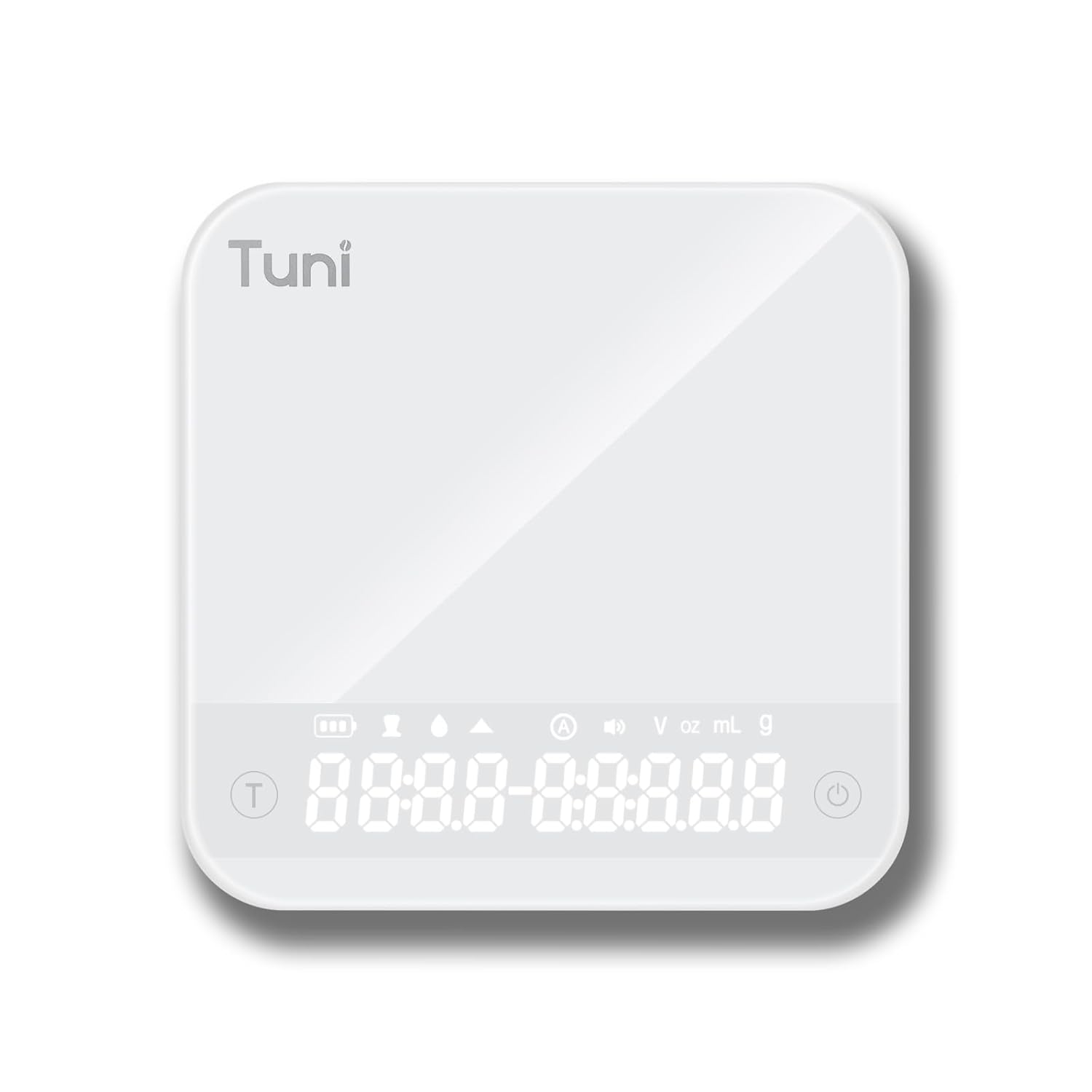
- Tempered Glass Weighing Platform
- Hidden LED Display
- מאַכט / טאַר קנעפּל
- טיימער קנעפּל
- Unit Conversion Button (g, ml, oz)
סעטאַפּ
גרינדער סעטאַפּ
- אויספּאַקן: נעמט פֿאָרזיכטיק אַרויס אַלע קאָמפּאָנענטן פֿון דער פּאַקאַדזשינג. האַלט די פּאַקאַדזשינג פֿאַר צוקונפֿטיקע סטאָרידזש אָדער טראַנספּאָרט.
- רייניקונג: פארן ערשטן באַנוץ, ווישט אָפּ די אויסערלעכע זייט פון דער מילכל מיט אַד.amp cloth. Wash the bean hopper and ground coffee container with warm, soapy water, rinse thoroughly, and dry completely.
- צוזאַמענשטעלן האָפּער: Place the bean hopper onto the grinder body, ensuring it is securely locked in place.
- מאַכט קשר: Plug the grinder into a grounded electrical outlet.
וואָג סעטאַפּ
- אויספּאַקן: אַראָפּנעמען די וואָג פון זייַן פּאַקקאַגינג.
- טשאַרדזשינג: If necessary, charge the scale using the provided USB cable until fully charged.
- אָרט: שטעלט די וואָג אויף אַ פלאַכער, סטאַבילער און גלייכער ייבערפלאַך צו ענשור גענויע מעסטונגען.
אַפּערייטינג ינסטראַקשאַנז
Using the Tuni G1 Coffee Grinder

- לייג בינז: Fill the bean hopper with whole roasted coffee beans. The hopper has a capacity of 250g (8.8oz).
- אויסקלייבן גרינדינג סעטינג: Rotate the grind adjustment collar to select your desired grind size. The grinder offers 48 settings, suitable for:
- עספּרעסאָ: Settings 0-16 (very fine)
- Drip/Pour Over: Settings 16-32 (medium)
- פראנצויזיש דרוק: Settings 32-48 (coarse)

בילד: א דעטאַלירטע view of the Tuni G1 Coffee Grinder's control panel and grind adjustment collar, emphasizing the 48 precision settings. - Choose Output Method: Place either the ground coffee container or your portafilter (using the included holder) under the dispensing chute.
- Set Grind Time/Cups: Use the control panel to adjust the grind time in 0.5-second increments (up to 40 seconds) or select the desired number of cups (2 to 12 cups).
- אָנהייב גרינדינג: Press the Start/Stop button to begin grinding. The grinder will automatically stop once the set time or quantity is reached. You can also manually stop grinding by pressing the button again.
- Empty Container: Once grinding is complete, remove the ground coffee container or portafilter.
Using the Tuni Mini Coffee Scale

- מאַכט אויף: Press the Power button to turn on the scale. The hidden LED display will illuminate.
- אויסקלייַבן אַפּאַראַט: Press the Unit Conversion button to cycle through available units: grams (g), milliliters (ml), and ounces (oz).
- טאַרע פֿונקציע: Place an empty container on the weighing platform. Press the Power/Tare button to zero out the weight of the container.
- וואָג: Add your ingredients (e.g., coffee beans, water) to the container. The display will show the precise weight.
- טיימער פֿונקציע:
- מאַנואַל צייט: Press the Timer button to start the timer. Press again to pause, and a third time to reset.
- אָטאַמאַטיק מאָדע: The scale features an automatic mode that can detect changes in weight and start the timer automatically, ideal for pour-over brewing. Refer to the scale's specific instructions for activating this mode.
- Powder/Water Ratio Mode: This mode assists in maintaining specific brewing ratios.
- Flow Rate Mode: Displays the flow rate of liquid, useful for precise pour-over techniques.
- מאַכט אַוועק: Press and hold the Power button to turn off the scale. The scale will also auto-shutoff after a period of inactivity to conserve battery.
וישאַלט און רייניקונג
גרינדער רייניקונג
- אָפּשטעקן: שטענדיק רייניקן די מילכל איידער רייניקונג.
- Empty Hopper: אַראָפּנעמען קיין רוען קאַווע בינז פון די כאַפּער.
- אַראָפּנעמען בורערס: Carefully remove the upper burr. Use the provided cleaning brush to brush away any coffee grounds from both the upper and lower burrs.
- Clean Chute: Use the brush to clean the dispensing chute.
- ווישן עקסטעריאָר: Wipe the exterior of the grinder body with a soft, damp cloth. Do not use abrasive cleaners or immerse the grinder in water.
- ריאַסעמבאַל: Reassemble the burrs and hopper once all parts are dry.
וואָג רייניקונג

- Wipe the tempered glass surface with a soft, damp שטאָף.
- דו זאלסט נישט נוצן האַרב קעמיקאַלז אָדער אַברייסיוו מאַטעריאַלס.
- The scale is water-resistant, but do not immerse it in water.
טראָובלעשאָאָטינג
Grinder Issues
| פּראָבלעם | מעגלעך סיבה | לייזונג |
|---|---|---|
| מילכל ניט סטאַרטינג. | נישט איינגעשטאכן; מאַכט אויסtage; hopper not correctly seated; motor overheated. | Ensure plug is securely in outlet; check power supply; ensure hopper is locked in place; allow grinder to cool down for 30 minutes. |
| נישט קאנסיסטענטע גרינדונג. | די קלאַנגען זענען שמוציק אָדער פֿאַרשטאָפּט; נישט ריכטיקע מאָלן־אײַנשטעלונג פֿאַרן טיפּ בינען. | Clean burrs thoroughly; adjust grind setting to a finer or coarser level as needed. |
| Grinder is loud or struggling. | Beans are too oily/hard; burrs are clogged. | Clean burrs; try different beans; do not overfill hopper. |
Scale Issues
| פּראָבלעם | מעגלעך סיבה | לייזונג |
|---|---|---|
| ומפּינקטלעך רידינגז. | Scale not on a flat surface; battery low; overloaded; external vibrations. | Place on a stable, level surface; recharge battery; do not exceed 2000g capacity; avoid vibrations during use. |
| ווייַז נישט אויסגעדרייט אויף. | באַטאַרייע דיפּליטיד. | Charge the scale using the provided USB cable. |
ספּעסאַפאַקיישאַנז
Tuni G1 Conical Burr Coffee Grinder
- גריינד סעטטינגס: 48 precision settings
- בור טיפּ: 40mm Stainless Steel Conical Burr
- גרינדינג גיכקייט: 450 RPM (revolutions per minute)
- בעבל כאַפּער קאַפּאַציטעט: 250 ג (8.8 אַז)
- Grounds Container Capacity: 75 ג (2.6 אַז)
- Grind Time Adjustment: 1-40 seconds (0.5s increments)
- Cup Selection: 2-12 טעפּלעך
- דימענסיעס: 7.08" x 4.52" x 14.0"
- גוף מאַטעריאַל: ומבאַפלעקט שטאָל
Tuni Mini Coffee Scale
- מעזשערמאַנט קייט: 0.3g - 2000g (0.01oz - 70.5oz)
- אַקיעראַסי: 0.1ג
- וניץ: g, ml, oz
- טיימער: Max 99 minutes 59 seconds
- מאָדעס: Manual Timing, Automatic Mode, Powder/Water Ratio Mode, Flow Rate Mode
- ווייַז: Hidden LED Tempered Glass Display
- מאַכט: ריטשאַרדזשאַבאַל (USB)
- דימענסיעס: אומגעפער 4.1" x 4.1" x 0.8"
- פּראָדוקט וואָג: 0.33lb
וואָראַנטי און שטיצן
Tuni products are manufactured with high-quality materials and craftsmanship. For warranty information and customer support, please refer to the warranty card included with your product or visit the official Tuni webזייטל. ביטע האַלט אייער פּראָדוקט מאָדעל נומער און קויף דאַטע גרייט ווען איר קאָנטאַקטירט שטיצע.
Official Tuni Store: Visit the Tuni Store on Amazon
Ask a question about this manual
Ask about setup, troubleshooting, compatibility, parts, safety, or missing instructions. Manuals+ will review the question and use this page’s manual context to help answer it.