
1. הקדמה
א דאנק פארן קויפןasing the Portable Mini Projector. This device is designed to provide a versatile and immersive viewing experience, supporting high-definition decoding and various connectivity options for both indoor and outdoor use. Please read this manual thoroughly before operating the projector to ensure proper use and to maximize its performance and lifespan.
2. זיכערקייַט אינפֿאָרמאַציע
To prevent fire, electric shock, or damage to the projector, please observe the following safety precautions:
- בלאָקירט נישט די ווענטילאַציע עפענונגען. זאָרגט פֿאַר גענוג לופט־פֿלוס אַרום דעם פּראָיעקטאָר.
- Do not expose the projector to rain or moisture. Keep it away from water sources.
- ניצט נאָר דעם מאַכט אַדאַפּטער וואָס ווערט צוגעשטעלט מיטן פּראָיעקטאָר.
- ויסמיידן קוקן גלייַך אין די פּראַדזשעקטער אָביעקטיוו ווען די לamp איז אָן, ווײַל די העל ליכט קען פאַראורזאַכן אויג-אַנשטרענגונג אָדער שאָדן.
- פרובירט נישט צו צענעמען אדער מאדיפיצירן דעם פראיעקטאר. לאָזט איבער אלע סערוויסעס צו קוואַליפֿיצירטע פּערסאָנעל.
- שטעלט דעם פּראָיעקטאָר אויף אַ סטאַבילער, גלייכער ייבערפלאַך כּדי צו פאַרהיטן אַז ער זאָל נישט פאַלן.
- האַלט דעם פּראָיעקטאָר אַוועק פון דירעקטער זונשייַן, היץ קוועלער און עקסטרעמע טעמפּעראַטורן.
3. פּעקל אינהאַלט
ביטע טשעק די אינהאַלט פון די פּאַקעט ווען איר עפֿנט עס אויס:
- פּאָרטאַטיוו מיני פּראַדזשעקטער
- מאַכט אַדאַפּטער
- ווייַט קאָנטראָל (באַטעריז נישט אַרייַנגערעכנט)
- HDMI קאַבלע
- באַניצער מאַנואַל
4. פּראָדוקט פֿעיִקייטן און קאָמפּאָנענטן
Familiarize yourself with the projector's key features and components:
- פּרויעקציע לענס: Emits the image onto the screen or surface.
- פאָקוס רינג: אַדזשאַסטירט די קלאַרקייט פון די פּראַיעקטירטע בילד.
- אַרייַנשרייַב פּאָרץ: HDMI, USB, AV, Memory Card slot for various device connections.
- געבויט-אין רעדנער: גיט אַודיאָ רעזולטאַט.
- ווענטילאַטיאָן גרילז: פֿאַר היץ דיסיפּיישאַן.
- מאַכט קנעפּל: טורנס די פּראַדזשעקטער אויף / אַוועק.
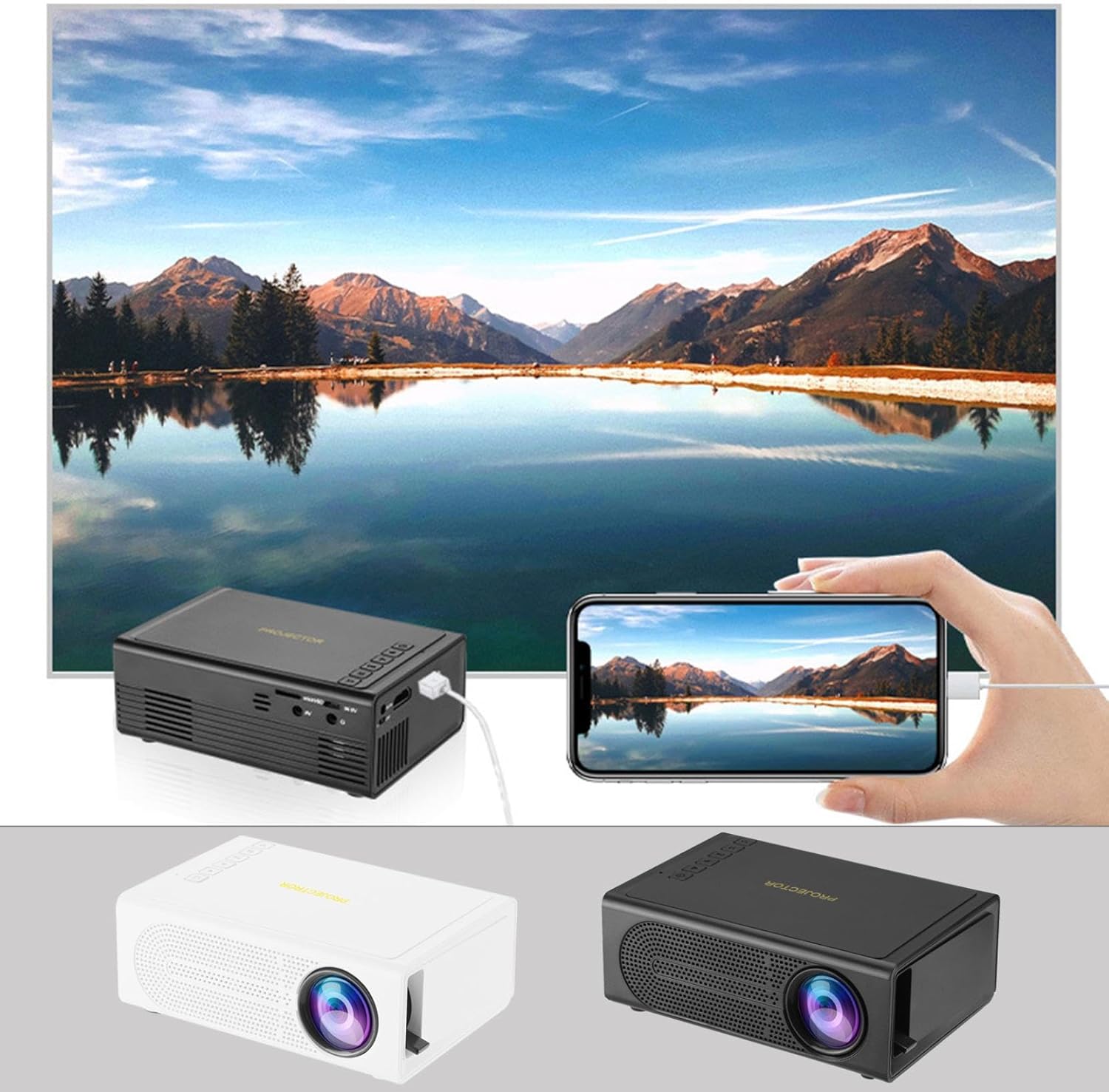
Image: The Portable Mini Projector in use, demonstrating its ability to mirror a smartphone screen onto a large display. Both black and white color options of the projector are shown.

Image: Physical dimensions of the projector, indicating its compact size.
5. סעטאַפּ
- מאַכט קשר: Connect the supplied power adapter to the projector's power input port and then plug it into a power outlet.
- אָרט: שטעלט דעם פּראָיעקטאָר אויף אַ שטאַרקער, גלאַטער ייבערפלאַך. פֿאַר אָפּטימאַלן viewing, position the projector perpendicular to the projection surface (wall or screen).
- מאַכט אויף: דרוק די מאַכט קנעפּל אויף די פּראַדזשעקטער אָדער די ווייַט קאָנטראָל צו קער אויף די מיטל.
- פאָקוס אַדזשאַסטמאַנט: Once powered on, rotate the focus ring on the projector until the projected image appears clear and sharp.
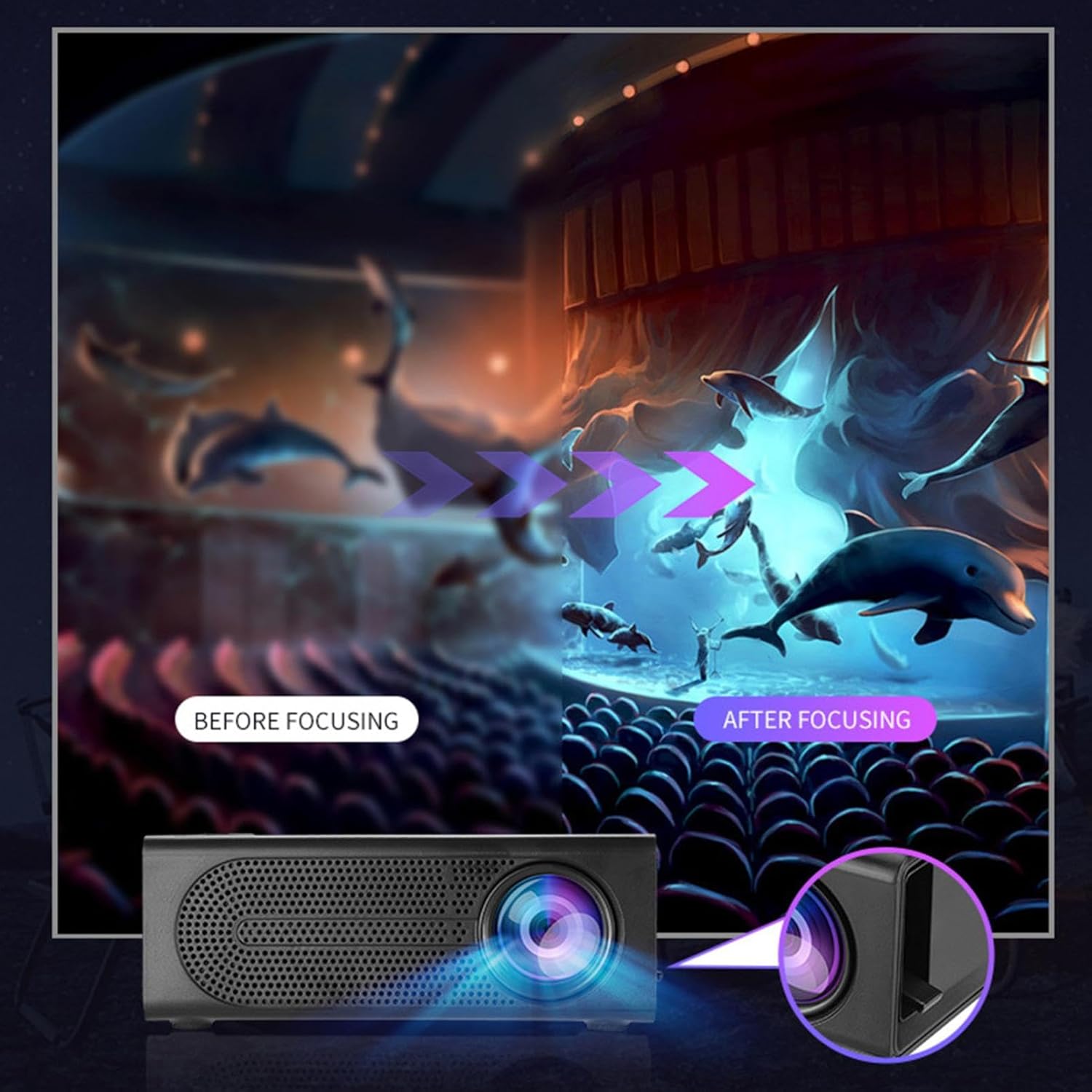
Image: Visual demonstration of focus adjustment, showing the difference between a blurry and a sharp image.
6. אַפּערייטינג ינסטרוקטיאָנס
6.1 קאַנעקטינג דעוויסעס
The projector supports various input sources. Select the appropriate input mode from the projector's menu after connecting your device.
- הדמי: Connect laptops, gaming consoles, DVD players, or other HDMI-enabled devices using an HDMI cable.
- וסב: אַרײַנשטעלן אַ USB פֿלאַש דרייוו צו שפּילן מעדיע files גלייַך.
- פון: Use an AV cable to connect older devices like VCRs or some set-top boxes.
- זכּרון קאָרט: Insert a compatible memory card to view פאָטאָס אָדער ווידיאס.
- סמאַרטפאָנע / טאַבלעט: For wired phone same screen playback, connect your smartphone or tablet via a compatible cable (e.g., USB to Lightning/USB-C for screen mirroring, if supported by your device and the projector).

Image: Connectivity diagram illustrating the wide range of devices compatible with the projector.
6.2 Adjusting Projection Size
The projector can project images ranging from 32 to 100 inches. The projection size is determined by the distance between the projector and the projection surface. Move the projector closer to the surface for a smaller image, and further away for a larger image.
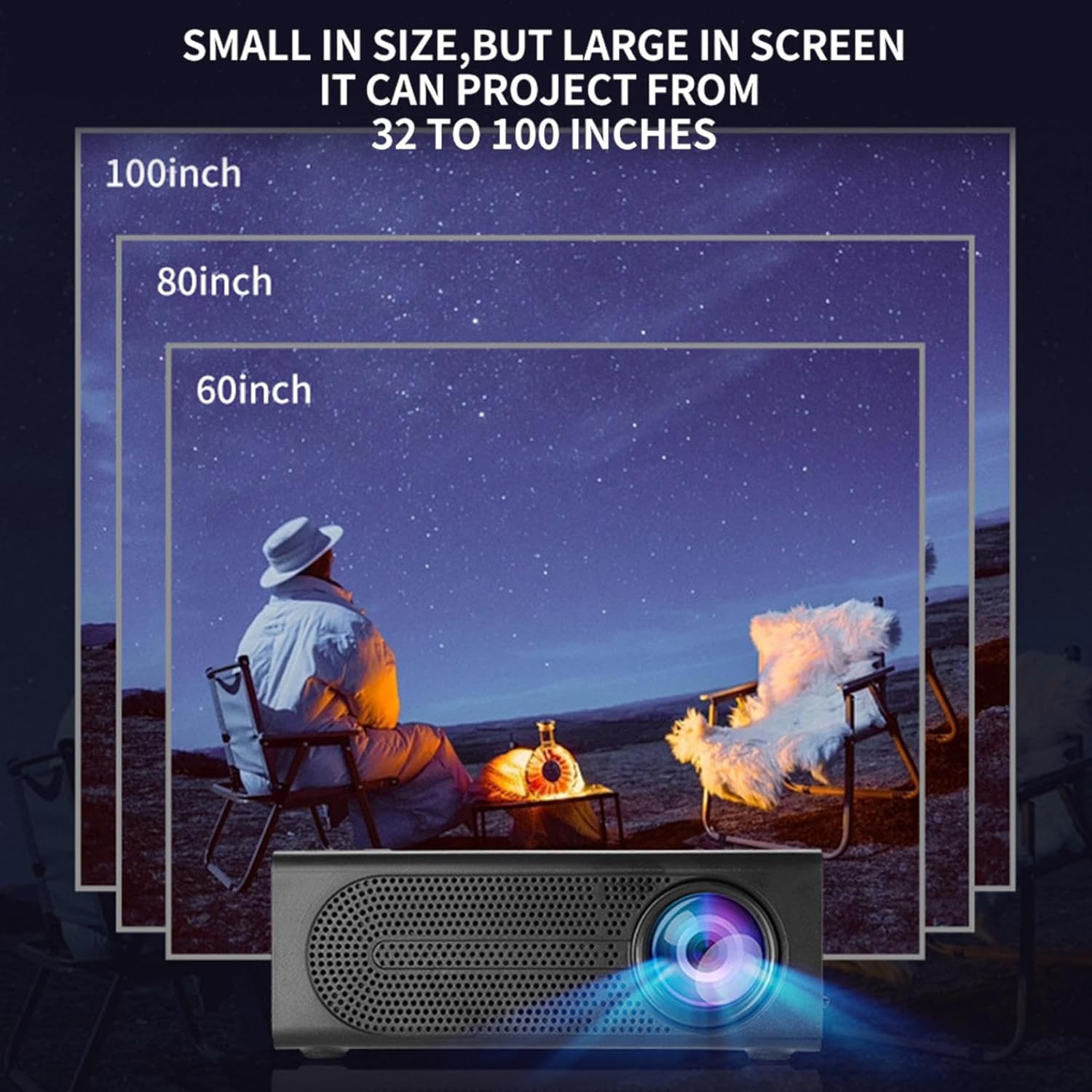
Image: Illustration of various projection sizes achievable with the projector, from 32 to 100 inches.
6.3 באַניץ סינעריאָוז
This projector is suitable for a variety of environments and uses:
- Parent-child interaction: Enjoy movies or educational content with family.
- Outdoor cinema: Set up a movie night in your backyard.
- Bedroom projection: Watch content comfortably from your bed.
- Living room cinema: Transform your living space into a home theater.

בילד: עקסamples of diverse usage scenarios for the projector, from indoor home theater to outdoor entertainment.

Image: Depiction of family entertainment using the projector, alongside a technical diagram explaining the benefit of diffuse reflection for eye comfort compared to direct-ray light from a TV.
7. וישאַלט
געהעריגע אויפהאלטונג גאראנטירט די לאנגעוויטי און אפטימאלע פערפארמאנס פון אייער פראיעקטאר:
- לענס רייניקונג: ניצט אַ ווייכע, לינט-פֿרייע שטאָף ספּעציעל דיזיינד פֿאַר אָפּטישע לענסעס צו פֿאָרזיכטיק ווישן די פּראָיעקטאָר לענס. ניצט נישט קיין שרײַבנדיקע רייניגערס אָדער איבערגעטריבענע קראַפֿט.
- באַזייַטיקונג פון שטויב: Regularly clean the ventilation grilles with a soft brush or compressed air to prevent dust buildup, which can affect cooling and performance.
- סטאָרידזש: ווען נישט אין באַנוץ פֿאַר לענגערע פּעריאָדן, זאָל מען האַלטן דעם פּראָיעקטאָר אין אַ קיל, טרוקן אָרט, אַוועק פֿון דירעקטער זון און עקסטרעמע טעמפּעראַטורן.
- מאַכט אַוועק רעכט: Always turn off the projector using the power button and allow it to cool down before unplugging or moving it.
8. טראָובלעשאָאָטינג
אויב איר טרעפט פּראָבלעמען מיט אייער פּראָיעקטאָר, זעט די פאלגענדע געוויינטלעכע פּראָבלעמען און לייזונגען:
| פּראָבלעם | מעגלעך סיבה | לייזונג |
|---|---|---|
| קיין בילד נישט פּראָיעקטירט | שטראָם נישט פארבונדן; אַרייַנגאַנג מקור נישט אויסגעקליבן; לינז דעקל אויף. | Ensure power is connected and unit is on; Select correct input source; Remove lens cap. |
| די בילד איז בלערי | פאָקוס נישט אַדזשאַסטיד; פּראָיעקטאָר צו נאָענט/ווייט פֿון עקראַן. | אַדזשאַסטירן דעם פאָקוס רינג; אַדזשאַסטירן פּראַיעקציע דיסטאַנס. |
| קיין געזונט | Volume too low; Audio cable not connected; Muted. | Increase volume; Check audio connections; Unmute projector/source device. |
| ווייַט קאָנטראָל נישט ארבעטן | באַטעריעס טויט/נישט ריכטיק אַרײַנגעשטעלט; אַ שטערונג צווישן דער ווײַטקאָנטראָל און פּראָיעקטאָר. | טוישן באַטעריעס; זיכער מאַכן אַז עס איז קלאָר ווי דער טאָג צום IR ופנעמער. |
אויב די פראבלעם בלייבט נאך פרובירן די לייזונגען, ביטע קאנטאקטירט קאסטומער סופארט.
9. ספּעסאַפאַקיישאַנז
- פּראָדוקט טיפּ: פּאָרטאַטיוו מיני פּראַדזשעקטער
- סאָרט: גענעריק
- קאַמפּאַטאַבאַל דעוויסעס: Laptop, Gaming Console, Tablet, Camera, Smartphone
- בילד קאַנטראַסט פאַרהעלטעניש: הויך
- פּרויעקציע גרייס: 32-100 אינטשעס
- ווידעא דיקאָודינג: ה.264, ה.265
- קאַנעקטיוויטי: HDMI, USB, AV, Memory Card
- דימענסיעס: Approximately 5in (L) x 3.2in (W) x 1.9in (H) / 12.7cm (L) x 8.15cm (W) x 4.85cm (H)
10. וואָראַנטי און שטיצן
This product comes with a standard manufacturer's warranty. Please refer to the warranty card included in your package for specific terms and conditions. For technical support, troubleshooting assistance, or warranty claims, please contact the retailer or manufacturer's customer service department.
קונה שטיצן קאָנטאַקט: Please refer to retailer or manufacturer webפּלאַץ פֿאַר קאָנטאַקט דעטאַילס.