
הקדמה
א דאנק פארן קויפןasing the Docooler Hands-Free 2D Barcode Scanner. This device is designed for efficient and accurate scanning of 1D and 2D barcodes in various retail and point-of-sale environments. Please read this manual carefully before use to ensure proper operation and to maximize the lifespan of your scanner.
סעטאַפּ
פּעקל אינהאַלט
- 1 x Docooler Hands-Free 2D Barcode Scanner
- 1 x באַניצער מאַנואַל
קאַנעקטינג די סקאַננער
- Place the scanner on a stable, flat surface near your computer or POS system.
- Connect the integrated USB cable from the scanner to an available USB port on your computer or POS system.
- The scanner will power on automatically. Most operating systems will recognize the device as a standard USB-HID keyboard or USB-COM virtual serial port, requiring no additional driver installation.
The scanner supports both USB-HID keyboard and USB-COM virtual serial port communication interfaces. The default mode is typically USB-HID, which functions like a keyboard input.
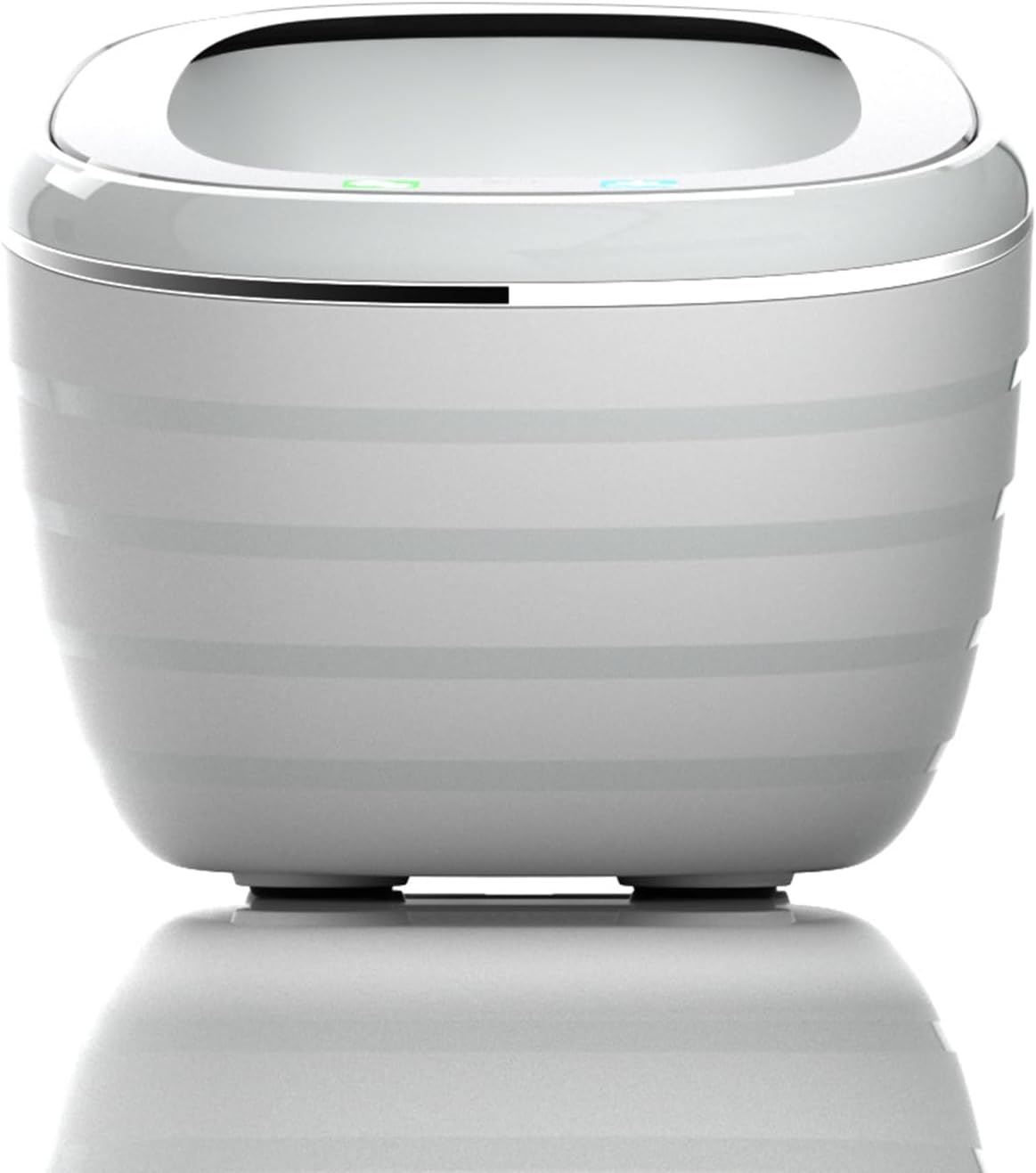
פראָנט view of the Docooler 2D Barcode Scanner, showing its compact and ergonomic design.

צוריק view of the Docooler 2D Barcode Scanner, highlighting the USB cable connection port.
אַפּערייטינג ינסטראַקשאַנז
סקאַנינג מאָדעס
The scanner offers flexible dual operation modes to suit various needs:
- אויטאָמאַטישע דעטעקציע מאָדע: The scanner automatically detects a barcode placed within its scanning window and initiates a scan. This is an energy-saving mode.
- קעסיידערדיק סקאַן מאָדע: The scanner's illumination remains on, continuously scanning for barcodes. This mode is suitable for high-volume scanning without interruption.
To switch between these modes, refer to the setting codes provided in the full user manual (if applicable) or follow specific instructions for your model. Some models allow switching by pressing and holding the top button for 5 seconds to toggle between a 'product code mode' and 'normal mode', which may correspond to different sets of enabled barcode types.

The scanner supports both continuous scanning and automatic detection modes for operational flexibility.
Barcode Decoding Capability
This scanner is capable of decoding a wide range of 1D and 2D barcodes, including but not limited to:
- 1 ד באַרקאָדעס: UPC/EAN, Code128, Code39, ITF25, etc.
- 2 ד באַרקאָדעס: QR קאָד, DataMatrix, PDF417, אאז"וו.

The scanner efficiently decodes various 1D and 2D barcode types.
Voice Announcement and Tone Settings
The scanner features a voice broadcast function that announces scan results, enhancing user efficiency and accessibility. The speaker prompt method can be turned on or off by scanning specific setting codes. Additionally, you can adjust the tone settings:
- The scanner offers various frequencies of tones, with a total of 4 styles of tones and a mute mode.
- To change these modes, click the top button when the light is off.

The scanner offers adjustable tone and mute modes for user preference.

Voice announcements enhance the user experience by confirming successful scans.
Scanning Window and Angle
The scanner is designed with an expanded scanning window and an ergonomic 90-degree scan angle for ease of use and efficient barcode capture. This design simplifies the scanning process and reduces scan time.

The large scan window and ergonomic scan angle facilitate easy and accurate barcode reading.
וישאַלט
To ensure optimal performance and longevity of your Docooler barcode scanner, follow these maintenance guidelines:
- רייניקונג: Use a soft, dry, lint-free cloth to clean the scanner's exterior. For the scanning window, gently wipe with a microfiber cloth. Avoid using abrasive cleaners, solvents, or excessive moisture, as these can damage the device.
- סטאָרידזש: האַלט דעם סקאַנער אין אַ קיל, טרוקן אָרט אַוועק פון דירעקט זונשייַן און עקסטרעמע טעמפּעראַטורן.
- האַנדלינג: Handle the scanner with care. Avoid dropping it or subjecting it to strong impacts, which can affect its internal components and scanning accuracy.
- קאַבלע זאָרגן: Do not bend or twist the USB cable excessively. Ensure it is not pinched or placed under heavy objects to prevent damage.
טראָובלעשאָאָטינג
If you encounter issues with your Docooler barcode scanner, please refer to the following common troubleshooting steps:
Scanner Not Responding
- קוק די USB קאַנעקשאַן: Ensure the USB cable is securely plugged into both the scanner and the computer/POS system. Try plugging it into a different USB port.
- ריסטאַרט דיווייס: Disconnect the scanner, restart your computer/POS system, and then reconnect the scanner.
- מאַכט מקור: Verify that the USB port provides sufficient power. Try connecting to a powered USB hub if available.
Unable to Scan Barcodes
- באַרקאָדע טיפּ: Ensure the barcode type you are trying to scan is supported by the scanner. Refer to the 'Barcode Decoding Capability' section.
- באַרקאָד קוואַליטעט: Check if the barcode is clear, undamaged, and properly printed. Faded, smudged, or distorted barcodes may be difficult to read.
- סקאַנינג דיסטאַנסע: Position the barcode within the optimal scanning distance (typically 0-10cm for this model) and ensure it is centered in the scanning window.
- לייטינג טנאָים: זיכער מאַכן אַז עס איז גענוג ליכט. פֿאַרמייַדן דירעקטע בלינדקייט אָדער זייער טונקעלע באַדינגונגען.
- סקאַנינג מאָדע: Confirm the scanner is in the correct operating mode (e.g., automatic detection or continuous scan).
Incorrect Data Output
- קלאַוויאַטור אויסלייג: If the scanner is set to a different keyboard layout (e.g., Japanese instead of English), characters may appear incorrectly. Refer to the full user manual for instructions on changing keyboard layouts via setting codes.
- ווייכווארג קאַמפּאַטאַבילאַטי: Ensure the application you are using is compatible with barcode scanner input.
If these steps do not resolve the issue, please contact Docooler customer support for further assistance.
ספּעסאַפאַקיישאַנז
| שטריך | באַשרייַבונג |
|---|---|
| קאָליר | גרוי |
| יבערקוקן מאָדע | Automatic detection / Continuous scan |
| קאָמוניקאַציע צובינד | USB-HID keyboard, USB-COM virtual serial port |
| פּינטלעך אופֿן | Speaker (adjustable on/off via settings) |
| באַשטעטיקן מעטאַד | Manually scan setting codes |
| שאָל מאַטעריאַל | אַבס + פּיסי |
| קאַבלע באַשרייַבונג | Straight line 1.35m |
| פּראָדוקט גרייס | 125 מם × 90 מם × 86 מם |
| פּראָדוקט וואָג | 200ג |
| פּעקל גרייס | 17 קם × 11 קם × 10 קם |
| פּעקל וואָג | 258ג |
| סאָרט | דאָקאָאָלער |
| פאַבריקאַנט | docooler |
| קאַנעקטיוויטי טעכנאָלאָגיע | וסב קאַבלע |
| Actual Angle | 90 דיגריז |
| באַטערי געוויינט | ניין |
| מאָדעל נומער | IEG4698344060366PA |

The scanner's compact dimensions and versatile compatibility make it suitable for various retail systems.
וואָראַנטי און שטיצן
For warranty information and customer support, please refer to the documentation included with your purchase or visit the official Docooler webזייטל. האַלט אייער קויף קוויטל ווי אַ באַווייַז פון קויפן פֿאַר וואָראַנטי קליימז.
If you require technical assistance or have questions not covered in this manual, please contact Docooler customer service through their official channels.