
הקדמה
Thank you for choosing the CREATE Speaker Retro. This portable Bluetooth speaker combines a classic retro design with modern audio technology, offering versatile connectivity and powerful sound. This manual will guide you through the setup, operation, and maintenance of your new speaker to ensure optimal performance and longevity.

Image: The CREATE Speaker Retro, highlighting its elegant retro aesthetic and compact form factor.
וויכטיק סאַפעטי אינסטרוקציעס
- לייענען אַלע ינסטראַקשאַנז קערפאַלי איידער איר נוצן דעם פּראָדוקט.
- האַלטן דעם מאַנואַל פֿאַר צוקונפֿט רעפֿערענץ.
- שטעלט נישט אויס דעם רעדנער צו וואַסער אָדער צו פיל נעץ. דאָס פּראָדוקט איז ניט וואָטערפּרוף.
- נישט שטעלן לעבן היץ קוועלער ווי ראַדיאַטאָרן, היץ רעגיסטערס, אויוון, אדער אנדערע אַפּאַראַטן (אַרייַנגערעכנט ampליפיערס) וואָס פּראָדוצירן היץ.
- ניצן בלויז אַטאַטשמאַנץ / אַקסעסעריז ספּעסיפיעד דורך דער פאַבריקאַנט.
- אָפּשטויסן דעם אַפּאַראַט בעשאַס בליץ סטאָרמז אָדער ווען אַניוזד פֿאַר לאַנג פּיריאַדז.
- אָפּשיקן אַלע סערוויסעס צו קוואַלאַפייד סערוויס פּערסאַנעל.
פּעקל אינהאַלט
The CREATE Speaker Retro package includes:
- CREATE Speaker Retro Portable Bluetooth Speaker (1 unit)
- וסב-C טשאַרדזשינג קאַבלע
- באַניצער מאַנואַל (דעם דאָקומענט)
Controls and Ports Overview
מאַכט זיך באַקאַנט מיט די רעדנער'ס קאָנטראָלן און פֿאַרבינדונג פּאָרץ:

בילד: דעטאַלירט view of the speaker's top control panel.
- באַנד קנעפּל: אַדזשאַסטירט דעם אַלגעמיינעם קלאַנג־וואָלומען.
- באַס קנופּ: אַדזשאַסטיד די באַס מדרגה.
- טרעבל קנופּ: אַדזשאַסץ די טרעבאַל מדרגה.
- אַרייַנשרייַב סעלעקטאָר באַשטימען: Toggles between AUX, Bluetooth (BT), and USB input modes.
- מאַכט סוויטש: טוט אן/אויס דעם רעדנער.
- AUX אריינגאנג (3.5 מ"מ): For connecting external audio devices via an audio cable.
- וסב פּאָרט: פֿאַר USB דרייוו ווידערשפּיל.
- DC-IN 5V Port: פֿאַר טשאַרדזשינג די רעדנער.
- ינדיקאַטאָר ליכט: ווײַזט מאַכט סטאַטוס, טשאַרדזשינג סטאַטוס, און בלועטוט פּערינג סטאַטוס.
סעטאַפּ
1. טשאַרדזשינג די ספּיקער
Before first use, fully charge the speaker. Connect the provided USB-C charging cable to the DC-IN 5V port on the speaker and the other end to a compatible USB power adapter (not included) or a computer's USB port. The indicator light will show the charging status. A full charge takes approximately 4-5 hours.
- טשאַרדזשינג: Indicator light glows (color may vary).
- גאָר באפוילן: Indicator light turns off or changes color.
2. פּאָווערינג אויף / אויסגעלאשן
To power on the speaker, flip the מאַכט סוויטש to the "ON" position. To power off, flip the switch to the "OFF" position.
אַפּערייטינג ינסטראַקשאַנז
1. בלועטאָאָטה מאָדע
The speaker features Bluetooth 5.2 for wireless audio streaming with a range of up to 10 meters.
- מאַכט די רעדנער.
- שטעלן די אַרייַנשרייַב סעלעקטאָר באַשטימען to "BT/AUX" and then ensure it's in Bluetooth mode (indicator light will blink, indicating pairing mode).
- אויף אייער סמאַרטפאָון, טאַבלעט, אָדער אַנדער בלוטוט-ענייבאַלד מיטל, אַקטיוויזירט בלוטוט און זוכט פֿאַר בנימצא דעוויסעס.
- Select "CREATE Speaker Retro" from the list.
- Once paired, the indicator light will stop blinking and remain solid. You can now play music wirelessly.
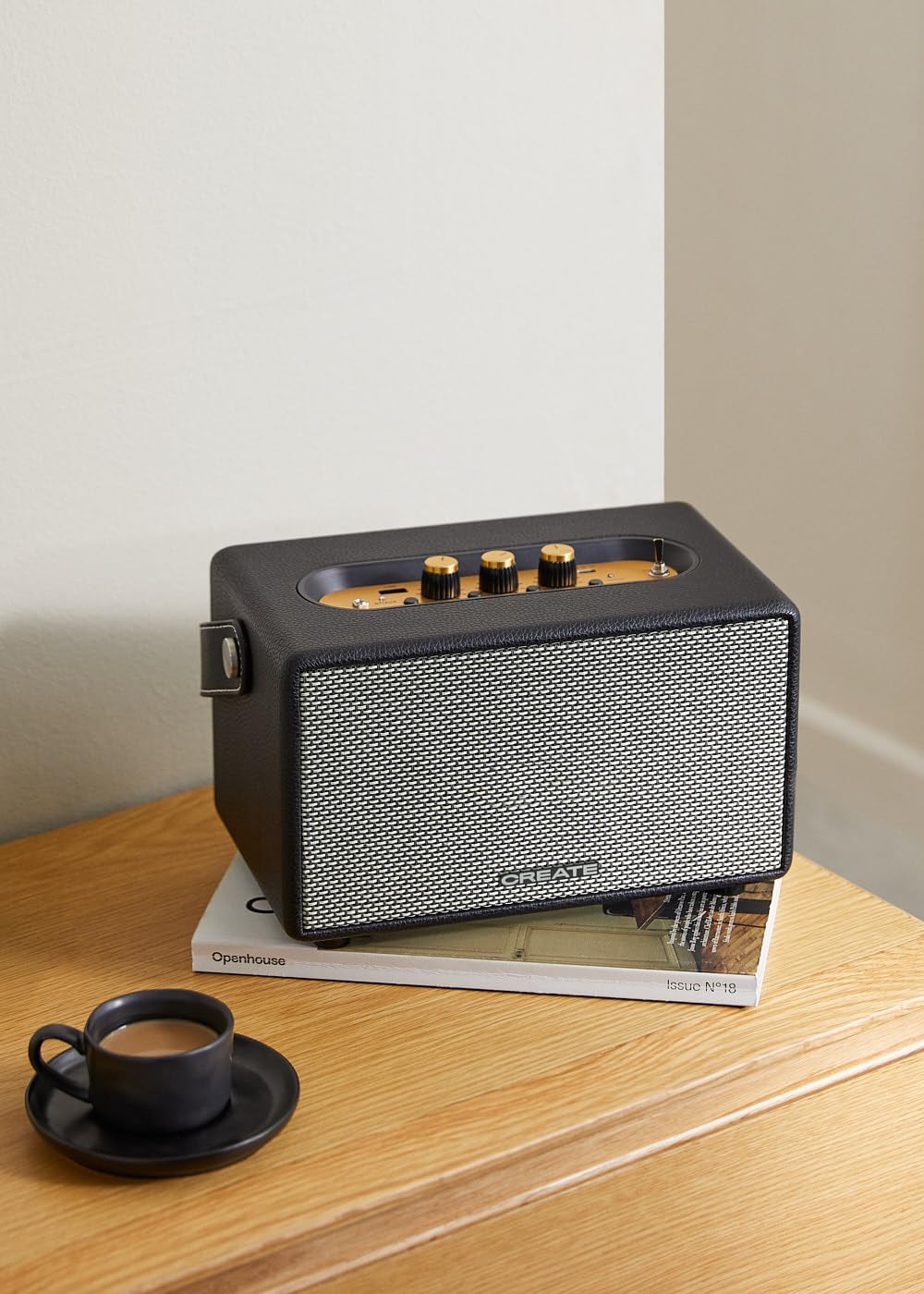
Image: Connecting to the speaker via Bluetooth from a mobile device.
2. USB Playback Mode
שפּיל אַודיאָ files גלייַך פֿון אַ וסב בליץ פאָר.
- מאַכט די רעדנער.
- אַרייַנלייגן אַ וסב בליץ פאָר מיט אַודיאָ fileס אין די וסב פּאָרט.
- שטעלן די אַרייַנשרייַב סעלעקטאָר באַשטימען to "USB". The speaker will automatically begin playing music from the USB drive.

Image: Inserting a USB drive for direct audio playback.
3. AUX אינפוט מאָדע
פֿאַרבינדט עקסטערנע אַודיאָ דעוויסעס מיט אַ 3.5 מם אַודיאָ קאַבל.
- מאַכט די רעדנער.
- Connect one end of a 3.5mm audio cable (not included) to the AUX ינפּוט פּאָרט אויף די רעדנער.
- Connect the other end of the cable to the headphone jack or audio output of your external device (e.g., MP3 player, laptop).
- שטעלן די אַרייַנשרייַב סעלעקטאָר באַשטימען to "AUX". The speaker will now play audio from your connected device.
4. אַדזשאַסטינג סאָונד
Use the dedicated knobs on the control panel to fine-tune your audio experience:
- דרייען די באַנד קנעפּל to increase or decrease the overall sound level.
- דרייען די באַס קנופּ to adjust the low-frequency sounds.
- דרייען די דרייבאַל קנופּ to adjust the high-frequency sounds.
וישאַלט
רייניקונג
To clean the speaker, use a soft, dry cloth. Do not use abrasive cleaners, waxes, or solvents as they may damage the finish. Avoid spraying liquids directly onto the speaker.
סטאָרידזש
When not in use for extended periods, store the speaker in a cool, dry place away from direct sunlight and extreme temperatures. Ensure the speaker is fully charged before storing to preserve battery health.
באַטערי קער
The speaker is equipped with a built-in rechargeable battery. To maximize battery life:
- פֿאַרמײַדט אָפֿט פֿולשטענדיק אויסצולאָדן די באַטעריע.
- Recharge the battery regularly, even if the speaker is not used often.
- Do not expose the speaker to temperatures above 45°C (113°F) or below 0°C (32°F).
טראָובלעשאָאָטינג
If you encounter any issues with your CREATE Speaker Retro, please refer to the following common problems and solutions:
| פּראָבלעם | מעגלעך סיבה | לייזונג |
|---|---|---|
| דער רעדנער גייט נישט אן. | באַטערי איז דיפּליטיד. | Charge the speaker for 4-5 hours using the USB-C cable. |
| קיין געזונט פון די רעדנער. | די קול איז צו נידעריג; נישט ריכטיגע איינגאבע מאָדע; די דעווייס איז נישט ריכטיג פארבונדן. | Increase volume. Ensure the correct input mode (BT, USB, AUX) is selected. Reconnect Bluetooth device or AUX cable. |
| בלועטאָאָטה פּערינג פיילז. | רעדנער איז נישט אין פּערינג מאָדע; די דעווייס איז אַרויס פון ראַנגע; שטערונג. | Ensure speaker is in Bluetooth pairing mode (blinking indicator). Move device closer to speaker (within 10m). Turn off other Bluetooth devices. |
| USB ווידערשפּיל אַרבעט נישט. | Incorrect input mode; USB drive not formatted correctly or no compatible files. | Ensure "USB" input mode is selected. Check USB drive for compatible audio files (e.g., MP3). Try a different USB drive. |
| Play/Pause button not responding. | Potential hardware issue or software glitch. | Restart the speaker. If the issue persists, contact customer support. (Note: A user review mentioned this issue.) |
ספּעסאַפאַקיישאַנז
| מאָדעל נאָמען | SPEAKER RETRO |
| מאָדעל נומער | 181643_452174 |
| דימענשאַנז (די רענטגענ וו x ה) | 17 X 26 X 15 סענטימעטער |
| וואָג | 2.5 קג |
| Max. Speaker Output Power | 40 וו |
| אַודיאָ רעזולטאַט מאָדע | סטערעאָ (2.0 קאַנאַל) |
| קאַנעקטיוויטי טעכנאָלאָגיע | Bluetooth 5.2, USB, AUX (3.5mm) |
| בלועטאָאָטה קייט | אַרויף צו 10 מעטער |
| באַטאַרייע קאַפּאַציטעט | 3000 מאַה |
| באַטערי לעבן | ביז 5 שעה (אפהענגיק פון באַניץ) |
| טשאַרדזשינג צייט | בעערעך. 4-5 שעה |
| קאָנטראָל מעטאָד | Touch (knobs and switches) |
| קאָליר | שוואַרץ |
| וואָטערפּרוף | ניין |
וואָראַנטי און שטיצן
וואָראַנטי אינפֿאָרמאַציע
The CREATE Speaker Retro comes with a standard manufacturer's warranty. Please retain your proof of purchase for warranty claims. The warranty covers defects in materials and workmanship under normal use. It does not cover damage caused by misuse, accidents, unauthorized modifications, or exposure to water.
For specific warranty terms and conditions, please refer to the warranty card included with your product or contact CREATE customer service.
קונה שטיצן
If you have any questions, require technical assistance, or need to report an issue that cannot be resolved using the troubleshooting guide, please contact CREATE customer support.
You can find more information and contact details on the official CREATE website or through their Amazon brand store: