
1. פּראָדוקט איבערview
The Wothfav Smart Plug ETK-07 is designed to enhance your smart home experience by providing intelligent control over your electrical appliances. This device features energy monitoring, programmable timers, and a countdown function, allowing for efficient energy management and increased convenience.
שליסל פֿעיִקייטן אַרייַננעמען:
- 16A Capacity: Supports a maximum current of 16A and a maximum power of 3600W.
- ענערגיע מאָניטאָרינג: Real-time tracking of connected device power consumption.
- Programmable Timers: Set up to 19 adjustable time programs for automated on/off cycles.
- קאָונטדאָוון פונקציע: Automatically turns off devices after a set duration, preventing overcharging.
- Direct Controller Connection: Connects directly to a dedicated controller via RF signals for stable operation (up to 30m range), reducing reliance on Wi-Fi for basic control.
- זיכערקייַט פֿעיִקייטן: Equipped with a child safety mechanism and constructed from fireproof PC material.
The smart plug is suitable for various applications, including charging electric vehicles, mobile phones, and other electronic products, as well as controlling routers, kettles, aquariums, and lawn irrigation systems.
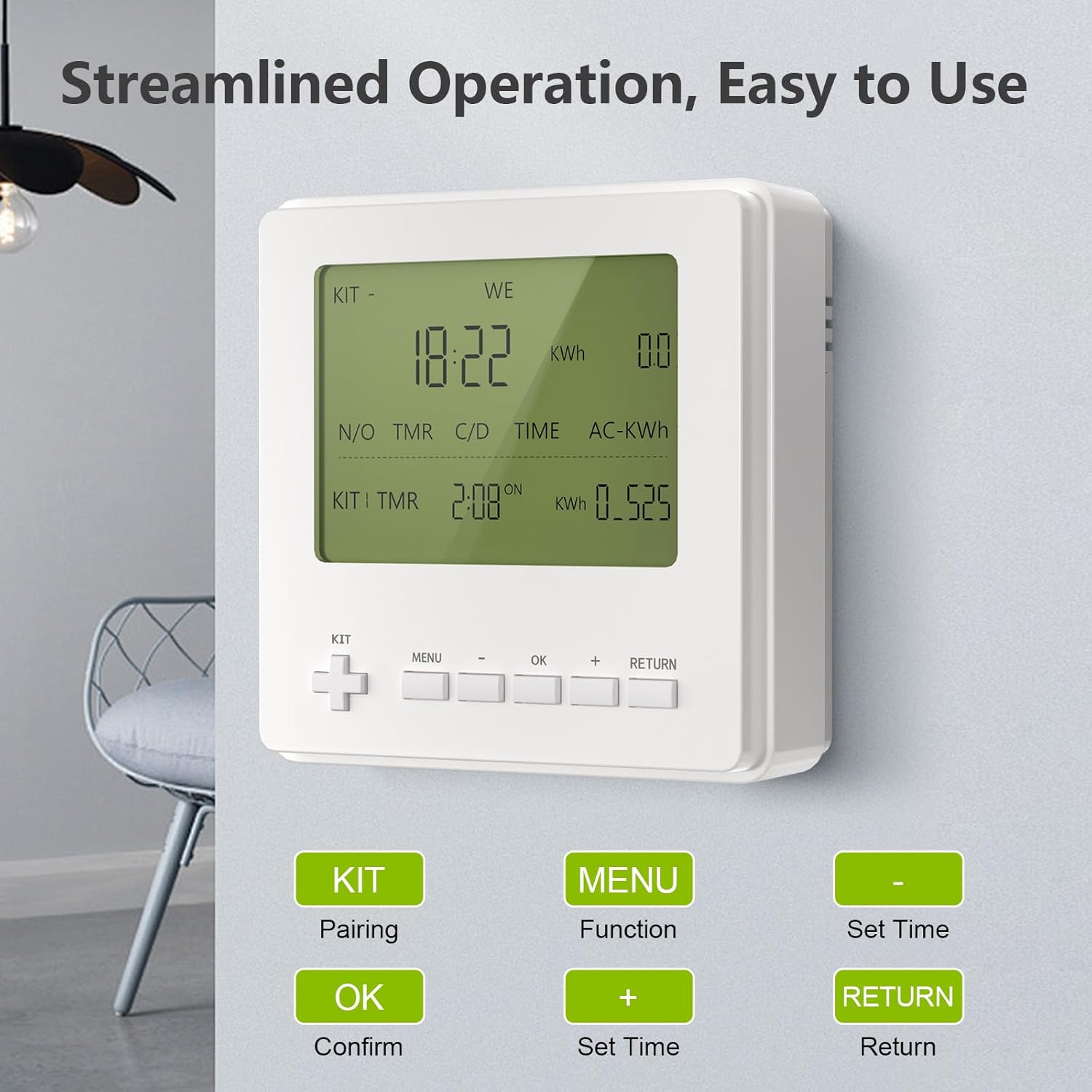
Image 1: Wothfav Smart Plug ETK-07
2. סעטאַפּ אינסטרוקציעס
2.1. Preparing for Connection
Before connecting your smart plug, ensure you have the following:
- The Wothfav Smart Plug ETK-07.
- A smartphone with the "Smart Life" application installed.
- A 2.4GHz Wi-Fi network. (Note: 5GHz Wi-Fi is not supported for initial setup.)
2.2. Connecting the Smart Plug with the App
- Connect your smartphone to your 2.4GHz Wi-Fi network. Ensure Bluetooth is also enabled.
- שטעקט אריין דעם קלוגן פּלאָג אין אַן עלעקטרישן ווענטיל.
- Open the "Smart Life" application on your smartphone.
- Tap the "+" icon in the upper right corner of the app to add a device.
- The app may automatically detect the smart plug. If so, select it and follow the prompts to enter your Wi-Fi password.
- If not automatically detected, select "Add Device" and then choose "Plug (Wi-Fi)" under the "Electrical" or "Socket" category.
- Follow the on-screen instructions to reset the device (usually by holding the power button for 5 seconds until the indicator light blinks rapidly).
- Confirm the indicator light's blinking status in the app and proceed to enter your Wi-Fi password.
- Wait for the configuration to complete. Once successful, you can rename the smart plug for easy identification (e.g., "Kitchen Lamp," "Bedroom Fan").
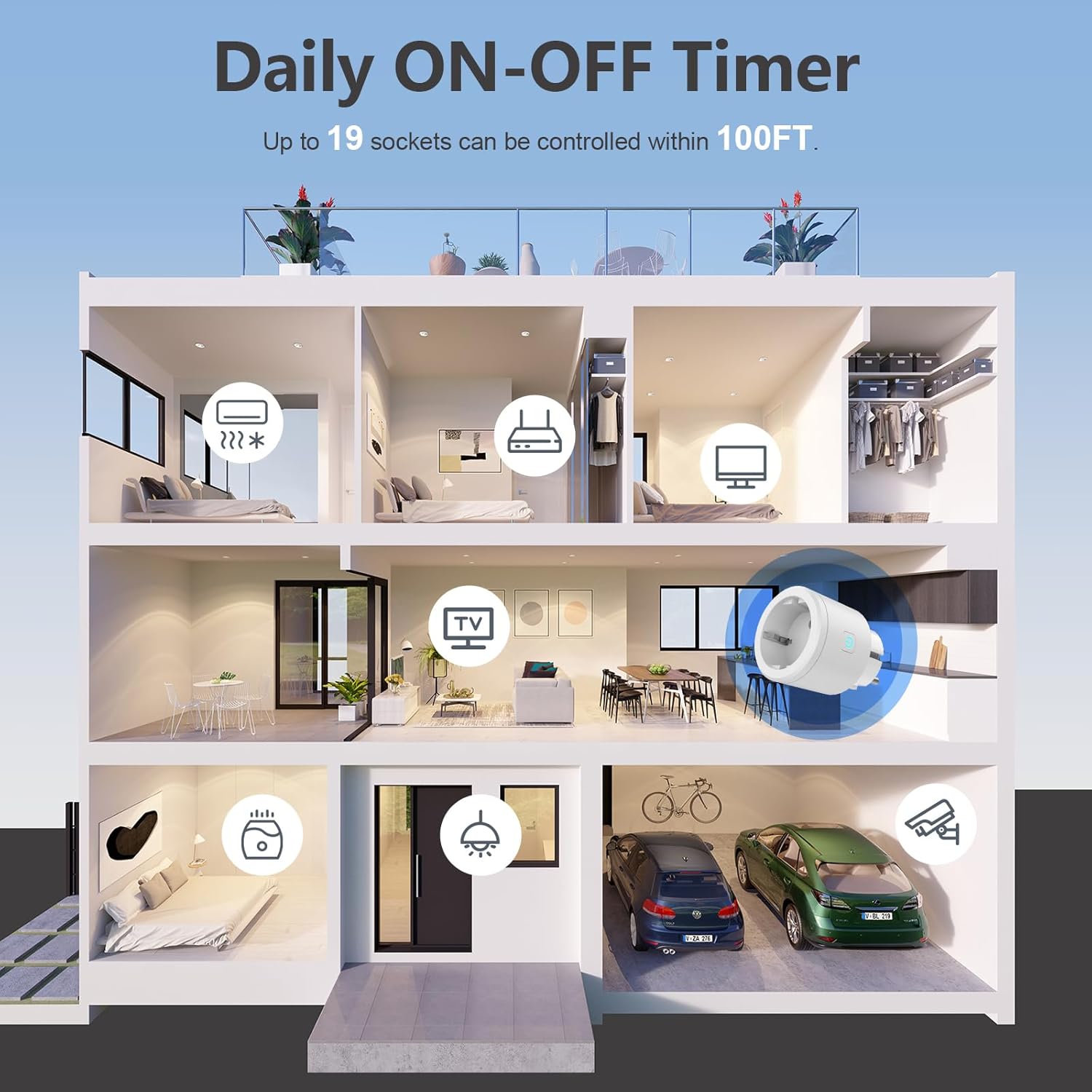
Image 2: Smart Plug controlling devices in various rooms
2.3. Video Guide: Connecting the Smart Plug with the App
Video 1: This video demonstrates the process of connecting the Wothfav Smart Plug to the Smart Life application, including steps for automatic and manual device addition and Wi-Fi password entry.
3. אַפּערייטינג ינסטרוקטיאָנס
3.1. מאַנואַל קאָנטראָל
You can manually turn the smart plug on or off by pressing the physical On/Off button located on the device.
3.2. אַפּ ווײַטקאָנטראָל
Once connected to the "Smart Life" app, you can control the smart plug remotely from anywhere with an internet connection:
- אויף / אַוועק באַשטימען: Tap the power icon in the app to instantly turn the connected appliance on or off.
- סקעדזשולינג: Set specific times for the plug to turn on or off. You can create up to 19 different schedules to automate your devices.
- קאָונטדאָוון טימער: Utilize the countdown function to automatically power off a device after a desired time period. This is useful for charging devices or running appliances for a limited duration.
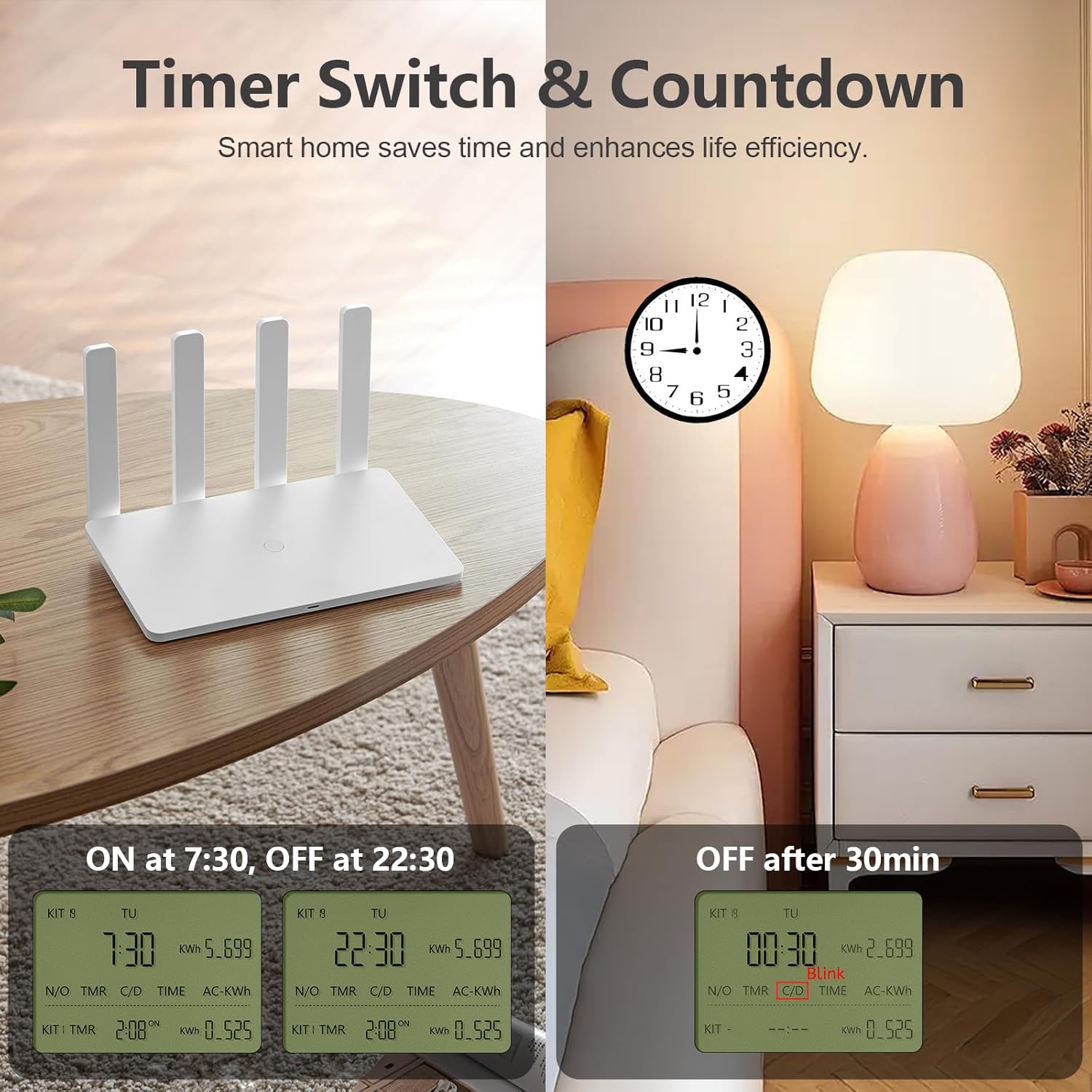
Image 3: Demonstrates timer and countdown functions for a router and a bedside lamp.
3.3. ענערגיע מאָניטאָרינג
The app provides real-time energy consumption data for devices connected to the smart plug. This allows you to:
- Monitor current, power, and voltage.
- View historical power consumption logs.
- Identify energy-wasting appliances and optimize usage to save energy.

Image 4: Illustrates the energy consumption monitoring feature with a graph showing daily power usage.
4. וישאַלט
To ensure the longevity and optimal performance of your Wothfav Smart Plug, follow these general maintenance guidelines:
- רייניקונג: Disconnect the smart plug from the power outlet before cleaning. Use a soft, dry cloth to wipe the exterior. Do not use liquid cleaners or abrasive materials.
- סוויווע: Avoid exposing the smart plug to extreme temperatures, direct sunlight, high humidity, or dusty environments. The operating temperature range is -10℃ to 45℃.
- סטאָרידזש: אויב איר לייגט דאָס אַפּאַראַט אַוועק פֿאַר אַ לענגערע צײַט, נעמט עס אַרויס פֿון דער עלעקטרישער פֿלעק און האַלט עס אין אַ קילן, טרוקענעם אָרט.
5. טראָובלעשאָאָטינג
If you encounter issues with your Wothfav Smart Plug, refer to the following common troubleshooting steps:
- מיטל ניט קאַנעקטינג צו Wi-Fi:
- Ensure your Wi-Fi network is 2.4GHz. The smart plug does not support 5GHz networks.
- Check if your Wi-Fi signal is strong enough where the plug is located.
- Try resetting the smart plug by holding the power button for 5 seconds until the indicator light blinks rapidly, then attempt to reconnect via the app.
- ריסטאַרט דיין Wi-Fi ראַוטער.
- אַפּ קאָנטראָל רעאַגירט נישט:
- באַשטעטיקן אַז אייער סמאַרטפאָון האט אַן אַקטיווע אינטערנעט פֿאַרבינדונג.
- Check if the smart plug is still connected to your Wi-Fi network (indicator light status).
- Close and reopen the "Smart Life" app.
- If the issue persists, try unplugging the smart plug for 10 seconds and then plugging it back in.
- Energy Monitoring Data Incorrect:
- Ensure the appliance connected to the smart plug is functioning correctly.
- Check for any app updates for "Smart Life."
For further assistance, please refer to the "Smart Life" app's help section or contact Wothfav customer support.
6. ספּעסאַפאַקיישאַנז
| שטריך | באַשרייַבונג |
|---|---|
| סאָרט | וואָטהפאַוו |
| מאָדעל נומער | ETK-07 |
| אַרייַנשרייַב וואָלtage | אַק 100-240 וו, 50/60 הז |
| מאַקסימום קראַנט | 16 א |
| מאַקסימום מאַכט | 3600 וו |
| אַפּערייטינג טעמפּעראַטור | -10 ℃ צו 45 ℃ |
| Maximum Operating Range (RF) | 30 m (for controller connection) |
| מאַטעריאַל | Fireproof PC Plastic |
| פּראָדוקט דימענשאַנז (דקסווקסה) | 11.5P x 10.3L x 9H cm |
| Number of Settings (Timers) | 19 |
7. זיכערקייַט אינפֿאָרמאַציע
The Wothfav Smart Plug is designed with user safety in mind:
- קינד זיכערקייַט: Features a built-in child safety mechanism to prevent accidental access to live parts.
- פייערפּרוף מאַטעריאַל: Constructed from high-quality fireproof PC material to minimize fire risks.
- אָווערלאָאַד שוץ: The 16A maximum current rating helps prevent overloading when used within specified limits.
Always ensure the smart plug is used in accordance with local electrical safety standards. Do not disassemble or modify the device.
8. וואָראַנטי און שטיצן
For information regarding warranty coverage, terms, and conditions, please refer to the documentation provided with your purchase or visit the official Wothfav webפּלאַץ.
If you require technical support, have questions about product functionality, or need assistance with troubleshooting, please contact Wothfav customer service through their official channels. Details can typically be found on the product packaging or the manufacturer's webפּלאַץ.