
הקדמה
The BOBLOV W4 2K Mini Body Camera is a compact and lightweight wearable camera designed for capturing personal moments in high-resolution 2K video. Its user-friendly design, including one-click recording and versatile wearing options, makes it suitable for various daily activities. This manual provides essential information for setting up, operating, and maintaining your W4 camera.
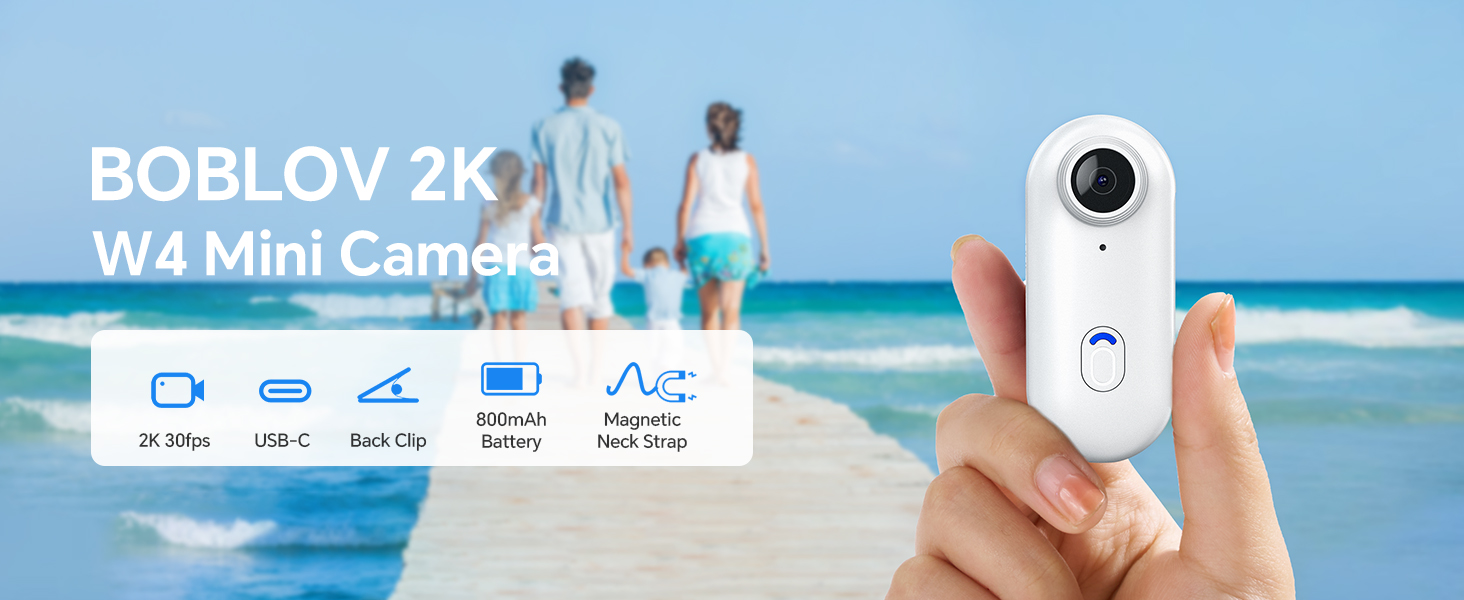
Image: The BOBLOV W4 2K Mini Body Camera, shown in a family setting, highlighting its use for capturing personal moments.
סעטאַפּ
פּעקל אינהאַלט
איידער איר הייבט אן, זיכערט זיך אז אלע זאכן זענען פאראן אין פעקל:
- באָבלאָוו וו4 גוף קאַמעראַ
- Back Clip (360° rotatable)
- Magnetic Neck Strap
- וסב קאַבלע
- באַניצער מאַנואַל
- Adapter (USB-C to USB-A)
- Card Reader (USB-A)
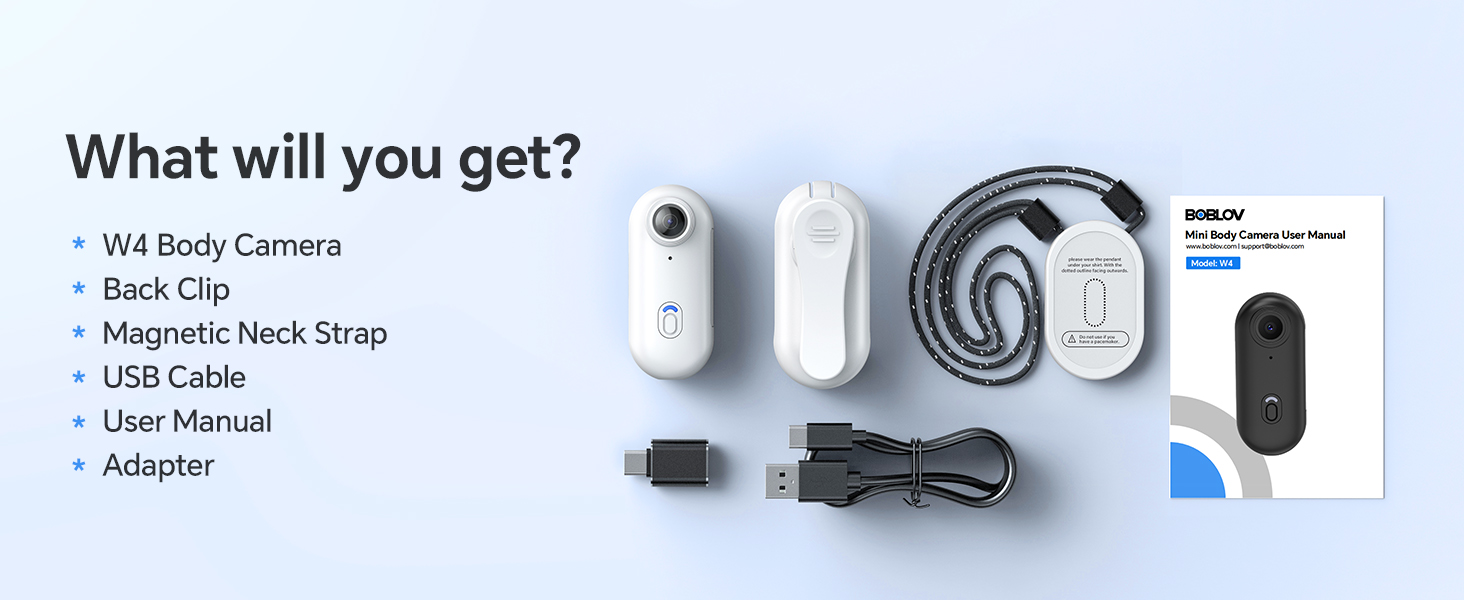
Image: All components included in the BOBLOV W4 package, including the camera, clips, cables, and manual.
טשאַרדזשינג די אַפּאַראַט
- פֿאַרבינדט דעם צוגעשטעלטן USB קאַבל צום קאַמעראַ'ס טשאַרדזשינג פּאָרט.
- Connect the other end of the USB cable to a power source (e.g., computer USB port or a wall adapter).
- The camera's indicator light will show charging status. Refer to the "Operating" section for light indicators.
- A full charge provides approximately 90 to 120 minutes of continuous 2K recording.

Image: The BOBLOV W4 camera connected via USB cable for charging, illustrating the charging process.
Memory Card (Internal 64GB)
The BOBLOV W4 camera comes with an internal 64GB memory, eliminating the need for an external SD card. This provides ample storage for your 2K video recordings.
קאַנעקטינג צו קאָמפּיוטער
צו צוטריט רעקאָרדעד files, connect the camera to your computer using the provided USB cable. The camera is compatible with both Windows and Mac operating systems. You can also use the included card reader for direct access to the internal memory if supported by your computer.
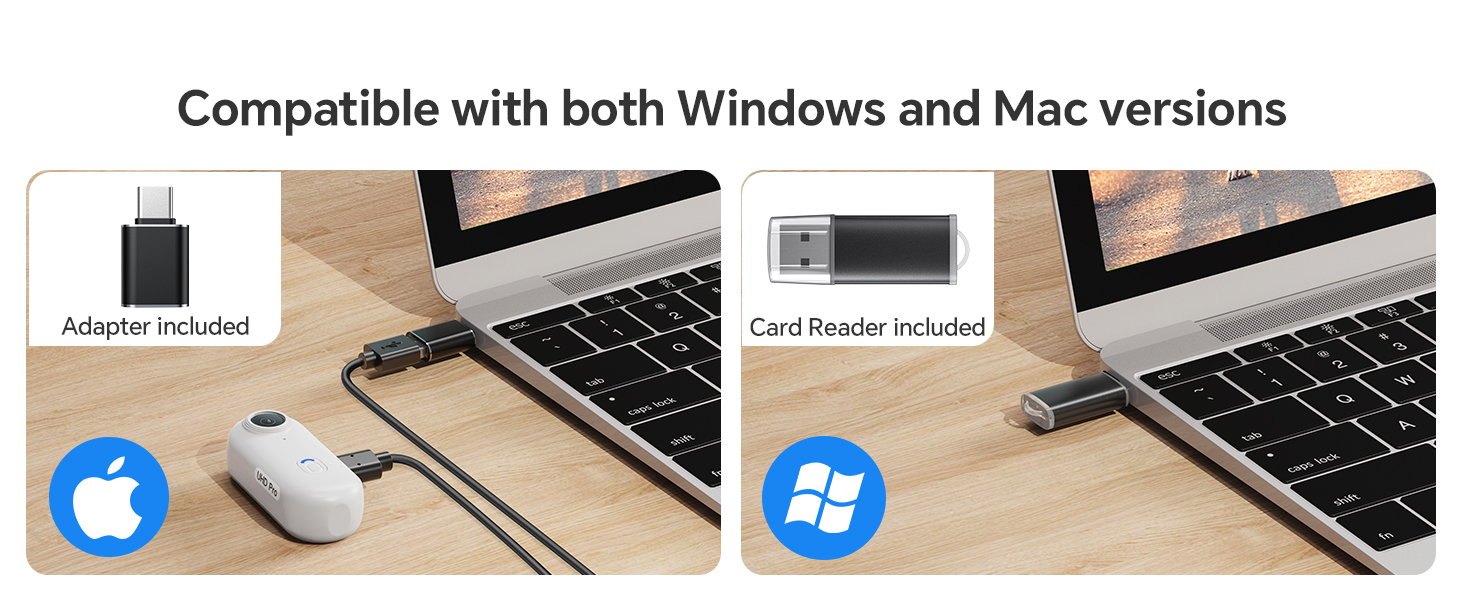
Image: The BOBLOV W4 camera connected to a laptop, demonstrating compatibility with both Windows and Mac systems for data transfer.
אַפּערייטינג ינסטראַקשאַנז
Camera Button Introduction

Image: Diagram illustrating the main video button and low battery warning indicator on the BOBLOV W4 camera.
- ווידעא קנעפּל:
- To start/stop recording in standby mode, press the button briefly. The camera will vibrate and the indicator light will blink blue.
- ווארענונג פֿאַר נידעריק באַטערי:
- When the battery life is less than 15 minutes, the low battery warning status will activate. The red flashing indicator will flash 5 times every 5 minutes.
טראָגן אָפּציעס
The W4 camera offers versatile wearing options for hands-free recording:
- With the Back Clip: Attach the 360° rotatable back clip to your clothing, backpack strap, or other suitable surfaces.
- With the Magnetic Neck Strap: Use the magnetic neck strap for a secure and comfortable fit around your neck, allowing for a first-person perspective.

Image: A person wearing the BOBLOV W4 camera using the back clip, demonstrating its rotatable feature.
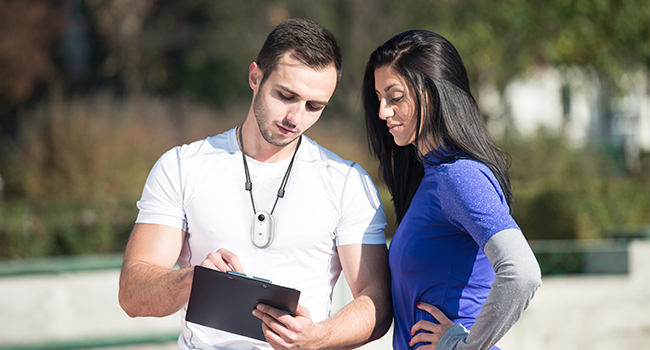
Image: A person wearing the BOBLOV W4 camera with the magnetic neck strap, showing an alternative hands-free carrying method.
וישאַלט
- רייניקונג: Use a soft, dry cloth to clean the camera body. For the lens, use a specialized lens cleaning cloth. Avoid abrasive materials or harsh chemicals.
- סטאָרידזש: האַלט די קאַמעראַ אין אַ קיל, טרוקן אָרט אַוועק פון דירעקט זונשייַן און עקסטרעמע טעמפּעראַטורן.
- באַטערי זאָרגן: פֿאַר אַן אָפּטימאַלן באַטעריע לעבן, פֿאַרמייַדט צו גאָר אויסלאָדן די באַטעריע אָפֿט. לאָדט די קאַמעראַ רעגולער, אפילו אויב זי ווערט נישט גענוצט, כּדי צו האַלטן די באַטעריע געזונט.
- דאַטאַ מאַנאַגעמענט: Regularly transfer important recordings to a computer or external storage device to prevent data loss and free up internal memory.
טראָובלעשאָאָטינג
| פּראָבלעם | מעגלעך סיבה | לייזונג |
|---|---|---|
| די קאַמעראַ צינדט זיך נישט אָן. | Low battery or camera frozen. | Charge the camera for at least 30 minutes. If still unresponsive, try resetting by holding the power button for 10 seconds. |
| קען נישט רעקאָרדירן ווידעא. | Insufficient battery or memory. | Ensure the camera is sufficiently charged. Check if the internal 64GB memory is full and transfer fileס צו פריי אַרויף פּלאַץ. |
| נעבעך ווידעא קוואַליטעט. | Dirty lens or low light conditions. | Clean the camera lens with a soft cloth. Ensure adequate lighting for optimal 2K recording. |
| קאָמפּיוטער דערקענט נישט די קאַמעראַ. | דעפעקטיווער USB קאַבל אָדער דרייווער פּראָבלעם. | Try a different USB port or cable. Ensure your computer's operating system is up to date. Restart both the camera and computer. |
ספּעסאַפאַקיישאַנז

Image: Diagram showing the compact size and lightweight design (50g) of the BOBLOV W4 camera.
- סאָרט: באָבלאָוו
- מאָדעל: W4
- ווידעא כאַפּן האַכלאָטע: 2K (2560x1440)
- פאָטאָ סענסאָר טעכנאָלאָגיע: קמאָס
- פלאַש זכּרון טיפּ: Micro SD (Internal 64GB)
- ווידעא קאַפּטור פֿאָרמאַט: MOV
- קאַמפּאַטאַבאַל אַודיאָ פֿאָרמאַט: AAC, MP3, PCM
- קאַנעקטיוויטי טעכנאָלאָגיע: ווייערד (וסב)
- ספּעציעלע פֿעיִקייטן: Lightweight, One-Click Recording
- וואַסער קעגנשטעל מדרגה: ניט וואַסער קעגנשטעליק
- בילד סטאַביליזאַטיאָן: ניין
- פאָרם פאַקטאָר: Ultra compact
- באַטאַרייע געדויער: 90-120 minutes (continuous recording)
- באַטערי טיפּ: 800 mAh (1 A battery included)
- מאַקסימום פאָקאַל לענג: 6.8
- מינימום פאָקאַל לענג: 6.8
- לענס טיפּ: ברייט ווינקל
- פאָקוס טיפּ: פאַרפעסטיקט פאָקוס
- Maximum Screen Resolution: 2K
- אינסטאַלירטע פלאַש זכּרון גרייס: 63 גיגאבייט
- קאַמפּאַטאַבאַל דעוויסעס: Computer, Smartphone
- רעקאַמענדיד ניצט: Outdoor Security, Personal Recording
- Final Resolution: 2.1 מפּ
- שאָס מאָדעס: Automatic, Hands-free
- בילד אַספּעקט פאַרהעלטעניש: 16:9
- ויסשטעלן קאָנטראָל טיפּ: אָטאַמאַטיק
- עפעקטיווע ווידעא רעזאלוציע: 1080 פּיקסעלס (Note: While marketed as 2K, effective video resolution is listed as 1080 Pixels in some specifications.)
וואָראַנטי אינפֿאָרמאַציע
BOBLOV provides a 24-month product coverage for registered BOBLOV supporters. Please retain your proof of purchase for warranty claims. For detailed warranty terms and conditions, refer to the official BOBLOV webפּלאַץ אָדער קאָנטאַקט קונה שטיצן.
קונה שטיצן
For any technical assistance, product inquiries, or support, BOBLOV offers a quick response within 24 hours and lifetime technical support. Please visit the official BOBLOV website for contact information or refer to the included user manual for specific support channels.
Official BOBLOV Webפּלאַץ: www.boblov.com (נאטיץ: דאס איז א פלאצהאלטער URL, please verify the actual webפּלאַץ.)