
1. הקדמה
א דאנק פארן קויפןasing the KTC 24-inch WQHD 100Hz IPS Monitor. This manual provides essential information for the safe and efficient use of your new monitor. Please read it thoroughly before use and keep it for future reference.
This monitor features a 24-inch IPS panel with WQHD (2560x1440) resolution, offering stunning visual clarity and vibrant colors with 122% sRGB coverage. A 100Hz refresh rate and FreeSync & G-Sync compatibility ensure smooth, tear-free visuals, ideal for both office work and casual gaming. Advanced eye care technologies, including blue light reduction and flicker-free operation, provide a comfortable viewing experience even during extended use. The monitor also supports HDR10 for enhanced dynamic range and features flexible connectivity options with HDMI and DisplayPort.
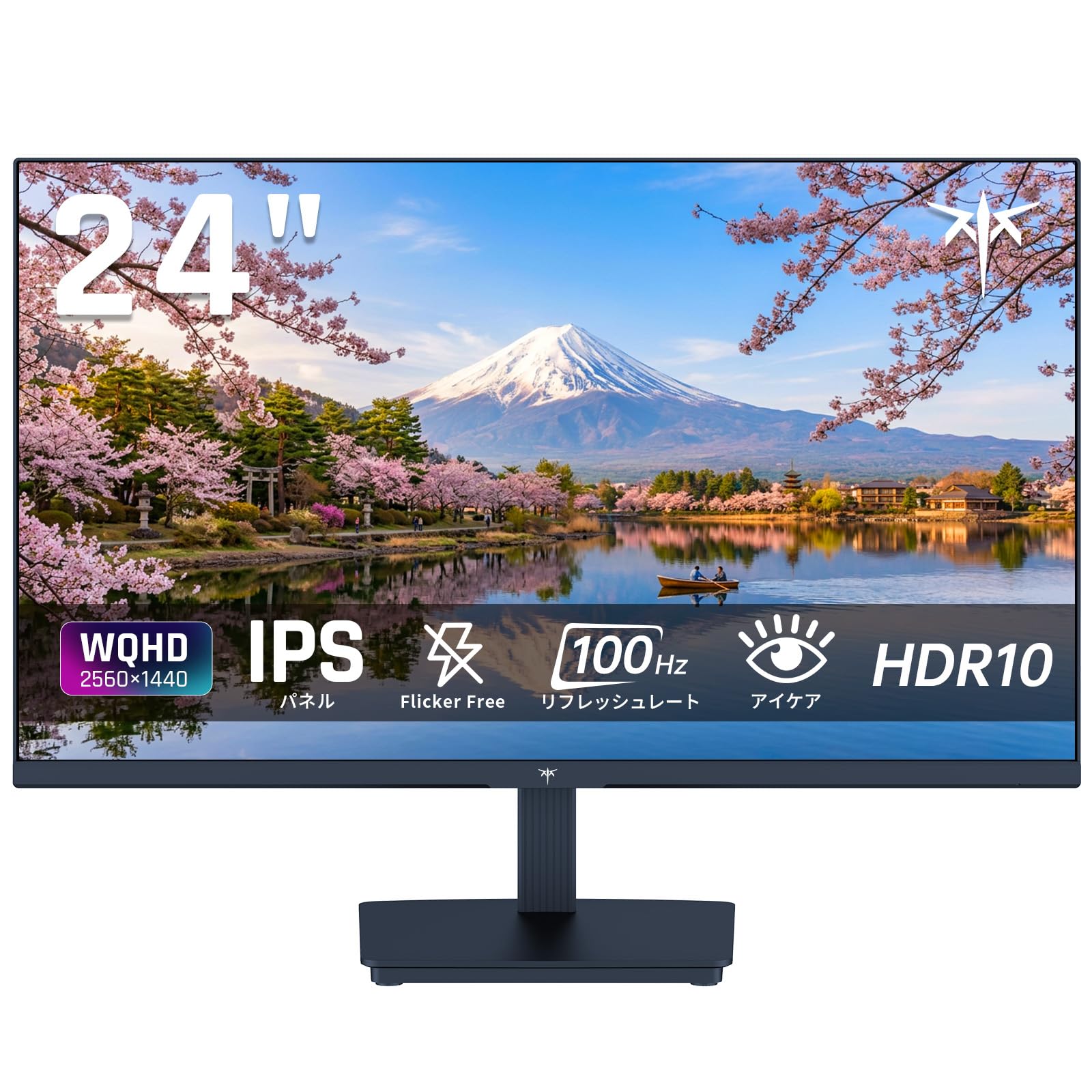
Image: KTC 24-inch WQHD 100Hz IPS Monitor.
2. זיכערקייַט אינפֿאָרמאַציע
Please observe the following safety precautions to prevent damage to the monitor or injury to yourself or others:
- שטעלט נישט אויס דעם מאָניטאָר צו רעגן, פייכטקייט, אדער עקסטרעמע טעמפּעראַטורן.
- פאַרזיכערן געהעריק ווענאַליישאַן אַרום די מאָניטאָר צו פאַרמייַדן אָוווערכיטינג.
- ניצט נאָר דעם מאַכט אַדאַפּטער וואָס ווערט צוגעשטעלט מיטן מאָניטאָר.
- פֿאַרמײַדט צו שטעלן שווערע זאַכן אויף דעם עלעקטרישן שנור אָדער מאָניטאָר.
- Do not attempt to disassemble or repair the monitor yourself. Contact qualified service personnel.
- האַלט דעם מאָניטאָר אַוועק פון שטאַרקע מאַגנעטישע פעלדער.
3. פּעקל אינהאַלט
באַשטעטיקן אַז אַלע זאכן זענען פאַראַן אין פּעקל:
- KTC 24-inch WQHD 100Hz IPS Monitor (H24T27)
- מאָניטאָר באַסע
- HDMI קאַבלע
- מאַכט אַדאַפּטער
- באַניצער מאַנואַל
4. סעטאַפּ
4.1 צוזאַמענשטעלן דעם שטאַנד
- Carefully remove the monitor and base from the packaging.
- באַפעסטיקט דעם שטאַנד האַלדז צום מאָניטאָר פּאַנעל.
- Secure the base to the stand neck using the provided screws.
4.2 קאַנעקטינג די מאָניטאָר
פאַרבינדן די מאָניטאָר צו דיין קאָמפּיוטער אָדער אנדערע דעוויסעס מיט די צונעמען קייבאַלז.
- מאַכט קשר: פֿאַרבינדט דעם מאַכט אַדאַפּטער צום מאָניטאָר'ס גלייכשטראָם אַרייַנגאַנג און דערנאָך שטעקט עס אַרײַן אין אַ מאַכט ווענטיל.
- ווידעא קשר: Use the supplied HDMI cable or a DisplayPort cable to connect your computer's video output to the corresponding port on the monitor.
- אַודיאָ רעזולטאַט: If desired, connect headphones or external speakers to the 3.5mm audio output jack.

Image: Close-up of the KTC monitor's rear ports, including DC power, HDMI, DisplayPort, and audio out.
5. אַפּערייטינג ינסטרוקטיאָנס
5.1 מאַכט אויף / אַוועק
דריק דעם מאַכט קנעפּל וואָס געפינט זיך אויפן מאָניטאָר צו עס אנצינדן אָדער אויסלעשן.
5.2 אויף-סקרין ווייַז (אָסד) מעניו
The OSD menu allows you to adjust various monitor settings. Use the control buttons (usually located on the back or bottom of the monitor) to navigate the menu and make selections.
5.3 ווייַז סעטטינגס
- רעזאלוציע: The monitor supports WQHD (2560x1440) resolution for sharp and detailed images. Ensure your graphics card is set to this resolution for optimal display.
- דערפרישן קורס: Enjoy smooth visuals with a 100Hz refresh rate. This can be configured in your operating system's display settings.
- קאָליר גאַמע: The monitor offers 122% sRGB coverage for rich and accurate colors.

Image: KTC monitor highlighting key features like IPS panel, 100Hz, WQHD, 24-inch, Adaptive Sync, and blue light reduction.

Image: Comparison of WQHD (2560x1440) and FHD (1920x1080) resolutions, demonstrating enhanced detail with WQHD.

Image: Comparison of 100Hz and 60Hz refresh rates, showing smoother motion with 100Hz.
5.4 Adaptive Sync (FreeSync & G-Sync)
The monitor supports both FreeSync and G-Sync technologies to eliminate screen tearing and stuttering, providing a fluid gaming experience. Ensure this feature is enabled in your graphics card settings and the monitor's OSD.

Image: Monitor display showing HDR10 content on one side and standard HDR on the other, along with FreeSync & G-Sync comparison (ON/OFF).
5.5 אויג זאָרג פֿעיִקייטן
The monitor includes Flicker-Free technology and a Blue Light Reduction mode to minimize eye strain during prolonged use. These settings can be adjusted via the OSD menu.

Image: KTC monitor displaying eye care features: Low Blue Light (ON/OFF) and Flicker-Free (ON/OFF).
5.6 HDR10 שטיצע
This monitor supports HDR10, providing a wider range of colors and contrasts for a more immersive viewing experience. Ensure HDR is enabled in your device's display settings for compatible content.
5.7 אַדזשאַסטאַבאַל שטיין
The monitor stand allows for tilt adjustment from -5° to 15°, enabling you to find the most comfortable viewינג ווינקל.

בילד: זייט view of the KTC monitor demonstrating the tilt-adjustable stand (-5° to 15°).
5.8 ברייט Viewינג אַנגלע
The IPS panel provides a wide 178-degree viewing angle, ensuring consistent color and image quality from almost any perspective.

Image: KTC monitor showcasing a wide 178-degree viewing angle with consistent color.
6. וישאַלט
6.1 רייניקונג די מאָניטאָר
- שטענדיק אָפּשטויסן די מאָניטאָר איידער רייניקונג.
- ניצן אַ ווייך, לינט-פֿרייַ שטאָף לייטלי דampאָפּגעווישט מיט וואַסער אָדער אַ מילד, נישט-אַברייסיוו פאַרשטעלן רייניגער.
- שפריצט נישט רייניגער גלייך אויפן עקראַן.
- ויסמיידן ניצן האַרב קעמיקאַלז אָדער אַברייסיוו מאַטעריאַלס.
6.2 אַלגעמיינע קער
- Keep the monitor in a clean, dry environment.
- באַשיצן דעם עקראַן פֿון שאַרפֿע אָביעקטן.
- When moving the monitor, handle it carefully and avoid putting pressure on the screen.
7. טראָובלעשאָאָטינג
אויב איר טרעפט פּראָבלעמען מיט אייער מאָניטאָר, זעט די פאלגענדע געוויינטלעכע פּראָבלעמען און לייזונגען:
| פּראָבלעם | מעגלעך לייזונג |
|---|---|
| קיין בילד אויף פאַרשטעלן | Check power connections. Ensure video cable is securely connected to both monitor and computer. Select correct input source via OSD. |
| בילד איז פארשוואומען אדער פארדרייט | Ensure the display resolution is set to 2560x1440. Check video cable for damage. |
| עקראַן רייסינג אָדער שטאַמלען | Verify FreeSync/G-Sync is enabled in both monitor OSD and graphics card settings. |
| קיין קלאַנג פֿון כעדפאָונז/רעדנערס | Check audio cable connection. Ensure volume is not muted on monitor or computer. |
| מאָניטאָר טוט זיך נישט אָן | Check power outlet and power adapter connection. Try a different power outlet. |
If the problem persists after trying these solutions, please contact KTC customer support.
8. ספּעסאַפאַקיישאַנז
Detailed technical specifications for the KTC H24T27 monitor:
| שטריך | באַשרייַבונג |
|---|---|
| סאָרט | קטק |
| מאָדעל נומער | H24T27 |
| פאַרשטעלן גרייס | 24 אינטשעס |
| האַכלאָטע | WQHD (2560 x 1440 pixels) |
| אַספּעקט פאַרהעלטעניש | 16:9 |
| טאַפליע טיפּ | IPS |
| פאַרשטעלן ייבערפלאַך | ניט-גלער |
| דערפרישן קורס | 100 הז |
| ענטפער צייט | 7 מיז |
| קאַנטראַסט פאַרהעלטעניש | 1300:1 |
| ברייטנאַס | 300 סי / מ² |
| קאָליר גאַמע | 122% sRGB |
| Viewינג אַנגלע | 178 דיגריז |
| HDR טעכנאָלאָגיע | HDR10 |
| אַדאַפּטיוו סינק | FreeSync, G-Sync |
| קאַנעקטיוויטי | 1x HDMI, 1x DisplayPort, Audio Out |
| מאַכט קאַנסאַמשאַן | 12 וואטס |
| Voltage | 100 וואלטס |
| דימענשאַנז (די רענטגענ וו x ה) | 18.3 X 54 X 40.5 סענטימעטער |
| נאָך פֿעיִקייטן | Adaptive Sync, Eye Care, Flicker-Free, Blue Light Filter, Tilt Adjustment |
| קאַמפּאַטאַבאַל דעוויסעס | Game Consoles, Laptops |
| קאָליר | שוואַרץ |
| פאָרעם | פלאַך |
| אָריגין | כינע |
9. וואָראַנטי און שטיצן
9.1 וואָראַנטי אינפֿאָרמאַציע
Your KTC monitor comes with a 3-יאָר פאַבריקאַנט ס וואָראַנטי. In the event of a product defect, a free replacement will be provided. Please note that this warranty does not cover loss or damage caused by customer negligence.

Image: KTC's 3-year free replacement warranty details and contact information.
9.2 קונה שטיצן
For any inquiries or concerns, please feel free to contact us. We are committed to providing full support to ensure your satisfaction.
טעלעפֿאָן: 050-3606-8990
בליצפּאָסט: support@ktcplay.com
You can also contact support through Amazon:

Image: Step-by-step guide on how to contact customer support via Amazon.
10. פּראָדוקט איבערview ווידעא
קוקט דעם ווידעא פאר א וויזועלע איבערבליקview of the KTC QHD computer monitor and its features.
Video: This video showcases the KTC QHD computer monitor, highlighting its 2560x1440 (2K) resolution, 100Hz refresh rate, FreeSync and G-Sync compatibility, flicker-free and low blue light features, 8-bit & 116% sRGB color gamut, 3-side frameless design, -5° to 15° tilt adjustable stand, and available sizes (24, 27, 32 inches). It emphasizes its suitability for professional office use.