
Bmax B3 Pro
Bmax B3Pro Mini PC User Manual
מאָדעל: B3 Pro
1. הקדמה
Thank you for choosing the Bmax B3Pro Mini PC. This compact and powerful desktop computer is designed to provide seamless performance for work, entertainment, and various multimedia applications. Featuring an 11th Gen Intel Jasper Lake N5095 processor, 8GB of LPDDR4 RAM, and a 256GB SSD, the B3Pro delivers a swift and efficient computing experience. Its versatile connectivity options and dual 4K display support make it an ideal solution for both home and office environments.

Image: The Bmax B3Pro Mini PC, showcasinג זײַן קאָמפּאַקטן דיזײַן און גלאַטן אויסזען.
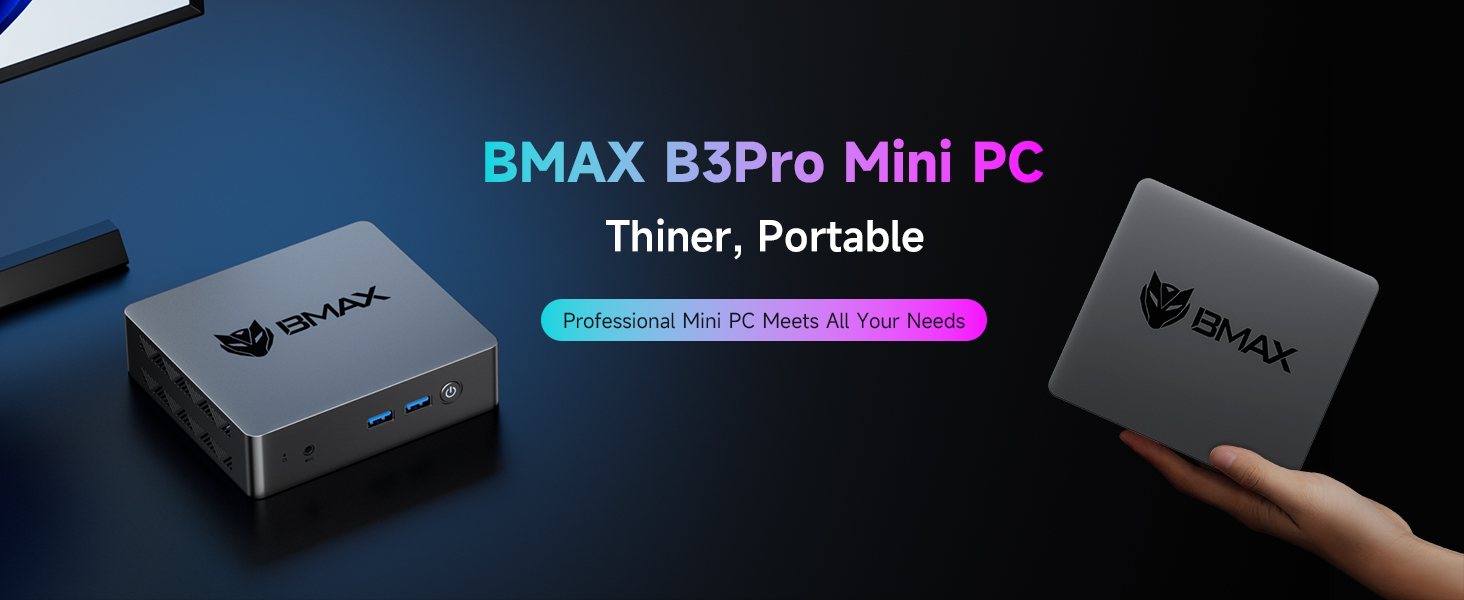
Image: The Bmax B3Pro Mini PC highlighting its thin and portable design, suitable for various settings.
2. פּעקל אינהאַלט
ביטע באַשטעטיקן אַז אַלע זאכן זענען פאַראַן אין דעם פּעקל:
- 1 x BMAX B3Pro 8GB+256GB Mini PC
- 1 x HDMI קאַבלע
- 1 רענטגענ יו. עס. מאַכט אַדאַפּטער
- 1 x וועסאַ מאָונט מיט שרויפן
- 1 x באַניצער מאַנואַל

Image: An illustration of the Bmax B3Pro Mini PC and its included accessories: HDMI cable, power adapter, VESA mount, and user manual.
3. סעטאַפּ גייד
3.1 פיזישע פֿאַרבינדונגען
- פאַרבינדן צו מאַכט: Plug the US Power Adapter into the DC12V/2A port on the Mini PC and then into a power outlet.
- פאַרבינדן צו ווייַז: Use the provided HDMI cable to connect the Mini PC to your monitor or TV. The B3Pro supports dual 4K 60Hz displays via its two HDMI ports.
- פאַרבינדן פּעריפעראַלס: Connect your keyboard and mouse to the available USB 3.0 (x2) or USB 2.0 (x2) ports.
- נעץ קאַנעקשאַן: For a wired connection, plug an Ethernet cable into the RJ45 port. For wireless, the device supports WiFi 5.
- אַודיאָ: פֿאַרבינדט כעדפאָונז אָדער רעדנערס צו די 3.5 מם אַודיאָ דזשעק אויב נייטיק.
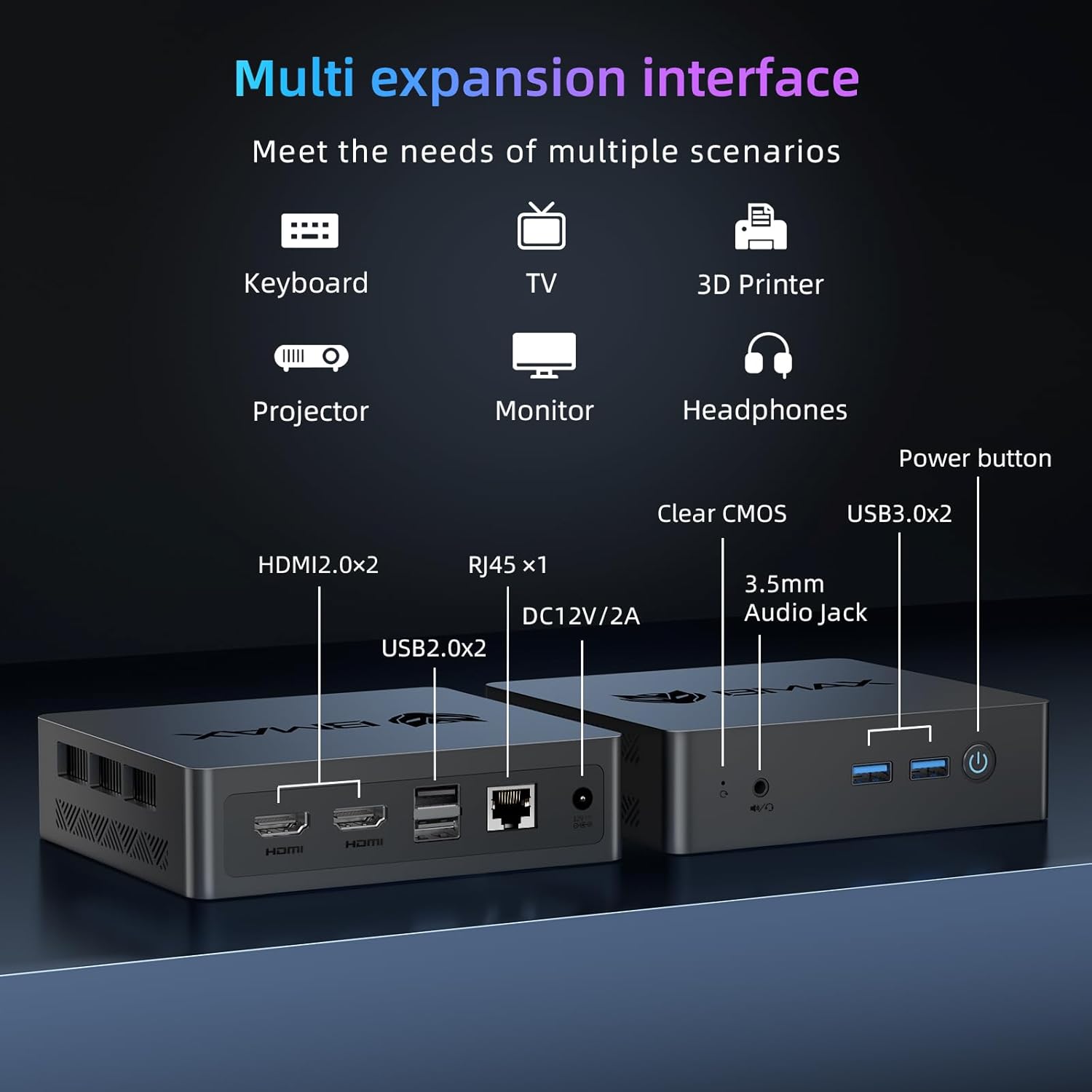
בילד: א דעטאַלירטע view of the Bmax B3Pro Mini PC's multi-expansion interfaces, including HDMI, USB, RJ45, and audio ports.

בילד: אן איבערview of the Bmax B3Pro Mini PC's various ports and their compatibility with different devices like monitors, projectors, and printers.
3.2 ערשט שטיוול
Press the power button located on the front of the Mini PC. The system will boot up, and you will be guided through the initial operating system setup process.
3.3 VESA מאַונטינג
The B3Pro includes a VESA mount, allowing you to attach it to the back of a compatible monitor or wall, saving desk space. Use the provided screws to secure the mount to the Mini PC and then to the VESA holes on your monitor or wall bracket.
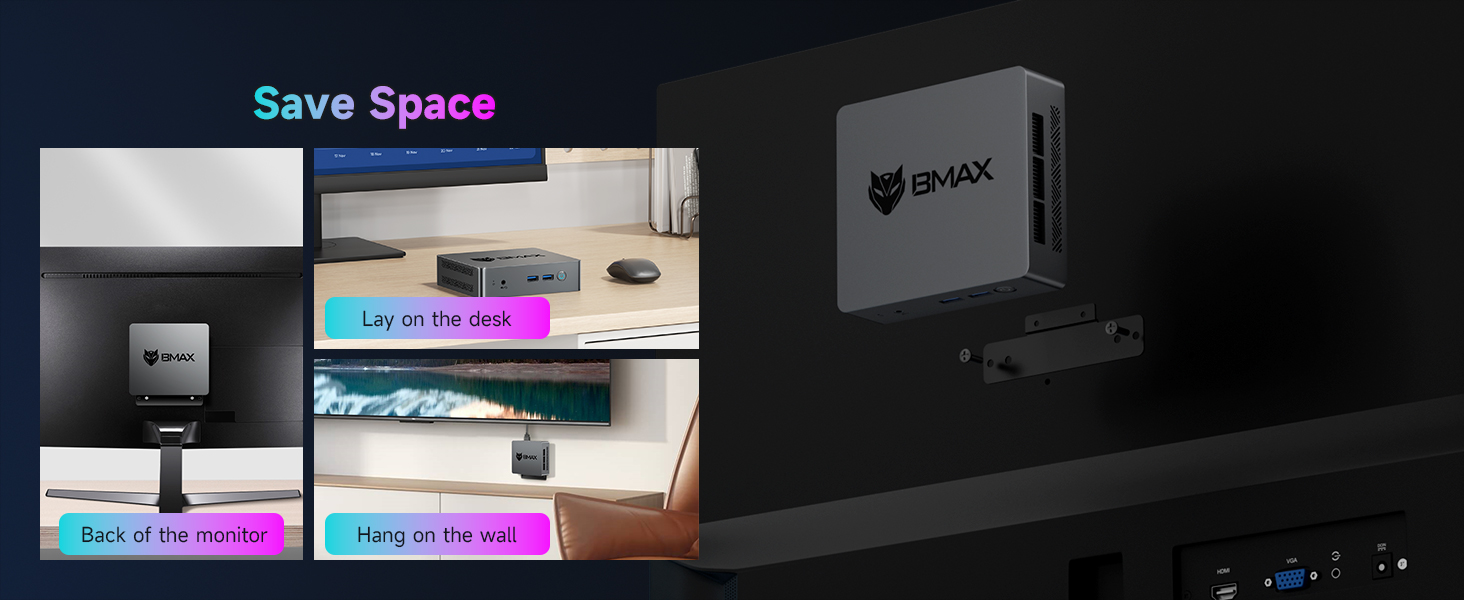
Image: Demonstrates how the Bmax B3Pro Mini PC can be mounted behind a monitor or placed on a desk to save space.
4. אַפּערייטינג ינסטרוקטיאָנס
4.1 מאַכט אויף / אַוועק
- מאַכט אויף: דרוק די מאַכט קנעפּל אַמאָל.
- מאַכט אַוועק: Access the operating system's shutdown menu or press and hold the power button for 5 seconds.
4.2 פאָרשטעלונג און סטאָרידזש
The B3Pro is equipped with an 11th Gen Intel Jasper Lake N5095 processor (2.0GHz base, up to 2.9GHz burst), 8GB LPDDR4 RAM, and a 256GB SSD. This configuration ensures smooth multitasking and quick application loading. The SSD offers read speeds exceeding 500MB/s, enhancing overall system responsiveness. The 256GB SSD is upgradeable up to 2TB (SSD not included).

Image: Details of the 11th Gen Intel Jasper Lake N5095 processor, highlighting its 4 cores, 2.9GHz burst frequency, 2.0GHz base frequency, 8GB LPDDR4 RAM, and 256GB SSD.

Image: Performance benchmarks for the 11th Gen Intel Jasper Lake N5095 processor, showing its specifications and a PassMark score comparison.
4.3 ווירעלעסס קאַנעקטיוויטי
- WiFi 5: פֿאַרבינדט זיך צו וויירלעסע נעטוואָרקס פֿאַר אינטערנעט אַקסעס.
- בלועטאָאָטה 5.0: Pair with various wireless devices such as headphones, speakers, or game controllers.

Image: The Bmax B3Pro Mini PC connected to an Ethernet cable, illustrating its capability for high-speed internet surfing at 1000 Mbps.
4.4 צווייענדיק סקרין ווייַז
Leverage the Intel UHD graphics to connect two monitors simultaneously, supporting resolutions up to 4K at 60Hz. This feature is ideal for enhanced productivity and immersive multimedia experiences.
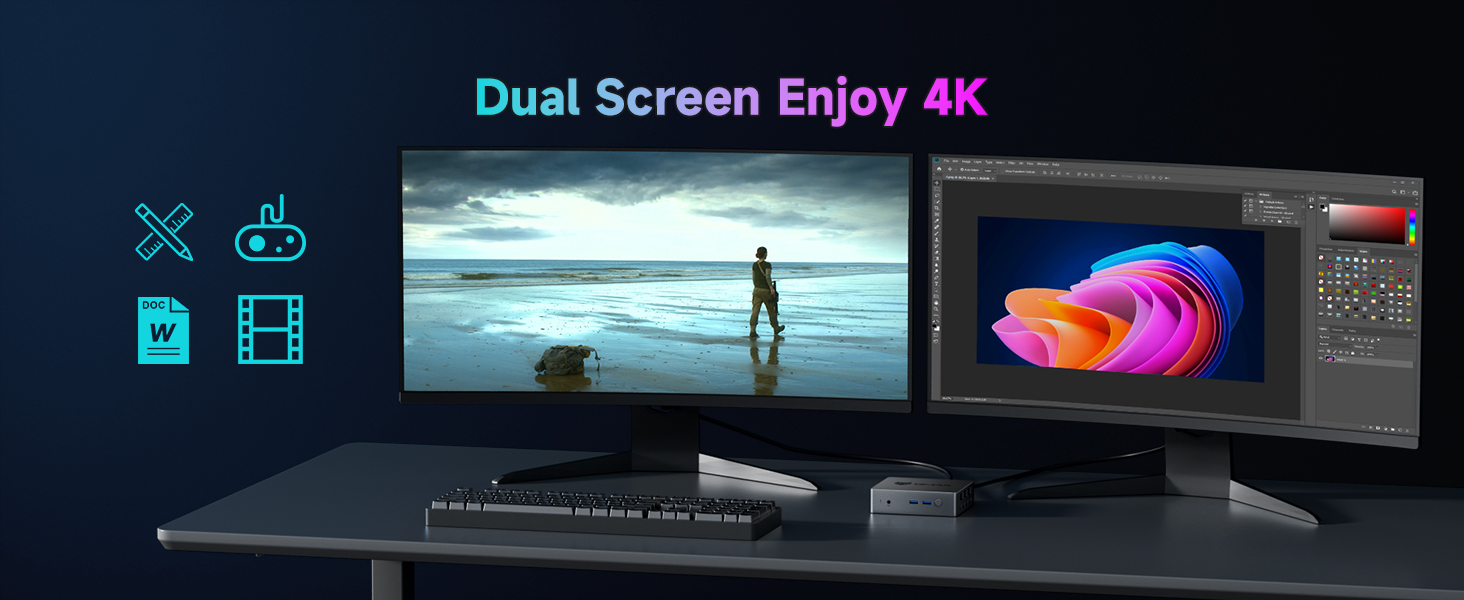
Image: A setup showing the Bmax B3Pro Mini PC connected to two monitors, demonstrating its dual 4K display capability for various tasks.

Image: A home office setup featuring the Bmax B3Pro Mini PC connected to two monitors, illustrating its suitability for productivity.
4.5 באַניץ סינעריאָוז

Image: Various applications of the Bmax B3Pro Mini PC, including online conferencing, office work, home theater, and graphic design.

Image: A collage demonstrating the Bmax B3Pro Mini PC's versatility across different environments, such as meetings, online education, photo design, home theater, and daily work.
5. וישאַלט
5.1 קאָאָלינג סיסטעם
The B3Pro features a built-in smart cooling fan designed for efficient, quiet, and reliable heat dissipation, ensuring stable performance even under load.

בילד: אן אינערליכע view of the Bmax B3Pro Mini PC, highlighting the built-in smart cooling fan and its airflow path.

Image: A diagram illustrating the efficient heat dissipation process within the Bmax B3Pro Mini PC, contributing to a silent working environment.
5.2 רייניקונג
To maintain optimal performance, regularly clean the exterior of the Mini PC with a soft, dry cloth. Ensure ventilation openings are free from dust accumulation. Do not use liquid cleaners directly on the device.
5.3 ווייכווארג דערהייַנטיקונגען
Keep your operating system and drivers updated to ensure system stability, security, and optimal performance. Refer to your operating system's documentation for update procedures.
6. טראָובלעשאָאָטינג
6.1 פּראָסט ישוז און סאַלושאַנז
- קיין מאַכט: זיכער מאַכן אַז דער מאַכט אַדאַפּטער איז זיכער פארבונדן צו ביידע די מיני פּיסי און אַ אַרבעטנדיק מאַכט ווענטיל.
- קיין ווייַז: Check HDMI cable connections to both the Mini PC and the monitor. Ensure the monitor is set to the correct input source.
- קיין אינטערנעט פֿאַרבינדונג: For wired connections, check the Ethernet cable. For WiFi, ensure the WiFi adapter is enabled and connected to the correct network.
- פּאַמעלעך פאָרשטעלונג: שליסט צו אומנייטיקע אַפּליקאַציעס, קאָנטראָלירט פֿאַר הינטערגרונט פּראָצעסן, און זאָרגט פֿאַר גענוג פֿרײַעם סטאָרידזש פּלאַץ.
6.2 One-Click Smart Recovery
The BMAX Mini-PCs offer a one-click smart recovery feature. This allows for a swift return to production within minutes, providing a comprehensive reset (restore/reinstall/update) option for your system. Consult the operating system's recovery options for detailed instructions.
7. ספּעסאַפאַקיישאַנז
| שטריך | באַשרייַבונג |
|---|---|
| סאָרט | Bmax |
| מאָדעל | B3 Pro |
| פּראַסעסער | 11th Gen Intel Jasper Lake N5095 (2.0GHz base, up to 2.9GHz) |
| קאָרעס / פֿעדעם | 4 קערנס / 4 פֿעדעם |
| באַראַן | 8 גיגאבייט LPDDR4 |
| סטאָרידזש | 256GB SSD (upgradeable up to 2TB SSD) |
| גראַפיקס | Intel UHD גראַפיקס |
| ווייַז רעזולטאַט | Dual HDMI 4K @ 60Hz |
| וסב פּאָרץ | 2 רענטגענ וסב 3.0, 2 רענטגענ וסב 2.0 |
| נעץ | RJ45 (Ethernet 10/100/1000), WiFi 5 |
| ווירעלעסס | בלועטאָאָטה 5.0 |
| אַודיאָ צובינד | 1 רענטגענ 3.5 מם אַודיאָ דזשאַק |
| אָפּערייטינג סיסטעם | OS (Pre-installed) |
| פּונקט וואָג | 1.5 פונט |
| דימענשאַנז | 11.1 x 6.1 x 2.95 אינטשעס (פּאַקעט) |

Image: The compact dimensions of the Bmax B3Pro Mini PC (4.9 inch x 4.4 inch x 1.3 inch) compared to a smartphone and a traditional desktop PC.

Image: A visual comparison of the B3Pro Mini PC's size against a mobile phone and a standard desktop PC, emphasizing its compact nature.

בילד: אן עקספלאדירטע view of the Bmax B3Pro Mini PC, showing its internal components including the Intel Celeron N5095 processor, 256GB M.2 2280 SSD, 8GB LPDDR4 RAM, and cooling fan.
8. וואָראַנטי און שטיצן
BMAX Mini-PCs come with a 12-month warranty from the date of purchase. We also offer a 30-day no-questions-asked return policy. For any issues or inquiries, our customer service team is available 7 days a week, 24 hours a day. Please contact us via email for assistance.
Ask a question about this manual
Ask about setup, troubleshooting, compatibility, parts, safety, or missing instructions. Manuals+ will review the question and use this page’s manual context to help answer it.