
Lisowod YG471
Lisowod Mini Projector User Manual
מאָדעל: YG471
1. הקדמה
Welcome to the Lisowod Mini Projector user manual. This guide provides detailed instructions on how to set up, operate, and maintain your projector, ensuring you get the best possible experience. Please read this manual thoroughly before using the product.
2. פּראָדוקט איבערview
2.1 קאַמפּאָונאַנץ
The Lisowod Mini Projector comes with the following main components:
- Lisowod Mini Projector Unit
- 360° Adjustable and Detachable Stand
- ווייַט קאָנטראָל
- HDMI קאַבלע
- מאַכט אַדאַפּטער

Figure 2.1: Lisowod Mini Projector with its adjustable stand.

Figure 2.2: The innovative 360° rotatable and detachable stand allows for versatile projection angles.
2.2 שליסל פֿעיִקייטן
- 360° אַדזשאַסטאַבאַל שטאַנד: Project from any angle, including walls, tables, and ceilings, with quick setup.
- Auto Vertical Keystone Correction & Electric Focus: Ensures perfectly aligned and sharp images with automatic vertical correction (±30°) and one-touch electric focus.
- הויך-קוואַליטעט וויזשאַוואַלז: True 720P native resolution with 1080P decoding support, 550 ANSI brightness, and a 15,000:1 contrast ratio for vibrant and detailed images.
- אַוואַנסירטע קאַנעקטיוויטי: Equipped with WiFi 6 for smooth streaming and two-way Bluetooth 5.2 for enhanced audio.
- יממערסיווע אַודיאָ: Dual 8W Hi-Fi stereo speakers deliver cinematic sound.
- קייפל ינטערפייסיז: Includes HDMI, USB, and a 3.5mm audio port for wide compatibility with various devices.

Figure 2.3: Visual quality comparison highlighting 1080P HD support and 550 ANSI brightness.

Figure 2.4: The projector's mini portable design, measuring 6.7x5.6x3.14 inches and weighing 1.5 lbs.
3. סעטאַפּ
3.1 אַנפּאַקינג
Carefully remove all components from the packaging. Ensure all items listed in Section 2.1 are present and undamaged.
3.2 פּלייסמאַנט
The Lisowod Mini Projector's 360° adjustable stand allows for flexible placement. Position the projector on a stable, flat surface. You can adjust the angle to project onto a wall, screen, or even the ceiling.
- For wall or screen projection, ensure the projector is perpendicular to the surface for optimal image alignment.
- To project onto the ceiling, simply rotate the projector within its stand to face upwards.

Figure 3.1: The 360° rotation feature allows for instant projection onto the ceiling.

Figure 3.2: Multiple mounting methods are supported, including tabletop and ceiling installation.
3.3 מאַכט קאַנעקשאַן
Connect the power adapter to the projector's power input port and then plug the adapter into a power outlet. The projector will enter standby mode.
4. אַפּערייטינג ינסטרוקטיאָנס
4.1 פּאַוערינג אויף / אַוועק
- מאַכט אויף: דרוק די מאַכט קנעפּל אויף די פּראַדזשעקטער אָדער די ווייַט קאָנטראָל.
- מאַכט אַוועק: דריק נאכאמאל דעם פאוער קנעפל צו אויסלעשן דעם פראיעקטאר.
4.2 יקערדיק נאַוויגאַציע
Use the remote control or the buttons on the projector unit to navigate through the menu options. The remote control provides full functionality for settings and source selection.
4.3 קאַנעקטינג דעוויסעס
דער פּראָיעקטאָר שטיצט פֿאַרשידענע אַרייַנשרייַב קוואלן:
- הדמי: Connect devices like laptops, gaming consoles (PS5, Xbox), TV sticks, or Roku devices using the provided HDMI cable.
- וסב: אַרײַנשטעלן אַ USB דרייוו צו שפּילן מעדיע files גלייַך.
- ווירעלעסס פאַרשטעלן מירערינג: Connect your smartphone (iOS/Android) or tablet wirelessly via WiFi.
Note: Due to HDCP copyright restrictions, wireless screen mirroring is not supported for content from streaming services like Netflix, Hulu, or Disney+. To access these services, you will need to use a TV stick (not included) connected via HDMI.

Figure 4.1: Accessing unlimited content via a TV stick due to copyright restrictions on wireless mirroring for certain apps.
4.4 Display Size Adjustment
The projector supports a massive 220-inch display with a short throw distance of 3-14 feet, making it suitable for various environments.

Figure 4.2: Projection distances and corresponding screen sizes for the 220-inch giant screen capability.
5. קאַנעקטיוויטי
5.1 WiFi 6 Connection
The projector features advanced WiFi 6 for fast and stable wireless connectivity. Navigate to the network settings in the projector's menu, select your WiFi network, and enter the password to connect.
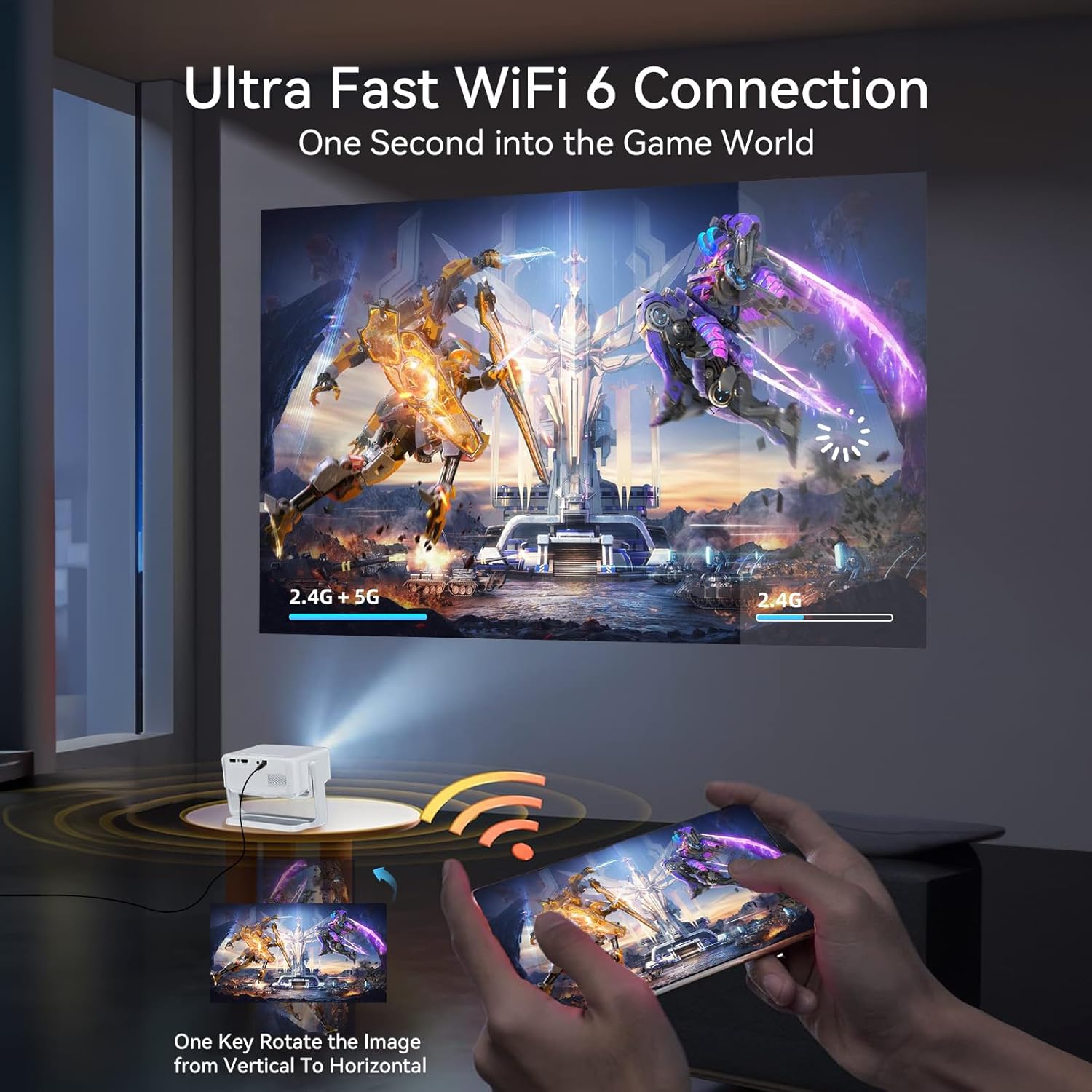
Figure 5.1: Ultra-fast WiFi 6 connection for seamless streaming and gaming.

Figure 5.2: Enjoy smooth streaming and gaming with 5G+2.4G Dual Band WiFi 6.
5.2 בלועטוט 5.2 פֿאַרבינדונג
The projector supports two-way Bluetooth 5.2, allowing you to connect to external Bluetooth speakers for enhanced audio or use the projector as a Bluetooth speaker itself.
- To connect to an external speaker: Go to Bluetooth settings, enable Bluetooth, and select your speaker from the list of available devices.

Figure 5.3: Two-way Bluetooth 5.2 for connecting to audio devices.

Figure 5.4: Bidirectional Bluetooth 5.2 allows connection to external speakers or use as a Bluetooth speaker.
5.3 Wired Connections (HDMI, USB, 3.5mm Audio)
The projector provides multiple physical ports for connecting various devices:
- הדמי פּאָרט: For high-definition video and audio input from devices like laptops, game consoles, or TV boxes.
- וסב פּאָרט: For connecting USB flash drives to play local media files.
- 3.5 מם אַודיאָ פּאָרט: For connecting external wired headphones or speakers.

Figure 5.5: Multiple interfaces for wide compatibility, including HDMI, USB, and 3.5mm audio.
6. בילד אַדזשאַסטמאַנט
6.1 Auto Vertical Keystone Correction
The projector features automatic vertical keystone correction (Auto: ±30°, Manual: ±50°) to ensure your projected image is always rectangular and not distorted, even if the projector is not perfectly aligned with the screen.
6.2 עלעקטריק פאָקוס
Achieve a sharp and clear image with the one-touch electric focus function. Use the dedicated focus button on the remote control or the projector unit to adjust the clarity of the image.
6.3 פארגרעסער פֿונקציע
The projector supports a 70% to 100% zoom function, allowing you to adjust the size of the projected image without moving the projector.

Figure 6.1: Easily achieve a perfect image with auto vertical keystone, electric focus, and zoom.

Figure 6.2: 3-second one-key electric focus and auto vertical keystone correction ensure a perfectly aligned and crystal-clear image.

Figure 6.3: The projector supports 70% to 100% zoom adjustment.
7. וישאַלט
To ensure the longevity and optimal performance of your Lisowod Mini Projector, follow these maintenance guidelines:
- רייניקונג: Use a soft, dry cloth to clean the exterior of the projector. For the lens, use a specialized lens cleaning cloth and solution. Do not use abrasive cleaners or solvents.
- ווענטילאַטיאָן: זיכערט זיך אז די פראיעקטאר'ס ווענטילאציע עפענונגען זענען נישט פארשטאפט צו פארמיידן איבערהיצונג.
- סטאָרידזש: ווען נישט אין באַנוץ פֿאַר לענגערע פּעריאָדן, זאָל מען האַלטן דעם פּראָיעקטאָר אין אַ קיל, טרוקן אָרט, אַוועק פֿון דירעקטער זון און עקסטרעמע טעמפּעראַטורן.
8. טראָובלעשאָאָטינג
אויב איר טרעפט פּראָבלעמען מיט אייער פּראָיעקטאָר, זעט די פאלגענדע געוויינטלעכע פּראָבלעמען און לייזונגען:
- קיין מאַכט:
- Check if the power adapter is securely connected to the projector and the power outlet.
- מאַכן זיכער אַז די מאַכט ווענטיל איז פאַנגקשאַנאַל.
- קיין בילד:
- Verify that the correct input source (HDMI, USB, Wireless) is selected in the projector's menu.
- Check all cable connections (HDMI, USB) for looseness or damage.
- Adjust the focus using the electric focus function.
- קיין קול:
- פֿאַרגרעסערט דעם קול אויף דעם פּראָיעקטאָר און דעם פֿאַרבונדענעם אַפּאַראַט.
- אויב איר ניצט עקסטערנע רעדנערס, זאָרגט אַז זיי זענען ריכטיק פארבונדן און אנגעצונדן.
- קאָנטראָלירט די בלועטוט פֿאַרבינדונג אויב איר ניצט וויירלעס אַודיאָ.
- בלערד בילד:
- Use the electric focus function to sharpen the image.
- Ensure the projector is placed at an appropriate distance from the projection surface.
- פארדרייטע בילד (טראפעז פאָרעם):
- Utilize the auto vertical keystone correction feature.
- If necessary, manually adjust keystone correction in the settings.
For further assistance, please contact Lisowod Customer Support.
9. ספּעסאַפאַקיישאַנז
| שטריך | באַשרייַבונג |
|---|---|
| סאָרט | ליסאָוואָד |
| מאָדעל | YG471 |
| טייל נומער | L02 פּראַדזשעקטער |
| ווייַז טעכנאָלאָגיע | לקד |
| געבוירן האַכלאָטע | 1280 X 720 |
| שטיצט רעסאָלוטיאָן | 1920 X 1080 |
| בילד ברייטנאַס | 260 ANSI lm (550 ANSI mentioned in feature bullets, using the more conservative spec from table) |
| בילד קאַנטראַסט פאַרהעלטעניש | 15000:1 |
| אַספּעקט פאַרהעלטעניש | 16:9 |
| ראַש מדרגה | 35 דב |
| קאַנעקטיוויטי טעכנאָלאָגיע | 3.5mm Audio, HDMI, Memory Stick, USB, WiFi 6, Bluetooth 5.2 |
| ספּעציעלע פֿעיִקייטן | Internet Built-In, Auto Vertical Keystone, Electric Focus, 360° Adjustable Stand |
| פּראָדוקט דימענשאַנז | 17.2 רענטגענ 8 רענטגענ 14.3 סענטימעטער; 700 ג |
| מאַונטינג טיפּ | Tabletop Mount (also supports ceiling mount) |
10. וואָראַנטי און שטיצן
Lisowod is committed to providing exceptional after-sales service for your mini portable projector. Your purchase includes:
- 24/7 שטיצן: Assistance is available around the clock for any concerns or issues.
- 3 יאָר וואָראַנטי: Comprehensive warranty coverage for three years from the date of purchase.
- Lifetime Customer Care: Ongoing support for the lifetime of the product.
פֿאַר קונה שטיצן, ביטע קאָנטאַקט: support_us@lisowod.com
Ask a question about this manual
Ask about setup, troubleshooting, compatibility, parts, safety, or missing instructions. Manuals+ will review the question and use this page’s manual context to help answer it.