
1. הקדמה
The Audizio Avola is a comprehensive audio system designed to provide a wide range of listening options. It integrates Internet Radio, DAB+, FM radio, a CD player, and Bluetooth connectivity into a single, elegant unit. This manual will guide you through the setup, operation, and maintenance of your Avola system, ensuring you can fully utilize its features for an optimal audio experience.
2. זיכערקייַט אינסטרוקציעס
- מאַכט צושטעלן: ניצט נאָר דעם צוגעשטעלטן מאַכט אַדאַפּטער. זיכערט זיך אַז דער וואָלומען איזtage שוועבעלעך די רעקווירעמענץ פון דיין געגנט.
- וואַסער און נעץ: Do not expose the unit to rain, moisture, or liquids. Avoid placing objects filled with liquids, such as vases, on the unit.
- ווענטילאַטיאָן: זיכער מאַכן אַז עס איז דאָ גענוג ווענטילאַציע אַרום דעם אַפּאַראַט. נישט פֿאַרשטאָפּן די ווענטילאַציע עפענונגען.
- היץ קוואלן: האַלט דעם אַפּאַראַט אַוועק פון היץ קוועלער ווי ראַדיאַטאָרן, היץ רעגיסטערס, אויוון, אָדער אַנדערע אַפּאַראַטן וואָס פּראָדוצירן היץ.
- רייניקונג: Disconnect the unit from the power supply before cleaning. Use a soft, dry cloth. Do not use liquid cleaners or aerosol cleaners.
- סערוויס: פרובירט נישט צו סערוויסן דעם אַפּאַראַט אליין. לאָזט איבער אַלע סערוויסינג צו קוואַליפֿיצירטע סערוויס פּערסאָנעל.
- קאָמפּאַקטדיסק שפּילער: Do not insert foreign objects into the CD tray. Handle CDs by their edges to avoid scratches.
3. פּעקל אינהאַלט
באַשטעטיקן אַז אַלע זאכן זענען פאַראַן אין דער פּאַקאַדזשינג:
- 1x Audizio Avola Internet Radio
- 1x רימאָוט קאָנטראָל
- 1x מאַכט אַדאַפּטער
- 1x User Manual (Quick Start Guide)

Image: Audizio Avola unit shown with its remote control and power adapter.
4. פּראָדוקט איבערview
4.1 פראָנט פּאַנעל

בילד: פראָנט view of the Audizio Avola with the CD tray closed.
The front panel features the main display, control buttons, a CD tray, and input ports.
- ווייַז: Color display for navigation and information.
- קאָנטראָל קנעפּלעך: MENU, INFO, REC/DEL, PRESET/REPEAT, STANDBY, I/R, Play/Pause, Stop, Skip/Fast Forward/Rewind.
- CD טאַץ: פֿאַר אַרײַנשטעלן אַודיאָ סי-דיס.
- TUNE/SELECT Knob: Rotate to navigate menus, press to select.
- VOLUME קנופּ: אַדזשאַסץ די אַודיאָ רעזולטאַט מדרגה.
- וסב פּאָרט: פֿאַר פֿאַרבינדן USB סטאָרידזש דעוויסעס.
- SD Card Slot: פֿאַר אַרײַנשטעלן SD זכּרון קאַרטלעך.
- AUX אַרייַנשרייַב: 3.5mm jack for external audio sources.
- כעדפאָון דזשאַק: 3.5 מ״מ דזשעק פֿאַר פּריוואַט צוהערן.

Image: Close-up of the Audizio Avola front panel showing USB, SD, AUX, and headphone ports.
4.2 דערציען פּאַנעל
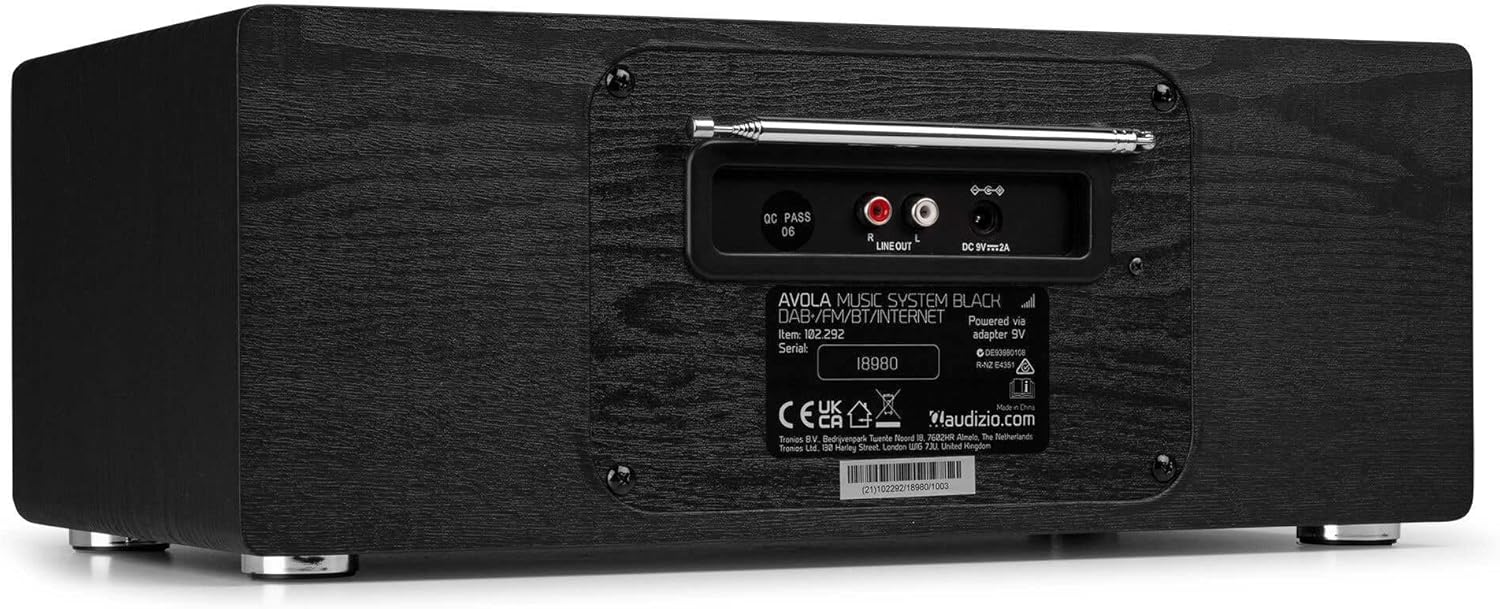
בילד: הינטערשטע view of the Audizio Avola, highlighting the antenna and connection ports.
The rear panel houses essential connections:
- טעלאַסקאָפּיק אַנטענע: For DAB+ and FM radio reception. Extend fully for best signal.
- ליין אויס (RCA): פֿאַר פֿאַרבינדן צו אַן עקסטערנעם ampליפיערס אָדער ספּיקערז.
- DC 9V 2A Power Input: פֿאַר קאַנעקטינג די מאַכט אַדאַפּטער.
5. סעטאַפּ
5.1 מאַכט קאַנעקשאַן
- Connect the power adapter to the DC 9V 2A input on the rear of the Avola unit.
- שטעקט אריין דעם מאַכט אַדאַפּטער אין אַ פּאַסיק וואַנט ווענטיל.
- The unit will enter standby mode. Press the STANDBY button on the unit or remote control to power on.
5.2 אַנטענע סעטאַפּ
For optimal DAB+ and FM radio reception, fully extend the telescopic antenna located on the rear panel. Adjust its position for the best signal quality.
5.3 Initial Setup (WLAN Connection)
To access Internet Radio features, the Avola must be connected to a Wi-Fi network.
- Upon first power-on, the unit may prompt you to set up the network connection. If not, press MENU, navigate to 'System Settings' and then 'Network'.
- Select 'Wi-Fi Network' and choose 'Scan' to find available networks.
- סעלעקטירן דיין Wi-Fi נעץ פֿון דער רשימה.
- Enter your Wi-Fi password using the TUNE/SELECT knob to navigate characters and press to confirm each character.
- Once connected, the display will show a Wi-Fi icon.
6. אַפּערייטינג מאָדעס
6.1 אינטערנעט ראַדיאָ
Access thousands of radio stations worldwide via your Wi-Fi connection.
- Press the MENU button and select 'Internet Radio'.
- איר קענט בלעטערן סטאנציעס לויט לאקאציע, זשאנער, אדער זוכן פאר ספעציפישע סטאנציעס.
- Use the TUNE/SELECT knob to navigate and select.
- To save a station as a preset, press and hold the PRESET/REPEAT button until the preset menu appears, then select a preset number.

Image: The Audizio Avola display showing the Internet Radio interface.
6.2 DAB+ ראַדיאָ
Digital Audio Broadcasting Plus offers high-quality digital radio.
- Press the MENU button and select 'DAB Radio'.
- The unit will automatically scan for available DAB+ stations.
- Use the TUNE/SELECT knob to browse and select stations.
- Save presets as described for Internet Radio.
6.3 עפעם ראַדיאָ
Listen to traditional analog FM radio broadcasts.
- Press the MENU button and select 'FM Radio'.
- Use the TUNE/SELECT knob to manually tune or press and hold to auto-scan for stations.
- Save presets as described for Internet Radio.
6.4 קאָמפּאַקטדיסק שפּילער
Play your favorite audio CDs.
- Press the MENU button and select 'CD Player'.
- Press the 'Open' button next to the CD tray to open it.
- Carefully place an audio CD onto the tray with the label side facing up.
- Press the 'Open' button again to close the tray. The unit will begin playing the CD automatically.
- Use the Play/Pause, Stop, and Skip buttons for playback control.
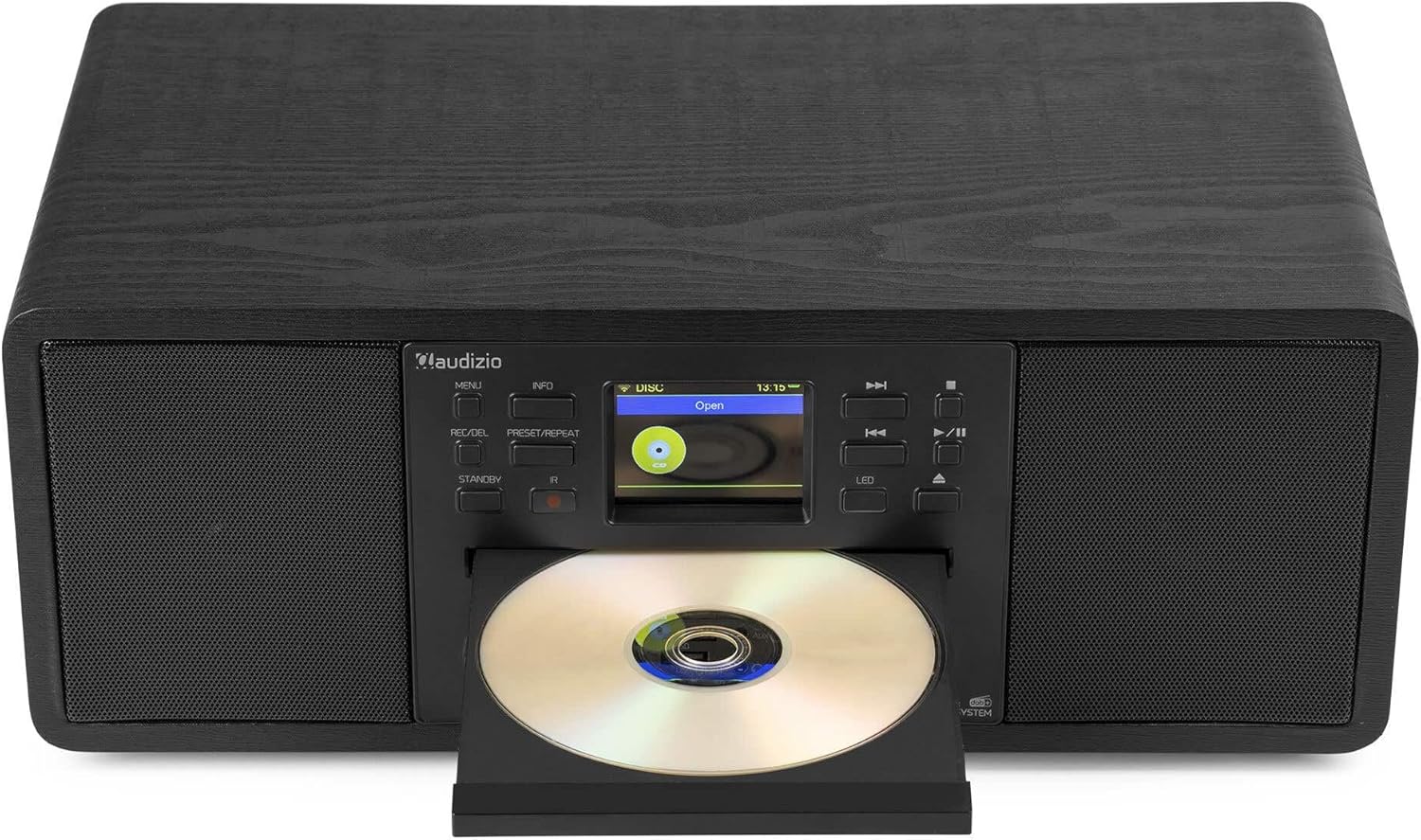
Image: The Audizio Avola with its CD tray open, ready for disc insertion.
6.5 בלועטוט קאָנעקטיוויטי
סטרים אַודיאָ אָן דראָטן פֿון אײַער סמאַרטפֿאָן, טאַבלעט, אָדער אַנדערע בלועטוט-ענייבאַלד דעוויסעס.
- Press the MENU button and select 'Bluetooth'.
- The Avola will enter pairing mode and become discoverable.
- On your Bluetooth device, search for 'Audizio Avola' in the Bluetooth settings and select it to pair.
- Once connected, the display will show 'BT Connected'. You can now play audio from your device through the Avola.

Image: The Audizio Avola display indicating a successful Bluetooth connection.
6.6 USB/SD שפּיל
שפּיל אַודיאָ files from USB drives or SD cards.
- Insert a USB drive into the USB port or an SD card into the SD card slot on the front panel.
- Press the MENU button and select 'USB' or 'SD' (the unit may automatically switch to the correct mode).
- נאַוויגירן דורך דיין files and folders using the TUNE/SELECT knob.
- Press the TUNE/SELECT knob to play a selected track.
7. וישאַלט
- רייניקונג די אַפּאַראַט: Use a soft, dry, lint-free cloth to clean the exterior of the unit. Do not use abrasive cleaners, waxes, or solvents.
- סי-די לינז רייניקונג: If CD playback becomes erratic, use a commercially available CD lens cleaner disc to clean the laser lens.
- סטאָרידזש: אויב איר לייגט דאָס אַפּאַראַט אַוועק פֿאַר אַ לענגערע צייט, זאָלט איר עס אָפּשטעקן פֿון דער עלעקטרישער צושטעל און עס אַוועקלייגן אין אַ קילן, טרוקענעם אָרט.
8. טראָובלעשאָאָטינג
| פּראָבלעם | מעגלעך סיבה | לייזונג |
|---|---|---|
| קיין מאַכט | שטראָם אַדאַפּטער נישט פארבונדן אדער אַ דעפעקטיווע אַוטלעט. | קאָנטראָלירט די עלעקטרישע פֿאַרבינדונגען. פּרוּווט אַן אַנדער אַוטלעט. |
| קיין געזונט | קול צו נידעריג, שטום אקטיווירט, אדער אומרעכטע מקור אויסגעקליבן. | Increase volume. Check if mute is active. Ensure correct input source is selected. |
| Internet Radio not connecting | Incorrect Wi-Fi password, weak signal, or network issue. | Re-enter Wi-Fi password. Move unit closer to router. Check router status. |
| DAB+/FM reception poor | אַנטענע נישט אויסגעשטרעקט אָדער שלעכט סיגנאַל געגנט. | Fully extend and adjust the telescopic antenna. Try repositioning the unit. |
| סי-די שפּילט נישט | CD inserted incorrectly, dirty/scratched CD, or unsupported format. | Ensure CD is inserted label-side up. Clean or replace CD. Verify CD format (supports CD-DA, MP3). |
| בלועטאָאָטה איז נישט פּערינג | Device not in pairing mode, or Avola not discoverable. | Ensure both devices are in pairing mode. Check Bluetooth settings on your device. |
9. ספּעסאַפאַקיישאַנז
| שטריך | באַשרייַבונג |
|---|---|
| מאָדעל נאָמען | Avola |
| נומער נומער | 102.292 |
| דימענשאַנז (LxWxH) | 45.8 X 25.8 X 19.7 סענטימעטער |
| וואָג | 4 קג |
| מאַכט אַרייַנשרייַב | 220 Volt (via power adapter) |
| Speaker Output Power (Max) | 60 וואט |
| אַודיאָ רעזולטאַט מאָדע | סטערעאָ |
| שטיצט אַודיאָ פֿאָרמאַטירונגען | CD-DA, MP3 |
| קאַנעקטיוויטי טעכנאָלאָגיע | WLAN, Bluetooth, AUX, RCA |
| קאַמפּאַטאַבאַל דעוויסעס | MP3 Player, PC, Smartphone, Tablet |
| קאָליר | שוואַרץ |
10. וואָראַנטי און שטיצן
Audizio products are designed and manufactured to the highest standards. In the unlikely event of a problem with your product, please contact your retailer for assistance. Keep your proof of purchase for warranty claims. For further support or inquiries, please refer to the official Audizio webפּלאַץ אָדער קאָנטאַקט זייער קונה דינסט.