
הקדמה
Welcome to the GUHUAVMI GT4 Pro Smartwatch user manual. This guide provides detailed instructions on how to set up, operate, and maintain your new smartwatch. The GT4 Pro combines advanced health monitoring, comprehensive fitness tracking, and smart connectivity features in a durable, stylish design. Please read this manual carefully to ensure optimal performance and longevity of your device.
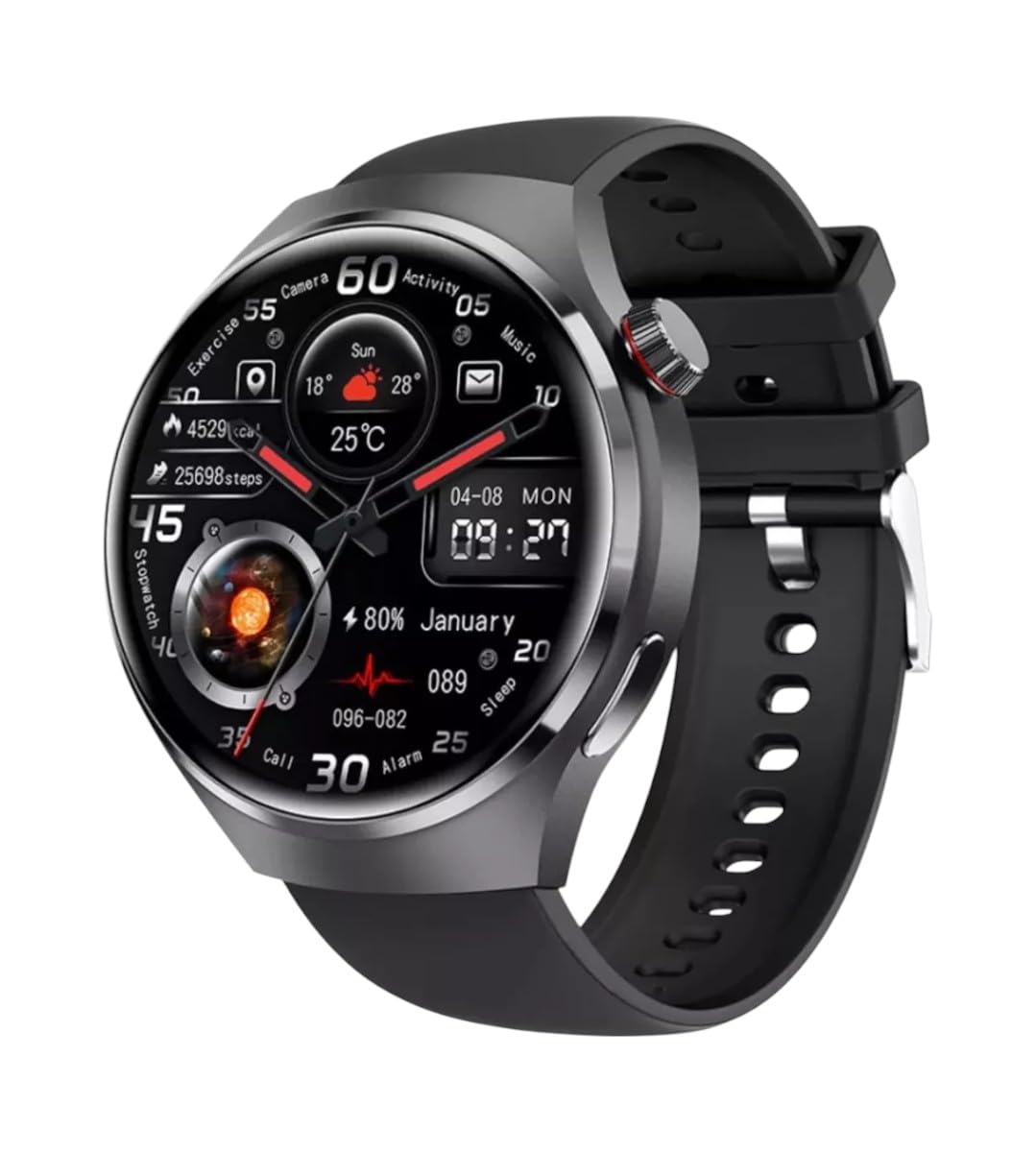
בילד: פראָנט view of the GUHUAVMI GT4 Pro Smartwatch, showcasinג זײַן גלאַטן דיזײַן און אַרויסווײַז.
סעטאַפּ
1. אויספּאַקן און קאָמפּאָנענטן
איידער איר הייבט אן, זיכערט זיך אז אלע קאמפאנענטן זענען פאראן אין פעקל:
- GUHUAVMI GT4 Pro Smartwatch
- ווירעלעסס טשאַרדזשער
- באַניצער מאַנואַל (דעם דאָקומענט)
2. אויפלאָדן די סמאַרטוואַטש
For first-time use, fully charge your GT4 Pro Smartwatch. Connect the wireless charger to a USB power adapter (not included) and place the smartwatch onto the magnetic charging base. The watch will indicate charging status on its screen.
- טשאַרדזשינג צייט: בעערעך 3 שעה פֿאַר אַ פול אָפּצאָל.
- באַטאַרייע לעבן: Typical usage provides 5-7 days of battery life.

Image: The GUHUAVMI GT4 Pro Smartwatch placed on its magnetic wireless charger, displaying battery life and charging time information.
3. מאַכט אויף / אויסגעלאשן
- מאַכט אויף: דריק און האלט דעם זייט קנעפל ביז דער עקראַן צינדט זיך אָן.
- מאַכט אַוועק: דריק און האלט דעם זייט קנעפל, און סעלעקטיר די 'אויסלעשן' אפציע אויפן עקראן.
4. אַפּ דאַונלאָוד און פּערינג
To unlock the full potential of your GT4 Pro, download the companion app on your smartphone. Scan the QR code provided in the watch's initial setup screen or search for the app name (usually indicated on the watch or packaging) in your phone's app store.
- געבן בלועטאָאָטה אויף דיין סמאַרטפאָנע.
- עפֿנט די באַגלייטער אַפּ און פֿאָלגט די אינסטרוקציעס אויף דעם עקראַן צו שאַפֿן אַ חשבון אָדער זיך אַרײַנלאָגירן.
- In the app, select 'Add Device' or 'Pair Device' and choose 'GT4 Pro' from the list of available devices.
- באַשטעטיקן די פּאָרינג בעטן אויף ביידע דיין סמאַרטפאָון און סמאַרטוואַטש
אַפּערייטינג ינסטראַקשאַנז
1. יקערדיק נאַוויגאַציע
The GT4 Pro features a 1.6-inch HD AMOLED touchscreen and a side crown button for navigation.
- שלעפּן אַרויף / אַראָפּ: סקראל דורך מעניוז און נאָוטאַפאַקיישאַנז.
- שלעפּן לינקס / רעכט: צוטריט צו שנעלע ווידזשעטס אדער פארשידענע זייגער פנימער.
- צאַפּן: אויסקלייבן אַן אייטעם אָדער עפֿענען אַן אַפּליקאַציע.
- דריקן די זייט קנעפל: צוריק צום היים־עקראַן אָדער צוטריט די אַפּ־ליסטע.
2. קינסטלעכע אינטעליגענץ שטימע אַסיסטאַנט
Your GT4 Pro is equipped with an integrated AI voice assistant for hands-free operation.
- אַקטאַוויישאַן: Tap the voice assistant icon on the watch face or use a designated gesture/button press (refer to watch settings).
- קאַמאַנדז: Speak clearly to ask questions, set reminders, make calls, or control music.
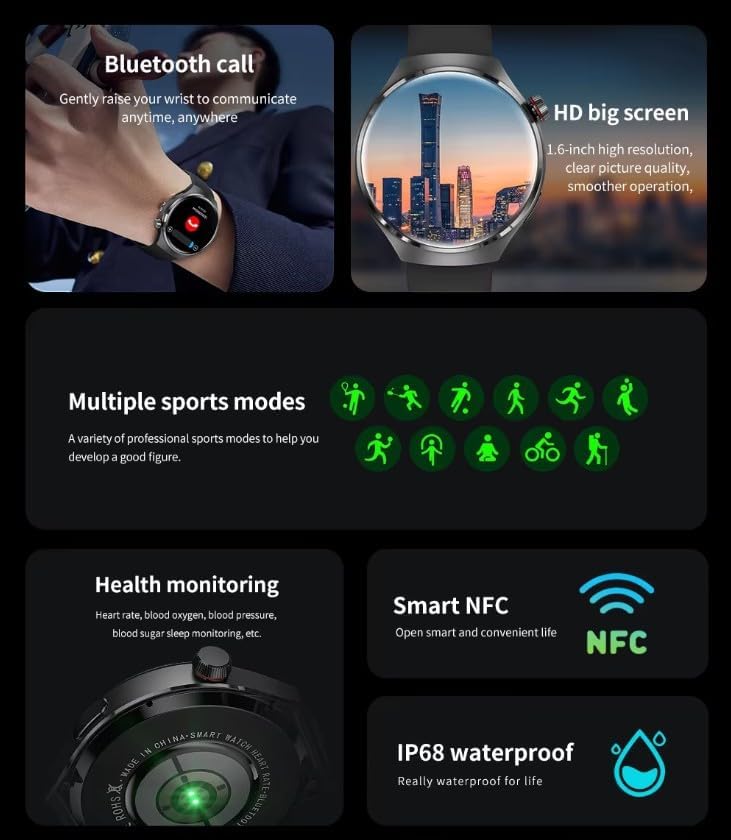
Image: The GUHUAVMI GT4 Pro Smartwatch displaying the AI voice assistant interface, showing exampלעכער פון שטימע קאמאנדעס.
3. בלועטוט רופן
אַמאָל געפּאָרט מיט דיין סמאַרטפאָון, קענט איר מאַכן און באַקומען רופן גלייך פֿון דיין סמאַרטוואַטש.
- מאַכן קאַללס: Access the dialer or contacts list on your watch.
- באַקומען קאַללס: ענטפֿערן אָדער אָפּוואַרפֿן אײַנקומענדיקע רופֿן גלייך פֿון דעם זייגער־עקראַן.
4. געזונט מאָניטאָרינג
The GT4 Pro provides real-time health data to help you monitor your well-being.
- הארץ ראטע: קאָנטינויִערלעכע מאָניטאָרינג איבערן טאָג.
- בלוט זויערשטאָף (SpO2): מעסט אייערע בלוט זויערשטאָף זעטיקונג לעוועלס.
- Blood Sugar: Provides estimated blood sugar readings.
- שלאָף טראַקינג: מאָניטאָרס שלאָףtagעס און קוואַליטעט.
View detailed health reports in the companion app.
5. פיטנעס טראַקינג
טראַק אייערע ווערקאַוץ און טעגלעכע טעטיקייט מיט פּינטלעכקייט.
- עטלעכע ספּאָרט מאָדעס: Select from various activities like running, cycling, swimming, and more for accurate data.
- געבויט-אין GPS: Records your route, distance, and pace during outdoor activities.
- קאָמפּאַס: Provides directional guidance for outdoor adventures.

Image: The GUHUAVMI GT4 Pro Smartwatch showcasing icons for NFC, GPS, compass, heart rate, and Bluetooth call, highlighting its comprehensive features.
6. NFC Features
The GT4 Pro supports NFC for convenient interactions.
- אַקסעס קאָנטראָל: Use your watch for compatible access systems.
- Find My iPhone: Utilize NFC to locate your paired iPhone.
7. Dynamic Island Function
Experience enhanced interactive displays for notifications, music, and charging status.
- אינטעראַקטיווע דיספּלייז: Smart displays adapt to show relevant information dynamically.
- OTA אַפּגרייד: New functional interactive displays may be added through future over-the-air updates.
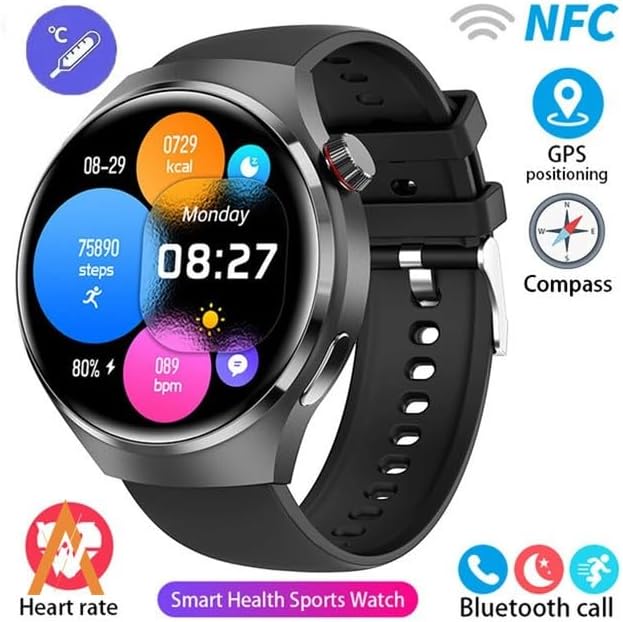
Image: The GUHUAVMI GT4 Pro Smartwatch screen demonstrating the Dynamic Island function, showing notifications and active processes.
8. Other Utility Features
The smartwatch includes several convenient tools:
- ווייַט אַפּאַראַט: קאנטראלירט אייער סמאַרטפאָון קאַמעראַ פון ווייטנס.
- וועקער זייגער: שטעלט אַלאַרמס גלייך פֿון אייער האַנטגעלענק.
- סטאָפּוואַטש און טייַמער: פֿאַר פּינקטלעכער צײַט־רעכענונג.
- טעמפּעראַטור מעאַסורעמענט: Monitor ambient temperature.
- Multi-Time Zone Settings: Keep track of different time zones.
- מוזיק פּלייבאַק קאָנטראָל: Manage music on your paired smartphone.
וישאַלט
1. וואַסער קעגנשטעל (IP68)
The GT4 Pro has an IP68 waterproof rating, meaning it is resistant to dust and can withstand immersion in water up to 1.5 meters for 30 minutes. It is suitable for swimming and use in rainy conditions.
- Do not use in hot water, saunas, or steam rooms.
- Avoid exposure to high-velocity water.
- After exposure to water, wipe the watch dry with a soft cloth.
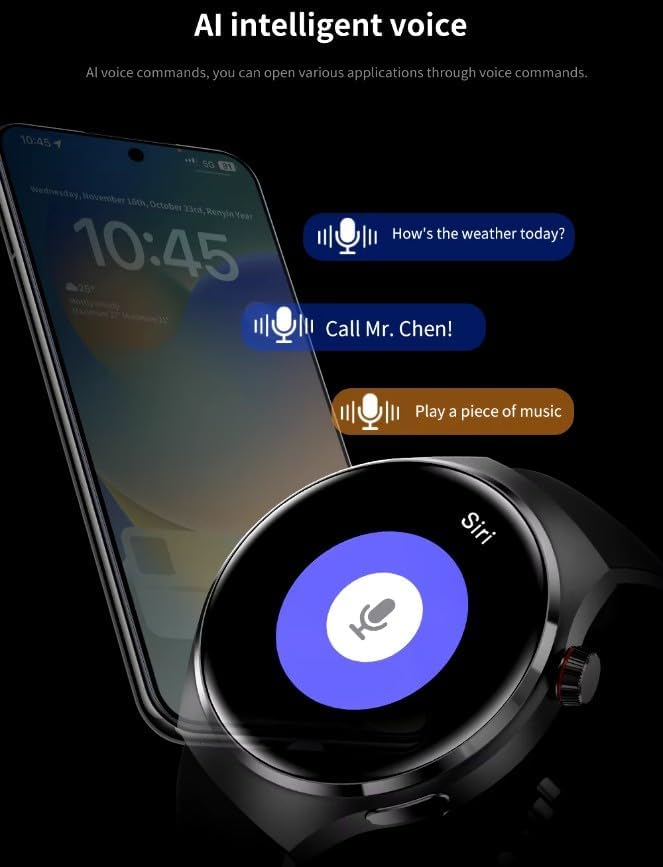
Image: Two GUHUAVMI GT4 Pro Smartwatches shown with water droplets, illustrating their IP68 waterproof capability.
2. רייניקונג
Regularly clean your smartwatch to maintain its appearance and sensor accuracy.
- ווישט דעם עקראַן און קערפּער מיט אַ ווייכן, דamp, לינט-פֿרייַ שטאָף.
- Clean the charging contacts and heart rate sensor on the back of the watch to ensure proper function.
- ויסמיידן ניצן האַרב קעמיקאַלז אָדער אַברייסיוו מאַטעריאַלס.
3. ווייכווארג דערהייַנטיקונגען
Periodically check for software updates through the companion app. Updates can provide new features, performance improvements, and bug fixes.
טראָובלעשאָאָטינג
- זייגער טוט זיך נישט אן: זיכער מאַכן אַז די זייגער איז גאָר אויפגעלאָדן. פֿאַרבינדט עס צום טשאַרדזשער פֿאַר לפּחות 30 מינוט.
- קען נישט צוזאמענשטעלן מיט סמאַרטפאָון:
- זיכער מאַכן אַז בלועטוט איז ענייבאַלד אויף דיין טעלעפאָן און די זייגער.
- זייט זיכער אז די זייגער איז אין דער דערגרייכונג פון אייער טעלעפאָן.
- ריסטאַרט ביידע די זייגער און דיין טעלעפאָן.
- קוק צי די באַגלייטער אַפּ איז דערהייַנטיקט צו די לעצטע ווערסיע.
- נישט פּינקטלעכע געזונט דאַטן:
- זייט זיכער אז די זייגער טראָגט גוט אויף אייער האַנטגעלענק, נישט צו ענג אדער צו לויז.
- רייניקט די סענסארן אויף דער הינטערשטער זייגער.
- פֿאַרמײַדן איבערגעטריבענע באַוועגונג בעת מעסטונגען.
- קורץ באַטאַרייע לעבן:
- רעדוצירן פאַרשטעלן ברייטנאַס.
- Disable unnecessary notifications or features.
- באגרענעצן קאנטינעווירלעכע הארץ ראטע מאָניטאָרינג אויב נישט נייטיק.
ספּעסאַפאַקיישאַנז
| שטריך | באַשרייַבונג |
|---|---|
| מאָדעל נומער | GT4 פּראָ |
| ווייַז | 1.6-inch HD AMOLED, 360x360 resolution |
| קאַנעקטיוויטי | בלועטאָאָטה 5.0 |
| וואָטערפּרוף רייטינג | IP68 |
| געזונט מאָניטאָרינג | Heart Rate, Blood Oxygen, Blood Sugar, Sleep Tracking |
| פיטנעסס טראַקינג | Built-in GPS, Compass, Multiple Sports Modes |
| קול אַססיסטאַנט | AI Voice Assistant Integrated |
| NFC | Supported (e.g., Find My iPhone, Access Control) |
| טשאַרדזשינג טיפּ | מאַגנעטיק ווירעלעסס טשאַרדזשינג |
| טיפּיש באַטערי לעבן | 5-7 טעג |
| טשאַרדזשינג צייט | בעערעך. 3 שעה |
| אַרייַנגערעכנט קאַמפּאָונאַנץ | Smartwatch, User Manual, Wireless Charger |
וואָראַנטי און שטיצן
וואָראַנטי אינפֿאָרמאַציע
The GUHUAVMI GT4 Pro Smartwatch comes with a 6-חודש וואָראַנטי פֿון דעם קויפֿדאַטום. די וואָראַנטי דעקט פֿאַבריקאַציע חסרונות אונטער נאָרמאַל נוצן. עס דעקט נישט שעדיקן געפֿירט דורך אומרעכט נוצן, אַקסאַדענטן, נישט-אָטעריזירטע מאָדיפֿיקאַציעס, אָדער נאָרמאַל טראָגן און טרער.
קונה שטיצן
If you encounter any issues or have questions regarding your GUHUAVMI GT4 Pro Smartwatch, please refer to the troubleshooting section of this manual. For further assistance, contact your retailer or the manufacturer's customer support channel. Please have your purchase receipt and product model number (GT4 Pro) ready when contacting support.