
1. הקדמה
This manual provides essential information for setting up, operating, and maintaining your GMKtec Mini PC G10. Please read these instructions carefully before using the device to ensure optimal performance and longevity.
2. פּעקל אינהאַלט
באַשטעטיקן אַז אַלע זאכן זענען פאַראַן אין פּעקל:
- GMKtec Nucbox G10 Mini PC
- מאַכט אַדאַפּטער און קאַבלע
- HDMI קאַבלע
- VESA Mount and Screws
- באַניצער מאַנואַל

Image: Contents of the GMKtec Mini PC G10 package, including the mini PC, power adapter, HDMI cable, VESA mount, and user manual.
3. פּראָדוקט איבערview and Interfaces
The GMKtec Mini PC G10 features a compact design with a variety of ports for connectivity. Familiarize yourself with the available interfaces:
פראָנט פּאַנעל:
- 1x CTIA Audio Jack
- 2x USB 3.2 (5Gbps) Ports
- 1x מאַכט קנעפּל
ריר פּאַנעל:
- 1x USB-C Power Input (PD Only)
- 1x USB-C (Full-function: DisplayPort, Data, Power Delivery)
- 1 קס וסב 2.0 פּאָרט
- 1x 2.5G Gigabit Ethernet (LAN) Port
- 1x HDMI 2.1 (4K@60Hz) Port
- 1x DisplayPort 1.4 (4K@60Hz)
- 1x קענסינגטאן שלאָס סלאָט

בילד: דעטאַלירט view of the front and rear ports of the GMKtec Mini PC G10, illustrating USB, HDMI, DisplayPort, Ethernet, and power connections.
4. סעטאַפּ
Follow these steps to set up your GMKtec Mini PC G10:
- פאַרבינדן צו ווייַז: Connect your monitor(s) to the Mini PC using the HDMI, DisplayPort, or USB-C (DisplayPort Alt Mode) outputs. The device supports up to three displays simultaneously.
- פאַרבינדן פּעריפעראַלס: Plug in your keyboard, mouse, and other USB devices into the available USB ports.
- נעץ קאַנעקשאַן: For a wired connection, connect an Ethernet cable to the 2.5G LAN port. For wireless, ensure Wi-Fi is enabled in the operating system settings after initial boot.
- מאַכט אויף: Connect the power adapter to the Mini PC's USB-C power input and then to a power outlet. Press the power button on the front panel to turn on the device.
- ערשט סעטאַפּ: Follow the on-screen instructions to complete the Windows 11 Pro setup.
5. אָפּערייטינג סיסטעם
The GMKtec Mini PC G10 comes pre-installed with Windows 11 פּראָ. It is also compatible with Windows 10 and various Linux distributions.
Windows 11 Pro Features:
- Enhanced security features.
- BitLocker device encryption.
- Remote Desktop capabilities.
- Domain Join and Group Policy management.
Ensure your operating system is regularly updated for security and performance improvements.
6. פאָרשטעלונג און סטאָרידזש
The Mini PC G10 is designed for efficient daily computing and light gaming, featuring robust components for smooth operation.
פּראַסעסער:
יקוויפּט מיט אַ AMD Ryzen 5 3500U Processor, a 64-bit quad-core CPU with 8 threads, based on AMD's 12nm Zen+ architecture. It offers a base frequency of 2.1 GHz and a boost frequency of up to 3.7 GHz, with a TDP of 15W (configurable up to 35W for higher performance).
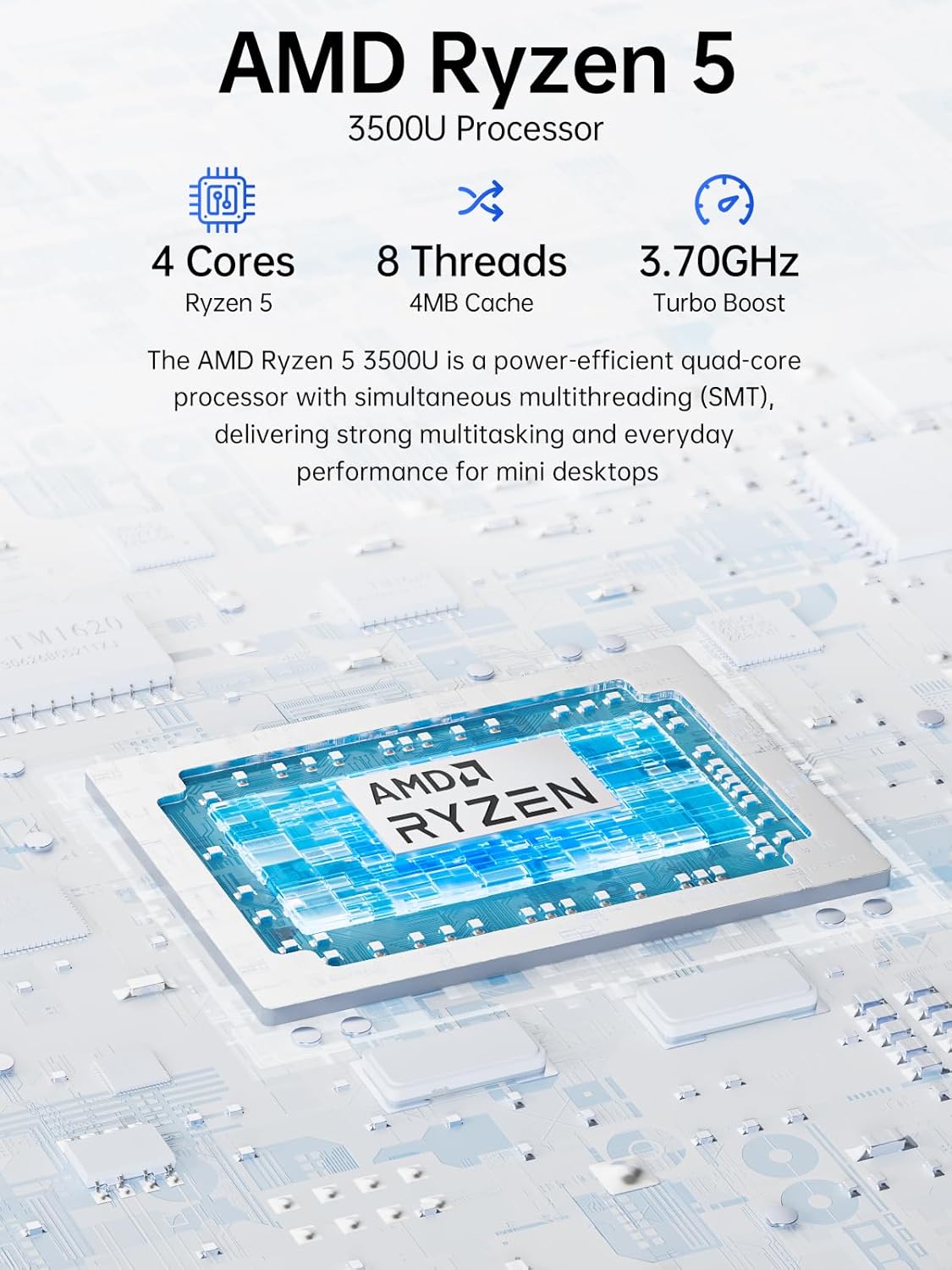
Image: Visual representation of the AMD Ryzen 5 3500U processor, highlighting its 4 cores, 8 threads, 4MB cache, and 3.70GHz turbo boost.
גראַפיקס:
ינטעגראַטעד ראַדעאָן וועגאַ 8 גראַפיקס (up to 1.2 GHz) provides capable performance for video editing, multimedia playback, and casual gaming.
זכּרון (RAM):
די סיסטעם כולל 16GB of DDR4 SO-DIMM dual-channel RAM (2 x 8GB). The memory is expandable up to 32GB.
סטאָרידזש:
פֿעיִקייטן אַ 1TB PCIe 3.0 x4 NVMe SSD, offering significantly faster data transfer speeds (up to 3500 MB/s) compared to traditional SATA SSDs. This results in quicker boot times, faster application loading, and smoother file טראַנספערס.
בילד: א פארגלייך וואס אילוסטרירט דעם שנעלקייט פארבעסערונגtage of PCIe 3.0 NVMe SSDs (up to 3500 MB/s) over SATA SSDs (up to 550 MB/s).
סטאָרידזש יקספּאַנשאַן:
The Mini PC G10 is equipped with two M.2 2280 PCIe 3.0 slots, allowing for storage expansion up to 16TB (with 2 x 8TB SSDs, not included).

Image: Diagram showing the dual SO-DIMM DDR4 slots for RAM expansion up to 64GB and two M.2 2280 SSD slots for storage expansion up to 16TB.
7. דיספּליי קאָנפיגוראַציע
The GMKtec Mini PC G10 supports a triple display setup, allowing for enhanced productivity and immersive multimedia experiences.
- Connect up to three monitors simultaneously using the HDMI 2.1, DisplayPort 1.4, and full-function USB-C ports.
- All display outputs support 4K resolution at 60Hz.

Image: An illustration of a triple monitor setup connected to the Mini PC, demonstrating its multi-display capability for a productive workspace.
8. קאַנעקטיוויטי
The Mini PC G10 offers versatile connectivity options for both wired and wireless networks and peripherals.
- Wi-Fi 5: Provides fast wireless internet access.
- בלועטאָאָטה 5.0: For connecting wireless peripherals such as keyboards, mice, and headphones.
- 2.5 Gigabit Ethernet: An ultra-fast wired network connection for high-speed data transfer and low-latency applications.

Image: A visual representation of the Mini PC connected wirelessly via Wi-Fi and Bluetooth, and wired via 2.5GbE Ethernet, highlighting its comprehensive connectivity.
9. Silent Cooling System
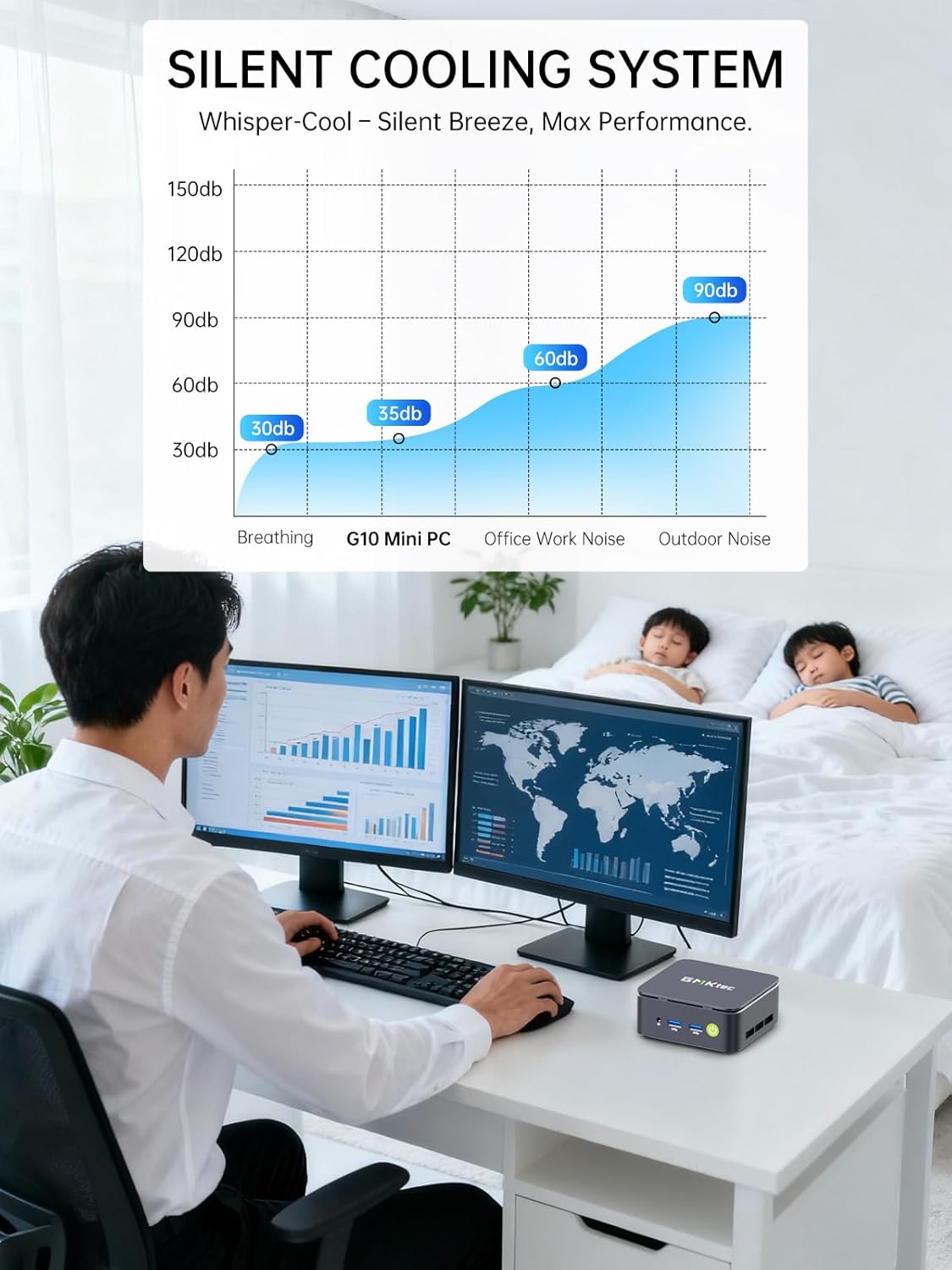
The GMKtec Mini PC G10 incorporates a silent turbo cooling fan designed to maintain optimal operating temperatures while minimizing noise output. This ensures stable performance even under load.

בילד: אן עקספלאדירטע view of the Mini PC G10 showing the internal silent turbo cooling fan and its airflow path.
10. וישאַלט
רעגולערע אויפהאלטונג העלפט זיכער מאכן די לאנגעוויטי און אפטימאלע פערפארמאנס פון אייער מיני פיסי.
- רייניקונג: Periodically clean the exterior of the Mini PC with a soft, dry cloth. Use compressed air to clear dust from ventilation openings. Ensure the device is powered off and unplugged before cleaning.
- ווייכווארג דערהייַנטיקונגען: Keep your operating system and drivers updated to the latest versions. This improves security, stability, and performance.
- ווענטילאַטיאָן: Ensure the Mini PC is placed in a well-ventilated area and that its vents are not obstructed. Proper airflow is crucial for cooling.
- סטאָרידזש פאַרוואַלטונג: רעגולער פאַרוואַלטן דיין סטאָרידזש דורך ויסמעקן נישט-נייטיקע files and applications to maintain optimal SSD performance.
11. טראָובלעשאָאָטינג
If you encounter issues with your GMKtec Mini PC G10, refer to the following common troubleshooting steps:
קיין מאַכט / סיסטעם הייבט זיך נישט אָן:
- זיכער מאַכן אַז דער מאַכט אַדאַפּטער איז זיכער פארבונדן צו ביידע די מיני פּיסי און אַ אַרבעטנדיק מאַכט ווענטיל.
- באַשטעטיקן אַז די עלעקטרישע ווענטיל אַרבעט דורך אַרײַנשטעקן אַן אַנדער דעוויס.
- דריקן די מאַכט קנעפּל פעסט.
קיין אַרויסווייַז רעזולטאַט:
- Check that the HDMI, DisplayPort, or USB-C cable is securely connected to both the Mini PC and the monitor.
- זייט זיכער אז דער מאָניטאָר איז אנגעצונדן און איינגעשטעלט צו דער ריכטיקער אינפוט מקור.
- פרובירט אן אנדערן דיספּלעי קאַבל אדער מאָניטאָר אויב פֿאַראַן.
No Wi-Fi / Bluetooth Connection:
- Check if Wi-Fi or Bluetooth is enabled in the Windows settings.
- ריסטאַרט דעם מיני פּיסי און אייער ראַוטער/מאָדעם.
- זיכער מאַכן אַז דרייווערס זענען אַרויף צו דאַטע.
פּאַמעלעך פאָרשטעלונג:
- שליסט אומנייטיקע אַפּליקאַציעס וואָס לויפן אין הינטערגרונט.
- Check for sufficient free storage space on the SSD.
- Ensure the Mini PC is well-ventilated to prevent thermal throttling.
- לויפט א סיסטעם סקען פאר מאלוועיר אדער ווירוסן.
If these steps do not resolve the issue, please contact GMKtec customer support.
12. ספּעסאַפאַקיישאַנז
Detailed technical specifications for the GMKtec Mini PC G10:
| שטריך | באַשרייַבונג |
|---|---|
| סאָרט | דזשי-עם-קיטעק |
| מאָדעל | Nucbox G10 |
| אָפּערייטינג סיסטעם | Windows 11 פּראָ |
| קפּו מאָדעל | AMD Ryzen 5 3500U |
| קפּו ספּיד | 2.1 GHz (Boost up to 3.7 GHz) |
| נומער פון פּראַסעסערז | 4 (8 Threads) |
| גראַפיקס קאָופּראַסעסער | Radeon Vega 8 |
| RAM Installed | 16 גיגאבייט דדר4 |
| Max RAM Size | 64 גיגאבייט |
| RAM Speed | 2400 מהז |
| סטאָרידזש קאַפּאַסיטי | 1 TB SSD (PCIe 3.0 x4 NVMe) |
| סטאָרידזש יקספּאַנשאַן | 2x M.2 2280 PCIe 3.0 slots (up to 16TB total) |
| וידאו רעזולטאַט צובינד | HDMI 2.1, DisplayPort 1.4, USB-C (DP Alt Mode) |
| מאַקסימום דיספּליי רעזאָלוציע | 3840 רענטגענ 2160 (4 ק) @ 60 הז |
| ווירעלעסס טעכנאָלאָגיע | Wi-Fi 5 (802.11ac), בלועטוט 5.0 |
| ווייערד קאַנעקטיוויטי | 2.5 גיגאבייט עטהערנעט |
| וסב פּאָרץ | 2x USB 3.2, 1x USB 2.0, 1x USB-C (full-function) |
| אַודיאָ רעזולטאַט | 1x CTIA Audio Jack |
| מאַכט אַרייַנשרייַב | USB-C (PD) |
| יאָר פון מאָדעל | 2023 |
13. וואָראַנטי און שטיצן
GMKtec provides comprehensive warranty and support for your Mini PC G10.
- וואָראַנטי: Each Mini PC comes with a limited 3-year warranty from the date of purchase. This includes replacement during the first year and repair services for the subsequent two years, covering design and manufacturing defects.
- קונה שטיצן: For any inquiries or technical assistance, you can contact GMKtec's professional after-sales team.
קאָנטאַקט אינפֿאָרמאַציע:
- אַמאַזאָן שטיצן: Log in to your Amazon account, navigate to "Your Orders," and select "Ask Product Question" for direct assistance.
- נאָך-סאַלעס בליצפּאָסט: שיקן אַ בליצפּאָסט צו eu-cs@gmktec.com פֿאַר 24/7 קונה שטיצע.

Image: Details on GMKtec's warranty and support, including contact methods for Amazon support and the after-sales email address.


